Visual Schedules Apps for Students with ASD

First then hard copy picture

As Autism Awareness Month is a few days away, creating an awareness and understanding of autism as the incidence continues to increase. Also important for those of us working with students with ASD is understanding and using evidence based practices (EBP) interventions. The National Professional Development Center on Autism provides a list of 24 EBP for children and youth with autism, with visual supports being one of them.

Visual supports, as defined by the National Professional Development Center on Autism, as ” any tool presented visually that supports an individual as he or she moves through the day. Visual supports might include, but are not limited to, pictures, written words, objects within the environment, arrangement of the environment or visual boundaries, schedules, maps, labels, organization systems, timelines, and scripts. They are used across settings to support individuals with ASD (National Research Council, 2001).”

Visual supports can be low tech paper schedules to schedules created on electronic devices providing photos, text and/or audio output. A combination of visual schedules is typically needed such as display of a hard copy classroom schedule in class, individual schedules or direction for individual students to using  mobile electronic devices offering pictures, text and audio.

Here are a few of the many visual schedule apps available for mobile devices:

First then iconFirst Then Visual Schedule -iOS app by Good Karma provides customizable  schedules that can be presented with a single picture, a first/then presentation or a list mode. It provides stock pictures and sound as well as the ability to record your own audio recording and import your own pictures and text. Numerous schedules can be created  and edited according to your students need. Check off tool available when task is completed. Available for iOS and Android devices. 9.99.

i See-quence visual scheduleiSee-quence app – a simpler visual schedule app providing customizable daily sequence events or a special event with personalized images, text and audio. Stock pictures also provided. One page presented at a time. Editing capabilities including hiding a page, moving a page provided. Option to add several users. Available for iPhone/iPad. 4.99.

Now what iconWhat Now? is a visual schedule app that is text-based. Suited to individuals with the ability to read and write and follow time, What Now? provides a schedule list task or event and time. Start time and end time is entered to structure how long a task is scheduled for. Templates are available to customize. Available for iPhone/iPad. Free.

Routinely app iconRoutinely app – provides visual schedule tools to create scheduled events with the option of a count down timer within any task and choosing from up to four tasks. Provides stock images and importing your own for customization.  Available for iPhone/iPad. 4.99.

 

My Timetable iconMy Timetable app – provides a text-based visual schedule with task or event and scheduled time visible. Option to color code scheduled tasks for easy identification. Suited to individuals with reading and awareness of digital time. iPhone/iPad. .99.
iPrompts iconiPrompts XL – provides a visual schedule specifically for the iPad. Features include picture schedules, ability to import your own photos or use the image library, a countdown timer and choice prompts. 39.99 Also available for iPod/iPhone and Android 9.99.

The National Professional Development Center for Autism also offers information regarding their best practices research on visual supports. The research briefs on visual supports are available:

References

National Professional Development Center on Autism, (nd). Evidence Based Practices: Visual Supports. Retrieved on March 28, 2013 from http://autismpdc.fpg.unc.edu/content/visual-supports .

What is your favorite visual schedule?

More for your OT mTool Kit

Carol

Posted in Android, App Reviews, Apps for OT's, Apps for Special Needs, Autism, iPad, iPhone, iPod, Visual Communication | Tagged , , , , , , , | Leave a comment

Free Technology for Teachers: Studies of iPad Use in Education

Richard Byrne provides an amazing variety of tech information in his Free Technology for Teachers Blog. Here is one of his blog posts providing studies of iPad use in education : http://www.freetech4teachers.com/2013/03/studies-of-ipad-use-in-education.html

As use of iPads actually is in its early stage having been out just 2-3 years, few studies exist on their educational impact. This post reviews some studies to see what the verdict of the implementation has been thus far.

As scooped on Scoop.itOT @ Work

Carol Leynse Harpold‘s insight:

Richard Byrnes shares studies of iPad use in education on his Free Technology for Teachers Blog : http://www.freetech4teachers.com/2013/03/studies-of-ipad-use-in-education.html

We’ve got them (iPads) we love them, what should we love to do with them?

Carol

See on www.freetech4teachers.com

Posted in Education, iPad, iPhone, iPod, Mobile Device Use | Tagged , , , , | Leave a comment

RocketKeys | MyVoice | The Assistive Technology Daily

See on Scoop.itOT @ Work

Carol Leynse Harpold‘s insight:

Assistive Technology Daily shared a new customizable keyboard for mobility and communication impairments. The RocketKeys app by MyVoice allows customization of keys, colors, methods of touch input, speech and prediction. Targeted as a communication devices , it’s description indicates use with adults and children with aphasia, Autism, CP, Parkinson’s, ALS, MND.

RocketKeys app is another great option for therapists needing to modify access to the iPad keyboard for a variety of students or clients.

Thanks to Assistive Technology Daily for sharing these great disability tools!

Carol

See on attraining.org

Posted in Accessibility, App Reviews, Augmentative Communication, Autism, Customizable app, iPad, Mobility Impairment, Occupational Therapy, Rehabilitation, Special education, Word Prediction | Tagged , , , , , , , , | Leave a comment

Dictionary Apps to Support LD

Dictionary Apps to Support LD

Dictionary pic

I love dictionary apps on mobile devices. They provide spelling and word look up on demand. For individuals with reading and spelling challenges it can provide immediate access to spelling or definitions using the integrated voice recognition tools within apps or on the keyboard of iPad 3 or 4 for those with good articulation and Internet connectivity to search for a word. This can be a great tool for spelling searches and pronunciations for some individuals.

A recent evaluation identified the need of an individual to be able to access terms, hear  audio pronunciation of a word, and listen to definitions read aloud. Creating a word list that could be alphabetized for quick reference would also be important due to significant literacy challenges.  Due to the setting which it would be used, Wi-Fi may not be available requiring offline availability of the features.

Which of the dictionary apps might offer such features for the individual?

The search ensued comparing apps features and what features were available on and offline and on what device. A few standard dictionary apps were not reviewed due to lack of free versions and cost*. There often seems to be minor differences between iPhone/iPad app features so trialing each one and the following features was needed:

  • Audio Pronunciation (text to speech does not always provide accurate pronunciation)
  • Availability of audio pronunciation on and offline
  • Favorites list feature with sorting alphabetically or filing system for organized search capabilities
  • Definitions can be read aloud using Speak Selection feature (available in Settings>Accessibility>Speak Selection> On)
  • Definitions should be easy to understand and also provide basic medical terms

Although there may be more apps that provides some of the above features, the following dictionary apps were chosen to compare due to their multiple feature match:

Dictionary App
General Dictionary Features
Audio tool to pronounce word available?
Can definitions be read aloud (with TTS – Select Text)?
Can “Favorite” Word List be created?
Online or Offline Audio Pronunciation Available?
Merriam Webster App
iPhone,
iPod,iPad, Android;
Free version, upgrades available
Integrated Speech to text search tool;
225,000 definitions; Wildcard search
 
Yes, Audio pronunciation available
(requires Wi-Fi )
Yes, Text can be selected, copied and spoke aloud using Speak Selection (Settings>Accessibility option)
Yes; Create Favorite list; No sort capabilities
Audio available only Online (Internet connection)
Dictionary.Com App
iPad, iPod, iPhone, Android; 
Free version
Speech to text search; more than 1,000,000 definitions; Wildcard search
Yes, Audio pronunciation available (requires Wi-Fi)
Definitions link; unable to copy or use Speak Selection (Settings>Accessibility option) to read definitions
Yes, create Favorite list, no sorting capabilities with list
Audio available Online and Offline
Word Web Audio Dictionary App 
iPhone, iPad, iPod, Android;
Audio version: 3.99
No speech to text search; 225,000 definitions extensive setting options; Wildcard search
Yes, Audio pronunciation available without Wi-Fi
Yes, Text can be selected, copied and spoke aloud using Speak Selection  (Settings>Accessibility option)
Yes, Creation of Favorites List; Alphabetical Sort of Favorite Word
Audio available Online and Offline
Cambridge Audio Dictionary App 
iPhone, iPod, iPad, Android
Audio Version 16.99
170,000 definitions
No integrated speech to text search; Study tools available
Yes, Audio Pronunciation available without Wi-Fi
Definitions link; unable to copy or use Speak Selection (Settings>Accessibility option) to read definitions
Yes,
Allows creating folders, Alphabetical sort of Favorite Words
Audio Pronunciation Online and Offline
The Free Dictionary – Farley App
iPad, iPod, iPhone, Android;
Free; Upgrade 1.99
Extensive dictionary with easy to understand definitions; Wildcard search
Yes, Audio Pronunciation available with Wi-Fi
Yes, Text can be selected, copied and spoke aloud using Speak Selection (Settings>Accessibility option)
No Favorite Word List available
Audio Pronunciation available Online

Reviewing the features my dictionary app choices, the Word Web Dictionary App  provides all of the features needed:

  •  Offline audio pronunciation
  • Ability to select the definition and use Speak Selection feature to listen to the definitions
  • The dictionary word list  is extensive and provides a variety of standard and medical terms.
  • Creation of a “Favorites” word list which has a sort feature that automatically alphabetizes the list.
  • Additional settings in Word Web Dictionary providing options of text size, turning on and off text linking to enable definitions to be read aloud and what features you want displayed with the definition.
  • Copy to clipboard is available to copy the word and definition to other sources.

At 3.99 Word Web Dictionary app is a bargain with its accessibility options. Although it does not have a speech to text search tool, for those using a iPad 3/4, use of the voice recognition tool in the keyboard allows searching for words by voice with Wi-Fi connectivity.

For a review of other dictionary apps for individuals with LD visit a previous post Dictionary Apps for LD – #1.

* American Heritage Dictionary, Longman’s Dictionary

What are your favorite dictionary apps for individuals with reading and writing challenges?

Carol

Posted in Adults with LD, Android, App Reviews, Apps for Special Needs, Dictionary app, Free apps, High School, iPad, iPhone, iPod, Learning Disability, Middle School, Occupational Therapy, Post secondary, Reference, Spelling, Word Work, Writing | Tagged , , , , , , , | Leave a comment

Putting Tar Heel Reader Books into iBooks – with Speech!

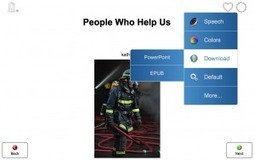
Jane Farrall shares her expertise on “Putting Tar Heel Reader Books into iBooks – with Speech!  In her blog post Jane provides step by step directions on how to import Tar Heel Reader books into iBooks with text to speech capabilties.

I am a HUGE fan of Tar Heel Reader – and have blogged about it before.  However, Tar Heel Reader has had a big upgrade and has some great changes that I am going to write about over a few blog post…

http://www.janefarrall.com/blog/2013/03/04/putting-tar-heel-reader-books-into-ibooks-with-speech/#

As scooped on Scoop.itOT mTool Kit

Carol Leynse Harpold‘s insight:

Jane Farrall explains Tar Heel Reader.com and how to put their early literacy books in to iBooks on the links above. iBooks is a free download in iTunes App Store.

Tar Heel Reader provides free storybooks written by teachers and therapists for emergent readers. Not only can you access books on their website, but you can also create your own books to share. Recent updates to their website now allows their stories to be imported into iBooks.

What a great literacy resource!

Carol

See on www.janefarrall.com

Posted in Apps for OT's, Apps for Special Needs, Book, eBook Creating, Education, Elementary School, Emergent Literacy, iBooks, iPad, Occupational Therapy, Primary Grades, Reading, School Based Interventions, Special Needs | Tagged , , , , , | Leave a comment

Bridging Apps – free course on accessibility features on the iPad

Rehab Gadgets 2 Go shares a free course on accessibility features on the iPad.

Carol

adl2go's avatarrehabgadgets2go

IMG_1664

Bridging Apps is a very useful website on “Bridging the gap between technology and people with disabilities”.  I just received their newsletter, and they are offering a free online course “Free Accessibility Features on the iPad Course on Udemy” by Sami Rahman.  Udemy is a website that offers on-line courses covering all types of topics. In order to access the Udemy on-line courses, you need to set up an account with them (no charge).  Once you have done that, you can sign up for the Bridging Apps free course.

I’ve started the course and find it makes more sense to me than the iOS 6 manual.  The course requires only a basic knowledge of the iPad or iPhone, and is easy to follow as it keeps technical jargon at a minimum.  The first part of the series describes all of the iOS accessibility features.  The second part goes…

View original post 135 more words

Posted in Accessibility, App Search Engine, Apps for Special Needs, Education, iOS, iPad Management, Occupational Therapy | Tagged , , , , , , | Leave a comment

Flummox and Friends

Flummox and Friends show

Do you work with older (middle/high school and above) individuals with social and emotional challenges?

Are you familiar with Flummox and Friends?

No this isn’t an app, but an online show described as an offbeat, live-action comedy designed to help kids navigate the social and emotional world well worth mentioning. Created by Christa Dahlstrom, Writer/Producer and two SLP’s, Jordon Sadler and Liesel Wenske Hartman, this show depicts many of the social challenges faced with individuals with Autism and other’s with social and emotional challenges. The show is played as a Vimeo movie which played on my iPad and computer without any problems.

In the first Pilot: The Party,  two scientists converse and plana party.  If you work with individual with social and emotional challenges, you will identify with the differences in social interactions and  characteristics that are hallmark to high functioning individuals with autism or other emotional difficulties. Real life performers portray the characters in the play. Here is the first Flummox and Friends show The Party episode:

I thought this was really a well done movie and enjoy watching it myself. As a teaching tool, this movie could be the springboard for many conversations to dissect components of social thinking and interactions.

The Party show is available to download with their “Take it with you” link for portability. Additional resources are also provided on the Flummox and Friends website:

Even if you do not have students who would benefit from this show, be entertained and watch it for yourself!

Thank you to Judy Olm, Autism Consultant, SLP for sharing this great resource!

Carol

Posted in Autism, Emotions, High School, Mental Health, Middle School, Multimedia, Social Skills, Special education, Special Education Teacher | Tagged , , , , , | 2 Comments

ER Translate | Rx Publishing

ER Translate app  for iPhone and iPad is a basic communication app developed for the health care worker for non verbal individuals to communicate via pointing in emergency cases. This app provides an alphabet board and picture communication board to relay their needs in an emergency situation .

This may also help therapists in acute care, LTC or home health situations when language or communication is a barrier.

For more information also visit Rx Publishing website.

As scooped on Scoop.itOT mTool Kit

Carol Leynse Harpold‘s insight:

ER Translate app provides basic communication tools in emergency situations. Currently free, regularly 1.99. Visit Rx Publishing website for more information: http://rxpublishing.com/apps/app/er-translate/ .

Carol

See on rxpublishing.com

Posted in App Reviews, Apps for OT's, Communicaton, iPad, iPhone, Medical, Mobile Device Use, Occupational Therapy | Tagged , , , , , | Leave a comment

AppWriter Cloud | LingApps

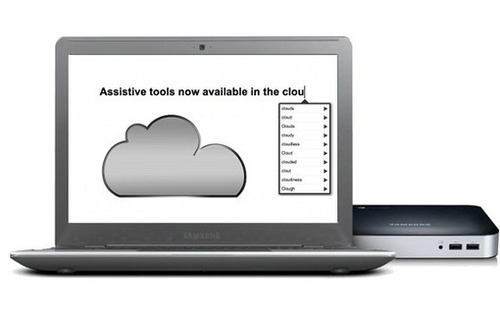
AppWriter Cloud is a Google extension providing word prediction support for struggling writers. One of the only word prediction apps for Google Chrome, this app fills the need for students familiar or needing word prediction to support spelling challenges when composing in Google docs.

Are you reluctant to use Google Docs due to limited accessibility for students with learning disabilities?    AppWriter Cloud levels the playing

As scooped on Scoop.itOT mTool Kit

Carol Leynse Harpold‘s insight:

LingApps are the developers of US AppWriter an iPad app featuring word prediction, TTS tools for students with learning challenges. They also have a Google Doc app called AppWriter Cloud app featuring word prediction capabilities.

Ling Apps provides a sign up for a one month free trial for AppWriter Cloud on their website: http://lingapps.com/appwriter-cloud.

Contact with LingApps has been extremely positive with quick responses to persistent questions and requests for assistance.  They provide great service and support and are committed to improving their mobile device apps.

Carol

See on lingapps.com

Posted in App Rubric, Apps for OT's, Apps for Special Needs, Education, Google, iPad, Learning Disability, Reading, Text to Speech, Uncategorized, Word Prediction, Writing | Tagged , , , , , , , , | Leave a comment

Teaching Learners with Multiple Special Needs: Calendar and Advanced Visual Schedule Apps for Kids with Special Needs

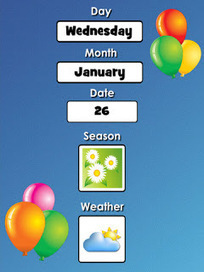
Kate Ahern reviews a variety of calendars and advanced visual schedule options for special needs students on her blog, Teaching Learners with Special Needs. Her review lists and describes 10 different apps for calendar and visual scheduling suited to students with special needs.

If you don’t need a calendar or visual schedule app visit her blog, she has a wealth of information for learners with severe, profound and complex/multiple needs. Her website is definitely one to bookmark if you haven’t already.

As scooped on Scoop.itOT mTool Kit

Carol Leynse Harpold‘s insight:

Kate Ahern provides a listing of calendar and visual schedule apps on her blog Teaching Learners with Multiple Special Needs. Great resource!

See on teachinglearnerswithmultipleneeds.blogspot.com

Posted in Accessibility, App Reviews, Apps for OT's, Apps for Special Needs, Cognitive Impairment, Education, iPad, iPhone, iPod, Mobility Impairment, Occupational Therapy, School Based Interventions, Special education, Special Education Teacher | Tagged , , , , , , | Leave a comment