Toca Mini , a relatively new app for iPad and iPhone developed by the folks at Toca Boca is currently free (regularly 2.99). Developed for 6-8 year olds, Toca Mini app provides a tools to design a creature with facial parts (eyes, nose, mouth, etc.), hair and put designs on the clothes given pallets of parts and shapes. Users get a 3-D creature that is animated with entertaining gestures, expressions and simple actions.
Here are a few pictures of what’s included in the app:
As a creation app, the camera allows taking a picture of the creation to share or print.
A fun app for young children and a great way to work on body parts! Free today!
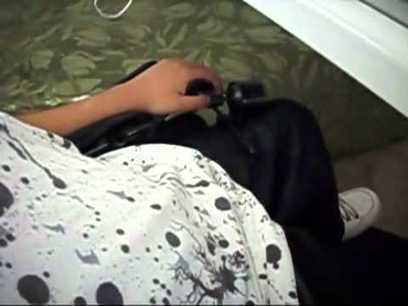
Don’t you just love having choices? Thanks to the TetraLite Company, we have one more in the mouth joystick arena for people with quadriplegia, MS, or other physical disabilities. The TetraMouse i…
Carol Leynse Harpold‘s insight:
Jeannie Krull from IPAT shares a new mouth control mouse for access for individuals with mobility impairment.
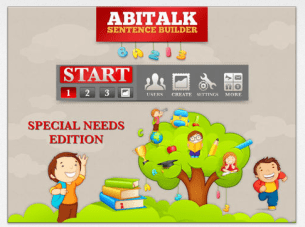
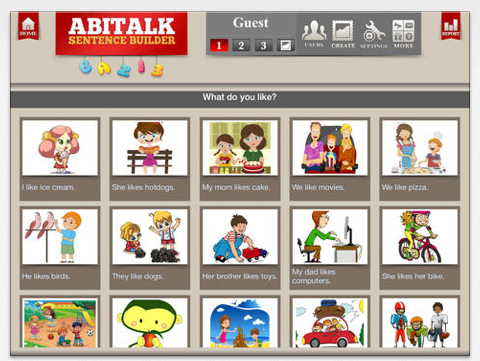
Here is a weekend deal – Sentence Builder for Special Needs Children app – regularly 4.99 Gone Free! This app features tools to create sentences with word tiles given pictures and the ability to customize. Suggested for 4-9 years of age.
Three different levels are provided:
Sentences with simple structures
Sentences with more complex structures
Sentences with advanced structures including grammar, vocabulary and spelling
This app provides unlimited user accounts and the ability to track user progress.
CALL Scotland – Provides specialist expertise in technology for children who have speech, communication and/or writing difficulties, in schools across Scotland.
Carol Leynse Harpold‘s insight:
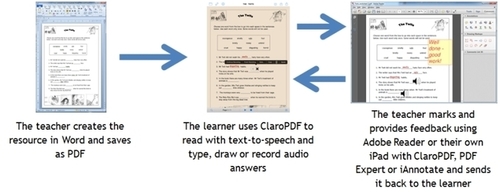
Paul Nisbet from Call Scotland provides workflow solutions when using Word documents for students on the iPad. Recommended apps with annotation and text to speech are offered by Paul Nisbet.
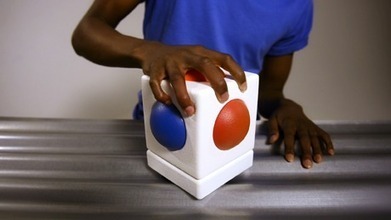
Have you met the Skoog? It’s an easy to play instrument for everyone, allowing access to programmable music using a Skoog and a computer. A technology access tool for individual with disabilities (no it’s not an app…).
Whatever your musical skills or physical ability, the Skoog software allows you to customise the instrument’s sensitivity to suit your playing style, which means that anyone can rock out to their favourite tunes, or use programmes like GarageBand to open up a new world of amazing music and sound.
Carol Leynse Harpold‘s insight:
The Skoog sounds like an interesting tool that enables individuals with disabilities to be a musician. Customize this instrument, with software for Windows or Mac, to allow students interaction with their favorite sounds.
Sonocent is a computer based note taking solution for students in high school or college providing slides from presentations, recording of audio and note taking tools rolled into one application.
Check out ATR’s webinars for how this can help your students.
Here are a couple of apps gone free this weekend, new and familiar, which are suitable for a variety of ages:
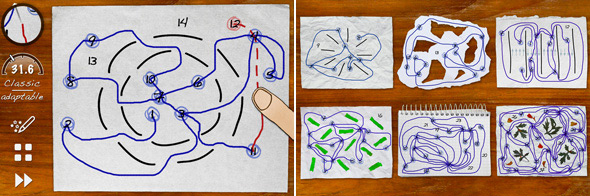
Skill Game app (now free, regularly 2.99) for iPhone/iPad and also available for Android. Is a challenging visual motor, motor planning app for upper elementary school aged students to adults. The game provides different types of challenges within the apps requiring visual motor, spatial reasoning and motor planning to draw lines accurately around obstacles. Try it yourself and you might be hooking on the increasing challenges offered in the game.
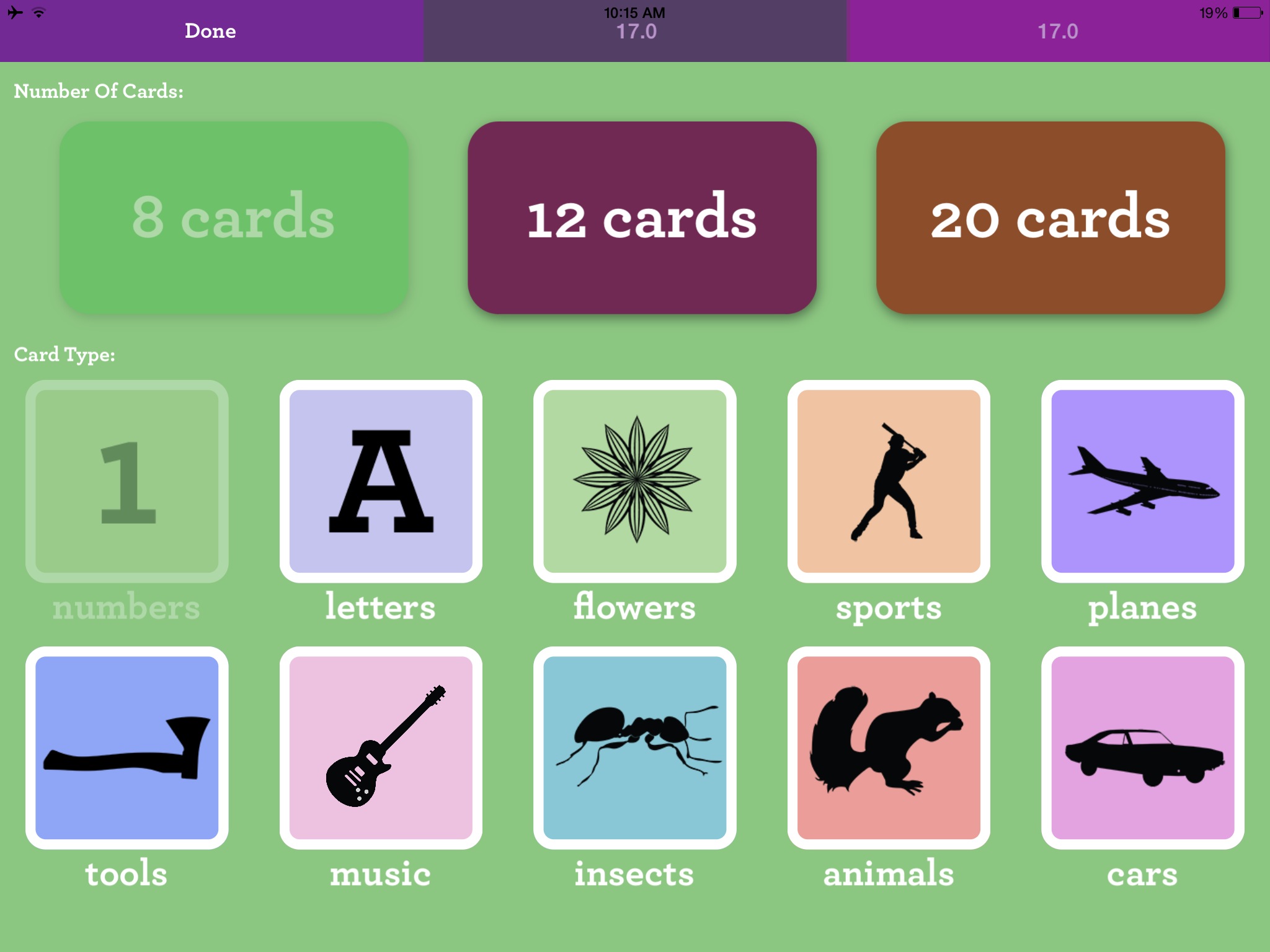
Matching – Memory Training app currently free for iPhone/iPad provides an electronic concentration game for young and old. Developed by the trusted folks at Ellie’s Games, this app could be a staple for those working with a variety of age groups. Although it is promoted for toddlers the content is ageless providing a visual memory tasks for toddlers through geriatric populations due to the black silhouette images, letter and number content. The app provides options of 8, 12 and 20 cards, number, letter, tools, insects, animals, cars, sports, planes, cars, music and flowers image categories and 1 and 2 players.
As always, when the apps will return to full price is a mystery.
Looking for a bit of magic when coloring with your child or student?
Use the free CoLAR app for iPad/iPhone or Android to create your colored worksheet into a virtual reality. Oh, yes and it is free ( additional worksheet images are an in app purchase).
Here is an example of one of the virtual products using a free worksheet (this was supplied me with a fun, chill-out activity after a tough end of the school year day!). Changes in the positioning over the worksheet provides a bit more 3-D! Here’s my CoLAR creation I videoed (using some app-smashing).
2. Go to the CoLAR website and find free worksheets. Select a worksheet and print it out – hard copy.
3. Color the worksheet. It appears as though you can use colors, markers or pencil colors.
4. When your worksheet is colored. Open the CoLAR app and position your iPad or iPhone over the colored worksheet. Make sure there is good lighting. Wait until the image of the worksheet is green. The colored worksheet images turn virtual on your iPad/iPhone.
5. Watch and be amazed or just entertained – for free!
A fun and motivating activity for students or kids of all ages (that would include me too!). Use it as a reward or to motivation for controlled coloring, identifying colors making patterns or app-smash it into a video to use in story telling app – only limited by your creativity.
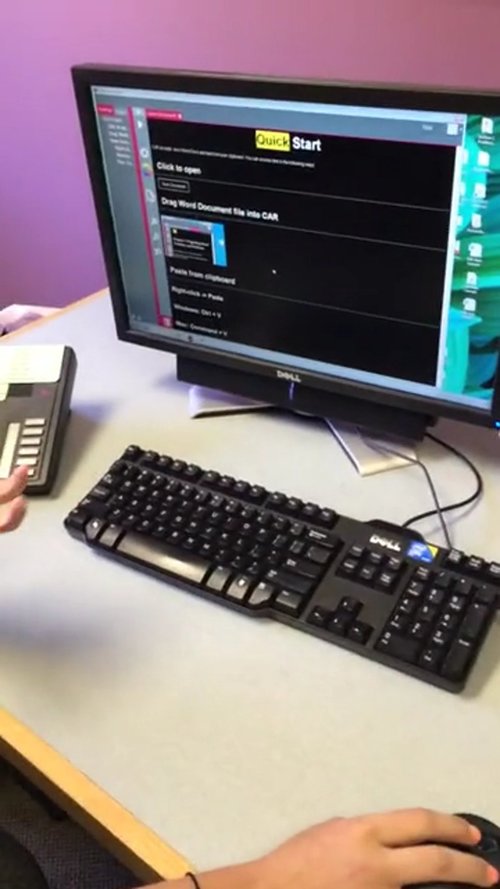
Central Access Reader -A FREE screen reader that reads Math accurately, is going to help so many students and individuals who struggle with literacy, processing,…
Carol Leynse Harpold‘s insight:
Technology for Education’s reviews Central Access Reader, a free application for Windows and Mac that reads text and math. Developed at Central Washington University, this is a long awaited software for access to math for individuals with learning and sensory challenges. A very exciting access application.
Carol
For more information on downloading the software, Visit, Central Washington Universities website: http://www.cwu.edu/central-access/


 Toca Mini , a relatively new app for iPad and iPhone developed by the folks at Toca Boca is currently free (regularly 2.99). Developed for 6-8 year olds, Toca Mini app provides a tools to design a creature with facial parts (eyes, nose, mouth, etc.), hair and put designs on the clothes given pallets of parts and shapes. Users get a 3-D creature that is animated with entertaining gestures, expressions and simple actions.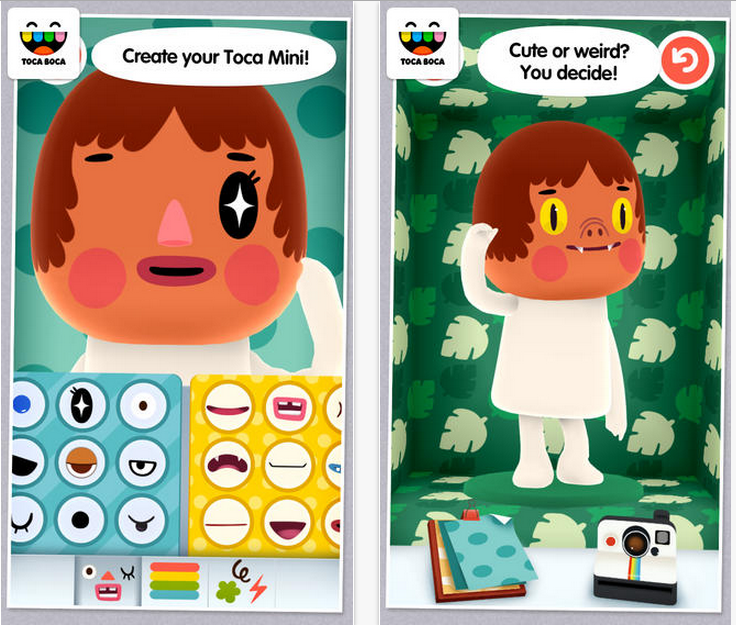





 OT's with Apps & Technology