Voice Dream Reader app’s newest upgrade features support for images in PDF files and also more high quality text to speech voices. Voice Dream Reader has been a great bargain with its many features and improvements. Typically 9.99, it is now reduced to 4.99 until May 11.
Winston Chen, the developer has continually improved Voice Dream Reader since its inception in 2012 upon the requests of users. He has been responsive to the needs of individuals with literacy challenges with new features added and improved to be a robust and favored app with text to speech and reading supports. Plans for future improvements include supporting graphics for eBooks, so that EPUB and DAISY books with images can be displayed in Voice Dream.
In need of an app that can manage numerous file formats and text to speech? Check out Voice Dream Reader app on sale – a great app at a great price. Voice Dream Reader Lite version is also available to trial for free.
More for your OT m Tool Kit!
Carol
with new tools image started as a text to speech app in 2012. Since its initial debut, the developer has continually made improvements to meet the needs and requests of users. Voice Dream Reader app for iOS features
Thank you to Social Skills Builder for providing me with their Social Skills Builder – Full app for review. As an OT we are often involved in self-regulation strategies which for some student involves working on social skills as well depending on those supporting the student.
Social Skills Builder Full App (16.99) for iPhone/iPad provides social skill videos and comprehension activities for multiple users. This app compliments their full version software offered for preschool, elementary, middle and high school students. Here is a preview of the app:
My School Day module targets ages 5-12 years with a focus on classroom behavior, peer interaction, rules and rituals and social emotions. Ten different video situations and questions are included in My School Day.
Preschool Playtime module targets preschool and kindergarten ages with play skills, making friends, social emotions and appropriate behavior targeted social skills. Two modules, Playground and Preschool videos are provided with more anticipated in the future.
School Rules module is aimed at 8-18 year olds with content focused on peer interactions, language and behavior in classrooms, group work, PE class and locker room, personal hygiene and the hallway.
My Community module provides learning social success within their everyday lives in the community. Modules include safety precautions, appreciating other’s emotions, peer interactions and language, and appropriate social behaviors and expectations. The videos in this module portray students interacting with games, a definite area of potential challenge for some students.
Social Skill Builder Lite version (2.99) is available providing the four modules with the ability to purchase ala carte single modules for 1.99 as an in-app purchase. This allows those working with specific age groups the ability to purchase only preschool or elementary focused modules.
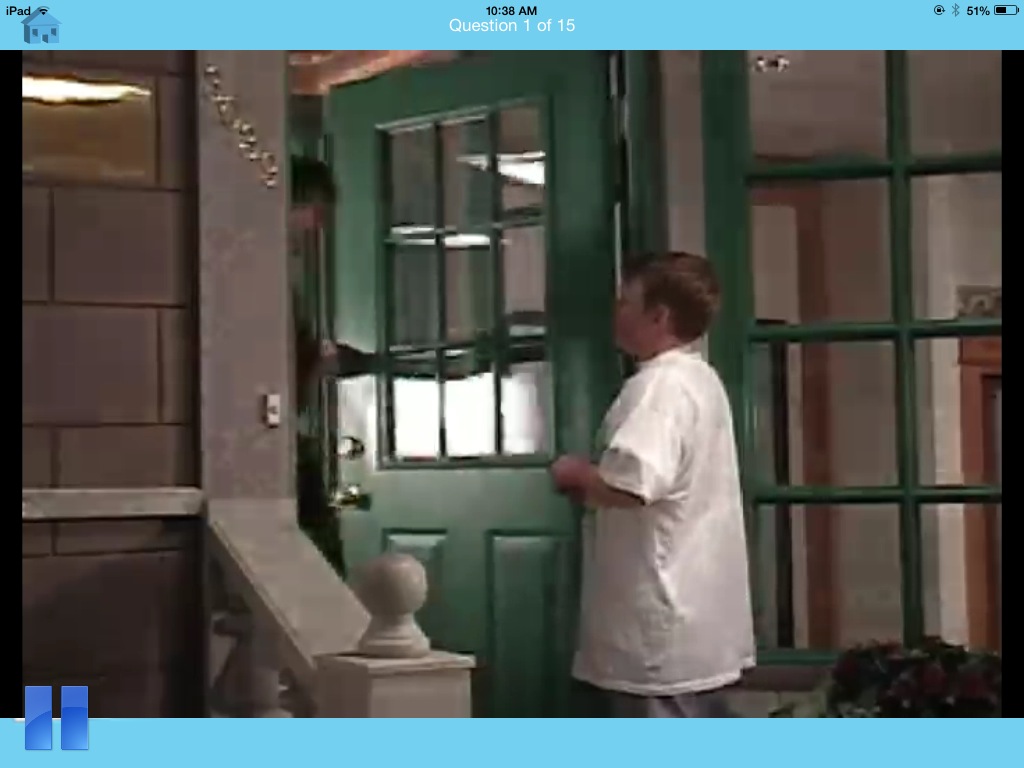
Social Skill Builder app is easy to navigate with short real videos on social situations and comprehension questions suited to each targeted age range. Comprehension questions presented after each video provide positive animation and verbal feedback or redirection with each answer. Questions and answers are provided in text with answers read aloud when presented providing questions and answers accessible. In the Preschool Playtime, text is provided, although given the visual nature of students with social skills deficits, it would be helpful to have a visual image paired with the text and audio answers.
As in all of the modules, School Rules and Community modules show age appropriate, real video scenarios that are potential challenges for student with social skill challenges. The positive reinforcements for older students could be adjusted to be more age appropriate they are the same animated feedback provided in modules for younger students. I did like the realistic videos presented and use of the language of expected / unexpected behavior that coincides with Michelle Garcia Winners Social Behavior Mapping (book) strategy. Social Behavior Mapping concept is a valuable and easy to apply social perspective taking strategy that can be used with all students and situations.
Although I would like to see more modules in the different targeted age groups, Social Skill Builder provides immediate, out of the box social skills training activities that are easy for students to relate to. The addition of expected /unexpected concepts also provides a springboard of extension activities that could be used with this app and other personal social situations students may identify.
Social Skill Builders Company also provides software and video subscription for preschool, elementary, middle and high school students.
Interested in using Social Skill Builder App? The folks at Social Skill Builder has offered some free promo codes for their apps. Remember this is first come, first serve if the code no longer works it most likely has already been redeemed. Each code can only be redeemed once and will expire on May 5, 2014 (tomorrow!)
Social Skill Builder Full App
XE6HFP6KJ3X4
Social Skill Builder Lite App
XHJW3Y3AW9HH
HNJT76XK7RHF
AFT3HEWHW3WT
Thank you to Cheryl at Social Skill Builders for the promo codes!
As a huge fan of the folks at Spectronics, I felt compelled to share this app with those supporting individuals with special needs. As an OT and AT Practioner, finding the right tool for the client, environment and task is a huge job, especially with the overwhelming number of apps available these days. Although AAC is not my specialty, we often are a part of a team working to find the right tool to support the individuals we work with. Sometimes it feels like a needle in a haystack with many new haystacks appearing daily!
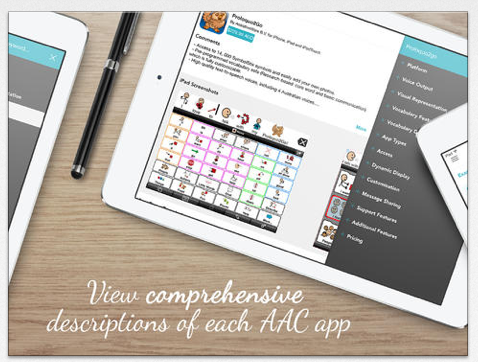
AAC Ferret app is a searchable database app providing a listing of AAC apps using a features match system to determine possible apps. Created for the iPad/iPhone, this free app provides an updated, curated list created by a team of speech and language pathologist on the Spectronics Consultancy Team to search for the right type of AAC app.
If you are not familiar with their work, you should peruse the Spectronics website of rich information on supports for individuals with special needs. It is a fabulous resource!
If this is not your area of expertise, but you work with SLP – you might gain additional popularity by sharing this resource.
Here are a few more AAC resources provided by the developers of the AAC Ferret that are well worth sharing or perusing:
Here are a few great apps gone free – for a limited time – appropriate for OT intervention and administration:
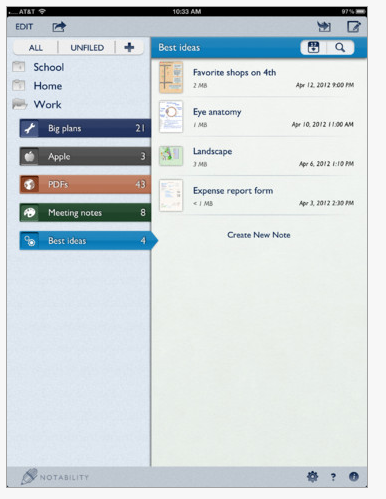
Notability, an app for iPad/ iPhone is currently free (typically 2.99) for a limited time. This app provides organization of information by topic and notes with searchable information. Options in notes include drawing, importing pictures, PDF files, audio and annotation capabilities. It is a great app to organize files for students and professionals. A great app for organizing workshop information, department notes and research articles and more. topics. Provides workflow to DropBox, Box, Google Drive and iCloud for easy transfer of docs and password protection to secure private information.
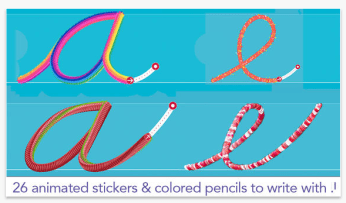
Cursive Writing Wizard – a companion app for the popular Writing Wizard for learning manuscript writing is currently free (typically 2.99). Created for iPhone/iPad, this app provides multiple tools to write, multiple cursive fonts and pre-writing activities. Kids enjoy this app.
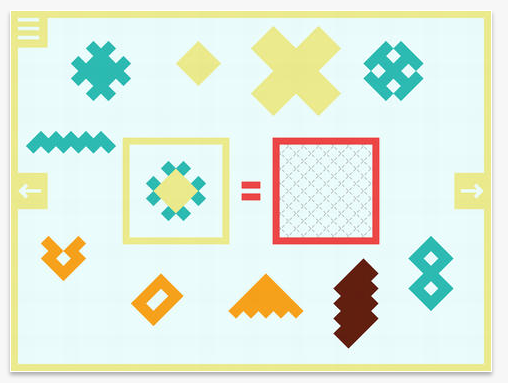
OverColor app for iPad is currently free today. An interesting visual perceptual/ figure ground app requiring users to stack shapes and colors in order to recreate a design. Appropriate for elementary through adults, this app can support practice with shape discrimination, figure ground and pattern recognition progressing from easier to hard. Although I have not used this app, I could see this used with students and adults with perceptual challenges .
Abilipad app provides a customizable keyboard with a writing environment featuring word prediction, text to speech and images for the iPad. Recently updated to provide an easier interface for users, Abilipad is reduced to 15.99 (regularly 19.99) for a limited time.
Not familiar with Abilipad? Check out more information about Abilipad at AppyTherapy and ideas on how it is used on Abilipad Pinterest page.
This is a great app to have in your teacher or OT mTool Kit!
Dexteria app is a familiar app used by OT’s and teachers for visual motor and fine motor skill development is now available for Android. The developer, Binary Labs has reduced it to 2.99 for a limited time in the Google Play Store which includes multi-user tracking. Dexteria is promoted for children and adults.
Unfamiliar with Dexteria? Features of the app include:
Tap it – Activities that encourage finger isolation with timed element
Pinch it – maintain pinch between two fingers
Write it – Pre-writing stroke development and letter and number formation
Multi-user enrollment
Not only appropriate for children, Dexteria could also be used for adult rehabilitation if appropriate for their level of finger isolation. This app works well using a stylus for the pre-writing and writing activities.
Dexteria app 4.99) remains available for the iPad with the same features as the Android version.
Dexteria Jr. (2.99) is a fun app suited for young children ages 2-6 working on pre-writing and visual motor skills.
It is great to see those familiar apps emerge for Android! If you have parents looking for mobile device home programming suggestions, Dexteria for Android might be a great choice.
The Assistive Technology Daily’s recent post of an article, “Can Audio and or/or Digital Books Improve Your Child’s Learning Outcomes?”, from the National Center for Learning Disabilities, not only stirred my interest, but also strong feelings about access to print. From working with school aged students and post secondary student, many are not familiar with audio or digital resources that are readily available for use as free or paid for services and that can help them access print information and support their learning with greater independence, an important ability for especially post-secondary students.
The above mentioned article mentioned Learning Ally and Bookshare, two electronic text resources for students that struggle with reading. Both services are now easier than ever to sign up and access. Memberships (Learning Ally is paid subscription and Bookshare free for individuals with a Print Disability) to the services allow use of numerous tools from free online browser tools, free and paid computer software as well as mobile apps. Although not the only resources for alternative instructional materials, they are easy to use and manage. Here is a listing of tools available for accessing the electronic files offered for each of the services:
Learning AllyReadHear software on PC and Mac computers for Learning Ally members.
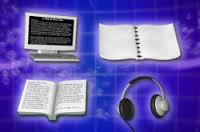
DAISY Devices – Digital Accessible Information System devices – a player designed specifically for Audiobooks. Typically used by individuals with low vision or blindness. The DAISYpedia is an excellent resource providing a listing of devices and services supporting the DAISY format.
Learning Ally Apps for Android and iOS devices (both free apps). A Learning Ally membership is required to use the apps.
Bookshare.org
Bookshare.org provides electronic files for individuals with a print disability. It is a free service funded by OSEP to individual members and institutions for those that qualify. Apps and software to manage Bookshare files are available. Bookshare outlines all of the Reading Tools available for Bookshare members.
Web based or Apps available to support the use of Bookshare files:
Google Chrome Web Browser and Bookshelf – (free) provides a method of downloading and accessing Bookshare files using Google Chrome.
Read2Go App for iOS (19.99) – App for iPhone and iPad providing direct and easy access to Bookshare books.
Go Read App for Android (free) – Android app for Bookshare members.
Voice Dream Reader App for iOS (9.99) – Lite and full version provides an easy method of downloading Bookshare book files.
Computer based software supporting Bookshare files includes:
Kurzweil 1000 – Reading and writing software for individuals with low vision or blindness.
Openbook – Software for individuals with low vision.
Kurzweil 3000 – Reading and writing software for individuals with learning disabilities.
Read Outloud 6 – Reading software for individuals with disabilities.
Read & Write Gold – Reading and writing software for individuals with learning disabilities.
WYNN – Reading and writing software for individuals with learning disabilities.
JAWS for Windows – Computer based software for individuals with blindness.
Window Eyes – Computer based software for individuals with blindness.
What is the research regarding the use of alternative text? Here are a few resources, citing research on the subject from National Center for AIM Research.
The Promise of Accessible Textbooks: Increased Achievementfor All Students (Stahl, 2004).
Dexteria Dots, for iPhone / iPad is reduced to .99 from regular price of 2.99. Created by the folks at BinaryLabs, (Dexteria, Dexteria Jr, Letter Reflex) is reduced to .99 (regularly 2.99). Created for ages 6-8 this app combines learning math concepts and visual motor activities on a mobile device.
Dexteria Dots features math concepts of number sense, addition, subtraction, larger than and smaller than required of Common Core State Standards in Math with a visual motor twist. Here is a quick video of the app in action:
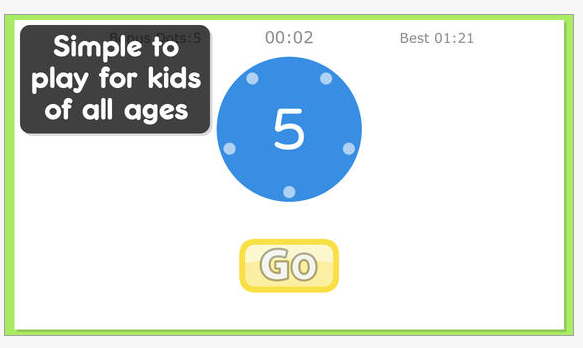
The app uses dots to add or subtract numbers by slicing, dragging dots together. Visuals of dots are provided on the beginning levels to provide the concepts of numbers. An initial visual and audio of the number target is provided, but, which disappeared after hitting Go. Visual and audio instructions are given at the beginning of a session with audio instruction or number repeated using the ? at the top right of the screen.
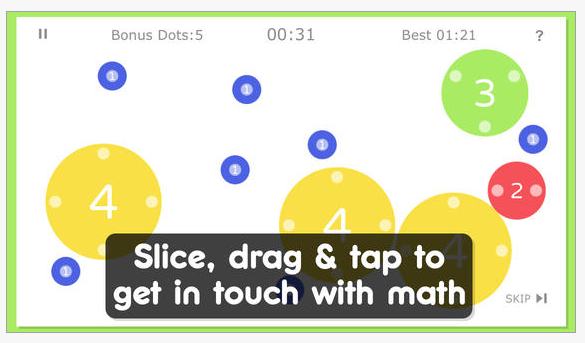
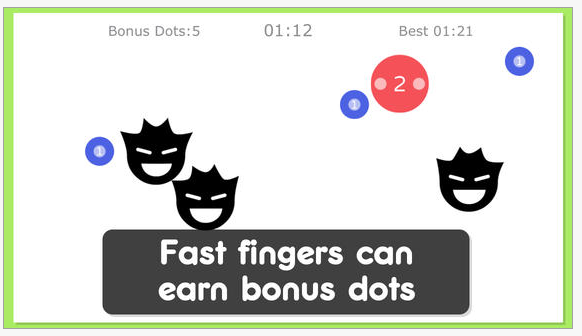
Dots are then dragged or connected together to create the targeted number given in the instruction. Combination of addition of numbers are provided to get to the targeted number. The dots on the numbered dots indicate the value. By touching anywhere on the dot it splits into a smaller value dot. The activity is timed with rewards for speed with the calculations. The activities increase in complexity in levels and math concepts requiring strong memory skills to recall the number equivalency to a colored dot.
This is a visual motor activity using finger isolation to drag the dots together with increasing difficulty with the math concepts. A fun, hands on way of learning for those who are secure in their rational math concepts and have good memory skills.
A few changes that might be considered for those who need concrete reinforcement might be the ability to touch the dots around the whole dot without it separating into single dots. Considering providing a method of checking your answer prior to the animated feedback may also help those that need to review their answer. I liked the animation, however a reinforcement visually or via audio of the correct number achieved whole help reinforce achievement of their number skills .
Dexteria Dots provides some fun visual motor activities embedded in a math activity for individuals beyond the concrete stage of math. Advertised for 6-8 year olds it might be best described as suited for those with at the 1st or 2nd grade level.
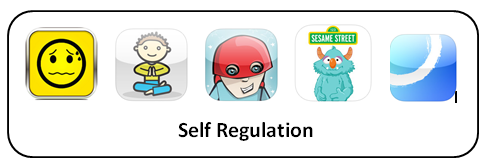
In an article, Just RELAX!? Using Technology for Self Regulation for Students with Autism (Lewis Stokes, 2014), autism consultant, Susan Lewis Stokes shares technology for self-regulation for students with autism. Self-regulation of emotions is defined as the ability to calm yourself down when you’re upset and cheer yourself up when you’re down (Stosny, 2011). Here are a few apps and resources shared by Susan Lewis Stokes in her article and as curated by OT’s with Apps in the past. Apps reviewed are suited to primary aged children and are only a few of the many apps available:
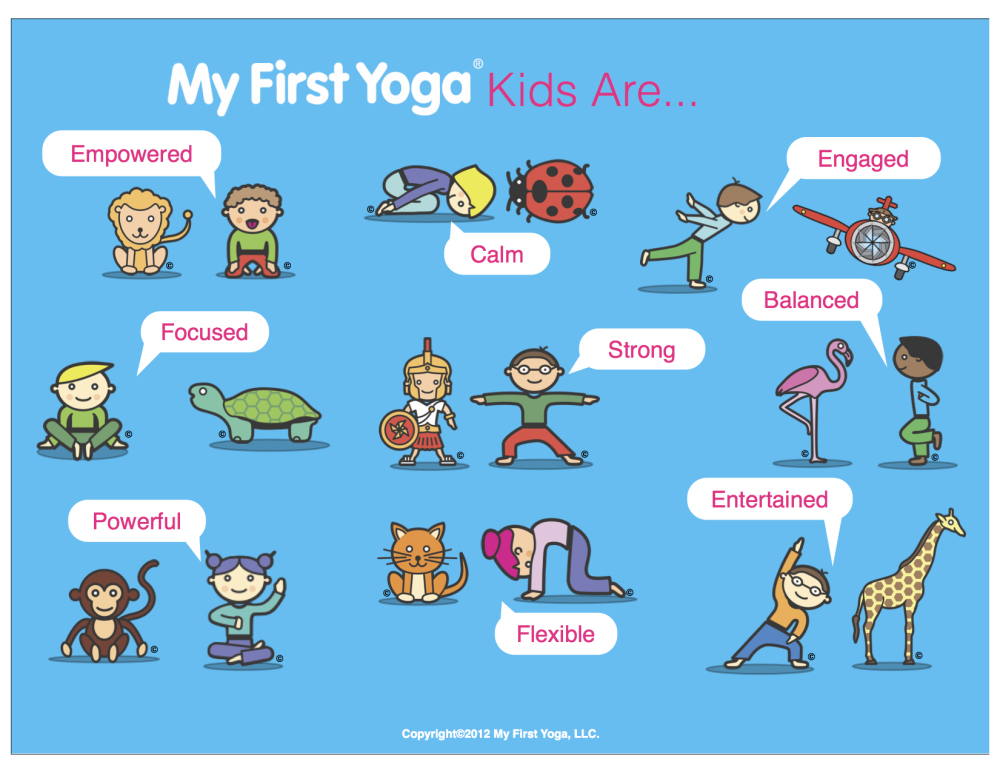
My First Yoga -Animal Poses for Kids (free) for iPhone / iPad provides a series of animal yoga poses for children to improve focus, balance and concentration.
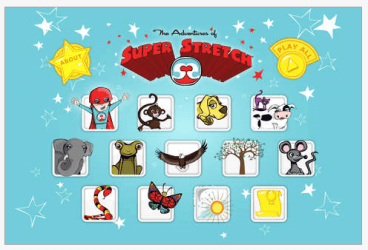
The Adventures of Super Stretch (free) for iPhone/iPad. Super Stretch is an educational yoga tool to use and teach the fun of physical activity and breathing to children. This app uses the skills of self-awareness, self-esteem and self-regulation to teach lifetime skills.
Breath, Think, Do with Sesame Street (free) for iPhone/iPad, created by Sesame Street, provides breathing and problem solving practice for children ages 2-5 years of age. Models deep breathing using a friendly monster.
Calm Counter app (2.99) for iPhone/iPad is visual and audio tool to help people calm down when they are angry or anxious. The app includes a social story about anger, and audio/visual tools for calming down. Developed by Touch Autism.
Other technology resources for self regulation for preschool and primary aged students:
MeMoves – Provides guided, visual models of patterned, bilateral movement with music suited to all ages and skills to calm, focus or be joyful. Available as a complimenting app (9.99), but most effectively displayed with the DVD. Students I have used it with or as implemented in the classroom have enjoyed MeMoves and provided a calming, centering experience during their day.
There are many wonderful tools available for self regulation available. Look for a future review on self regulation technology for upper elementary through adults on OT’s with Apps.
What technology have you found useful to help support self-regulation?
Carol
References:
Lewis Stokes, Susan K. “Just Relax!? Using Technology for Self Regulation for Students with Autism.” Connecting Wisconsin Spring 2014, Volume 24 ed., Issue 2 sec.: 4-5. Print.
In the Midwest, spring is finally here and it is time to have some fun!
Here are a few, fun iOS spring apps for kids for something fresh and new in OT, teaching or family mTool Kit:
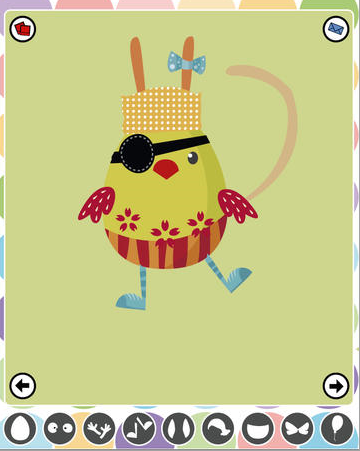
DressUp Easter Eggs – for iPad featuring clothes, body parts and other embellishments (flowers, butterflies, etc.) to add on an egg. Share via email or save to your photo library. Just for fun and free only today, April 13 (I believe).
Kids Reading – I Like Spring – free for iPhone / iPad from the trusted Grasshopper Apps folks. Read and listen to basic books about spring. Create and record your own in the app.
Monki Animal Builder – for iPhone / iPad. Break the egg and create a crazy animal and accessorize! Free, always makes it a bit more fun!
Have some fun with these apps, but enjoy the outside also!!




 (book) strategy. Social Behavior Mapping concept is a valuable and easy to apply social perspective taking strategy that can be used with all students and situations.






 DAISY Devices – Digital Accessible Information System devices – a player designed specifically for Audiobooks. Typically used by individuals with low vision or blindness. The






 (19.95) by Aras Baskauskas (DVD) available on Amazon.





 OT's with Apps & Technology
