See on Scoop.it – OT mTool Kit

Stylize Contacts & Names on the iPhone By Adding Emoji Characters
Carol Leynse Harpold‘s insight:
This app provides visual communication and cues to your phone list.
See on osxdaily.com

See on Scoop.it – OT mTool Kit
Stylize Contacts & Names on the iPhone By Adding Emoji Characters
This app provides visual communication and cues to your phone list.
See on osxdaily.com
See on Scoop.it – OT mTool Kit
11 Mental Health apps from the National Center for Telehealth and Technology.
See on t2health.org
(click on above link for Word doc app list)
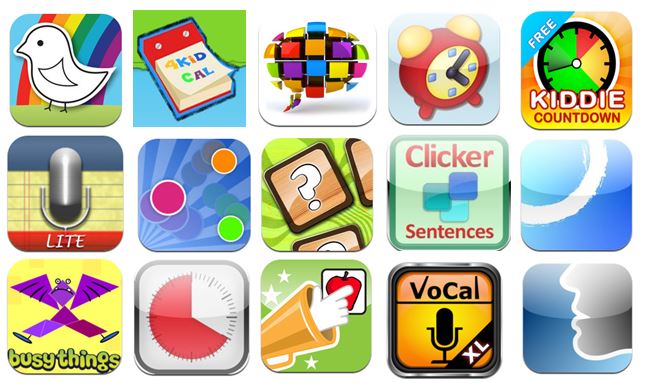
It’s been a while since the OT’s with Apps mTool Kit list has been updated. Please find this new list at the above link providing additional apps and categories which should be working better (good thing my job is not reliant on web designing!). The link provides you with a Word document of the list with links to all the iTunes apps.
If there are problems with the list please, leave me a comment or feel free to contact me at otswithapps@gmail.com .
Happy Apping – Thank you for visiting!
Carol


Providing appropriate positioning for access and ergonomic positioning can be important with the use of mobile devices. A recent road trip requiring the use of my iPhone for navigation, hotel and event searching brought about the acute realization that small screens, static, prolonged positioning yields some unpleasant symptoms (discomfort and stiffness which subsequently remained for several days… I should know better!). Although positioning is a bit more challenging in the car, I could have definitely improved my devices position and changed some of the accessibility options to help with visual and positioning as the navigator and event coordinator for the trip.
An ever-increasing number of stands are available for the iPad, iPhone or iPod. Here are a couple I have recently purchased or worked with that provide adjustable, quick on/off and or portable positioning solutions:
FlipStands – New, Compact Portable Multi-Adjustable Stand for the iPad, iPad2, the New iPad, iPad Mini, Nexus 7, Nexus 10, Nook HD and all other Tablets
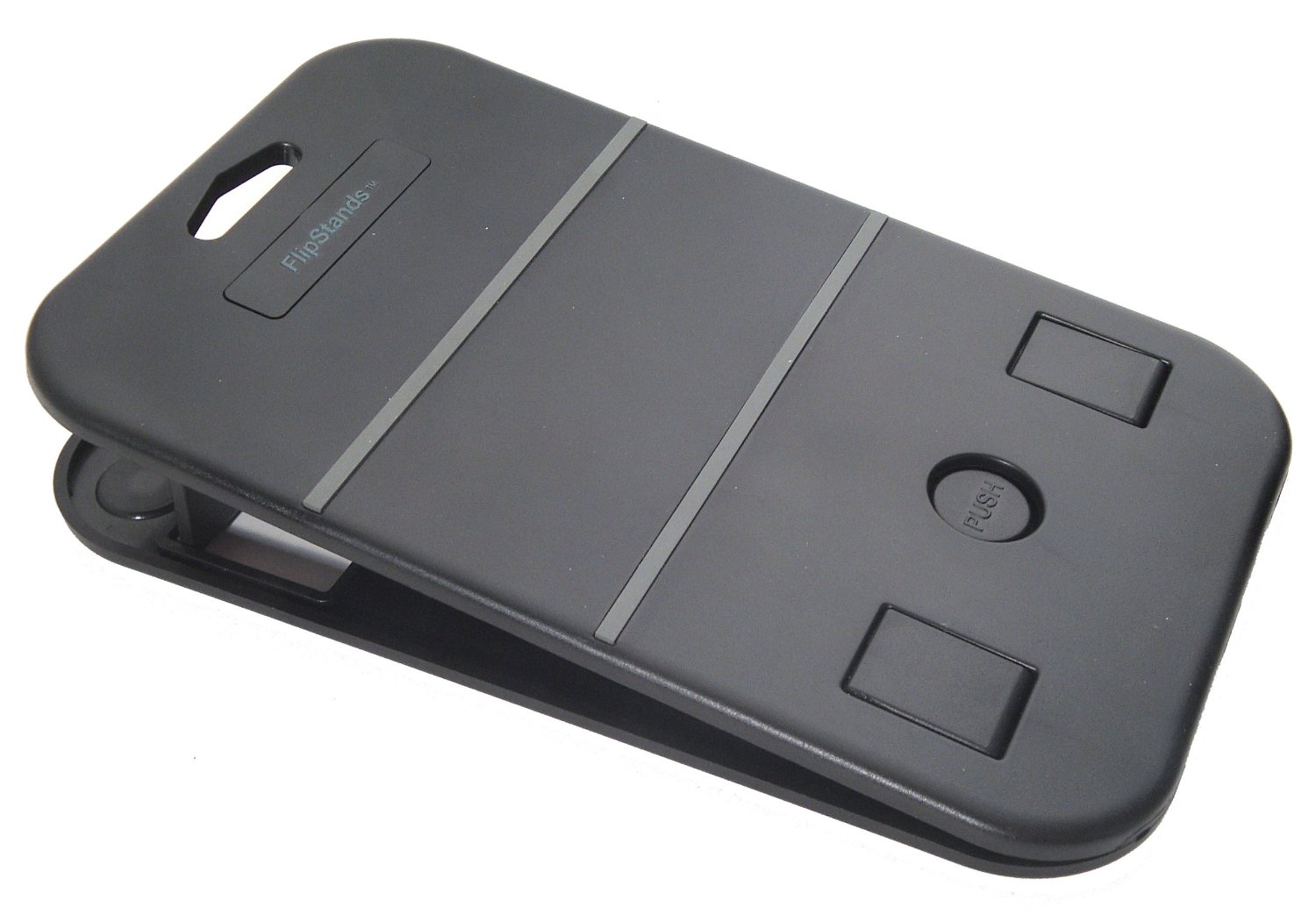
This stand is 5 x 8″ x 3/8″, sturdy and light weight. The base has small rubber grippers to help it stay in place. The rests which holds the tablet, provides 3/4″ space to allow for iDevices with cases. Multiple positions can be set pending positioning needs. It is wide enough to not topple over with a device, although for some users whose motor or behavior control might be challenged, a choice of a heavier or more secure stand may be a better choice. This is great for portability and adjustability.
CLINGO Universal Dash Pad Car Mounts – This mount is for an iPhone or iPod Touch (39.94). 

Clingo Universal Wave Mount

Arkon Portable Fold-Up Stand for Apple iPad, Galaxy Tab, Kindle Fire, Playbook, Xoom, Toshiba, Acer, Nook and Other Tablets remains one of my favorite, portable stands as it is lightweight, takes limited space and is cheap! ($8.15)


I should have used the Arkon stand or Flip Stand propped on a bag to improve my positioning – along with longer breaks away from the device would also have helped!
What stands are you using that you would recommend?
Here are a few more resources for stands:
Any suggestions for mounts and stands?
Carol
Pictus Kids Coloring Book
Children’s Day (the first Sunday in June) brings some free offers to iTunes store for kids. Pictus – Kids Coloring Book app for iPad is one providing kids of all ages (young and old) coloring activities to occupy them this summer (and all year round).
Pictus – Kids Coloring Book app offers more than 280 pictures from simple to more complex that are black on white stylized, cartoonish and standard pictures for users to color. Included in the picture choices also are some holiday themes. Here are just a few pages of examples of pictures:
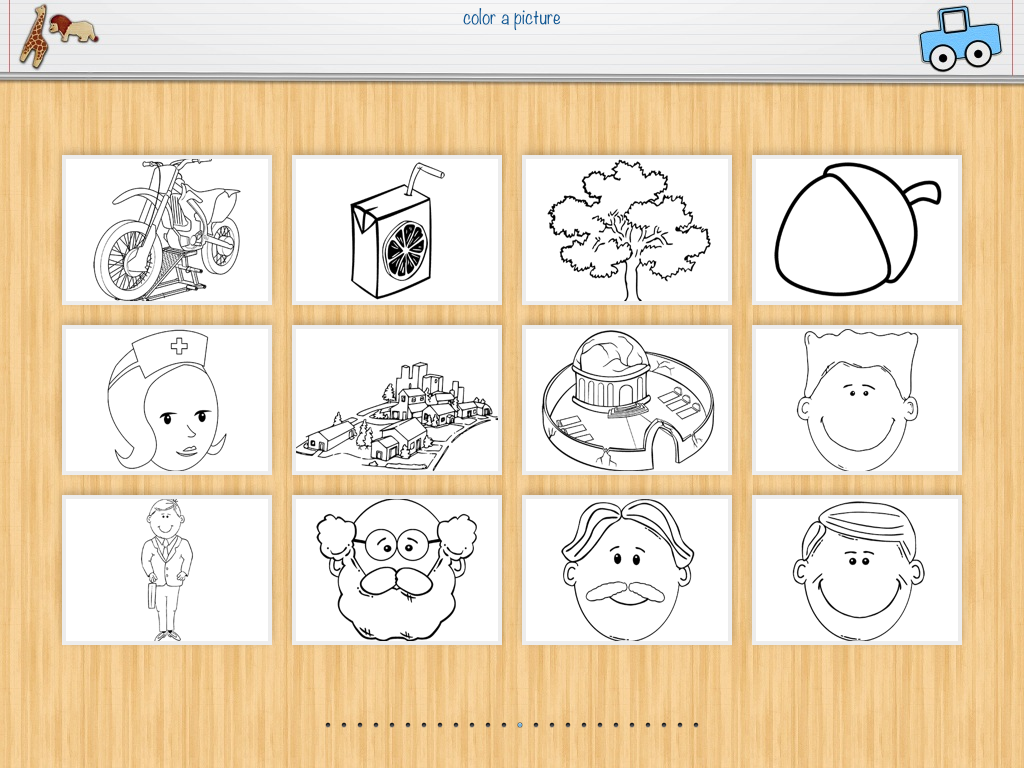

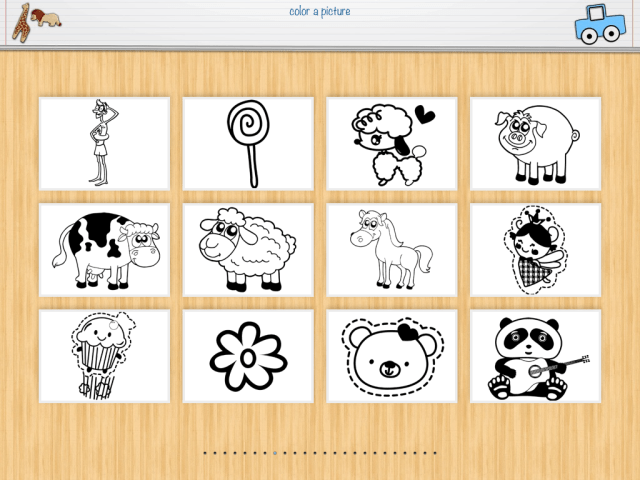
When choosing a picture you have the five choices of colored background paper to use, white, off white, lined paper, grid paper or black background for high contrast.
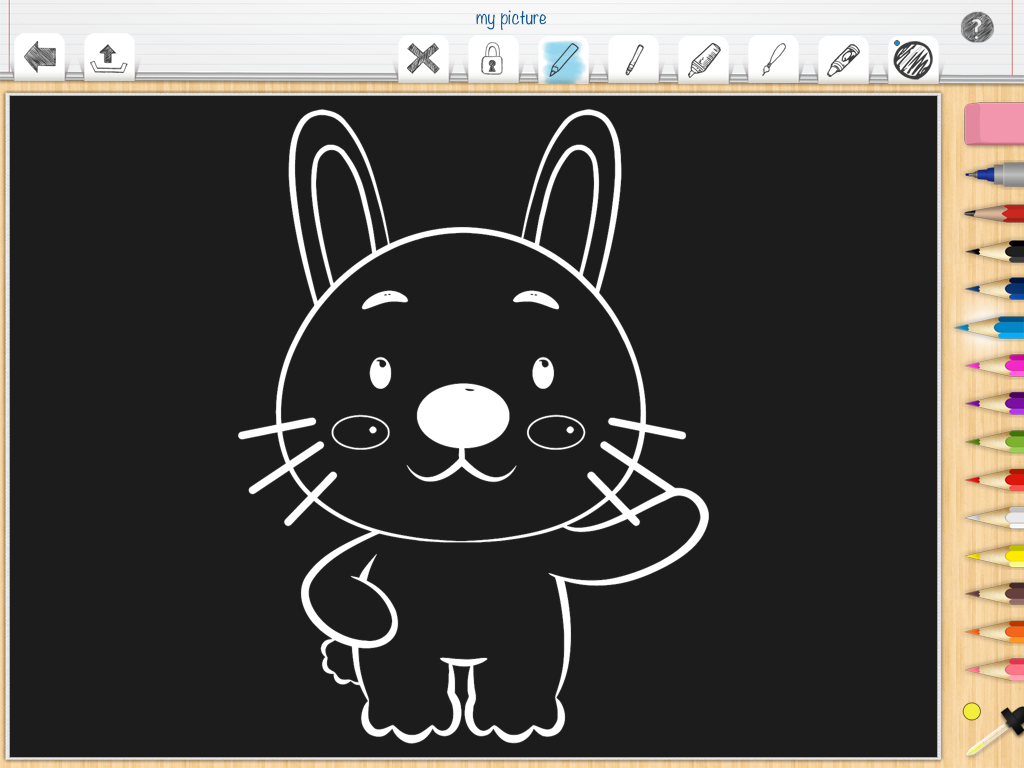
Coloring tools include: pencil colors, fine and wide line markers, colors and paint brush. A color picker provides customization of colors. I liked the fine line colored pencils and markers which improved my ability to handwrite, often a challenge in some apps.
Wondering how on earth you could color some of the fine detail on an iPad? One unique feature to this app is the ability to unlock it, zoom and move the picture on the screen to parts of the picture you want to color, lock it and then move and zoom to another area.

When you are done with specific areas you can return to the original picture with the fine areas colored. The hands at the top left of the screen provide visual cues of how to do this.
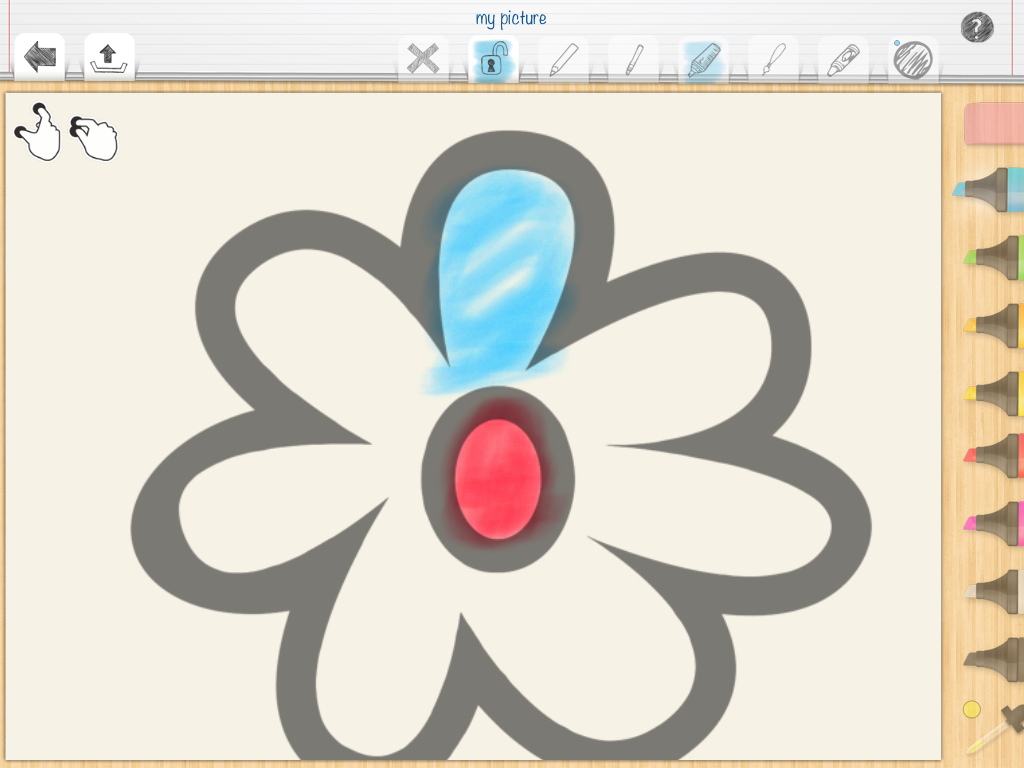

This zoom in/out feature would be great for young and old artists with visual challenges who enjoy coloring or want to master small details of the picture. Choosing a stylus appropriate for the user would allow greater control and accuracy, develop tool usage and foster grasp patterns. An easel or stand for the iPad can also support posture, visual presentation, wrist and grasp development options important for the user.
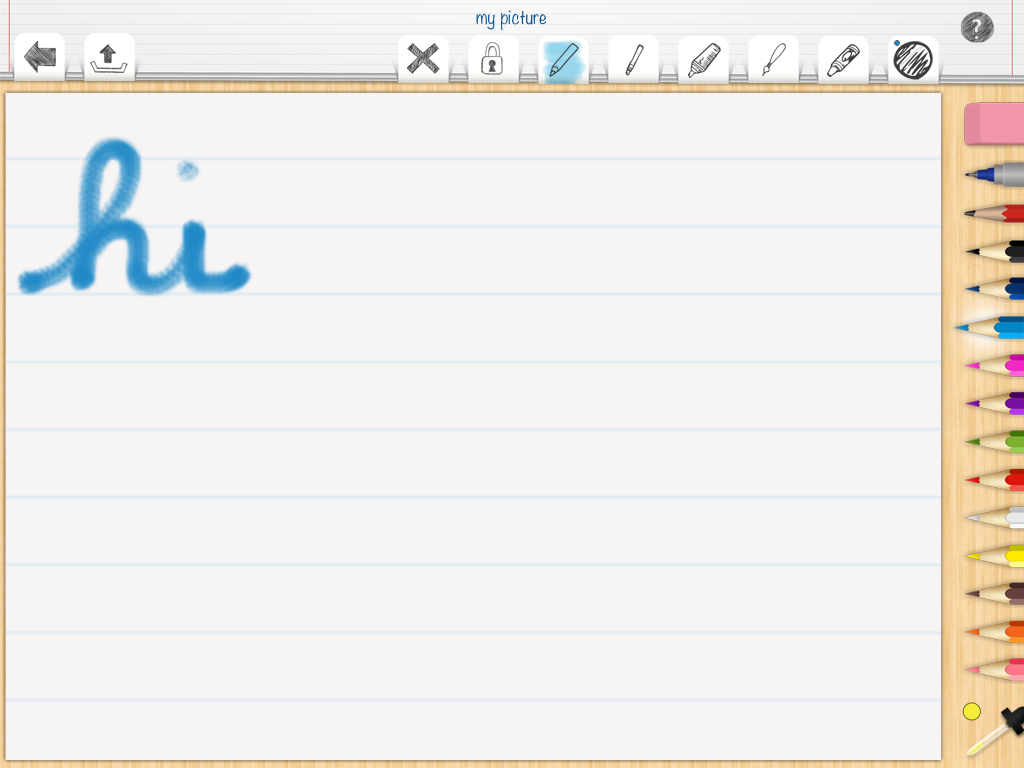
Although there are many apps for developing letter formation and handwriting, Pictus provides a solid lined paper background option that could be used for handwriting or letter formation practice.
Options for workflow include emailing, sending to social media, saving to photo album, opening in other apps or copying the picture. Colored pictures could be showcased or used in story telling books or other creation apps like Educreation, Skitch or Show Me if needed for a presentation.
Although there is an abundance of coloring apps available, Pictus – Kids Coloring Book is currently a great price and provides some options that are suitable to your special education, geriatric, family, or OT mTool Kit! Who doesn’t like to color from time to time? Many of our students at school find coloring a calming activity – me too!
Looking for stylus or stand options? Here are some prior posts features many suggested stylus or stand options:
What is your favorite coloring app??
Carol
(as scooped on Scoop.it – OT mTool Kit)
Hello! Just activate your switch to answer your phone! First pair your phone with the Bluetooth speaker phone, then press your switch to answer your phone; press again to hang up. Bluetooth speake…
AT Daily reviews a way to use Bluetooth features on your phone with a switch for access!
Check it out!
Carol
See on attraining.org
The Speech Guy reviews the app Pic-A-Boo! a fun customizable app for young learners. This looks like a fun app. Create with your own pictures and audio – won’t your kids love it?
Carol

Pic-A-Boo is a free app by Pic-A-Boo Baby that offers a fun twist on peek-a-boo. At first glance this app is inline with other similar peek-a-boo apps out there like the Peek-a-Boo series by Night & Day Studios. The premise of Pic-A-Boo is simple, you tap on the screen and you reveal the object hiding behind the hands, barn door, blanket, or doll house.

The game comes free with Cute Animals and Happy Robots to play pic-a-boo with. The remaining pictures are available as a in-app purchase of $1.99 and include over 40 images in 6 different sets of fun peekaboo games including farm and zoo animals with real sounds, illustrated eggs in a variety of uniforms, happy robots, illustrated animals and sweet stars.

The best part of the app, which is included as part of the in-app purchases, is the ability to import your own…
View original post 149 more words
Touch ‘N Slide Calculator
Unlike other calculators, the Touch ’N Slide Calculator visually displays the underlying mathematics giving users a visual and kinesthetic sense of what the arithmetic means. Created for iPad (Free), this app features an interactive calculator of addition and subtraction concepts with option to extend number line to negative numbers as appropriate for student skill level.
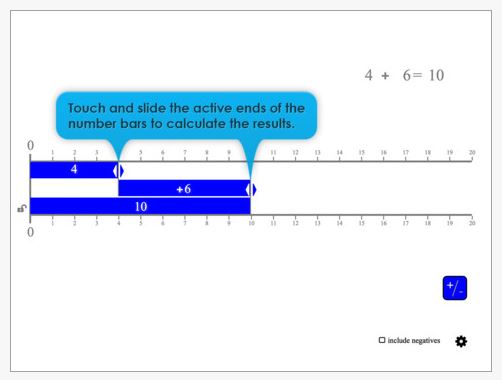
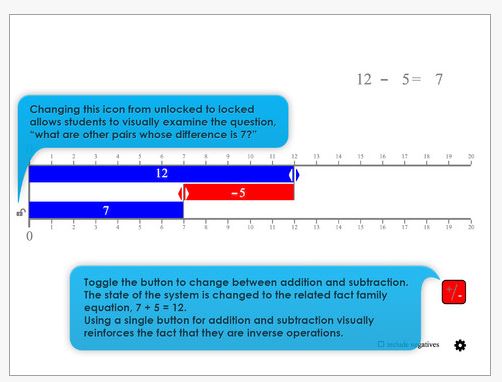
A visual and tactile method of interacting with math facts for students supporting common core math standards in operations and algebraic thinking.
Pass this along to special education teachers, parents as another method of math practice.
Carol
Dear Otto: Do Students Still Need to Learn Keyboarding?
Ask A Teacher addresses the age old question regarding keyboarding in light of new technology use by students and provides a great listing of research on the topic.
(As posted on Scoop.it – OT mTool Kit )
Dear Otto is an occasional column where I answer questions I get from readers about teaching tech. If you have a question, please complete the form below and I’ll answer it here. For your privacy, …
The question of keyboarding instruction continues to surface especially in lieu of packed curriculum content and currently the presence of mobile devices which changes how input is done for students.
This post address those questions and provides a listing of recent and past research information on the subject from an expert.
Carol
The Future of Technology isn’t Mobile, It’s Contextual
(as posted on Scoop.it – OT mTool Kit)
You’re walking home alone on a quiet street. You hear footsteps approaching quickly from behind. It’s nighttime. Your senses scramble to help your brain figure out what to do. You listen for signs of threat or glance backward.
This isn’t your average review of apps or application, but the idea of contextual data peaks my interest with what is up and coming in the computing industry. Considering what contextual data could do, this might provide the type of scaffolds for individuals with disabilities who may have difficulty with high order thinking skills.
Read on to consider what some possibilities might be!
Carol
See on http://www.fastcodesign.com/1672531/the-future-of-technology-isnt-mobile-its-contextual

The OT eTool Kit resource - review of apps and other technologies for OT's working with children and adults.
The OT eTool Kit resource - review of apps and other technologies for OT's working with children and adults.
powered by ARRM Technology Resource Center
Indiana's leader in assistive technology and the home of the INDATA Project
Assistive technology to help infants and toddlers communicate, move, play, and grow
The Stories of an Occupational Therapist with Retinopathy of Prematurity
The OT eTool Kit resource - review of apps and other technologies for OT's working with children and adults.
The OT eTool Kit resource - review of apps and other technologies for OT's working with children and adults.
Tech Integration for Busy Teachers
Just another WordPress.com site
Technology support for all dyslexic people
Re-train the Visual Brain…Advancing awareness, understanding and best practices
Literacy, AAC & Assistive Technology
Supporting Accessibility with the iPad