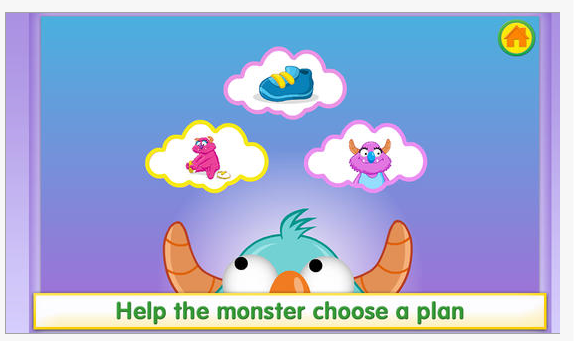
Breathe, Think, Do app (iPhone/iPad; Android; free) developed by Sesame Street, is geared to children ages 2-5 years using a Breathe, Think, Do strategy to promote problem solving and emotional coping skills. Just one of the tools of the Little Children, Big Challenges Sesame Street Initiative, this app provides tap and touch to help a monster friend take big breaths, think of a plan and try them out.
It’s 2014–an era of increased understanding, patience, creativity… And technology. Really? Wasn’t that last year’s educational buzzword? Why can’t that geeky stuff leave teachers alone? Educatio…
Carol Leynse Harpold‘s insight:
Jacqui Murray is an Ed Tech Teacher of K-8th graders. I follow her blog to keep up with the general trends in tech ed. Although this is not particularly AT related or OT related, I find Jacqui’s information full of practical and trending information. This particular post give me some general idea of what is coming down the pike tech wise. AT requires meeting individual needs, but also fitting within the context of other environments, services, and curriculum – important to make sure that the AT recommended fits with the demands of the user as well as their skills.
So, although this might not be an immediate fit, these trends will affect how you provide AT devices and services down the road!
Ready to Print app for iPad (9.99), Android (7.99) and for Kindle Ready to Print (Kindle Tablet Edition) (7.99) by Dianne Reid, OT at Essare.net is a well-developed pre writing/ letter formation app that provides graded levels of multiple visual motor and visual perceptual activities for children ages 2-7 years of age. Ready to Print app provides emerging handwriting, visual motor and fine motor activities with exceptional options to adjust features of the drawing tasks to each user. The updated version 3 of Ready to Print app adds a new activity, Touch and Drag along with upgrades to the sound and graphics within the tasks.
The new Touch and Drag activity has been added to all versions of Ready to Print app:
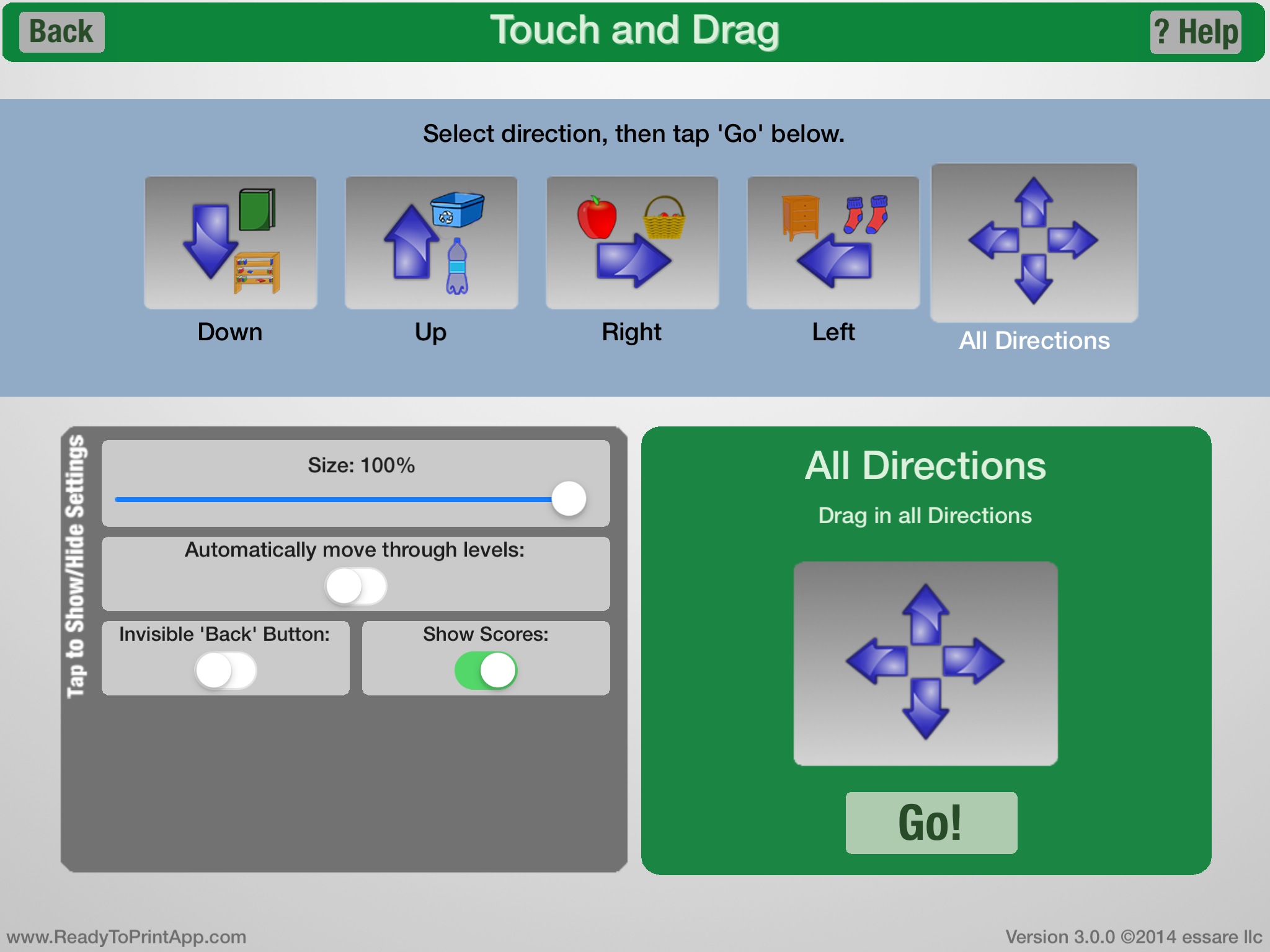
Activities in the Touch and Drag include drawing lines: down, up, right, left and in all directions. Options (settings) available within the Touch and Drag include changing size of lines for accuracy, automatically moving through levels, making the back button invisible and showing scores. Verbal directions are given the user at the onset of each activity.
Ready to Print app is an excellent app to practice pre-writing and letter formation on the iPad with the ability to grade the activities to support each user. Options allowing individual setting for each user and data collection further provides assessment information for the therapist, teachers or parents.
A video of the version 3 app provides a great overview of the app and changes:
Katherine McCloskey scooped this resource of apps for organization. My favorities on this list include the 30/30, Toodledo apps. I also would include apps like Notability, Awesome Note and Alarmed!
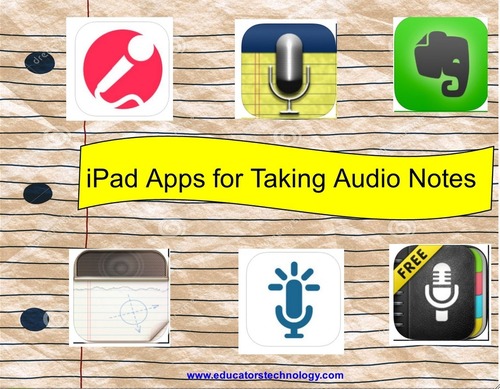
“There are times when taking a note in a written format is not a practical option. You might for instance be attending a lecture or a conference or you might simply prefer to listen to your recorded notes instead of reading them, in these cases apps such as the ones below are what you will use for audio note taking. While keeping the basic note taking features, all of these apps are fantastic for recording notes and adding audio to your notes. I invite you to check out the selection I have below and share with us what you thin about it.”
Carol Leynse Harpold‘s insight:
Just in time! – I will be working with an individual in the next few days that is interested in methods of note taking. Althought there are handheld tools such as the Livescribe Smartpen, handheld digital recorders and recording tools in computer based software as OneNote or Sonocent’s Audio Note taker, the iPad, iPod or iPhone also becomes an options with audio note taking apps!
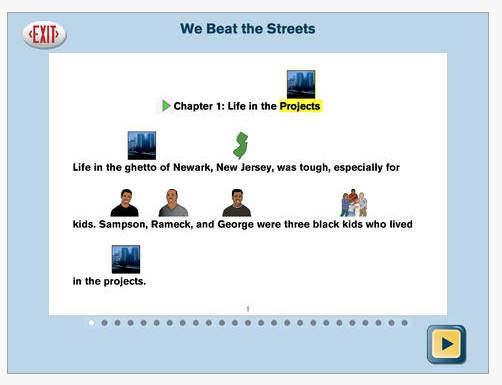
Interested in a literacy app for students who benefit from modified text and supports? Attainments Access Language App (for iPad only, regularly 39.99) provides access to frequently read books in a modified format. iTunes description of the Attainment app states:
“Access Language Arts app is based on the curriculum Teaching to Standards: English Language Arts, which was created by Attainment Company and the University of North Carolina Charlotte. Research has shown both the app and curriculum to be highly effective in teaching language arts skills, that are directly aligned to the Common Core Standards, to students with an intellectual disability or autism.
The four literature pieces chosen for read alouds in Access Language Arts app are among those typically used in the middle school curriculum. The adapted stories in the app are Neighbors, Sadako and a Thousand Paper Cranes, The Diary of Anne Frank, and We Beat the Streets.
Components of systematic instruction are embedded in the app’s script are: constant time-delay procedure, system of least intrusive prompts, and feedback.”
Although this might not be an app for your OT mTool Kit, for those OT’s who supply AT support or if you share resources with parents and teachers, Attainment’s Access Language Arts app looks like a great literacy support for students who require a modified curriculum.
Writing Wizard app for iPhone and iPad (2.99) developed by L’ Escapadou.com (developer of Word Wizard app), is another letter formation app (how many can you have??) that provides great options to support practice of specific curriculum fonts:
Zaner Bloser
DeNealian
Handwriting Without Tears
This app provides many of the best practice features of letter formation (Koenke, 1986) and many customizable features to support the needs of a wide variety of students and curriculums.
Writing Wizard also provides modes of writing for students that is fun with:
26 different animated stickers and sound effects
After completing tracing, 4 games that animate letters is offered
Tracing their name with customization within the app
Collect stars for completion of letter completion.
Along with upper and lower case letter formation, numbers and words, Writing Wizard also provides more than 40 different pre-writing patterns for users:
Simple pictures to draw (house, cat, smiley face, etc.)
All of the numbers, letters and shape practices provide a demonstration of stroke direction. Arrows, stopping points and dotted lines are provided for the user in a step by step manner. Customization within in each task provides the following options:
Administrative options of this app provide entering multiple users, viewing tracing histories and exporting tracings page and using a free mode of participation or 5 star mode requiring multiple trials with reducing supports. Additional settings are also offered within the app including applying sounds at different points of production/tracing, choices of the 5 star parameters during practice of each letter, locks on administrative setting and six different language choices (Espanol, Deutsch, English, French, Italian, Swedish).
This app provides great options for supporting the acquisition of letter formation for students, data collect as well as customization for students. Well worth the 2.99.
Positioning your iPad with a stand or using a stylus to emulate use of a writing tool may also be considered. Check out possible stands or styluses at : OT’s with Apps Amazon Store.
How long apps go free is always a mystery, but if you are interested in an early word making app, Word Wizard app (regularly 2.99) is currently free.
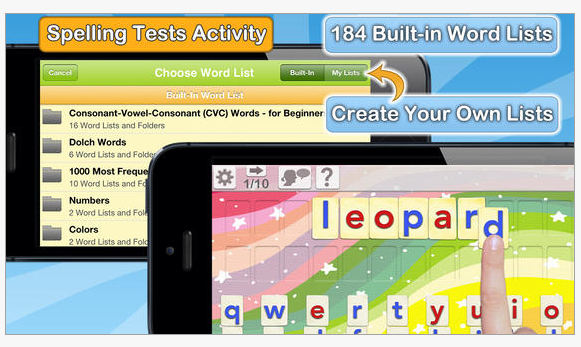
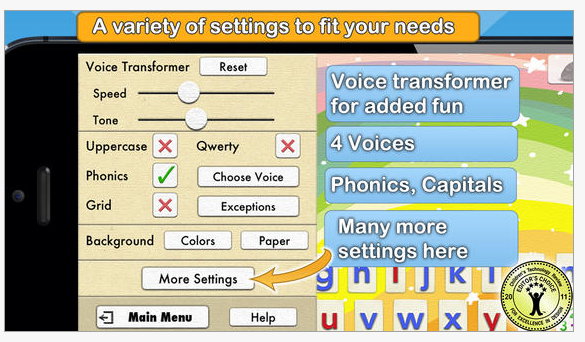
Described as the Speak and Spell for the iPad Generation, this app lets kids hear the sounds of letters and words using a talking movable alphabet. Featuring advanced text to speech capabilities, the app can pronounce and spell-check an unlimited number of original words and sentences built using a phonics movable alphabet.
Word Wizard also provides spelling practice with a list of more than 1,400 questions and answers, and the best is that you can add your own words to create any spelling quiz, and track the progress of your kids thanks to detailed reports.
Interested in a video review of it?
This might not quite be the tool for an OT’s mTool Kit, but a great app for a Teacher’s mTool Kit. Well worth it at its original cost of 2.99, a great deal for free. Share!
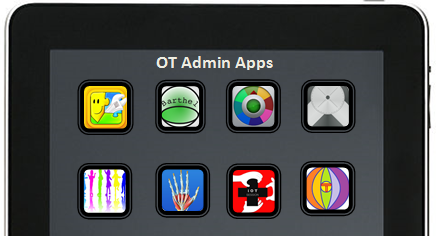
If you work with adults or pediatrics, the link below provides apps for only administrative tasks such as documentation, evaluation, patient/client education or utilities that may come in handy!
Apps for iOS (Apple) and Android devices for Occupational Therapy Practitioners are included in this list:


 Breathe, Think, Do app (iPhone/iPad; Android; free) developed by Sesame Street, is geared to children ages 2-5 years using a Breathe, Think, Do strategy to promote problem solving and emotional coping skills. Just one of the tools of the Little Children, Big Challenges Sesame Street Initiative, this app provides tap and touch to help a monster friend take big breaths, think of a plan and try them out.


 (7.99) by Dianne Reid, OT at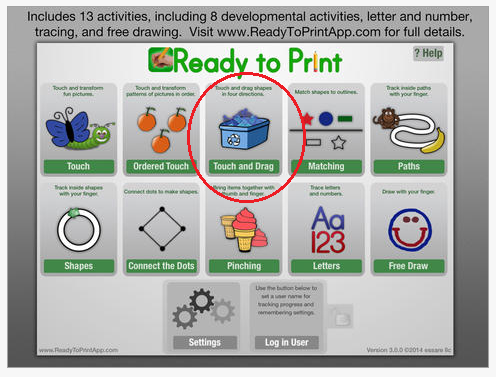








 OT's with Apps & Technology