Executive Function Planning Apps
 Executive functioning is described in many ways, however, in many of our students or clients we work with we see in their difficulty with planning, behavior control/regulation, organization and thinking skills. Lynn Meltzer in her book, Executive Function in Education (Meltzer, 2007) states “most of the definitions of executive functioning may include many, but not all, of the following;
- Goal setting and planning
- Organization of behaviors over time
- Flexibility
- Attention and memory systems that guide these processes
- Self-regulatory processes as self-monitoring”
Whether an individual with autism, dyslexia, learning disability, nonverbal learning disability or someone who sustained a head injury or cognitive decline, components of executive functioning can limit functional capabilities in all areas of occupation.
For students planning, memory and temporal organization are frequent challenges with recalling the who what when where of many tasks. Recent work with secondary students who have significant organizational and planning challenges but with specific strengths in visual and auditory abilities resulted in a quest of planning apps appropriate for a tablet computer. My search resulted in a few great apps appropriate for middle, secondary and post secondary school. Tools needed for the students were similar despite one being dyslexic and the other ASD. But of course, it is never a one size fits all!
Here were the app features identified as important to support the student(s):
- Customizable
- Ability to enter images, videos of tasks, locations or objects
- Ability to record audio
- Checklist capabilities
- Ability to edit , order and choose a day list
- Ability to break some tasks down into multiple steps
- Day schedule
- Week schedule
- Preferably a month view
- Be able to use off-line
Results of my search found a number of remarkable apps to choose from. Here are my top choices:
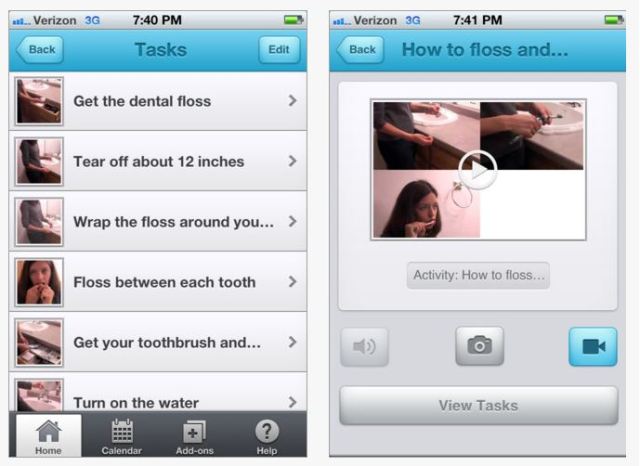
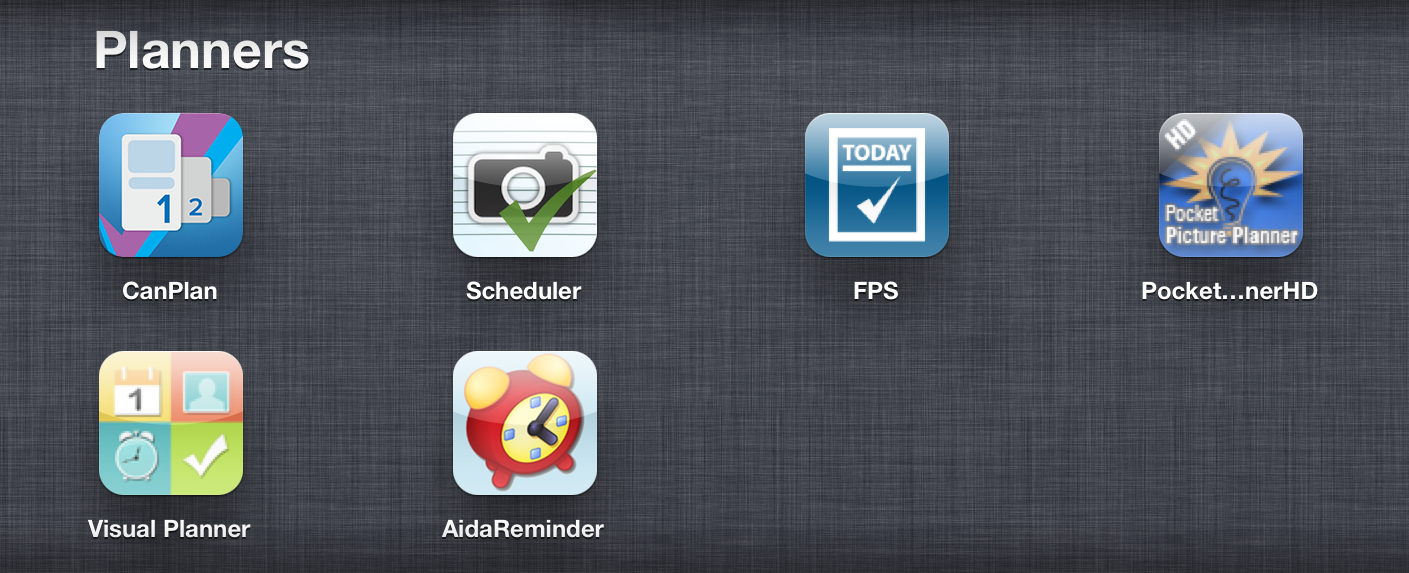
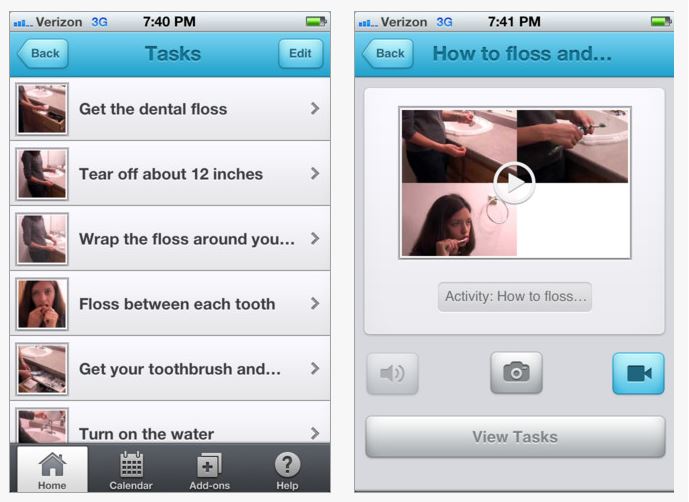
 Functional Planning System app for iPhone/iPad (currently 1.99 for Autism Awareness Month) typically 4.99 developed by Conover Company, provides audio, video and calendar options for tasks added. FPS also allow repeat feature to tasks by day and week. Within a task list a check off is provided. The audio, video and picture support is extensive with the ability to save tasks as an activity providing a sequence of tasks to support work completion. In app purchases are available for specific, premade sequenced task instruction. Tasks as shown below can be listed according to days of the week with scheduled classes listed for the student. Using the edit button, tasks can be rearranged on the list allowing choice by the student.
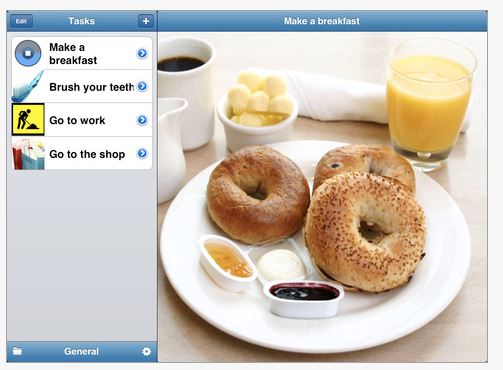
 CanPlan App for iPhone and iPad (free with in app purchases) was developed by CanAssist at the University of Victoria. Provides customization with images, audio and speech. Views provide day and week views of task lists. Settings provides numerous methods of customizing alarms, audio and speech, what features are included in the views including task icon size. The free version is limited to 3 tasks. Unlimited task entries costs 44.99.
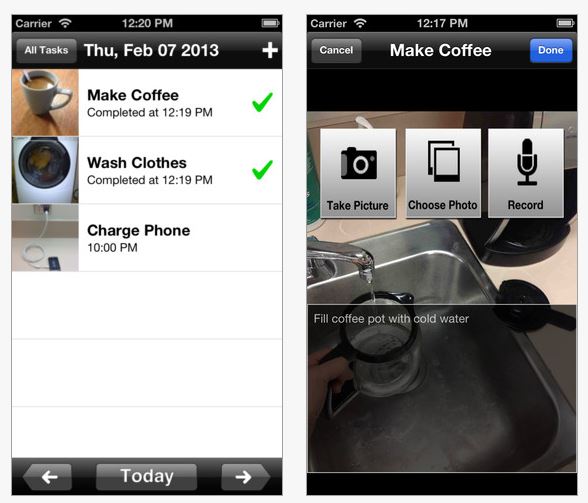
 Picture Scheduler app for iPhone and iPad provides a simple listing of tasks with audio and image support. This app does not have a check off list but does provide the opportunity to list classes and organize tasks within a class folder or as a category. Images, video, audio, alert and repeat function is available in this app. This app does not have a calendar view but reminders can be set by the day, month with repeating capabilities. For students who can be trust worthy of using the editing mode, items can be added or ordered for each day in the app.
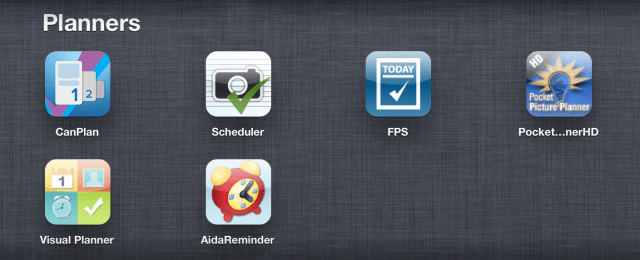
 Aida Reminder with Voice this app for iPad and iPhone (.99) provides limited customizable picture support but does provide audio alarms and the ability to record your own audio reminder. Basic images for a Quick Reminder, Reminder, Wake – Up and Voice Reminder is provided but no customizable image features. The basic images can be seen however within the calendar recording providing basic visual support. Day and monthly calendar views are available. A variety of other features for alarms and pre-alarms are available.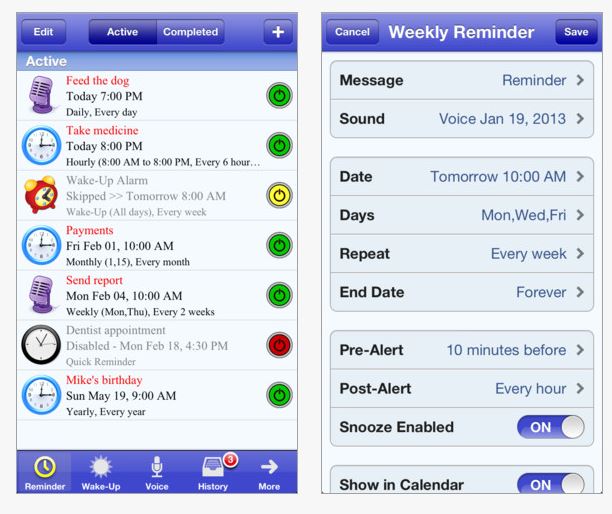
Other schedule apps to consider include:
Pocket Planner app for iPad (free) has visual images within a calendar. Many options are available but appeared very busy. Requires a purchased desktop version to work.
Visual Schedule Planner app for iPad (14.99) developed by Good Karma app providing visual, auditory system that is customizable with many features.
Executive Function Suggestions
Autism Speaks.com in an article Executive Functioning and Theory of the Mind offer the following suggestions for suggestions for helping children with AS/HFA succeed in the classroom. These suggestions are also appropriate for students or clients with TMI, LD, NVLD or student with emotional disorders that might affect executive functioning :
- Use a weekly homework log that is sent from school to home and back, keeping all parties informed of work due and progress.
- Assignment checklists can be used to break large, often overwhelming tasks into manageable unites.
- Day planners, including PDAs, can help organize your child.
- A posted classroom schedule.
- Allocation of sufficient time for instructions, repetition of instructions, and individual student assistance.
- Preferential desk placement near teacher and away from distractions
References
Executive Functioning and Theory of the Mind (n.d) Retrieved on April 14, 2013 from: http://www.autismspeaks.org/family-services/tool-kits/asperger-syndrome-and-high-functioning-autism-tool-kit/executive-functioni .
Meltzer, L., 2007 Executive Function in Education, Guilford Press, New York.
What are your favorite scheduling apps? Post a comment to share!
More for your teaching, parenting, or OT mTool Kit!
Carol

 Mix Snakes and Ladders and Game of the Goose and you have a differentiated game board – Happy Geese app for young children and children with special needs.
 Happy Geese Game board app for the iPad seems to be a one of a kind, allowing customization of components of the game as students are ready. A free app, it also has additional in app game purchases available. Here is a listing of some of the features of this customizable app as listed in iTunes:
 Track & Share app is the twin sister of Autism Tracker Pro just with different graphics and listed items. Since it is customizable, Track & Share allows you to track goals and items on students or clients just like Autism Tracker Pro and it is on sale today for 1.99.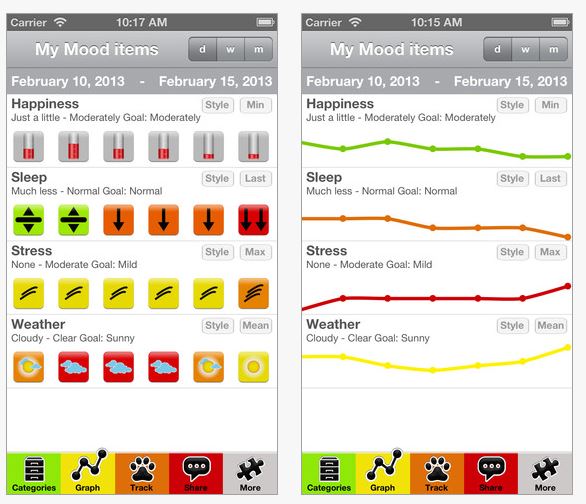




 Do you have students who benefit quiet, self regulation activities on the iPad?




 OT's with Apps & Technology