Have you met the Skoog? It’s an easy to play instrument for everyone, allowing access to programmable music using a Skoog and a computer. A technology access tool for individual with disabilities (no it’s not an app…).
Whatever your musical skills or physical ability, the Skoog software allows you to customise the instrument’s sensitivity to suit your playing style, which means that anyone can rock out to their favourite tunes, or use programmes like GarageBand to open up a new world of amazing music and sound.
Carol Leynse Harpold‘s insight:
The Skoog sounds like an interesting tool that enables individuals with disabilities to be a musician. Customize this instrument, with software for Windows or Mac, to allow students interaction with their favorite sounds.
Sonocent is a computer based note taking solution for students in high school or college providing slides from presentations, recording of audio and note taking tools rolled into one application.
Check out ATR’s webinars for how this can help your students.
Here are a couple of apps gone free this weekend, new and familiar, which are suitable for a variety of ages:
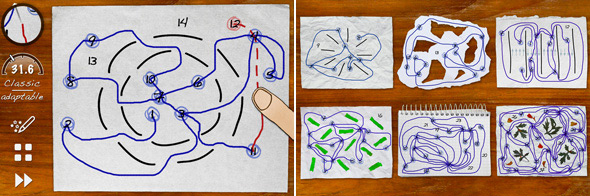
Skill Game app (now free, regularly 2.99) for iPhone/iPad and also available for Android. Is a challenging visual motor, motor planning app for upper elementary school aged students to adults. The game provides different types of challenges within the apps requiring visual motor, spatial reasoning and motor planning to draw lines accurately around obstacles. Try it yourself and you might be hooking on the increasing challenges offered in the game.
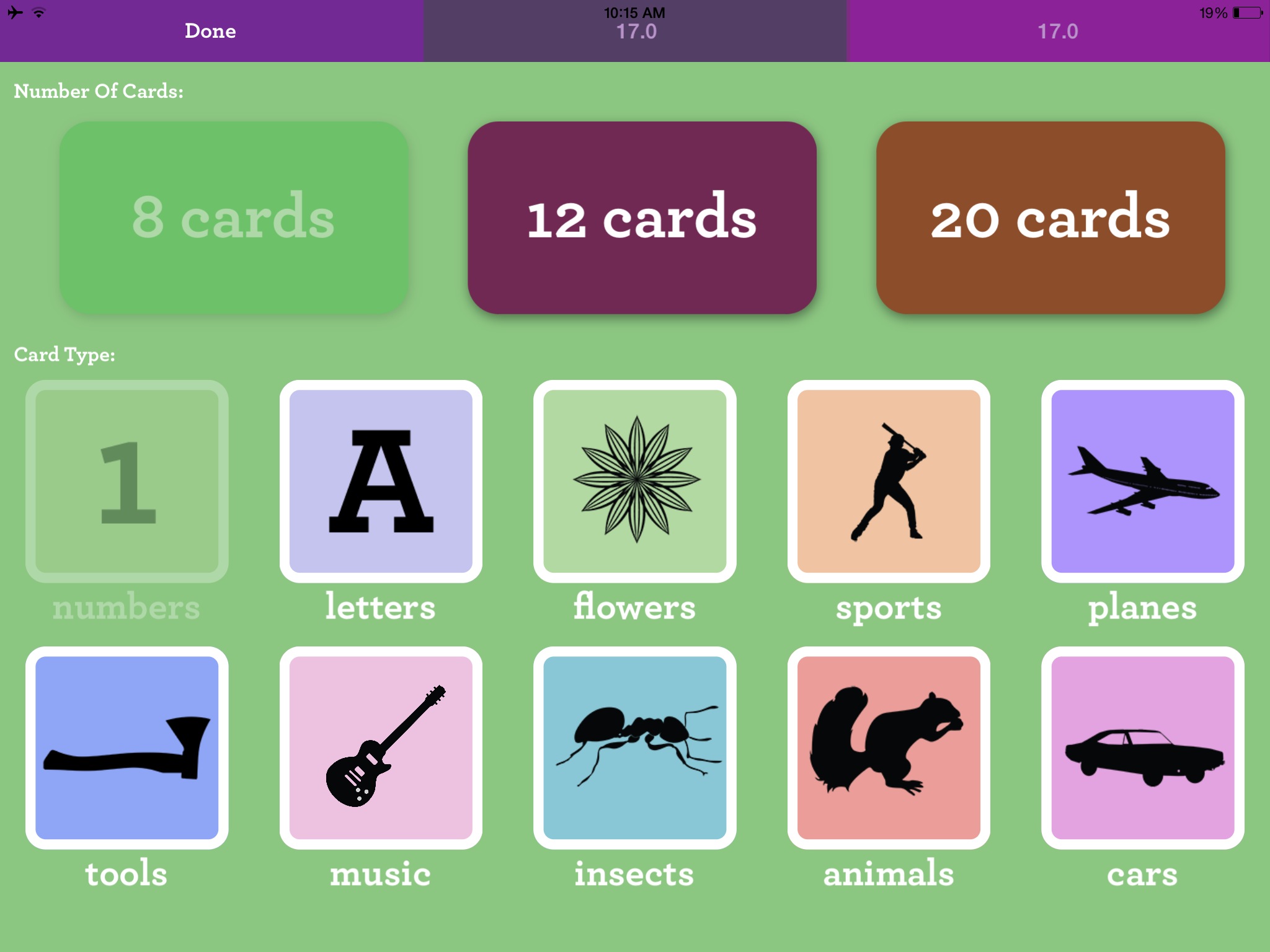
Matching – Memory Training app currently free for iPhone/iPad provides an electronic concentration game for young and old. Developed by the trusted folks at Ellie’s Games, this app could be a staple for those working with a variety of age groups. Although it is promoted for toddlers the content is ageless providing a visual memory tasks for toddlers through geriatric populations due to the black silhouette images, letter and number content. The app provides options of 8, 12 and 20 cards, number, letter, tools, insects, animals, cars, sports, planes, cars, music and flowers image categories and 1 and 2 players.
As always, when the apps will return to full price is a mystery.
Looking for a bit of magic when coloring with your child or student?
Use the free CoLAR app for iPad/iPhone or Android to create your colored worksheet into a virtual reality. Oh, yes and it is free ( additional worksheet images are an in app purchase).
Here is an example of one of the virtual products using a free worksheet (this was supplied me with a fun, chill-out activity after a tough end of the school year day!). Changes in the positioning over the worksheet provides a bit more 3-D! Here’s my CoLAR creation I videoed (using some app-smashing).
2. Go to the CoLAR website and find free worksheets. Select a worksheet and print it out – hard copy.
3. Color the worksheet. It appears as though you can use colors, markers or pencil colors.
4. When your worksheet is colored. Open the CoLAR app and position your iPad or iPhone over the colored worksheet. Make sure there is good lighting. Wait until the image of the worksheet is green. The colored worksheet images turn virtual on your iPad/iPhone.
5. Watch and be amazed or just entertained – for free!
A fun and motivating activity for students or kids of all ages (that would include me too!). Use it as a reward or to motivation for controlled coloring, identifying colors making patterns or app-smash it into a video to use in story telling app – only limited by your creativity.
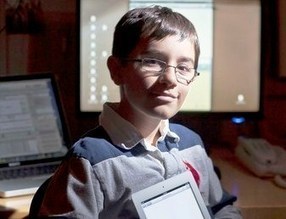
“At just 12 years old, Eric Zeiberg developed HandySpeech for iOS – a handwriting-to-speech application that allows individuals to draw on a smartphone or tablet screen with their finger and have the text read aloud. HandySpeech leverages several advanced technologies, including Nuance voice technology via the NDEV Mobile developer program. It’s now recognized by leading professionals and institutions as a valuable application for individuals with speech and hearing challenges.”
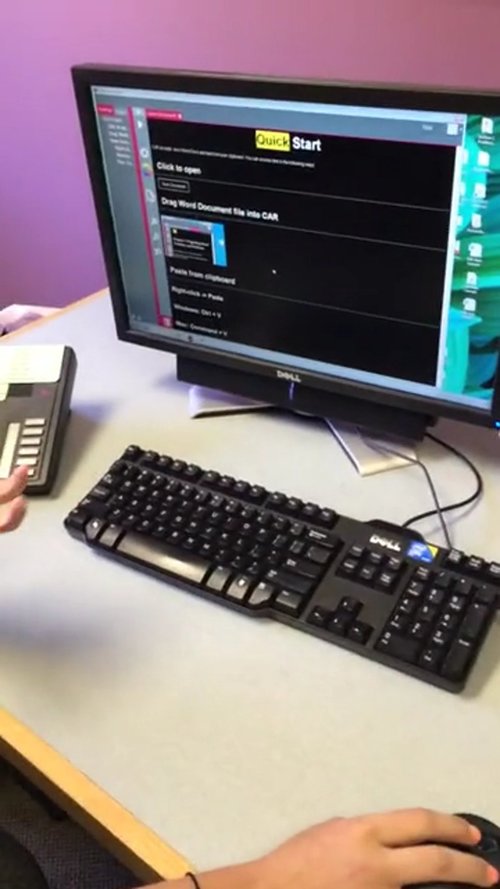
Central Access Reader -A FREE screen reader that reads Math accurately, is going to help so many students and individuals who struggle with literacy, processing,…
Carol Leynse Harpold‘s insight:
Technology for Education’s reviews Central Access Reader, a free application for Windows and Mac that reads text and math. Developed at Central Washington University, this is a long awaited software for access to math for individuals with learning and sensory challenges. A very exciting access application.
Carol
For more information on downloading the software, Visit, Central Washington Universities website: http://www.cwu.edu/central-access/
Voice Dream Reader app’s newest upgrade features support for images in PDF files and also more high quality text to speech voices. Voice Dream Reader has been a great bargain with its many features and improvements. Typically 9.99, it is now reduced to 4.99 until May 11.
Winston Chen, the developer has continually improved Voice Dream Reader since its inception in 2012 upon the requests of users. He has been responsive to the needs of individuals with literacy challenges with new features added and improved to be a robust and favored app with text to speech and reading supports. Plans for future improvements include supporting graphics for eBooks, so that EPUB and DAISY books with images can be displayed in Voice Dream.
In need of an app that can manage numerous file formats and text to speech? Check out Voice Dream Reader app on sale – a great app at a great price. Voice Dream Reader Lite version is also available to trial for free.
More for your OT m Tool Kit!
Carol
with new tools image started as a text to speech app in 2012. Since its initial debut, the developer has continually made improvements to meet the needs and requests of users. Voice Dream Reader app for iOS features
Thank you to Social Skills Builder for providing me with their Social Skills Builder – Full app for review. As an OT we are often involved in self-regulation strategies which for some student involves working on social skills as well depending on those supporting the student.
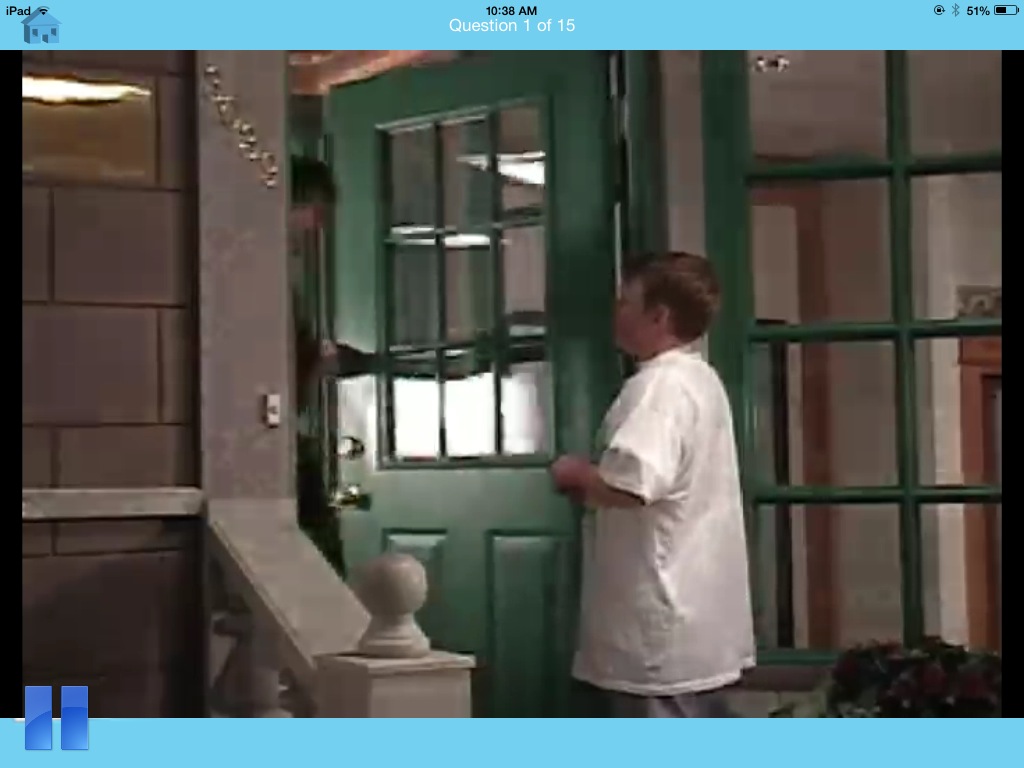
Social Skills Builder Full App (16.99) for iPhone/iPad provides social skill videos and comprehension activities for multiple users. This app compliments their full version software offered for preschool, elementary, middle and high school students. Here is a preview of the app:
My School Day module targets ages 5-12 years with a focus on classroom behavior, peer interaction, rules and rituals and social emotions. Ten different video situations and questions are included in My School Day.
Preschool Playtime module targets preschool and kindergarten ages with play skills, making friends, social emotions and appropriate behavior targeted social skills. Two modules, Playground and Preschool videos are provided with more anticipated in the future.
School Rules module is aimed at 8-18 year olds with content focused on peer interactions, language and behavior in classrooms, group work, PE class and locker room, personal hygiene and the hallway.
My Community module provides learning social success within their everyday lives in the community. Modules include safety precautions, appreciating other’s emotions, peer interactions and language, and appropriate social behaviors and expectations. The videos in this module portray students interacting with games, a definite area of potential challenge for some students.
Social Skill Builder Lite version (2.99) is available providing the four modules with the ability to purchase ala carte single modules for 1.99 as an in-app purchase. This allows those working with specific age groups the ability to purchase only preschool or elementary focused modules.
Social Skill Builder app is easy to navigate with short real videos on social situations and comprehension questions suited to each targeted age range. Comprehension questions presented after each video provide positive animation and verbal feedback or redirection with each answer. Questions and answers are provided in text with answers read aloud when presented providing questions and answers accessible. In the Preschool Playtime, text is provided, although given the visual nature of students with social skills deficits, it would be helpful to have a visual image paired with the text and audio answers.
As in all of the modules, School Rules and Community modules show age appropriate, real video scenarios that are potential challenges for student with social skill challenges. The positive reinforcements for older students could be adjusted to be more age appropriate they are the same animated feedback provided in modules for younger students. I did like the realistic videos presented and use of the language of expected / unexpected behavior that coincides with Michelle Garcia Winners Social Behavior Mapping (book) strategy. Social Behavior Mapping concept is a valuable and easy to apply social perspective taking strategy that can be used with all students and situations.
Although I would like to see more modules in the different targeted age groups, Social Skill Builder provides immediate, out of the box social skills training activities that are easy for students to relate to. The addition of expected /unexpected concepts also provides a springboard of extension activities that could be used with this app and other personal social situations students may identify.
Social Skill Builders Company also provides software and video subscription for preschool, elementary, middle and high school students.
Interested in using Social Skill Builder App? The folks at Social Skill Builder has offered some free promo codes for their apps. Remember this is first come, first serve if the code no longer works it most likely has already been redeemed. Each code can only be redeemed once and will expire on May 5, 2014 (tomorrow!)
Social Skill Builder Full App
XE6HFP6KJ3X4
Social Skill Builder Lite App
XHJW3Y3AW9HH
HNJT76XK7RHF
AFT3HEWHW3WT
Thank you to Cheryl at Social Skill Builders for the promo codes!
As a huge fan of the folks at Spectronics, I felt compelled to share this app with those supporting individuals with special needs. As an OT and AT Practioner, finding the right tool for the client, environment and task is a huge job, especially with the overwhelming number of apps available these days. Although AAC is not my specialty, we often are a part of a team working to find the right tool to support the individuals we work with. Sometimes it feels like a needle in a haystack with many new haystacks appearing daily!
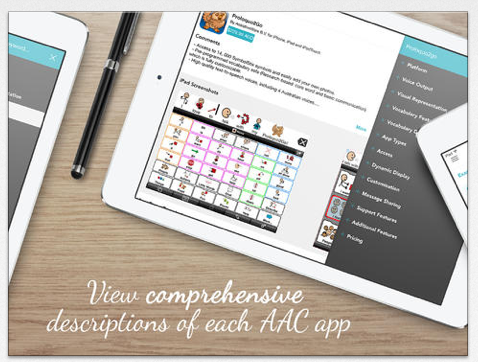
AAC Ferret app is a searchable database app providing a listing of AAC apps using a features match system to determine possible apps. Created for the iPad/iPhone, this free app provides an updated, curated list created by a team of speech and language pathologist on the Spectronics Consultancy Team to search for the right type of AAC app.
If you are not familiar with their work, you should peruse the Spectronics website of rich information on supports for individuals with special needs. It is a fabulous resource!
If this is not your area of expertise, but you work with SLP – you might gain additional popularity by sharing this resource.
Here are a few more AAC resources provided by the developers of the AAC Ferret that are well worth sharing or perusing:

 Are you familiar with Read & Write for Google Chrome? A Premium subscription is now free for Teachers!






 (book) strategy. Social Behavior Mapping concept is a valuable and easy to apply social perspective taking strategy that can be used with all students and situations.


 OT's with Apps & Technology