OT’s with Apps for School Based Therapist- August 11 & 12

OT's with Apps Promo image

What’s in your OT mTool Kit? 

Interested in functional ways to use your iPad as a tool in OT?

  • Manage your iPad and student iPad for safety and focused use?
  • Review apps for school based occupational performance using feature matching (handouts)?
  • Explore apps and methods of performing documentation, organization and other administrative tasks on your device?
  • Accessorize your  iPad – hands on exploration of equipment for scanning stands, stands, cases, styluses, keyboards and more.

The OT’s with Apps for School Based OT have a few seats available for the August 11 & 12 workshop. Join us to learn and share in this 2-day workshop!

Bonus! Participants in past workshops have received more than $50.00 worth of free app codes and accessories from generous developers! Promo codes for popular OT apps will be provided for participants in the August 11 & 12 workshop.

iPad workshop 8-2014 promo apps

Click here for more information on the workshop or registration information:

OT’s with Apps August 11 & 12 Workshop 

Hope to see you there!

Carol & Erin

Posted in Apps for OT's, Apps for Special Needs, Assistive Technology, Continuing Education, iPad, iPad Management, Occupational Therapy | Leave a comment

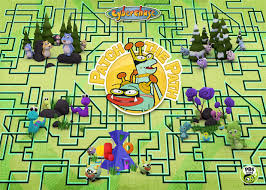
CyberChase Shape Quest App – A PBS Kids VR Perceptual Motor App


Shape Quest icon

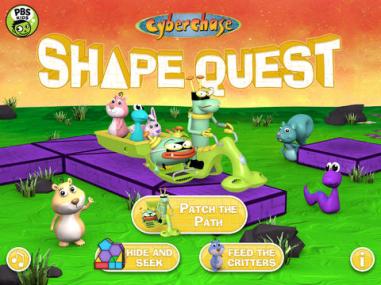
CyberChase Shape Quest free app developed by PBS Kids app for iPad and Android tablets providing a virtual reality games for ages 6-9. The app provides three games using geometry and spatial reasoning improve their problem solving skills. It is highly interactive,  requiring bilateral and motor planning skills to perform the tasks required of the games.

Three games are provided: Patch the Path, Hide and Seek and Feed the Critters requiring a printed sheet used to aim your tablet at for the virtual play.

shape quest pic5

Shape Quest board horizontal

Link to the PBS website document for printing is provided at the start of the app. Instruction on use of the printed sheet is given to get the hang of the app controls.

Shape quest pic4

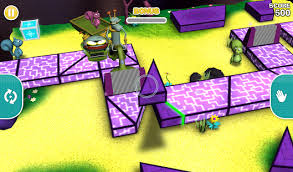
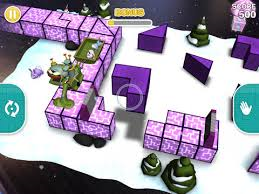
Now you are ready to play Patch the Path, the virtual reality game.  Use controls on either side of the app to pick up, rotate and move objects on the screen. Verbal directions are given to you during the quest. I also did some adjusting of my device that also aided matching placement. The game starts at a simpler level and progresses through 30 different levels in 5 different environments. The goal is to move to the next level and earn points in the process.  in difficulty as you accomplish tasks and earn points.

Shape quest pic2 shape quest pic3
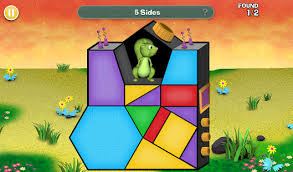
Hide and Seek and Feed the Critters games require visual motor skills and are not virtual reality games. They are suited for older kids due to the higher spatial reasoning and vocabulary required to complete the tasks.

Shape Quest pic6


Shape quest pic7


If you have older kids who are motivate to participate in electronic spatial reasoning tasks or need to work on higher level spatial reasoning skills, Shape Quest is well worth downloading. Actually it was rather fun playing the virtual reality game. For free it is well worth the download and experiencing virtual reality gaming.

Interested in learning about more virtual reality games for kids? Join the  OT’s with Apps @ School Workshop August 11 & 12th.

More for your OT mTool Kit.

Carol

Posted in Apps for OT's, Elementary School, Free apps, iPad, Occupational Therapy, Visual Memory, Visual Perception | Leave a comment

OT’s in Pediatric Practice – Take This Survey…

Take the Survey pic

Are you an OT practitioner working in a pediatric practice setting?

Master’s students from Misericordia University are doing a research project on the use of mobile apps by occupational therapists in pediatric practice settings.

Help them out by completing the survey at the link below:

https://www.surveymonkey.com/s/TQ39BYR

The students are happy for individuals to forward the link to anyone they know who might be willing to complete it!

I am looking forward to seeing the results of their survey!

Carol


Posted in Education, Occupational Therapy | Tagged | Leave a comment

AZTAP Google App Attack! Symbaloo

AZTAP Symbaloo pic

AZTAP Google App Attack! – Symbaloo

Looking for Google Apps and Chrome Extensions for your AT Tool Kit?  Look no more…  Check out this hot off the press Symbaloo collaborative work of Aaron Marsters and Mary Keeney from AZTAP – their collection of  Google Apps and Chrome  as AT!  What a fabulous  resource!

H/T to Aaron Marsters and Mary Keeney for sharing their collection!!

As scooped on OT mTool Kit Scoop.it!

Carol


Posted in Assistive Technology, Google, Google Chrome, Scoop.it | Leave a comment

Dyslexia font: Experience the ease of reading – Dyslexie font – The Assistive Technology Daily

The Dyslexia font makes reading easy and enjoyable for people with dyslexia. Experience the ease of reading and try the test now.

As scooped from Assistive Technology Daily Blog on July 2, 2014.

Assistive Technology Daily shares the information and links to understand more about the reasons and research backing the use of the Dyslexie font in their blog post Dyslexia font: Experience the Ease of Reading- Dyslexie Font”.

If you work with individuals with Dyslexia or learning disability you might want to consider this font option for your students or clients.

Carol – OT’s with Apps and Technology

Posted in Scoop.it | Leave a comment

Weekend Websites: 31 Keyboarding Websites

If summer is when your children are absolutely positively going to catch up on keyboarding, here’s a list of 32 keyboarding websites for all ages (be sure to view the full post–I have a free poste…


As scooped with Scoopit from: http://askatechteacher.com/2014/07/11/weekend-websites-32-keyboarding-websites/

It is mid-summer, halfway to the start of another school year. Oh, remember all those recommendations about working on keyboarding this summer? If you haven’t gotten started there is still time- if you get started now! And speaking of resources…

Jacqui Murray, author of  Ask a Teacher.com, nails it with her comment, “summer is when your children are absolutely going to catch up on keyboarding skills”. Heard that before? Well it’s time to dig into her list of  32 keyboarding websites offered in her post Weekend Websites: 31 Keyboarding Websites” and get those fingers keying!

Over the years I have discussed keyboarding practice with many parents. One suggestion I made was to use different keyboarding programs to keep the skill and drill novel.  Hmm…, think 32 potential keyboarding options provides enough novelty???

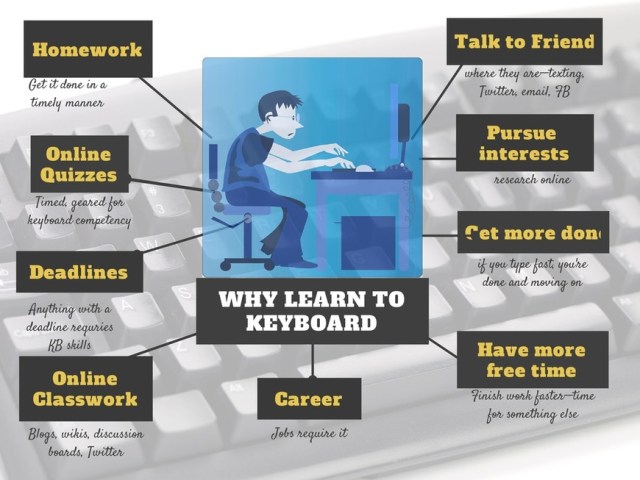
And don’t you just love her infographic ??

Thank you to Jacqui for all your resources!

Carol from OT’s with Apps and Technology

Posted in Keyboarding, Scoop.it | 2 Comments

Visual Perceptual Apps for Preschool and Primary Students

Visual perceptual appsThe iPad is a great tool for providing supplementary visual perceptual and visual motor therapy or home programming activities. Features of the iPad can allow verbal feedback on performance, language reinforcement and options of graded activity levels to the user depending on the app.  Perusing educational app curation sites I found a few  visual perceptual apps that were highly rated for preschoolers that I thought would be worthwhile testing out. Here are a the two apps that came with good recommendations for preschoolers. They do have good qualities, however what aged child might you use these apps with??

Here are the two apps trialed:

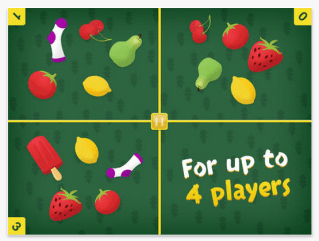
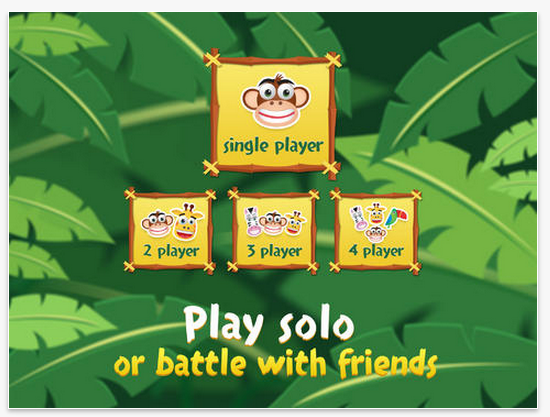
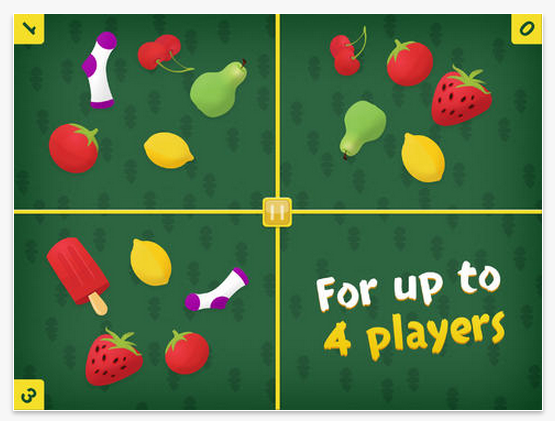
Match Blitz icon iOSMatch Blitz app (free; iPad/iPhone) from the developers at Shiny Things is a high quality matching game for young kids. The matching game can be played individually, with 2, 3 or 4 players. It requires quick matching of shapes and objects.Match Blitz pic1 The matching game can be played individually, with 2, 3 or 4 players. It requires quick matching of shapes and objects to beat your time. Match Blitz pic2 Match Blitz pic3 Match blitz pic4
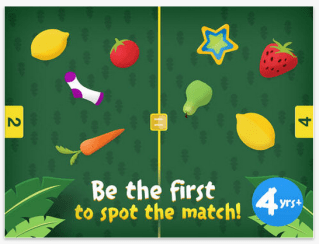
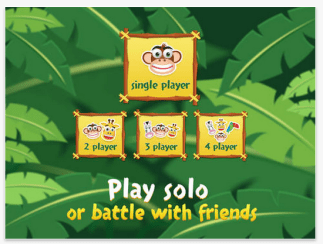
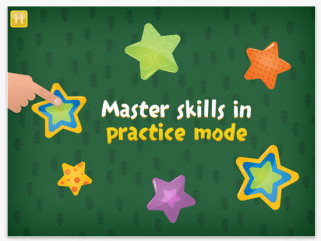
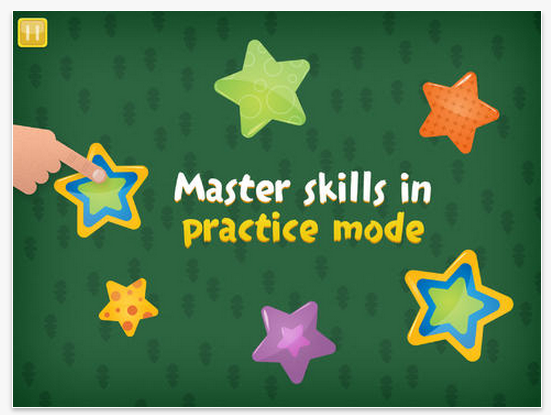
A practice mode is provided for students to learn how to play the game. Difficulty of matching does increase somewhat in quantity and complexity of objects, but remains appropriate for preschool aged players. Speed of responses is timed and displayed at the end, but, speed is not increased as you progress in the games.

No instructions are given for the game. The practice mode is sufficient for young player to successfully play Match Blitz!. Although a simple game and app, Match Blitz! is a quality app that is engaging for preschool to early elementary aged children. Well worth the download to your device.

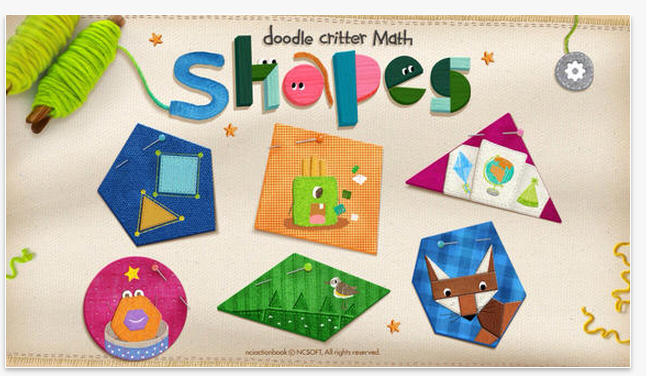
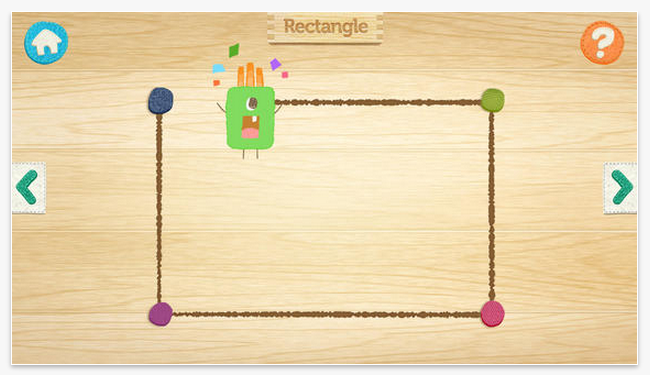
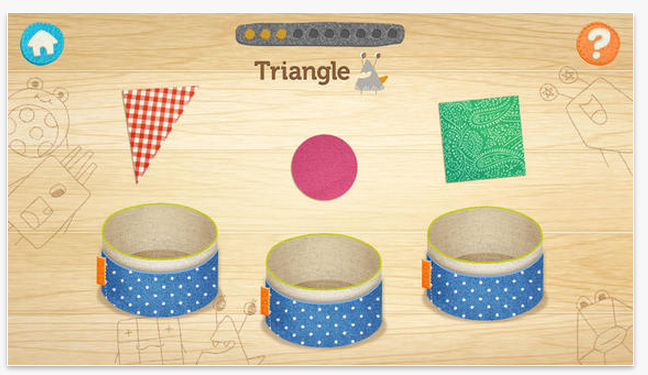
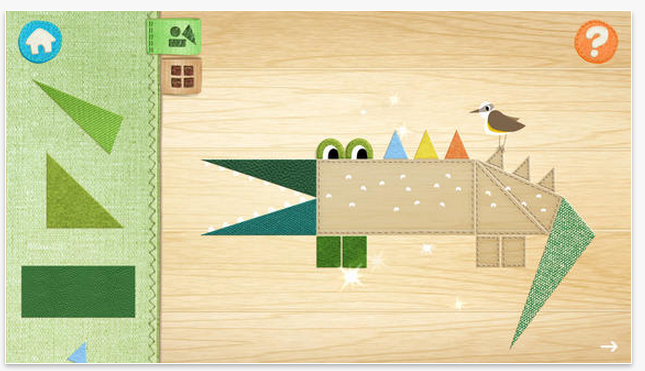
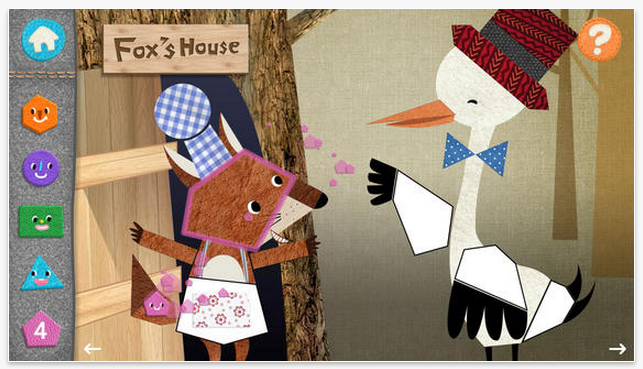
Doodle Critter Math Shapes iconDoodle Critter Math: Shapes  (2.99; iPhone/iPad) provides a variety of visual perceptual and visual motor activities within one app. Created by NCSOFT, creator of Injini and Write My Name apps, Doodle Critter Math  focusing on early math skills of learning shapes, matching shapes, finding shapes and sorting shapes. Six different activities are offered in this app.
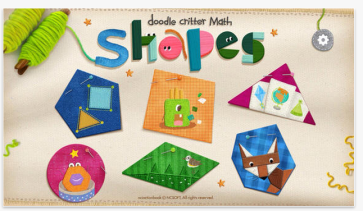
Doodle Critter Math Shapes pic1

Learn shapes, describes and draws out shapes.
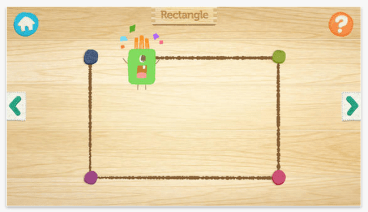
Doodle Critter Math shapes pic2

Remember shapes presents and then hides shapes to be found by the user.

Doodle Critter Math Shapes pic3

Drag the shapes to complete the puzzle, provides shape matching to complete the picture.

Doodle Critter Math Shapes pic4

Find shapes in the fable, focuses more on individual shapes, recognizing shape names and matching.
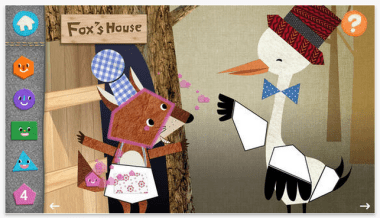
Doodle Critter Math shapes pic5

Doodle Critter Math: Shapes is engaging and offers language and text in most activities provided. Although it is suggested for preschool students, it appears suited early elementary students due to the language content, skills levels randomly presented and a somewhat fast pace of some activities. In a few activities,  the skill of the task was in a random order rather than a developmental sequence. Identifying hexagon or pentagon shapes was presented at the beginning of a new activity rather than presenting circles, squares in a developmental order. The matching shapes activity required identification of 8 to 13 (or more) shapes to complete a picture puzzle, which would be considered complex for many special needs preschool students. Doodle Critter Math: Shapes is a quality app, but may be best suited to more neurotypical students or for kindergarten or elementary level students with basic shape recognition (circle, square) who would benefit from advancing their skills.

Options offered the setting include music sound levels, turning effects on/off and languages offered (English or Korean). If you are in need of reinforcing shape identification with language, Doodle Critter Math: Shapes would be appropriate. This app might be frustrating for students who need tasks offered in a developmental sequence to be successful.

Both apps have their merits. What ages would you use these apps with? Are these apps that you will download for your teaching, parent or OT mTool Kit?

Interested in practical review of apps for visual perceptual development of your child or student?

Come to the OT’s with Apps Workshop this August – we’ll be reviewing visual perceptual and visual motor apps (and many other apps for OT!) along features and practical ways to use your iPad in therapy!

Join us August 11 & 12 for two days of OT’s with Apps @ School. If you need more information you’ll find it here:

OT’s with Apps @School Workshop Brochure

OT’s with Apps Registration Information

Have questions about OT’s with Apps August Workshop?  Contact me at otswithapps@gmail.com

Carol



Posted in App Reviews, Apps for OT's, Apps for Special Needs, Early Childhood, iPad, iPhone, iPod, Primary Grades, Visual Perception | Tagged , , , , , , | Leave a comment

Getting a Grip on the iPad Mini for Little Hands

Bluey Case for iPad Mini

Bluey Case for iPad Mini

One of the preschool students at school has an iPad Mini dedicated for his communication. Using a dedicated device differentiates it as a specific tool for communicating as opposed to devices that may be used for multiple activities (e.g. a educational activity, self-regulation tool, timer, a reward or leisure activity). Although there are typically many tools used to support communication (visual schedules, signing, visual supports, speech generating device, etc. ) a dedicated device such as the iPad with an AAC app provides more flexibility and options and supports for communication for a student with complex communication needs (images, text, speech, levels of displays, etc.).

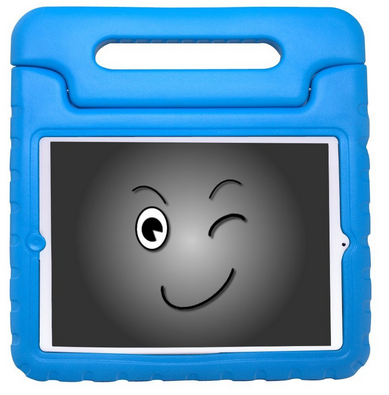
For youngsters with small hands and developing motor skills, finding a safe and manageable iPad Mini case was important. One of the many cases out there that seemed to fit the bill was the Kay’s Case KidBox Mini for Apple iPad Mini (Bluey) (also comes in an array of colors, Orange, Limey, Mr. Black and Pinky) to protect, position and allow the student to carry his communication tool around. At $18.95 (at Amazon) compared to OtterBoxes or Griffin cases, I thought Bluey was a bargain.
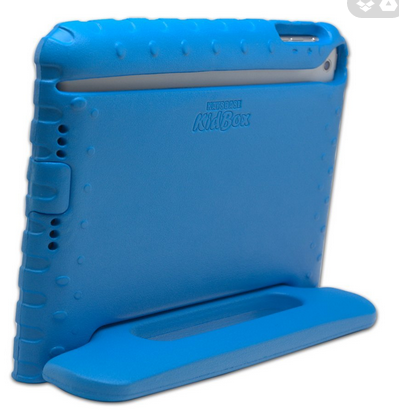
Here are some pictures of Bluey:

Kays case pic1 Kays case pic2

This case was easy to carry and also provided a stand for easy viewing by the student. The protective case was adequate for the students’ use with supervision by staff when used for communication.


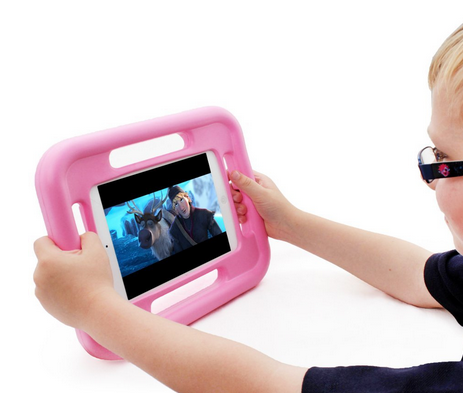
Another case worth considering is the Snug Case for iPad mini, offering handles around the protective case. It is offered in blue and pink with a slightly higher cost (24.95) but seemingly offers a Lifetime Guarantee.  It does not offer a stand but does seem well protected and very easy for kids grab, hold and cart around with the handles on all sides.

Snug case for iPad mini

You might not be the Speech and Language Pathologist who decides on devices for AAC, but you might be the one who helps determine the case or recommends cases to parents of small children. Here are just a few cases that might suit the needs of your clients with little hands!

Are you using or recommending any particular cases for your iPad Minis? Share your experiences and recommendations!

Interested in iPad and iPad Mini accessories, equipment and apps for your school based practice? Join OT’s with Apps @ School Workshop August 11 & 12. For more information contact me at otswithapps@gmail.com or here for OT’s with Apps at School workshop description and registration information.

More for your teaching, parent or OT mTool Kit!

Carol

Posted in Accessories, Augmentative Communication, Early Childhood, Elementary School, iPad, iPad Management | 2 Comments

Project Kids Card App – Free!

Project Kids Cards app

Project Kids Cards app

The folks at Smart Apps for Special Needs are marvelous curators of app deals and reviews for iOS and Android apps. I am not sure how they do it, but they daily feature apps on sale for students with disabilities. What gets tricky, is sifting and winnowing apps that truly are better than currently downloaded apps, are price worthy or useable content. Now, years later with so many apps available,  a boat load of downloaded iPad(s), finding worthy apps seems to be a little more tricky with more discrimination used for selection.

One of the many apps they listed for Free App Friday is Project Kids Cards app (regularly 1.99, currently free until 7/17/14; iPhone/iPad).  It’s a simple app, it requires users to sequence and order numbers and letters without a lot of bells and whistles. I believe this is a good extension activity for learning to write letters and numbers, something that students who like order and a pattern like to do (my students with ASD liked this kind of concrete task).  Certainly learning the order of numbers is an important foundational math  skill.  Learning letters in order may not be imperative to learning to read, but provides a system of learning letters and later ability to organize information in a standard manner.

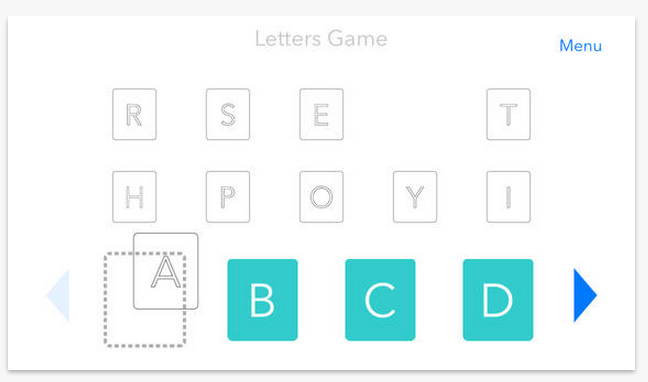
Project Kids Cards iconProject Kids Cards app features basic identification of letters and numbers with ordering tasks or games requiring the user to drag  letters or numbers in alphabetical or numerical order. A game of pairing lower and upper case letters is also provided. Pretty simple and straight forward, this app speaks the name of the letter/number out loud while presenting the task. Not a lot of bells and whistles, no data collecting nor is in-app purchasing present either. Here are a few screenshots of the app:

Project Kids Cards pic1

Pretty straight forward with just skill and drill, not a game format. Project Kids Cards is worth downloading for free, there are few apps I have seen that include ordering numbers and letters in the same app.  One reviewer comment cited contrast being an issue for students with low vision challenges.

Although I downloaded the app and find it stable and an easy to use app, I might think carefully about downloading it at 1.99, as it lacks options of multiple users or collecting data, important for assessment of student progress.

More to consider for your teaching or OT mTool Kit!

Carol

References:

The Importance of Learning Alphabetical Order, March 22, 2014, retrieved on 7/12/2014 from: http://www.bubblews.com/news/2710405-importance-of-learning-alphabetical-order.

Ordering Numbers, n.d., Retrieved on 7/12/2014 from: http://www.mathsisfun.com/ordering-numbers.html. 

Kosur, Heather Marie, 2/8/2012. “Teaching Numbers to Kindergarten Students”, Retrieved on 7/12/2014 from: http://www.mathsisfun.com/ordering-numbers.html.

Posted in App Reviews, Apps for OT's, Apps for Special Needs, Early Childhood, Elementary School, Emergent Literacy, Free apps, iPad, iPhone | Leave a comment

Osmo – A Interactive Educational Tool for the iPad

Osmo game system logo

I can’t believe that I have not posted about the Osmo Game system – a truly interactive device for the iPad. The Osmo Game system was demonstrated by Lisa Reas, Professional Development Extraordinaire  at an edcampMKE this past May.  I was really WOWED by her virtual education activities including this iPad game system. The Osmo Game activities provide interactive, manipulative activities using real blocks, markers or tiles as a learning activity. As an OT, the games provide true fine motor, manipulative and visual perceptual engagement using the iPad and real manipulatives! (I want one!)

How does the Osmo Game system work?

Imagine blocks manipulated in front of an iPad that are sensed for their position in space using a device attached to the iPad. When blocks are manipulated and positioned appropriately according to the design presented on the iPad screen, visual placement is recorded by the device and app associated with the Osmo Game system. Visual feedback is given to the user on their production.

A little hard to imagine? Here is a video showing how the Osmo Games work to help you wrap your brain around the system …

Here are the activities or games that come with the Osmo Game system at present:

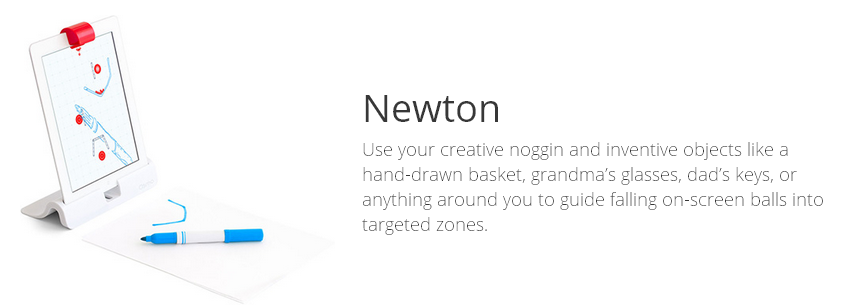
Newton is a problem solving drawing activity

Osmo Newton pic

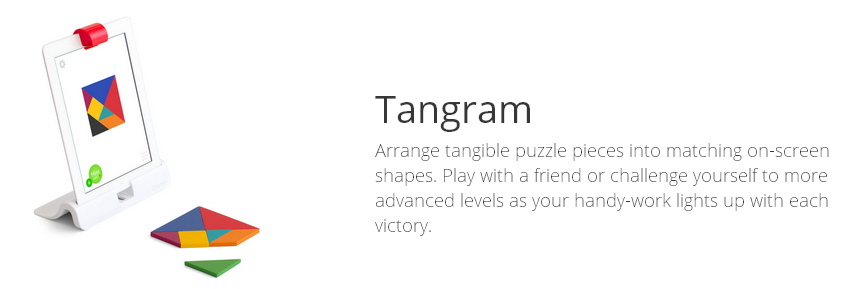
Tangram Puzzle
Osmo Tangram pic

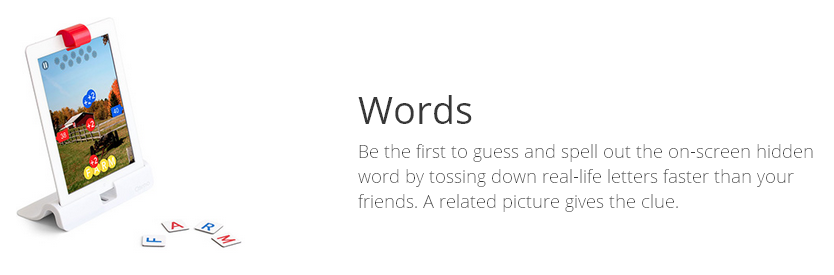
Tiles for Spelling
Osmo Words pic


All apps associated with the Osmo Game system are available for free.

Seem a little much for just completing a block design? Yes, perhaps, but consider the possibilities and engagement by students or adults for that matter. Our students are so used to electronic game systems and attaining engagement with our tech-savvy kids just isn’t what it used to be. So here is a mix of electronics, visual perception and manipulation! Further, just think of the potential if this could record and give feedback for letter formation, spacing perhaps handwriting, or better yet give feedback for tasks performed for individuals with visual impairments?  No, it is not there yet, but think of the potential. It certainly is beyond me!

Currently, the Osmo Game system can be pre-ordered for a reduced cost of $49. + shipping. The next shipping is projected for October (I am so sad I missed the August order date!!). Pre-orders can be made at the following link:

https://www.playosmo.com/?r=5022660920606720

Will this be in your OT mTool Kit? I can’t wait for mine to come…

Carol

Posted in Accessories, App Reviews, Apps for OT's, Apps for Special Needs, Drawing, Education, Fine Motor Development, Game, iOS, iPad, Virtual reality apps, Visual Perception | 2 Comments