Write My Name App – New from Project Injini

Thanks to Kathy McNamara who shared this new app by the developers from Project Injini!
Write My Name – Available for the iPad (1.99 – introductory price) is described by Injini as supporting children ages 4 through 6 to learn how to write their name, trace uppercase and lowercase letters in manuscript and write over 100 familiar sight/Dolch words. Injini’s tracing tools support children with how to write letters and words using the correct sequence and strokes without frustration or errors. Focusing on developing motor-muscular memory of writing letters aid children in developing their handwriting skills by playing Write My Name. Here is a video of Write My Name:

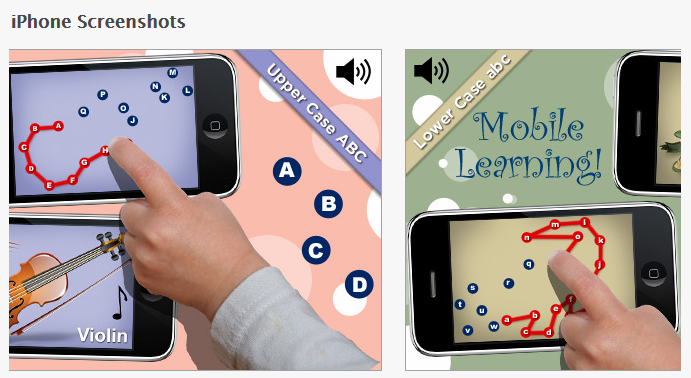
Write My Name appears to utilize the Zaner Bloser method of manuscript letter formation. In the Alphabet Book,  animated visual directions of the sequence of upper and lower case letter formation is provided for instruction and practice. Visual feedback using an arrow and stars to show the correct starting point, direction and sequence for letter formation is given. When grossly moving off the path of letter formation of both upper and lower case letters, the letter formation is stopped to a visual showing the user where to continue on the correct pathway is given. A letter chart is provided to easily choose practicing upper or lower case letter formation out of alphabetical order.

Good for early letter formation using a sequenced, visual approach with arrows to indicate starting points and direction of the letter formation which research has shown benefits acquisition of letter formation. Basic letter formation is provided without the structure of lines. Word Cards activity provides practice in writing Dolch words as well as a dictionary of basic nouns and prepositions that are alphabetized. In the Word Cards activity, headline and baselines with the words but no midline guides are present.

A unique activity in Write My Name is the My Name Tags, an activity where adults can enter a students name, record the name for students to practice writing their name using the same visual guides provided in the  Alphabet Book. The app checks off the letters you have completed but does not provide the opportunity to manage multiple users (with exception of multiple individual names in the My Name Tags activity).

Navigation is easy and intuitive in this app for the instructor and student. No data gathering is provided in the app other than a check off of the letters performed but which can not be collected by users. Instruction is provided visually to the student, no audio instruction is provided.

If your school uses the Zaner Bloser method of handwriting this app has been well thought out and may support your individual students in handwriting instruction.

Check it out to see if it will be another tool for your OT iTool Kit!

Carol
Posted in App Reviews, Apps for OT's, Apps for Special Needs, Fine Motor Development, Handwriting, iPad, Letter Formation, Occupational Therapy, Uncategorized | Tagged , , , , , , , , | 14 Comments

Paper Port App – Dragon Dictation App on Steroids!

Are you impressed with the Dragon Dictation App? Well, you will love Nuances new PaperPort app that has Dragon Dictation tools in it!

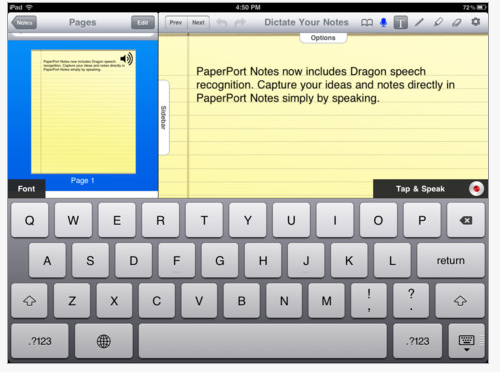
PaperPort App – This is Nuances new free digital note taking for your iPad (only iPad) that captures hand written notes, typed text, images, web content and audio. PaperPort Notes even allows you to take advantage of the Dragon Dictates voice recognition software to produce your ideas and notes simply by speaking. Wi-Fi connectivity is needed for the voice recognition and transferring documents to function.

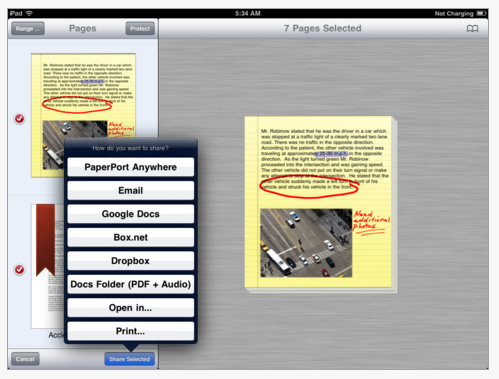
Paper Port provides many options to transfer your note to make it retrieveable in other applications such as Google Docs, Dropbox, email or their own document management app called PaperPort Anywhere (also free).

Being free, this is a must to check out if you have an iPad and individuals that would benefit from using voice recognition on the fly. A huge benefit is not only the voice recognition but the ability to use the iOS5 speak text option, allowing the text to be read back to you with text to speech to review or access your voiced production. It was also very easy to use, easier than many of the note taking apps I have trialed.

Other tools available in PaperPort app are:

  • Highlighting tools
  • Text box tool to type text
  • Text box tool allows you to  add stick notes
  • Text box tool allows you to add an images from web snapshots, saved photos or your photos library
  • Drawing tools

This is such a powerful and free tool for middle, secondary and post secondary students if they are not already using Dragon NaturallySpeaking on a computer and need something simple and brief to voice their thoughts and ideas into.

Wondering what voice commands  work with Dragon Dictation app? Check out an earlier OT’s with Apps post dated October 10, 2011 for a listing of compatible voice commands and other Nuance resources.

A powerful tool for your OT iTool Kit if you work with middle school or older students/individuals. Try it yourself, if not with your students!

Carol

Posted in App Reviews, Apps for OT's, Apps for Special Needs, High School, iPad, Learning Disability, Middle School, Occupational Therapy, Post secondary, Special education, Uncategorized, Voice Recognition | Tagged , , , , , , , | 4 Comments

Happy Valentines Day ….

My apologies… I made a change to this Happy Valentines Day post….(the original Valentines Day card app post had more charges to it than I realized – I though it was free but was not really!)… to an option of a sweet, free story appropriate for Valentines Day  or any day from Hallmark!

Did you know Hallmark published free book apps based on their hard copy books? Here is one of their free story apps ….

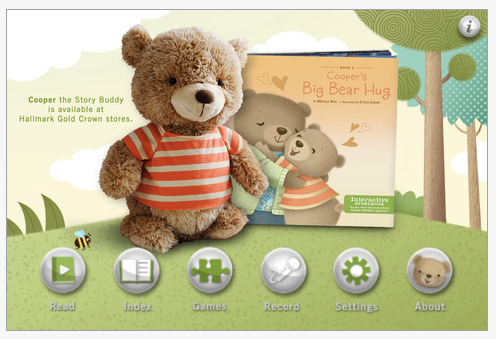
Cooper’s Big Bear Hug – A free Hallmark interactive Storybook compatible with iPhone/iPod/iPad with a sweet and loving story line. Appropriate for young students and providing read aloud and games.

Here are more free Hallmark interactive story books that read aloud and are appropriate for the emergent reader audience:

  • Watson and the Case of the Sneaky Stealer
  • Bigsby’s Best Friend
  • Abigail and the Balance Beam

Although they might be for younger students, they provide read aloud capabilities, puzzles and are interactive to keep students engaged. Easy navigation with forward and back buttons are presented in a standard manner for ease of access to students.

More free  options for your OT iTool Kit

Happy Valentine’s Day Apping!

Carol

Posted in App Reviews, Apps for OT's, Apps for Special Needs, Book, Early Childhood, iPad, iPhone, iPod | Tagged , , , , , | 4 Comments

Draw a Person for Young Children on the iPad

Julie posted a comment with a question about finding an app for Draw A Person on the iPad. She commented that Doodle Buddy could be used to assist with drawing but she was looking for an app specifically for drawing a person.

After some searching, I unfortunately found no apps that featuring a early or developmental method of drawing people or body schemes for young children.  Most of the apps suited to young children features step by step drawing of shapes or animals as reviewed in the previous post  on January 1, 2012:

  • Drawing app
  • I Luv Drawing Animals
  • I Luv Drawing Santa
  • Learning to Draw is Fun
  • iDoodle app

I was reminded of some of my favorite books about drawing (other than Ed Emberley’s) the Usborne books I Can Draw Series that I have used with school children to work on drawing people or  animals (I Can Draw Animals (Usborne Playtime Series),  What Shall I Draw (What Shall I Do Today). Here is the I Can Draw People (Usborne Playtime)
book for ages 5 +:

I Can Draw People (Usborne Playtime) provides step by step models of how to draw people suited for primary aged students. After purchasing the book you could take a picture of the step by step instructions and import the picture in to Doodle Buddy for student to follow the step by step drawing and draw their own. You could create your drawing in Doodle Buddy with body parts missing to scaffold the activity for the student, then take a screen shot of the partially completed draw a person and import that into Doodle Buddy for the student to draw on.

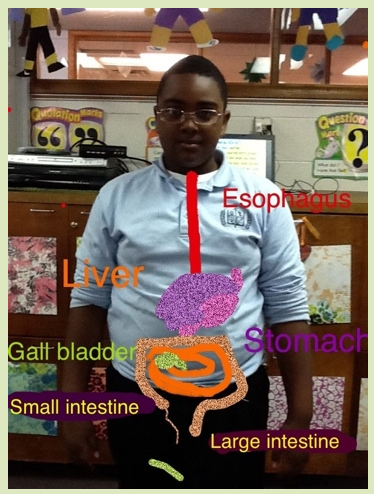
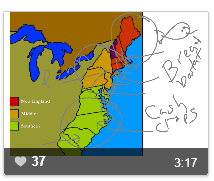
Here is another clever way Doodle Buddy was used with pictures of the students taken with the camera of an iDevice imported and illustrated on in Doodle Buddy:

The drawing project using Doodle is from Karen Bosch’s  excellent presentation Fostering Creative App-titude using the iPad .  Although her creative idea was with older students, this could be done using pictures of younger students to have them identify body parts or tracing around their body on their pictures in Doodle Buddy. Pictures can then be sent or a screen shot made to transfer or use in another story telling, slide show app or made into a photo album.

Two other slide show apps that allows you to create a slide show importing or taking pictures and record audio within the apps are:

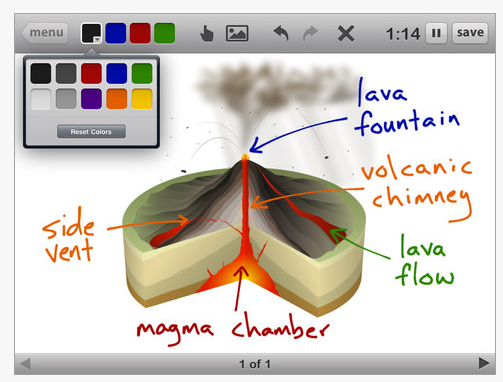
Show Me app – An interactive whiteboard app, allows you to take or choose a picture from the photo album and draw on similar to Doodle Buddy. Show Me app also allow you to audio record on the slides. Options to share the slide show are provided. Available for iPad, Free.

Educreations app – also is a slide show app that you can import a picture from photo library, Dropbox or take a picture from within the app. In this app you also can lock down the picture, a handy option when drawing on top of the picture. Audio recording is an option on the slides. Options to share the lesson or slide show are provided.

More Thoughts – Draw A Person Research

Searching for apps I found a lot of research about the developmental stages of children’s drawing which was a good perspective to be reminded of when working with special needs students that we work with. Here is some that might be of interest:

AAA Lab at Stanford Child Development on the concept of drawing animals versus people which suggests that children initially draw animals better than they draw people.

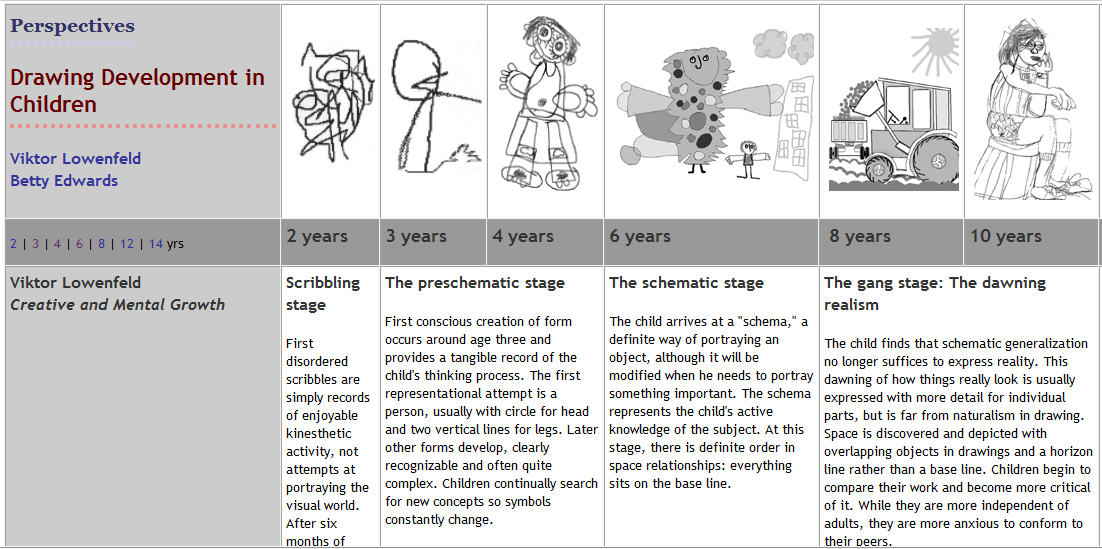
Susan Donley’s website presents developmental perspective of drawing development in childhood keeping in perspective the typical developmental sequence of draw a person skills as shown below:

If you know of an app or another suggestion of working on draw a person/body scheme with children please share!

Carol

Posted in Activity Worksheets on Your iPad, App Reviews, Apps for OT's, Apps for Special Needs, Drawing, Early Childhood, iPad, Occupational Therapy, Special education, Special Needs, Visual Motor | Tagged , , , , , , | Leave a comment

HelpKidzLearn Apps!!

Are you familiar with HelpKidzLearn.com website? If you are not and you work with students who are working on cause and effect or students with physical impairments make sure you visit HelpKidzLearn hosted by Inclusive Technology – it will become a favorite !

Help Kidz Learn has developed five of their activities into apps! Here is the lowdown on those five Inclusive Technology apps they have produced (this is an image, links are not functional) :

Each of the apps appear to be $2.99 and are compatible with iPad. The range of apps appear to be appropriate for a variety of age ranges requiring access or simple cause effect interaction.

HelpKidzLearn has wonderful games, stories, creativity and early learning activities that are switch, touch screen or mouse accessible for students with special needs. I use their activities with students at all grade levels that need a simple interface, basic cause effect activities with animation and sound. They add new activities regularly.

Thanks Inclusive Technology for providing this free (currently you need to become a member which is free) service to our special needs students.

More to add to your OT iTool Kit!

Carol

Posted in Accessibility, App Reviews, Apps for OT's, Apps for Special Needs, Autism, Developmental Delay, Early Childhood, iPad, Mobility Impairment, Occupational Therapy, Special education, Special Needs, Uncategorized | Tagged , , , , , , | 2 Comments

Sentence Maker App

Grasshopper Apps, one of my favorite app developers, has developed Sentence Maker app and it is currently gone free!

Sentence Maker App , similiar to Grasshopper’s Little Speller app, is an app that provides opportunities for 2, 3, 4 and 5 word combos when creating the sentence. Customizable, Sentence Maker features the ability to change the words, sentences, sound and sentence length. Compatible with iPad, iPhone/iPod Touch (Free).

It also allows options of sentence order (alphabetical or random), word order (right to left, left to right, any order), word case (upper, lower, capitalized) along with settings to turn on/off sound, sentence hints, visual hints, word hints or the tile magnet. Typical to the Grasshopper apps you can add a list of names.

A great literacy app to share with your special education or preschool and primary elementary teachers, or as a language app with the speech pathologists you work with. I am anxious to trial its use with students for functional skills as identifying and create their first and last names or create sentence on functional tasks or signs they are engaged in. I am working with a few students who are working on identifying images of basic feelings to assist with their use for communication. Using pictures and a sentence, I feel sad, I hurt, might be another way to customize this app for them. Time to give it a try!

If you have not checked out or are not familiar with Grasshopper Apps, check them out. If you work with students with emergent literacy and math skills you will find oodles of app that are customizable, clean and suited to work on a range of skills.

Check them out to see if they are a fit for your OT iTool Kit!

Carol

Posted in Apps for OT's, Apps for Special Needs, Early Childhood, Emergent Literacy, iPad, iPhone, iPod, Occupational Therapy, Special education, Uncategorized, Word Work | Tagged , , , , , , | 1 Comment

Pirate Scribblebeard’s Treasure – Gone Free

Pirate Scribblebeard’s Treasure was mentioned and recommended previously as a worthwhile drawing app – currently gone free!

Available only for iPad and Android, this is a drawing app that provides the tools to draw in characters and objects in a pirate theme.   Fun app, however will require imagination and ability to draw people and objects and enjoy a pirate theme. This app would present a difficult task for younger students and students with visual perceptual or visual motor challenges. A fun theme but requires imagination and a concept of pirates to carry out the thematic activities. Cleverly presented with sounds and some animation, this app would be fun for the right kids or students.

Here is a YouTube review of the app:

Check it out to see if you want to add this to your OT iTool Kit!

Carol

Posted in App Reviews, Apps for OT's, Apps for Special Needs, iPad, Occupational Therapy, Special education, Visual Motor | Tagged , , , , | Leave a comment

Symbaloo App

Interested in accumulating all of your web resources in one location – in an app? Check out the app called …

Symbaloo is a free app that compiles web resources into “webmixes” or grids that can be categorized  by subject or topic for easy access on your iPad.  Webmixes can be created or selected from the hundreds of “shared”  webmixes offered in the Symbaloo’s gallery for access to your Symbaloo App. What results is an organized set of icons within the app of your favorite websites or links to documents or presentations on the Internet making them easy to access. Used for personal access or as a place your students can be directed to go via your Symbaloo app on your iPad.

Below is a screen shot of the start of my Symbaloo I created with subject tabs of OT Resources, AT Websites and Sped App Review. I also imported an existing EDU webmix I found that provides many familiar resources (Prezi, LiveBinders, Delicious, TeacherTube, etc.) with a search in their webmix “gallery”.

As a visual learner this is a great way to organize web resources and documents that are web based for easy access from my iPad! Each of these icons link to the website as labeled. Much like LiveBinders, this is a great way to organize resources!

Here is the Symbaloo “webmix” or grid for Sped App resources/reviews as shown above:

http://www.symbaloo.com/mix/appresources

Here is the beginning of Symbaloo gride for OT websites :

http://www.symbaloo.com/embed/otresources

Here is the beginning of a Symbaloo gird of some of my favorite AT websites:

http://www.symbaloo.com/embed/atwebsites

Membership for Symbaloo is free. There also is a Symbaloo EDU for educators. Check out the video on Symbaloo EDU:

Symbaloo app is a quick way to access your favorites or frequently used online resources for yourself or your students. Along with establishing single home screen icons, this could be an easy access method for students who physically or cognitively can not enter URL’s into their iPad. I am really excited about using Symbaloo on my iPad!

An organization tool for favorites for your OT iTool Kit…

Carol

Posted in Accessibility, App Reviews, Apps for OT's, iPad, iPhone, Occupational Therapy | Tagged , , , , | Leave a comment

Apps Designed with Transition in Mind and Disability in Mind from OCALI

OCALI – the Ohio Center for Autism and Low Incidence is an online resource that offers tremendous resources for individuals with Autism and low incidence populations in areas of transition, UDL, AT, education and information for families and professionals supporting those disabilities.  They provide webinars, presentations and other archived documents related to Autism and low incidence populations. Among their many documents posted are current lists (January 2012) of apps focusing on transition and disabilities for low incidence populations. Follow the links to for their app listings:

Apps Designed with Transition in Mind (PDF)

Apps Designed with Disability in Mind  (PDF)

OCALI is a wealth of information on their focused topics of Autism and low incidence populations. Check out their resource – it is well worth the visit!

Offering resources for your OT iTool Kit…

Carol

Posted in App Reviews, Apps for OT's, Apps for Special Needs, Autism, iPad, iPhone, iPod, Mobility Impairment, Occupational Therapy, Social Skills, Special education, Special Needs, Transition | Tagged , , , , , , , , , | Leave a comment

Even More Fine Motor Apps

Looking for even more fine motor apps?

Preschool Connect the Dots Game App – Compatible with iPad/iPhone (.99), provides over 200 puzzles with features allowing choices of connecting by numbers, upper and lower case letters.

Customization of features such as autoplay, speaking letters/numbers and choosing categories of the pictures presented (animals, food, objects, transportation) are also provided with in the app. Preschool Connect the Dots shows consistent, great ratings making this a solid app choice.

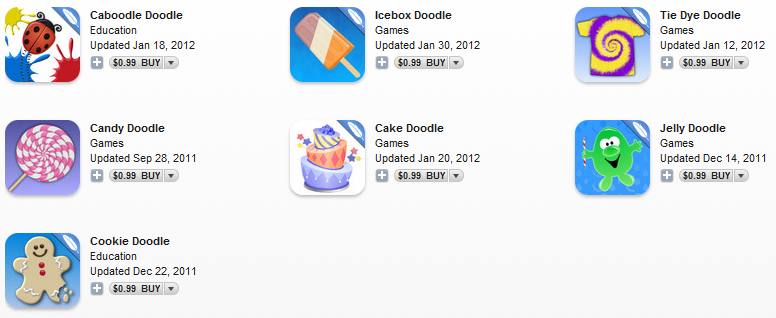
Other fun fine motor apps to check out are those developed by Shoe the Goose:

Different themes with different activities involving creating on the iPad or iPod requiring fine motor skills with step by step tasks. Here is a YouTube clip of Cookie Doodle.

Do you have any of these apps in your OT iTool Kit? Share how you have used them!

Carol

Posted in App Reviews, Apps for OT's, Fine Motor Development, Finger Isolation, iPhone, iPod, Occupational Therapy, Pre-writing, Visual Motor | Tagged , , , , , , , | 3 Comments