Digital Storytime Deals for June 21 – Free apps!

Digital Storytime is one of the app review websites I peruse for free or reduced educational apps. They have some free apps today only (I am never quite sure how long free apps are available!) that you may want to include in your OT iTool Kit:

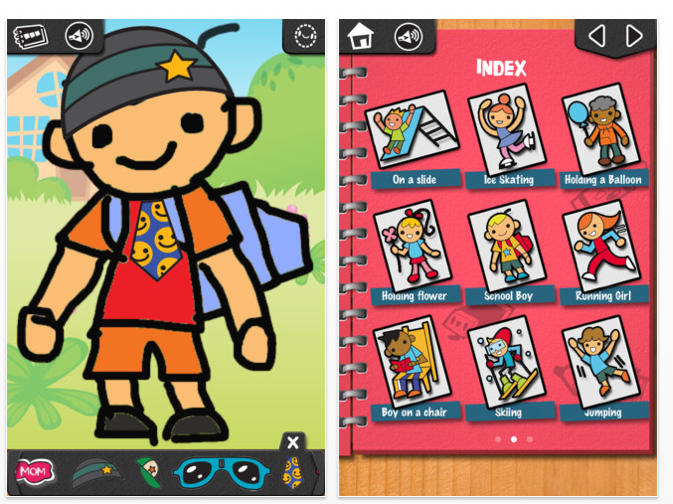
iLuv Drawing People HD – (iPad) Free step by step drawing from the same developers Learn with Fun Apps.

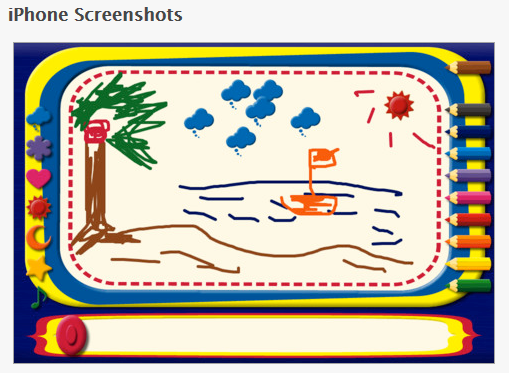
MagicBoard Mini – (for iPhone but will work on iPad in 2x mode). This app is a magna doodle on your iPhone or iPad with colored pencils and stamps for drawing.

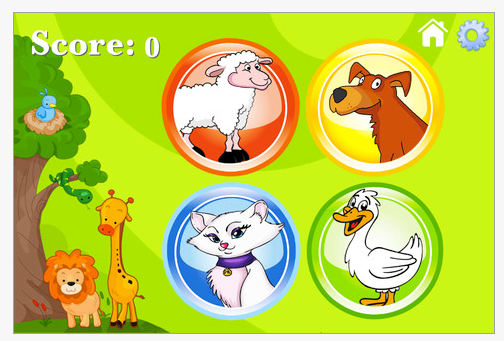
Zoola Simon –  (iPhone/iPad) Your basic simon game requiring visual and auditory sequential memory for young learners. Features a standard mode with four buttons, one with animal pictures and one with animals with music. sEasy, medium and hard level are offered in the app.

More free apps for your OT iTool Kit!

Carol

Posted in App Reviews, Apps for OT's, Drawing, Early Childhood, iPad, iPhone, iPod, Occupational Therapy, Visual Memory, Visual Motor, Visual Perception | Tagged , , , , , , , , | Leave a comment

More Android Puzzle Apps and Games – For Adults Clients

A comment from Sandy asked about Android puzzle apps and what might be suited for adults with head injuries. Although this is not my area of expertise, I did a search in the Android app market to see if there were more puzzles with appropriate content for adults with varying number of pieces to grade the task for an adult client. Here are some puzzles that I thought would work for adult clients:

  Horses: Jigsaw Puzzles For Kids and Adults (free). For ages 9 and up.

  Spectrum Puzzles
(1.49). Has puzzles of different levels of difficulty ranging from 20 pieces (small) to 48 pieces (huge). More puzzles are available with add on app purchases.

Ultimate Jigsaw Puzzle HD (2.49) – Puzzle with piece numbers ranging from 9 to 81.

Other game apps for Android devices may also foster problem solving, maintained attention and work on perceptual skills such as Connect 4, Mahjong (there are a lot of Mahjong games which requires scanning, visual memory and visual discrimination skills), and memory games that would be very suited to young and old. Here are a few apps that I found that I believe would work on cognitive skills that are listed for Android:

  Mahjong Words (.99) – A mahjong game of matching words.

  Fantastic 4 in a Row HD  (.99) – A classic game of connect four.

 Memory Game for All – Pro (.99)- Visual matching game.

Word Search (free) – Word search app for your Android.

Sandy, Hope this helps!

More for your OT eTool Kit!

Carol

Posted in Android, App Reviews, Apps for OT's, Traumatic Brain Injury, Visual Memory, Visual Motor, Visual Perception | Tagged , , , , , | Leave a comment

iLuv Drawing Dinosaurs – Gone Free!

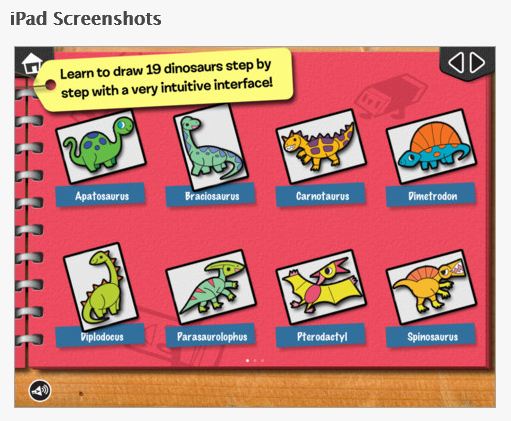
 iLuv Drawing Dinosaurs  is currently free (typically 1.99). Compatible with the iPad, this step by step drawing app has 19 different dinosaurs for artists aged 5 years and above. Developed by the same makers as iLuv Drawing People, Animals and Monsters, iLuv Drawing Dinosaurs adds a popular theme to the iLuv 5 step drawing process. Here are some pictures of the app features:

Here is a video of the app:

Will you add this step by step drawing app to your OT iTool Kit?

Carol

Posted in App Reviews, Apps for OT's, Apps for Special Needs, Drawing, Early Childhood, Elementary School, iPad, Occupational Therapy, Special education | Tagged , , , , , | 2 Comments

More Stylus Suggestions for Special Needs ….

Responses from experienced readers provided some more great stylus suggestions:

Cosmonaut Stylus

Leann T. commented that she loves the Cosmonaut: Wide-Grip Stylus for Capacitive Touch Screens.  Here are images of the Cosmonaut: 

Information from websites indicates the Cosmonaut is made to feel like a dry erase marker. It has a rubber grip that is easy to hold for young and old.

More MacGyver Stylus Solutions

Another McGyvering a bulb gripped stylus solution from Robin C.:

“I have a suggestion that might work the same way as the bulb grip that you are looking for.  I have made my own ball style grips that would probably work on a regular stylus. The ball is made out of a hollow hard plastic golf ball (mine are bright orange) from the dollar store.  I make a small hole in one side of the ball with a sharp phillips head screwdriver or knife and push a pencil/pen into the hole to make it a tight fit.  I do the same thing to the other side of the ball.  I have been using these grips with students with low tone/poor grips for years – they work really great! ( FYI – there would not be a conductivity issue, as I use a variety of grips with a stylus).”

Here is another attempt at MacGyvering a stylus using a new moldable material called Sugru Air-curing Rubber – 8 x 5g of mini packs with a mixture of Multicolors
recommended by Kathleen Allgood. Here is an inexpensive Cosmo Stylus that I adapted with this moldable, adaptable material called Sugru:

Sugru Air-curing Rubber – 8 x 5g of mini packs with a mixture of Multicolors
is an incredible moldable material that cures within hours and withstands temperature variations and sticks to almost anything. It comes in packets in a variety of different colors or by single colors.This is marvelous stuff for adapting, making handles, patching or modifying equipment for clients ! I believe Sugru Air-curing Rubber – 8 x 5g of mini packs with a mixture of Multicolors is a OT’s adaptive dream material! Check it out to see what you can do with it – it is amazing! You will love it !

More tool ideas for your OT iTool Kit!

Carol

Posted in Accessibility, Accessories, Early Childhood, Geriatrics, iPad, iPhone, iPod, iPod/iPad Accessory, Mobility Impairment, Occupational Therapy, Physical Disability Tool, Special Needs, Stylus | Tagged , , , , , , , , | 4 Comments

Flow Free – Fun Visual Motor App!

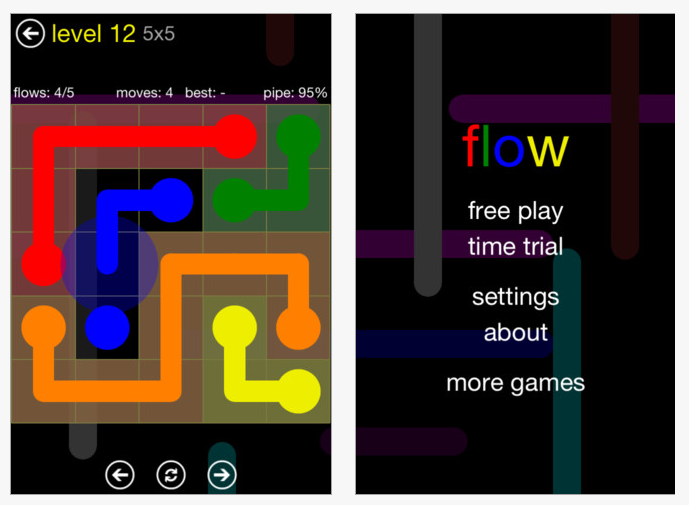
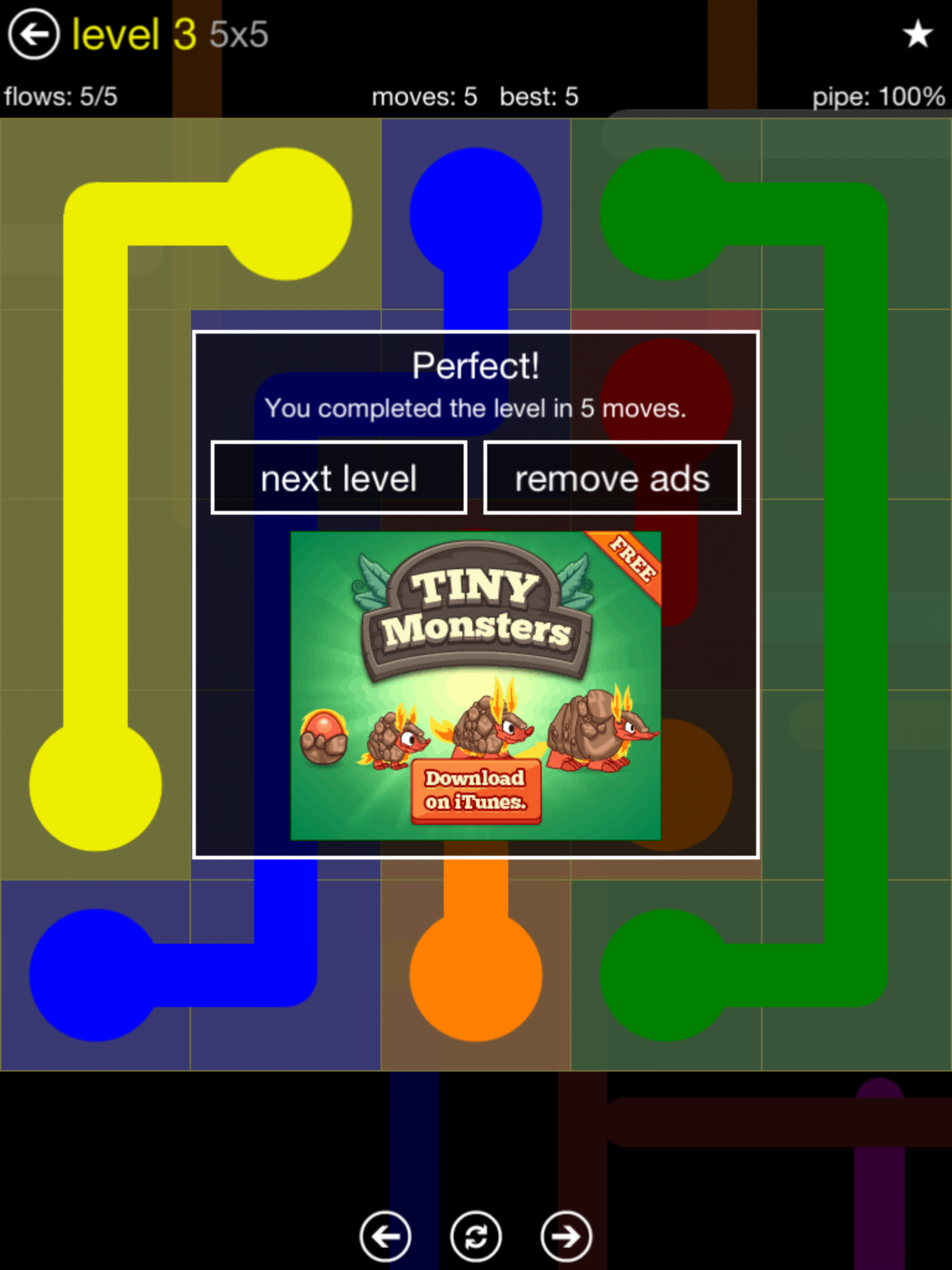
Flow Free is a free, fun iPad and iPhone app requiring the user to connect matching colors with a line or pipe to create a flow. Not just a matching game, this app requires spatial reasoning and planning to complete all of the color matches without crossing or overlap of the lines or pipes.

It starts at a 5×5 level and increases in difficulty. As an app in the game center but I was able to play using the free play without having to sign in. Navigation controls at the bottom of the screen allows you to easily go back and forth or redo a level and also redo a level.

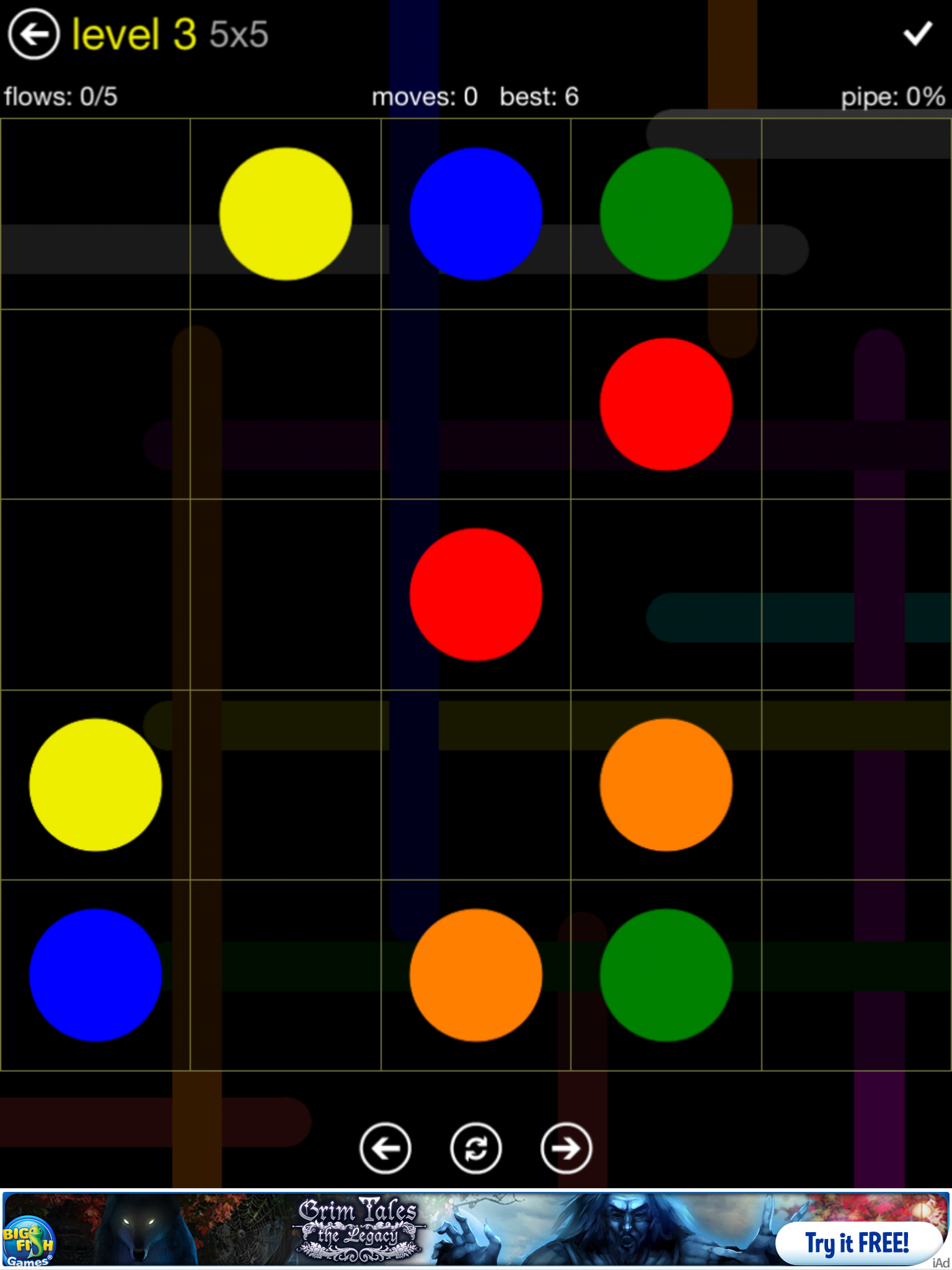
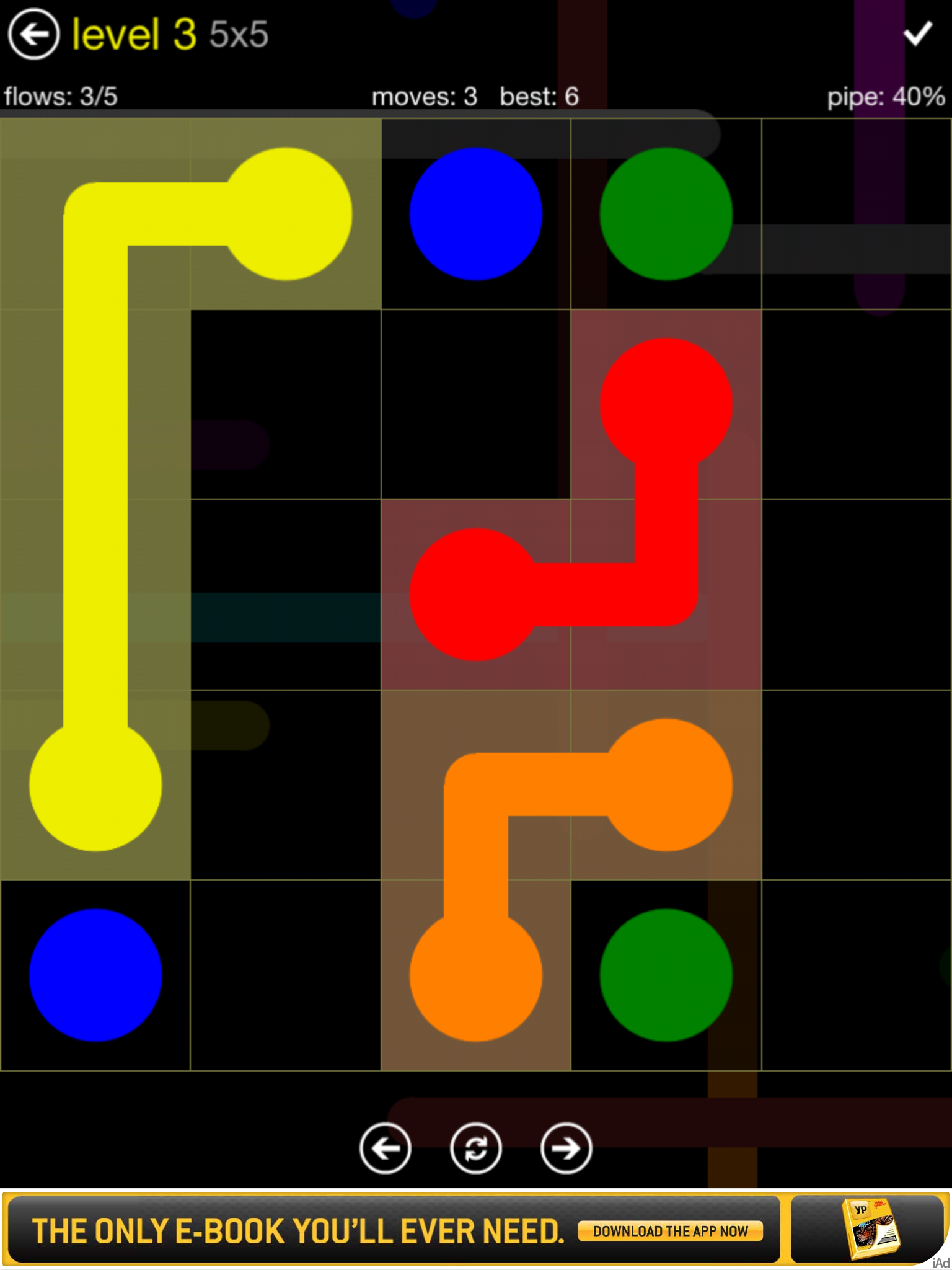
Here is a sequence of a game:

The app does have ads in it which can be removed by purchasing .99 pack available at different levels of difficulty. In the free app there are 5 levels of difficulty with each level having 30 challenges to complete, providing a lot of Flow opportunities without having to purchase add on levels. The levels start as “Easy” for  5×5 grids (5 different colored dots to connect) up to “Hard” which is a 9×9 grid  (9 different colored dots to connect) to correctly complete or do again.

I found this a fun visual perceptual, visual motor and spatial reasoning app that provides leveled activities suited to elementary and older students. This app requires visual motor, motor planning, spatial reasoning – visual perceptual skills. The free app has ads but which I found subtle and which provides many levels of play. Timed scores are provided when completing a “Flow” activity that might be motiving to students who are competitive.

This may be one of those apps used as a reward after working on other tasks with students in therapy. Students on the autism spectrum may be motivated to engage in this visual reasoning task while performing a motor planning task that can be challenging to them.  Playing this on an iPod may also provide additional motor planning and visual motor accuracy when scaled to the small screen.

Would you add this to your OT iTool Kit? I will, and will share with my students but you might also find my name on the user list!

Carol

Posted in App Reviews, Apps for OT's, Elementary School, Game, iPad, iPhone, iPod, Middle School, Occupational Therapy, Primary Grades, Visual Motor, Visual Perception | Tagged , , , , , , , , | 6 Comments

iOS 6 Accessibility Features – More Options for Individuals with Disabilities!

iOS 6’s projected upgraded features  for fall, were announced by Apple providing many new exciting features supporting individuals with disabilities.

Here is what the Apple.com website previews in their Accessibility overview for the iOS 6 with one of the new features called Guided Access:

Guided Access
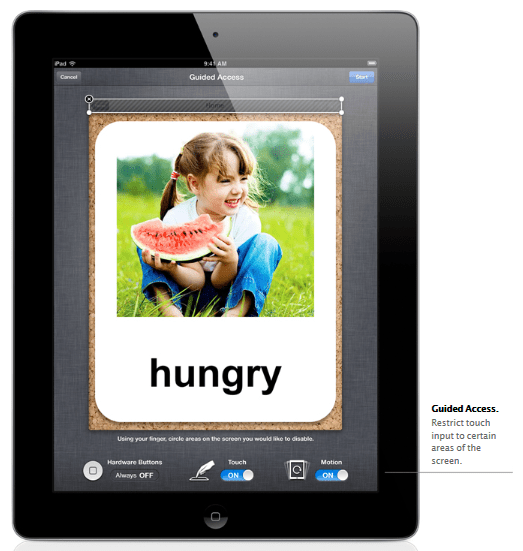
“iOS 6 comes with even more features to make it easier for people with vision, hearing, learning, and mobility disabilities to get the most from their iOS devices. Guided Access helps students with disabilities such as autism remain on task and focused on content. It allows a parent, teacher, or administrator to limit an iOS device to one app by disabling the Home button, as well as restrict touch input on certain areas of the screen.”

Here is an image of what some of the Guided Access controls look like:
Other Accessibility Upgrades

“VoiceOver, the revolutionary screen reader for blind and low-vision users, is now integrated with Maps, AssistiveTouch, and Zoom. And Apple is working with top manufacturers to introduce Made for iPhone hearing aids that will deliver a power-efficient, high-quality digital audio experience.”

Retrieved on 6/15/2012 from: http://www.apple.com/ios/ios6/?siclientid=6381&sessguid=dae605fd-6f53-4941-9125-6cef14a58728&userguid=dae605fd-6f53-4941-9125-6cef14a58728&permguid=dae605fd-6f53-4941-9125-6cef14a58728#accessibility

Other Accessibility Features

For more information on the iOS 6 Accessibility upgraded features visit The Website of Luiz Perez Blog has more information on the iOS 6 Accessibility upgrades. Luiz Perez, an expert on disabilities, provides a explanations of the projected Accessibility functions in the iOS 6 upgrade. Here is just an overview of the improved features he explains in his post:

  • Guided Access
  • VoiceOver integration with Maps, Zoom and Assistive Touch
  • Word highlighting in the speak text option
  • Custom vibrations
  • New Made for iPhone hearing aids
  • Dictionary improvements
  • Siri features integrated into the iPad 2 & 3

Visit Luis Perez’ post for his expert overview of the iOS 6 at: http://luisperezonline.com/2012/06/12/ios-6-accessibility-features-overview/ .

iOS 6 Compatibility

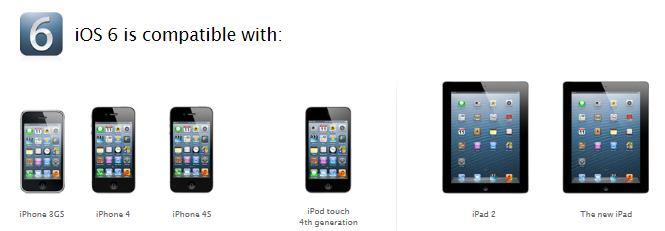
The iOS 6 upgrade according to Apple.com with be compatible with:
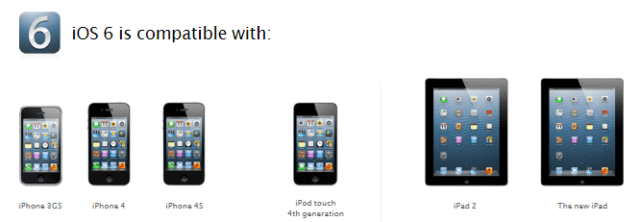
The new iOS 6 upgrade is exciting news for iDevice users and service providers who have or are working with individuals with disabilities. Wow, so many possibilities! How exciting it is to be able to apply these features to clients we work with to remove barriers as well as making life easier for ourselves!

Keep your device up to date to be ready for iOS 6 this fall!

Carol

Posted in Accessibility, Computer Utilities, iOS, iPad, iPad Management, iPhone, iPod, Mobility Impairment, Occupational Therapy | Tagged , , , , , , | 2 Comments

New iPad 3 Features – A Boon for Students with Learning Disabilities

I have heard others state that there was not enough upgrades in the new iPad 3 to warrant buying it.  Depending on the population of student you work with that might be true. However, working with students with learning disabilities and looking for assistive technology to support their inclusion has made me anxiously await the purchase of an iPad 3. Some of the features of the New iPad features that I have looked forward to include:

  • Voice recognition embedded in the keyboard in other apps
  • 5 Megapixel camera
  • Retina display

Although for some this is not a deal breaker but I believe for some of our LD students this is a huge deal!  Why?

  • Using voice recognition in apps such as ClaroSpeak, Dream Voice Reader or with apps as Poplet, or Tools 4 Teachers among countless other apps that integrate use of the iPad keyboard with speech to text capabilties embedded. This feature allows students who have the thoughts but can’t get them down on paper.  Is the voice recognition perfect, no, but getting much, much more accurate!
  • Greater resolution of images taken with the camera. So big deal? Yah it’s a big deal. If you have been using apps such as Prizmo or other OCR/scanning apps to import text or for reading or importing into e-books for students with a learning disability having a good camera is essential. The New iPad produces pictures with high resolution allowing those pictures to be used with OCR software more accurately, matter of fact significantly better (pending quality of original copy, size of print or images on it, etc). Consider the following two texts taken in the same lighting, same hard copy text, same techniques using an iPad 2 and iPad 3 respectively. Neither was edited – which one would you prefer to read with text to speech tools or edit prior to offering it to a student to access iPad?

iPad 2 with Prizmo (no editing)

iPad 3 with Prizmo (no editing)

I Why am I having an evaluaUon from ATR?-‘~ a DVR cli(~nL you have been referred to ATR by your ~unse]o~ to alse~s your m*stlve technology needs ASSlS~ ~chrm,*ogy con rn~e c~v~’es or se,Y, ces that ere used ~ ma~ta~. ~creese or ~mprove the ~rr~,~?~ ca~t~es of ~,~due,~ wiU~ ¢ f~.eb ~iL~s. Ou~ goa] is to help Irnpm~o you~ capebL~tms in ar~ thai presenl a c~aLk~ge to your occupaUon {academic work. in home c~ on ~ Job eml:doyment )2* Wh~t are the qua,flcatJonB of ATR’s Evalu=tom?ATR’S E~luato~s are licensed Occupa~al Therapists who hsve addi~onm ce,~ca ns as Adeptive Technology F’~fession~ls, Ergonom~c ,Speciar~. end have yeans ~f expenen~ bn t~e field of adapL~l~ techrm~gy end v,~ddng ind~duals w~h a w~Je v~lety of d[Sabl~s3. What could asslstJve technology Include?Assls~e technology recommenda’dons may Inc~ucre soll~a re. hardware or m (~dn~ng, Ins~Jla~on, ~mputer upgradeS, set up of equipment) Ass~.e tecS~4ogy ~n ~nge ~ row technology to high ~echnotogy dependent on the cr, e~s reeds Rec~mmendatmns are based on Vocational related needs, not desires¸ -Made with Prizmo 1. Why am I having an evaluation from ATR? As a DVR client, you have been referred to ATR by your counselor to assess your assistive technology needs. Assistive technology can involve devices or services that are used to maintain, increase or improve the functional capabilities of individuals with disabilities. Our goal is to help improve your capabilities in areas that present a challenge to your occupation (academic work, in home or on the job employment).2. What are the qualifications of ATR’s Evaluators? ATR’s Evaluators are licensed Occupational Therapists who have additional certifications as Adaptive Technology Professionals, Ergonomic Specialists, and have years of experience in the field of adaptive technology and working with individuals with a wide variety of disabilities.3. What could assistive technology include? Assistive technology recommendations may include software, hardware or services (training, installation, computer upgrades, set up of equipment). Assistive technology can range from low technology to high technology dependent on the client’s needs.Recommendations are based on vocational related needs, not desires.— Made with Prizmo. 

Remarkable, right? The accuracy of the text on the right is dependent on the quality of the picture and camera capabilities, not due to Prizmo OCR capabilities as seen in the above two examples. I have been using Prizmo for a while and anxiously awaited trialing it on the New iPad 3. My experience has been very positive with improved OCR accuracy as noted above due to continual app improvement as well as device improvements as with the high resolution camera found in the iPad 3. It may not have the exact accuracy that the KNFB Reader has, but it is remarkably good when you have a clean copy of just text, a steady hand, and good lighting. I am really excited that OCR capabilities are becoming better on the iPad3 and that this technology is becoming possible for some tasks for print disabled individuals.

  I will mention that Prizmo capabilities have continued to improve. A year ago I was disappointed with the app, but currently I use it frequently to import text into digital books with less and less editing needed. Among many of Prizmo’s user friendly features is a Speak option, providing text to speech capabilities available within the app that can be used within the apps after OCR processing has occurred. Prizmo allows image and text editing and provides the ability to save within the app. The quality of the text to speech voice is good for being a  $9.99 app.

So, for me and the needs I have with students with learning disability that I am deploying iPads to the New iPad3 features are a boon and essential features on my OT iTool Kit!

What do you think?

Carol

Posted in App Reviews, Apps for OT's, Apps for Special Needs, iOS, iPad, iPhone, Learning Disability, Middle School, Occupational Therapy, OCR, Text to Speech | Tagged , , , , , | 9 Comments

Word Games Part 1: Word Search from Sarah DeBellis

Sarah DeBellis’s blog, ” On Sarah’s iPad” is one I follow that has great educational apps and practical ideas on use of iDevices. Todays post “Word Games Part 1: Word Search” offers a variety of apps on the topic.

As an OT, I have used word searches for developing visual tracking, figure – ground perception, visual memory and to reinforce spelling skills. Sarah list of  word game apps provides those offering levels of skill (easy to hard) to help target individual student needs. The ABC Word Puzzle for iPad provides picture associated with the printed word, a helpful cue for many students! She also has great practical suggestions on safety management with iDevices.
Enjoy Sarah DeBellis’ post – I did!

Check Sarah’s blog to see if there are any apps suited to your OT or Teacher iTool Kit!

Sarah DeBellis's avatarOn Sarah's iPad

Playing games with words is not only fun but can help your children (and you) to practice spelling and to develop your vocabulary. Personally, I love word games and always have some on my iPad.  This post is focussing on just one type:  Word Search, a.k.a Find-a-word, Word Seek, Word Find and others. I think we are all familiar with these puzzles: highlight words hidden in a letter grid.  Since all the puzzles work the same way, I’m going to focus on features such as word lists and various options you might find handy.    Forgive me if I don’t mention the game that has Weapons as one of its word lists, along with others that had some dodgy spelling and grammar before you even got to the puzzles.  The ones here are some of the better ones.

View original post 1,000 more words

Posted in App Reviews, Apps for OT's, Elementary School, iPad, iPhone, iPod, Language Arts, Primary Grades, Visual Figure Ground, Visual Memory, Word Work | Tagged , , , , , , | Leave a comment

Monster Hunt – Memory Game from Alligator Apps

Looking for a very basic visual memory app? Here is a free one from Alligator Apps (Grasshopper apps):

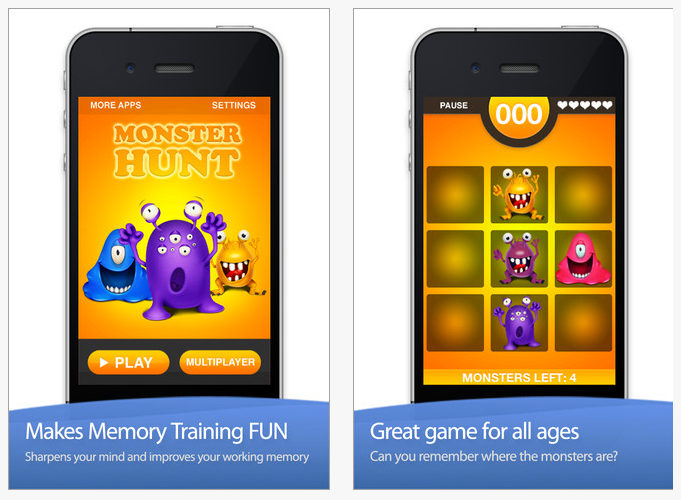
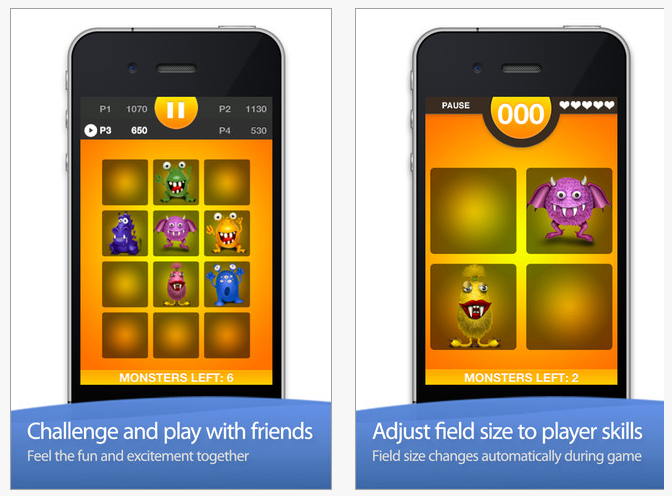
Monster Hunt – The Memory Game  is compatible with iPhone and iPad, this free app provides customization of how many items are displayed, reveal time and sound. It allows single or multiplayer options for play. Here are some pictures showing features of this app requiring revealing monsters, then find me game as they disappear.

This is a cute, motivating visual memory game for kids to play. As always with Alligator/Grasshopper apps, the app provides the ability to customization features according to the users needs.

Monster Hunt app is another great Alligator/Grasshopper app! Keep it to your OT iTool Kit or pass it on to parents or teachers who are looking for a memory app for their child or student!

Carol

Posted in App Reviews, Apps for OT's, Occupational Therapy, Pediatrics, School Based Interventions, Visual Memory | Tagged , , , , , , , , | Leave a comment

Autism 5 – Point Scale EP App

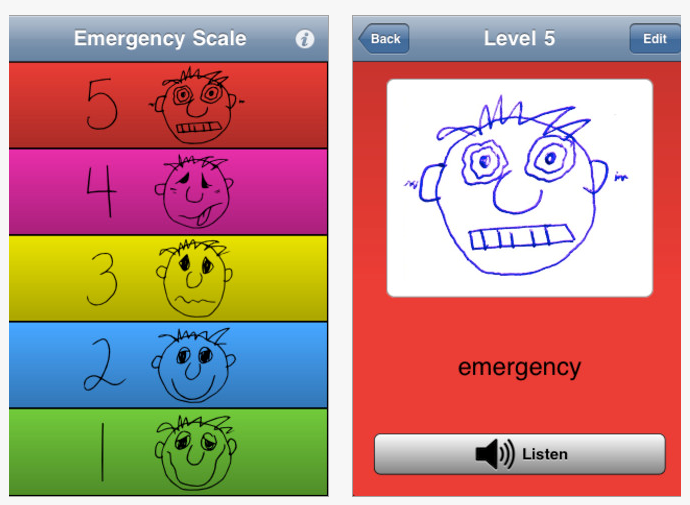
Autism 5 -Point Scale EP is a free app for iPhone and iPad developed by the Autism Society of Minnesota. Ms. Van Dixhorn, EBD teacher at the Sheboygan Falls Middle   this app with me as an app to help with the programming of a student we mutually will work with. Not only free, but simple and easy to use for elementary  and older students who would benefit from a simple method of identifying emotions and feedback about how they feel and potentially what strategies they could use.

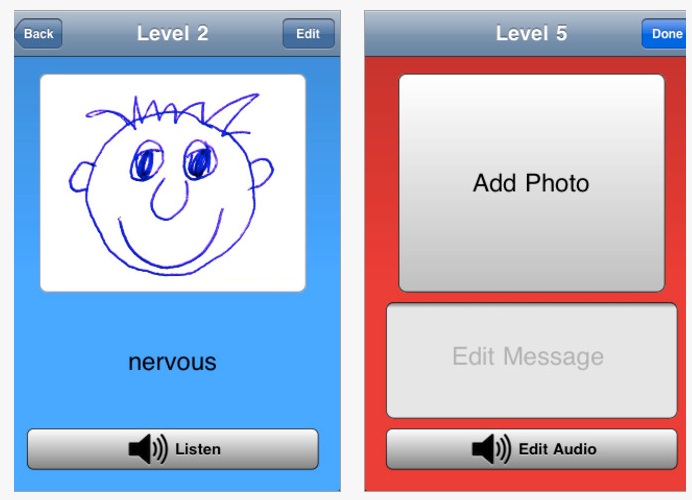
Here are some screen shots of the app:

I had the opportunity to set up the 5 point scale app with a student  today on an iPod Touch. It took about 15 minutes for us to review the app, revise it with personalized text and audio recordings.  We kept the pictures the same, although the option of inserting your own picture, emoticon or symbol is available. I decided to record  instruction in with my voice on points 2-5 as a directive from a teacher, while the student recording the 1st point with “I’m happy”. As the student becomes more independent in being able to apply those strategies recording her voice may be a good option.

This was an easy app to set up, and easy app for student to use. I am looking forward to trialing this and other self-regulation apps with the student on her dedicated iPod Touch to work on greater independence as we get ready for a new school year.

Autism 5- Point Scale app is appropriate for OT’s teachers, parents and specialists working with special needs students who would benefit from a visual communication to help them become aware of their emotions!

Would your students benefit from this in your OT iTool Kit?

Carol

Posted in Apps for Special Needs, School Based Interventions, Special education, Special Needs | Tagged , , , , , , , , | 5 Comments