Fending off Forgetting: Pillboxie app Review by Candida Abrahamson

Do you work with adults that need help with remembering to take medication?

Candida Abrahamson reviews the app, Pillboxie (1.99), a med reminder app. She presents the pros and cons of the app and like all of her posts, shares her wealth of resources and expertise in mental health.

Check out her review. You might just consider including  Pillboxie in your OT iTool Kit for demonstration to young or older adult clients needing greater compliance with administration of medication. Or might his be an aid to parents who struggle with their child’s medication schedule?

Carol

Unknown's avatar

Do you work with adults that need help with remembering to take medication? Candida Abrahamson reviews the app, Pillboxie (1.99), a med reminder app. She presents the pros and cons of the app and like all of her posts, shares her … Continue reading

View original post

Posted in App Rubric, iPad, iPhone, iPod, Mental Health | Tagged , , , , , | Leave a comment

Cause and Effect Sensory Light Box App

Cause and Effect Sensory Light Box (1.99) for iPhone and iPad was created for a group of teenagers with complex needs including visual impairment, autism and developmental disabilities. With 21 different scenes with abstract visuals and quality audio the app encourages development and basic awareness of touches and gestures through open-ended exploration and play.
Scenes interact differently and respond to  various combinations of taps, presses, sweeping and controlled movements. Some scenes are intended to encourage multi-finger and multi-handed use.

This look like a great app to work on cause and effect for individuals who enjoy visual stimuli. Have you used it? Please comment if you have experience with the app?

Should this be in your OT iTool Kit?

Carol

Posted in App Reviews, Apps for OT's, Apps for Special Needs, Autism, Cause and Effect apps, Developmental Delay, iPad, iPhone, iPod, Occupational Therapy, Sensory Apps, Sensory Apps for ASD, Special education, Special Needs | Tagged , , , , , , , , | Leave a comment

School Writing app – Sarah DeBellis’ review

Thanks to Sarah DeBellis for her review on School Writing app, a international handwriting with many features including manuscript and cursive writing instruction. Check out her extensive review to decide if this belongs in your OT iTool Kit!

Sarah DeBellis's avatarOn Sarah's iPad

School Writing App iconSchool Writing by Demografix is an App I’ve meant to review for some time.  It has handwriting fonts for Australia, New Zealand, the USA and the UK.  You might be mistaken for thinking it is only a handwriting App, when it is really a versatile App that can be used across the curriculum and is suitable for all ages. This App is for iPad only, but iPhone and iPod Touch users should still keep reading as there Demografix has an iPhone App, School Fonts, that is very similar, lacking only one of the major activities.

View original post 1,730 more words

Posted in Apps for OT's, Handwriting, iPad, iPhone, iPod, Occupational Therapy | Tagged , , , , , , | 2 Comments

App Gone Free – CountDown Pro

Have a need for a countdown app? Do you have a child or a student who would benefit from count down by days to a big event?

When I saw this app I thought about students who need a visual reminder of the number of days to an event to help with anticipating a big trip, start of school, vacation or end of school ( I know school system people would never want to use this as a countdown to end of school!). Although a low tech calendar with days crossed off can do the same thing, the automation of an app might help teachers or parents provide children or students with an immediate countdown number to help them anticipate that big event.

CountDown Pro – for iPhone/iPad comes as a lite version and Pro version (regularly $.99) with Pro free today. Provides countdown to an event and also provides calculation of number of days by entering a beginning and ending date (does not calculate years just days). Events can be categorized under All, Work, Life. You can set reoccurring events by month or year to be alerted of birthdays, anniversaries similar to electronic calendar options. Here are a few pics of the app:

I was surprised to find a gazillion countdown apps for specific purposes (pregnancy, weddings, etc.). This app was very easy to use. A quick search on countdown apps found most were $.99 to 1.99 in cost for a full version, making this app a bargain.

Although I have not trialed this app with a student, I could image it being helpful to individuals with  temporal concept challenges who have a difficult time with anticipating big events. Countdown strategies such as visual times for short-term concepts, verbally counting down to end a therapy session, counting down to get started are invaluable tools therapists, teachers and parents use with our clients ( children or adults – how many of you count with an adult client for sit to stand – it gets everyone on board and sync’d). For those clients who love to use electronic devices this might be one more tool for your iTool Kit that can come in handy.

For Android – I found many “countdown” apps for Android, many free. Here is one to consider:

Days Left – free for Android. Countdown app by days that can be customized by event.

I should be using either of these – I am terrible at anniversaries and birth dates! And might I use this for end of school year countdown, days to vacation? Hmm… admit it – we all like countdowns to big events we look forward to!

More for your OT iTool Kit!

Carol

Posted in Android, App Reviews, Apps for OT's, Apps for Special Needs, Autism, iPad, iPod, Occupational Therapy, Visual Communication | Tagged , , , , , , , | Leave a comment

Free Apps for Early Learning

Free app for weekend only (Bug Game) …

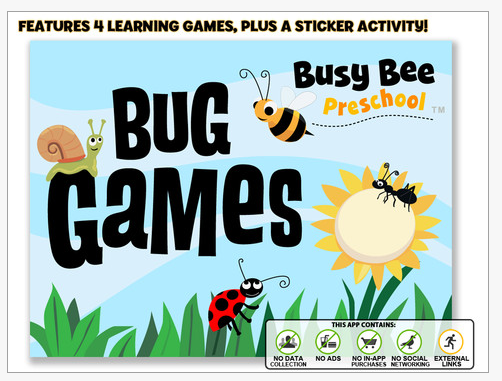
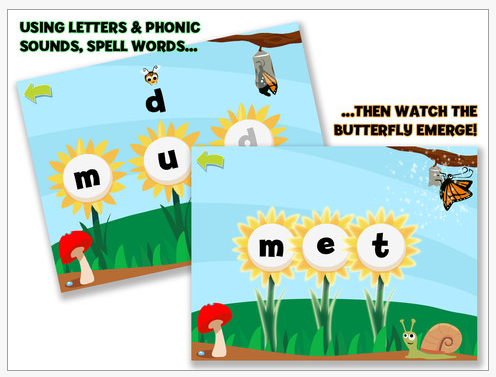
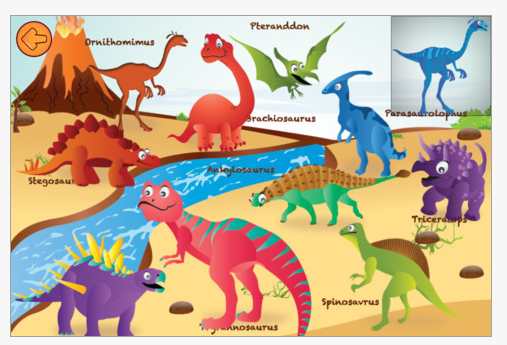
Bug Games HD – iPad only featuring all kinds of critters to promote letter and word work, number concepts with dot to dot and puzzle activities. Stickers as a reward system is included. No ads, no in app purchases and no data collection is in the app.

If not an app for your OT iTool Kit, share with parents and teachers to add some variety to learning for free!

Buzzle app – iPhone/iPad (free, with in app purchases) app featuring 31 puzzles with different scenes and concepts. Shape discrimination and pattern matching activity (not inset puzzles) presented with a variety of theme concepts (animals, shapes, objects, etc.) and scenes. Suited to preschool and primary age students. Rated well by reviewers in iTunes.

Check out these free apps to determine if they will be part of your OT iTool Kit!

Carol

Posted in App Reviews, Apps for OT's, Early Childhood, Free apps, Game, iPad, iPhone, iPod, Occupational Therapy, Visual Motor, Visual Perception | Tagged , , , , , , | 2 Comments

Type Fun Lite -Another iPad Keyboarding app

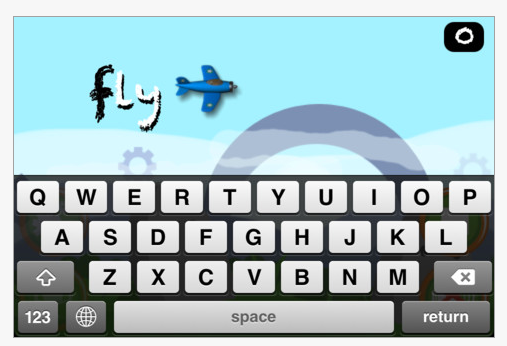
Thank you to Bonnie Shams, OTR for her comment about Type Fun app, a keyboarding game app for the iPad and iPhone.

Available in a lite and full version (.99) with more words provided in the full version. Practice levels for beginning and practiced typists are options with speed settings and word selections provided in a fun game format!


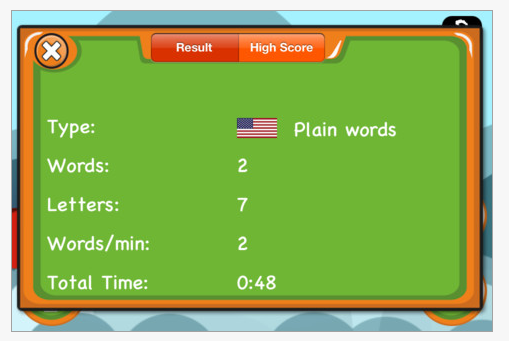
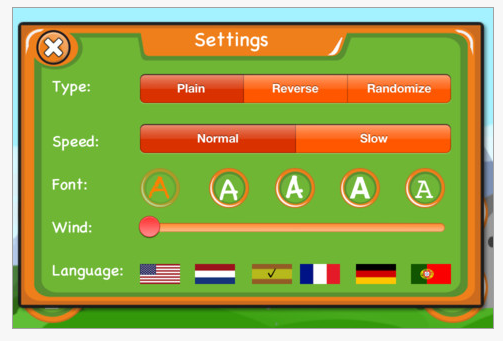
The app provides scores and has setting options for the user. Here is a video of the app’s typing game :

As always practice on a standard keyboard using touch typing technique is recommended as the standard method of typing instruction. Use of a Bluetooth keyboard (such as Apple Wireless Keyboard or Logitech Tablet Keyboard for iPad ) or a wired keyboard is possible (see how to connect a standard keyboard to an iPad using the iPad Camera Connection Kit on this previous post : Keyboarding Practice on Your iPad or Android ) with your iPad.  Be sure to use good ergonomic positioning when practicing keyboarding!

Thank you again to Bonnie for her recommendation. Another free tool for your  iTool Kit!

Carol

Posted in App Reviews, Apps for OT's, iPad, iPhone, iPod, iPod/iPad Accessory, Keyboard, Keyboarding, Occupational Therapy | Tagged , , , , , , | Leave a comment

OT iTool Kit App List – Updated

What’s in your iTool Kit?

Can’t find an app? Checkout this updated, categorized listing of app geared to OT’s, special education, individuals with LD, ADHD, students, teacher or parents. It has a brief description of the apps which hopefully will make it a bit more user friendly. Android apps are also being added.

 OT iTool Kit App List 7-17-2012

Some of the new categories added:

  • Cause and Effect apps
  • Keyboarding apps

More apps in most categories. Prices may differ as some apps were purchased during a “free” app day or may have experienced a price change.

Please let me know if you have any suggestions. This app list will be posted in the Pages section of OT’s with Apps blog for your perusing. If this list is helpful, please share.

Gather more iTools for your electronic tool kit!

Carol

Posted in App Reviews, Apps for OT's, Apps for Special Needs, Cause and Effect apps, Choice Making app, Dictionary app, Game Apps for Special Needs, iPhone, iPod, Keyboarding, Leisure apps, Sensory Apps, Special education | Tagged , , , , , , , , | 6 Comments

More Keyboarding Resources for your iPad – Typing Web

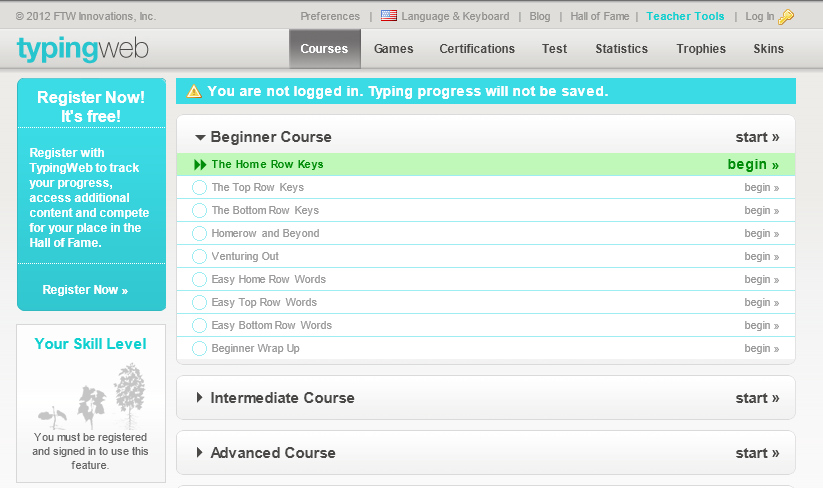
Typingweb.com   – Learn to Type is another keyboarding resource commented on by that can be used with the iPad and Android tablet.  Use of a standard keyboard is recommended for practicing keyboarding as the standard keyboard configuration is different from iPad keyboard.  Keyboarding instruction is based on use of the standard layout.

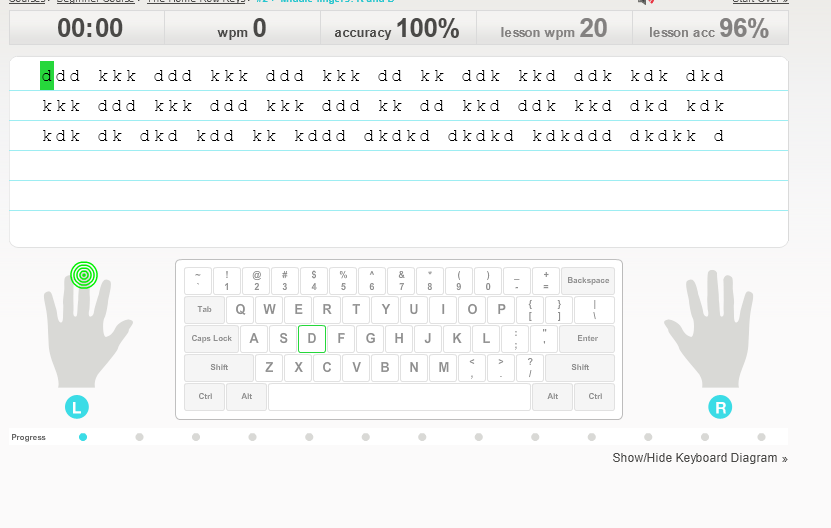
Typingweb.com provides progressive keyboarding instruction starting with home row keys and displaying proper fingering when keys are introduced.  This keyboarding instruction is broken down step by step using a standard keyboard instruction with practice sessions to build technique, keyboard layout, speed and accuracy. It also collects data on lessons completed, speed and accuracy of your typing.

Typingweb.com’s Learn to Type instruction’s free version requires signing up for a login membership.  Cost of the full version is  9.99 which removes ads. The program provides many levels of keyboarding instruction to reinforce ten finger typing skills. I understand they are developing a keyboarding app for release soon.

Remember that a standard keyboard is recommended for keyboarding instruction and position your tablet upright for appropriate posture when keying. Here are a few suggested Bluetooth keyboards:

Apple Wireless Keyboard Kit

Logitech Tablet Keyboard for iPad (Keyboard-and-Stand Combo) (920-003241)

If you are interested in how to connect a standard, wired keyboard to your iPad check out a prior post : Keyboarding Practice on Your iPad or Android

More for your OT iTool Kit!

Carol

Posted in Accessories, iPad, Keyboarding, Keyguards for iPad, Occupational Therapy, Web 2.0 resources | Tagged , , | 4 Comments

Finger Fun App

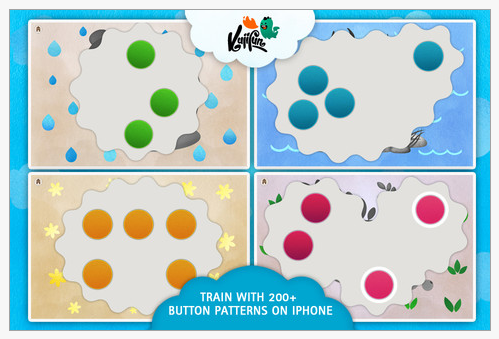
Finger Fun app currently is a free app for iPhone/iPad that is described for children ages 2-6 years of age. It is rather unique as it requires finger isolation skills while touching dots. One or more dots can be presented on the screen at a time requiring simultaneous touching to complete the task. One hand or two hands, fingers must touch the dots at once for a picture reward to be shown.

Sounds are provided when you touch the dots and the dot is highlighted (white ring) when touched properly and to show which dots have been activated. I found that if not all dots were pressed after a period of time the next pattern reduced the number of dots presented. The number of dots presented increased quickly from one activity to the next and could cause frustration to a child with limited finger isolation.  No setting options are available in the app or in the Settings icon where some apps provide feature choices.

Finger Fun provides an interesting app that could be used for developing finger isolation or used as a motor planning activity. Each activity provides dots placed in different locations requiring definite motor planning skills of how to approach the dots much less activate them with individual fingers. Recommnded for children ages 2-6 years, a method of adaptation for this app could be assist a child with your touch of some of the dots, requiring them to only touch one or two to complete simultaneous activation. For upper ages, requiring use of two hands to activate, making it a bilateral activity for students.

I would like to see more setting options in this app with controls for numbers of dots that are presented. It would also be great to be able to have two different colors of dots possible on the screen, requiring students to consider using one hand to activate each color (ie. right hand touches read, left touches green) to make it a laterality and bilateral development activity.  Option of turning off some of the sounds or music that it plays might also be important as it could be a distraction, overload of sensory information or just annoying to some children

So check it out and see it this would go in your OT iTool Kit. It has some possibilites that I am not aware of in too many other iOS apps. Let us know what you think!

Carol

Posted in App Reviews, Apps for OT's, Fine Motor Development, Finger Isolation, iPad, iPhone, iPod, Occupational Therapy, Pediatrics, Primary Grades, School Based Interventions, Special education | Tagged , , , , , , | 2 Comments

Is printing from your iPad at work a source of frustration???

Can you relate to this video? (I can, hugely at school! Watch this it will make you laugh! )

Although our school system is making welcome changes to allow print capabilities this fall, printing and solid wi-fi connectivity can be source of frustration when using the iPad. As good as the iPad is, if you create content or documents and can’t seamlessly produce them, access them (my wonderful former IT guy, Marty Gross always used the word seamless which to me is extremely important – thank you Marty), then why do those kinds of tasks on the iPad?? They are possible but connectivity for access to iCloud, servers and printers are needed!

Here is a new solution to that old, frustrating print problem!

xPrintServer Network Edition –  I do not have experience with this but is sounds like a great solution for a business or school situation. Here is more information from the Lantronix website:

Print from all your iOS devices to virtually any printer!

xPrintServer enables wireless printing for iOS devices such as iPads® and iPhones® using their native print menu. It eliminates the need to print through apps, install software, or email yourself documents for printing. And more importantly, you don’t need to buy a new printer because xPrintServer works with more than 4,000 top brand USB and network printers.

Why the xPrintServer?

  • Print to virtually any printer / no need to a buy new printer
  • No apps or software to buy or load
  • Easy to use / automatic discovery and set up of printers
  • Print directly from the iOS native menu
  • Advanced configurations via web interface
  • One xPrintServer supports multiple printers & virtually unlimited iOS devices

Compare home and network xPrintServers:

Here is a simple comparison chart on the xPrintServers available:

I know that there are other apps available for the iPad (Citrix app) for connecting server services to your iPad, but I sure was entertained and related to the video from Lantronix regarding the challenges presented when print capabilties are difficult! For home printing, purchasing a e-Print/Air print capable printer  can do the job. For more information on their product visit the Lantronix website.

More OT iTool Kit possibilities for seamless use of your or your client/student’s iDevice!

Carol

Posted in Accessibility, Computer Utilities, iPad, iPad Management, iPod/iPad Accessory | Tagged , , , | Leave a comment