See on Scoop.it – Apps for Special Education
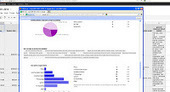
Great examples of how to use Google Forms to collect data for therapists and teachers.
Carol
See on blog.asha.org

See on Scoop.it – Apps for Special Education
Great examples of how to use Google Forms to collect data for therapists and teachers.
Carol
See on blog.asha.org
See on Scoop.it – Apps for Special Education
Many educators are realizing that the most powerful apps are those that allow for student creation. Some apps, for example Pages, Explain Everything and Popplet, push students to demonstrate, apply and synthesize their learning.
See on www.appolicious.com
Do use your Google Drive often? Would you like to be able to access your Google Drive with your iPad or iPhone/iPod? What’s the app for that? The Google Drive App!
 Google Drive App (free) developed by Google provides mobile access to your documents, files and media on your iPhone, iPad or Android device. Google provides 5 GB of space with their free Google Drive account with additional storage available for purchase. Similar to Dropbox, Google Drive App provides Cloud based storage between devices with WiFi/ or Internet connection. With many institutions using Google services (especially school systems), use of an app with direct connection makes retrieval and storage (workflow) easier.
Here’s a few things you can do with your iOS Google Drive app:
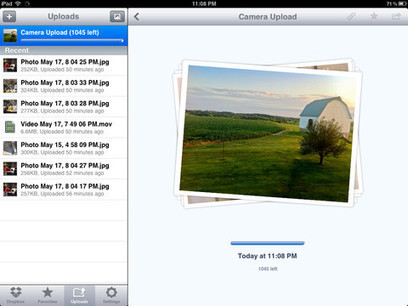
Here’s what the iOS app looks like:
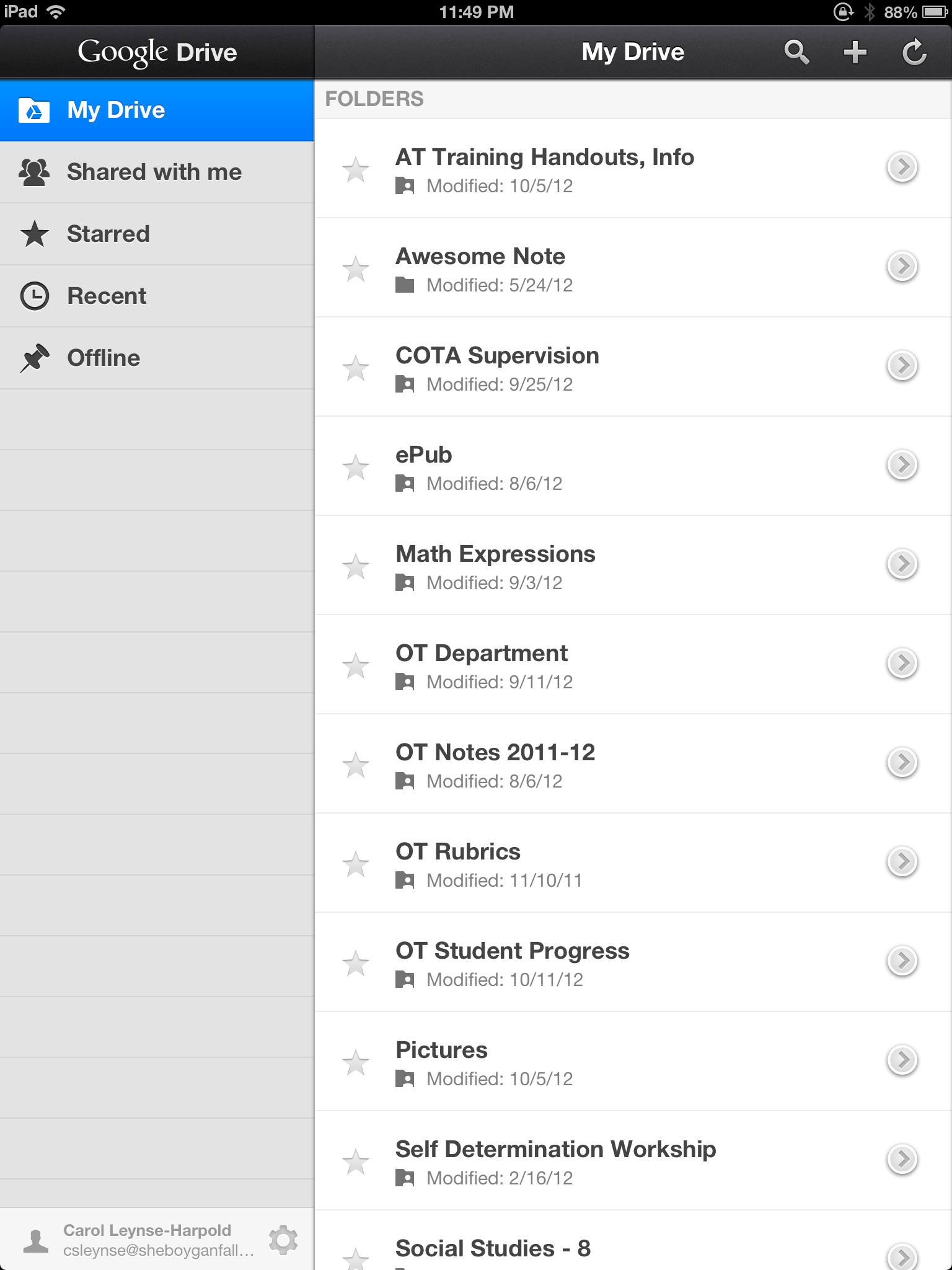
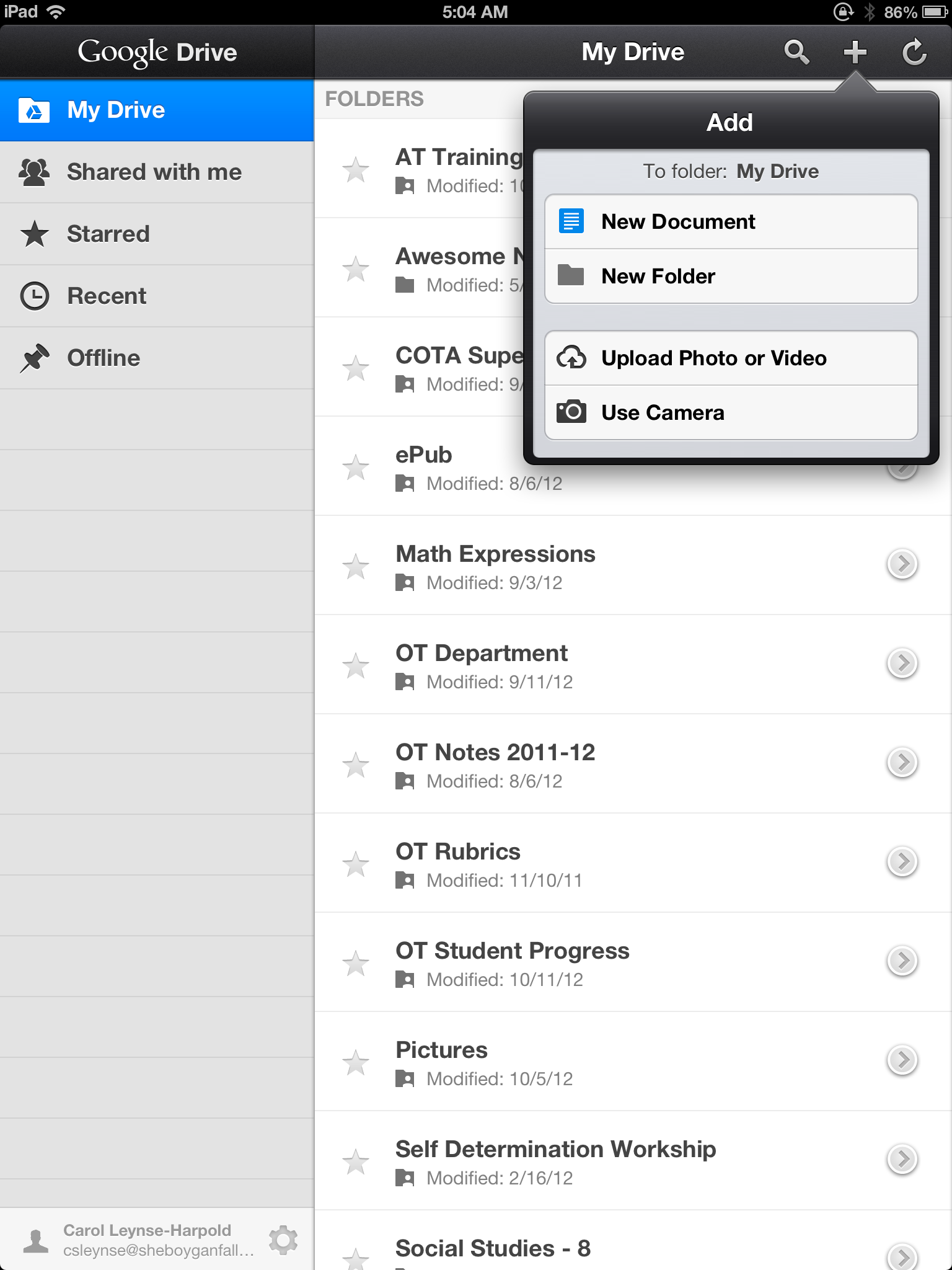
Basic functions are available, but I find in the school system this is a wonderful method of managing photos and videos taken on an iPad. How many times have you been asked why you can’t download an app or take anymore picture due to maxed capacity of your device due to media? Move it the photos, videos to your Google Drive for retrieval on your mobile device or to print or manage off of your device from your Google account!
Here are some of the features available in Android Google Drive:
Here’s what the Android Google Drive app looks like:

Video overview of what of the Android Google Drive app has to offer:
Both apps appear similar. The listing of the Android Google Drive shows a few more functions than the iOS however at initial glance they look very similar. Recent updates of the Android app may provide different functions.
With Google Educators account available in more and more schools, Google Drive becomes a familiar and secure location for managing documents of a sensitive nature (check with your institutions rules for that) and media with access 24/7 . I am happy to have a Google developed app that supplies access my files from my mobile device. It may not be as full featured as the options available in Google on my laptop, but it provides an easy access, transfer and storage for some file formats. This is a must have for my OT iTool Kit as well as for the rest of the iPads at our school for workflow management.
Unfamiliar with Google Drive Accounts? For more information check out what they have to offer here: https://www.google.com/intl/en_US/drive/start/index.html?authuser=0
More on about uses of Google apps to come!
Carol

Familiar with PBS Kids Sprouts , providing educational programming for preschoolers? Sprout has online games as well as a number of apps available for free for iPhone or iPad.
 Spouts Doodle Dots App (free) for iPad is one of their free preschool listening game that practices color, shape, number and object recognition given directives such as “touch the diamond”, “touch the blue dot”. Completing each directive correctly draws a part of a picture. It is a simple, easy to use app focused on vocabulary but which may fit into a therapy when working on recognition of basic concepts such as geometric shapes, objects, numbers and colors.
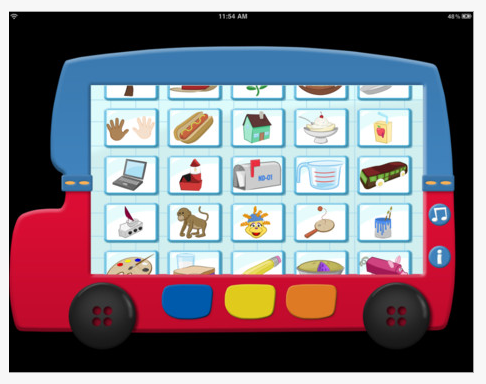

This app provides simple interaction through listening and touch the correct object. There are few options or setting available other than turning music on or off. Navigation in the app is very easy, moving back and forth between screens or to choose a new activity. Presentation on the screen is clean and simple allowing focus on the task with few distractions. Using the guided access, one of the new iOS6 accessibility features will help keep users in the app.
Sprouts has a few other apps as well as many online games and activities to consider for preschool children. For more games and activities check out Sprouts online:
http://www.sproutonline.com/games
Something additional for your OT iTool Kit.
Carol
Here is some digital Halloween fun for your mobile devices…
Halloween eBook – (free) for iPhone and iPad provides this halloween vocabulary and social communication skills around the concept of “where”.

Teo & Bianca Halloween Coloring Book – (free) for iPad provides holiday theme coloring activites for some variation in iDevice activities.
Carve a Pumpkin (free) for iPhone and iPad. Pick a pumpkin and create your own Jack-O-Lantern with this app.
On the theme of Monsters….
Moody Monsters Manner HD (free) for iPad provides learning about emotions through engaging and fun games. Worth mentioning again for Halloween for some not too scary fun for ages 3-8 years.

Monster Chorus (gone free) for iPhone and iPad, provides gentle, musical monster melodies!

Monster Hunt – The Memory Game – (free) iPhone and iPad. A monster of a memory game!

Android Apps
Memory Halloween (free) Android. Memory game with Halloween theme and scary sounds!

Happy Halloween Shape Puzzles (free) Android. Assemble spooky puzzles!

Have a spooktacular time!
Carol
See on Scoop.it – Apps for Special Education
More of Jane’s expertise on alternative access methods to the iPad. Again, my gratitude to Jane for your her time and willingness to share her information. Her information is invaluable to help sift and winnow what access choices are available for mobile devices!
Carol
See on www.janefarrall.com
Need to collect data on your students or clients behaviors ? Tired of filling out forms and tallying the data?
Is there an app for that? (Of course…)
Touch Autism website as well as their Autism Apps app lists at least two dozen apps available for data collection in a wide range of costs and measures. Yet, finding a data collection app that is easy to use, customizable and fits your assessment needs can be tricky. Important features that support data collection may include:
 Autism Tracker Pro is one app chosen to perform data tracking for specific students behaviors due to the features provided to collect data as desire by the above list. Made by the developer of Track & Share, it is available in a Lite version for iPad and iPod touch and the Pro version ($9.99). It has taken some work to learn and to utilize but has provided a method of data gathering of behavioral information helpful in determining when interventions might be necessary or if they are working. Staff has been positive with using it given time and assistance with setting the app up for specific student needs.
Here are some of the features of Autism Tracker Pro app:
The main screen shows the menu tools of Categories, Graphing, Tracking, Sharing and More.

The app allows you to create your own categories (Mood) for a user and items within a category (Mood, Stress, Activity Level, Weather). The calendar (right) provides a quick access to daily tracking and entry of assessment data on each of the items listed.
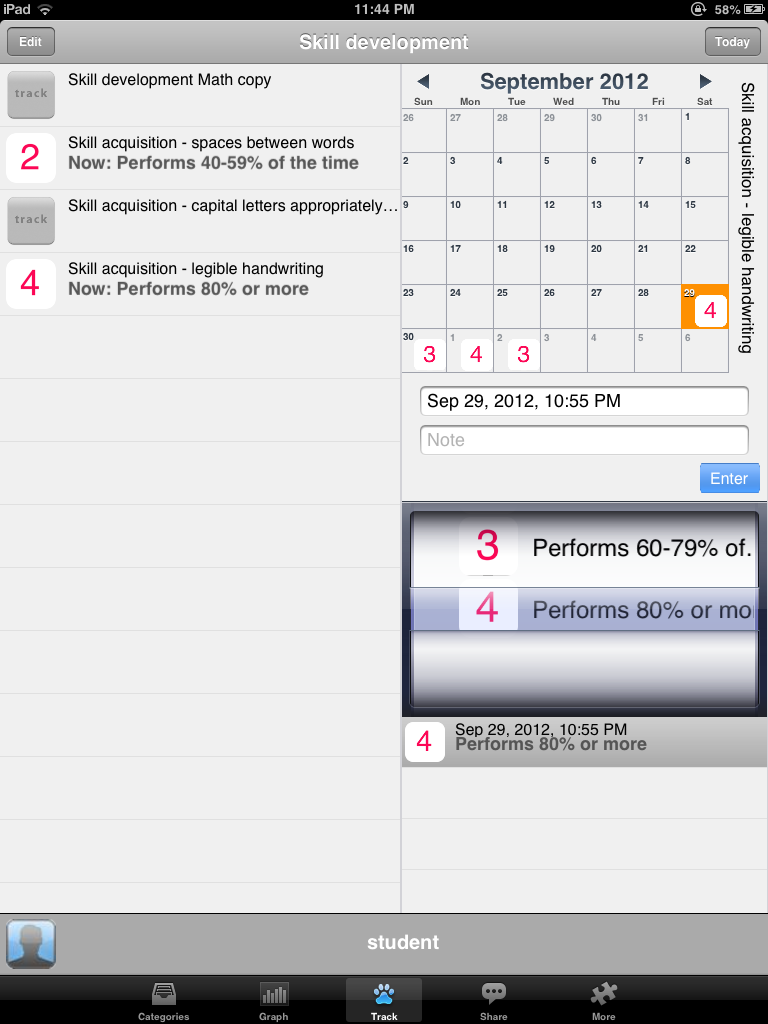 The app also allows you to define your own objectives or items you want rated and you can also create your own pictures or icons use want used to help define the measures used. Although this is app is primarily set up for behaviors, I entered some skill goals used for assessment gathering of OT objectives and created my own rubric or assessment to gather the data. Anecdotal notes can be entered with each entry as needed.
Data entered over time can be displayed in a daily, weekly or monthly mode and can include categories or items. Graph information can be displayed in a variety of ways pending preference and data gathered. Daily data minimums, maximums, average or last can be displayed in the graphs.
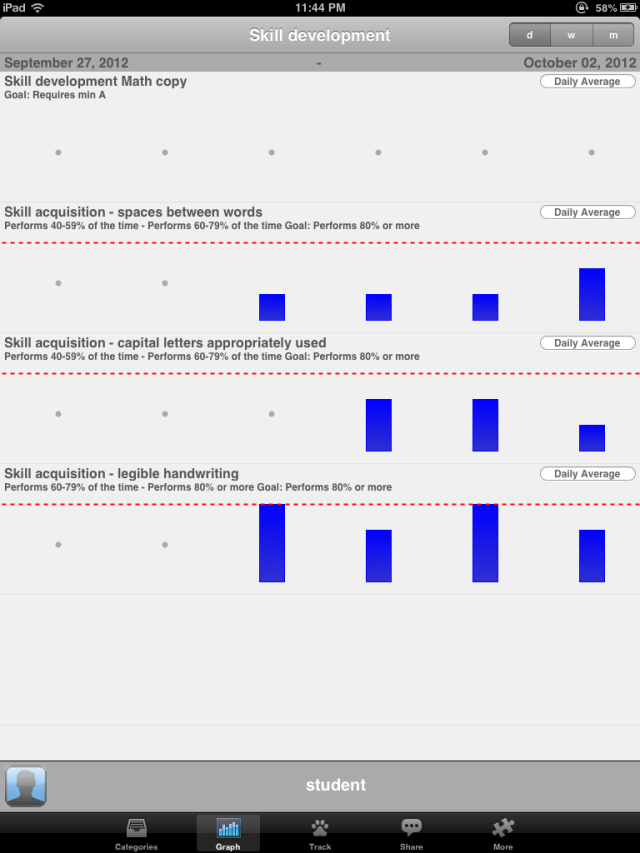
The app also provides a method of sharing the data in an html or CSV (comma separated value) exported as a spreadsheet. Column, bar or line graphs can then be made in software such as Excel following email options of the data.

Other options are provided in the More menu such as the ability to customize the rating tools, password protect the app, purchase additional user capabilities (1 is provided in the Pro version, up to 3 for an in app purchase of $5., unlimited users for an additional $10.), help menus, clearing the data or editing category information on a user. 
Autism Tracker Pro took some time to learn and customize for specific student data collecting. It has proven to be a valuable tool for data collection and believe that it can be used to collect information on skill development along with behavior. One of things that it does not do is provide duration information with a start and stop timer within the app, or provide the graph information over time through a day. There are ways however that time information or items could be entered within a category.
A specific use for this app could be for gathering self regulation, sensory processing levels. Are they high or low during the day? What would a student rate themselves? Tracking alert levels during the day by a para professional working with a specific student could also be performed electronically given a specific set up and numbers of rating times through the day. Although this app does not provide suggested strategies or solutions within the app, it would provide the data to help to determine when interventions might be needed.
This app has been helpful with data collection given time to modify and adapting for specific student use.
Here is a link to a video from the University of Nebraska with a review of the app : http://mediahub.unl.edu/media/2816
Here is a handout created of directions for using Autism Tracker Pro: Autism Tracker Pro training handout if interested.
Are you interested in using Autism Tracker Pro? For those who have endured through the end of this post here is a free promo code from the developer (if you redeem this please just comment that you redeemed it- it will save a lot of frustration for others) :
73EFK3X9KAM3
What do you use for data collecting? Share any suggested data collection apps or methods you might be using!
Thank you to Uwe Heiss, Founder of The Track & Share Movement.
Carol
See on Scoop.it – Apps for Special Education
Jane Farrall offers her expertise on another switch access device for the iPad and explicit instructions for it’s use (I find this type of information hard to come by and Jane does a fabulous job!). As accessibility continues to emerge for mobile devices, Jane helps us all sift and winnow through the possibilities!
Don’t miss the opportunity to glean from Jane!
More resources for your iTool Kit!
Carol
See on www.janefarrall.com
 Digital Storytime is a website that offers educational app reviews and also has a Daily Deals section with many categorized listing of apps.
I peruse their website frequently to see what they have curated, especially in their deal sections.
Todays listing offers many apps suited to education, special education and school based services. As a OT I like the “Game” category which today features apps like Moody Monsters (free), Geared (free), Where’s Waldo (reduced in price to .99), Sprouts Doodle Dots and more.
Check out all their deals for apps that you might use in your OT iTool Kit!
Carol
Here is another video by Luis Perez reviewing what new in Assistive Touch features in the new iOS 6 for iPad.
Features Luis Perez reviews are: enabling Siri, using the task switcher for multitasking and making a screenshot with a single tap with assistive touch features.
More information about Luiz Perez and his resources are available on Mobile Learning 4 Special Needs. Check it out!
Carol

The OT eTool Kit resource - review of apps and other technologies for OT's working with children and adults.
The OT eTool Kit resource - review of apps and other technologies for OT's working with children and adults.
powered by ARRM Technology Resource Center
Indiana's leader in assistive technology and the home of the INDATA Project
Assistive technology to help infants and toddlers communicate, move, play, and grow
The Stories of an Occupational Therapist with Retinopathy of Prematurity
The OT eTool Kit resource - review of apps and other technologies for OT's working with children and adults.
The OT eTool Kit resource - review of apps and other technologies for OT's working with children and adults.
Tech Integration for Busy Teachers
Just another WordPress.com site
Technology support for all dyslexic people
Re-train the Visual Brain…Advancing awareness, understanding and best practices
Literacy, AAC & Assistive Technology
Supporting Accessibility with the iPad
 OT's with Apps & Technology