Block-a-doodle-doo app for iPhone/iPad ($.99) by Busythings.co.uk is cute game where you move a chicken riding on a gator looking mobile device through cars and trucks on the street. The user has to problem solve to plan a course to get the chicken through the street filled with cars and trucks that must be moved.
There are 30 levels to choose from with the lower the levels having fewer the obstacles. The higher levels have present a monster, that if not blocked will gobble up your critter!The app opens with a quick tutorial to demonstrate the app.
Block a doodle do app offers a clever way to work on problem solving, visual motor skills and spatial relations.
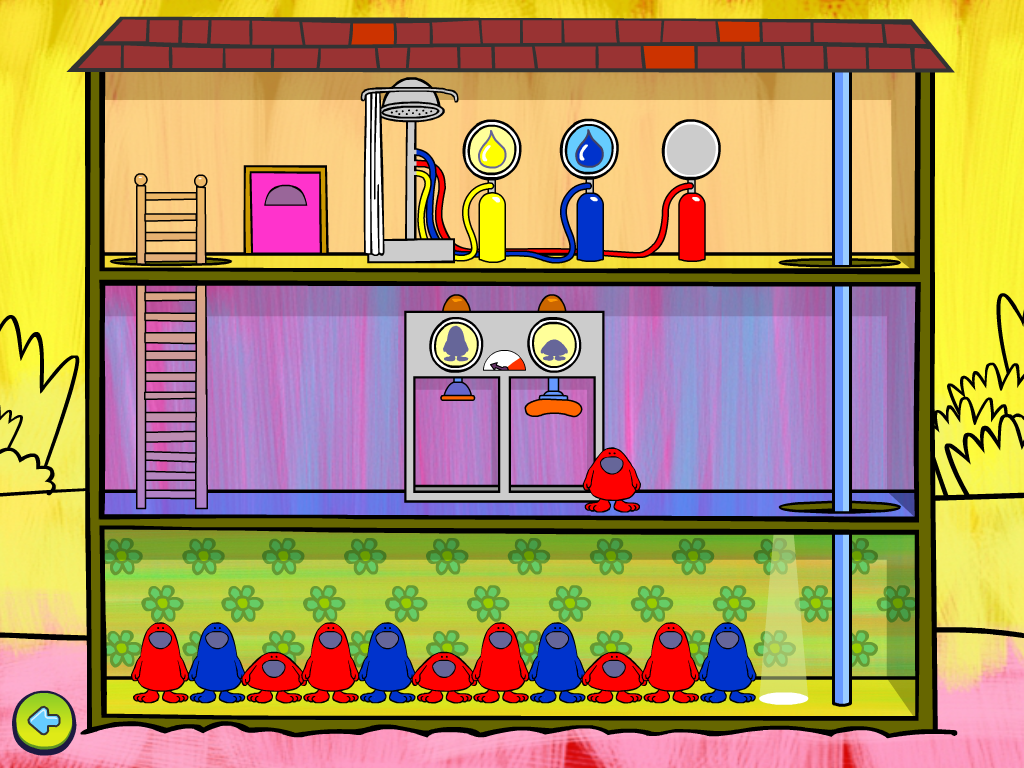
Line Up app for iPhone/iPad (.99) is another Busythings app that uses adorable little creatures to work on patterning. The student has to use an isolated index finger touch to make the creature the proper color, shape or size.
The creatures do a cute little dance when the pattern is done correctly. If not done correctly, the creature literally is shown the door to make way for the student to try again.
At the opening of the app it provides a quick tutorial (that you can exit anytime). Line Up app has 4 levels to choose from – easy, medium, hard, and work through.
Two more fun spatial reasoning apps to offer your students and to fill your OT i/mTool Kit. Have you used these apps? Share your experience.
Written by guest blogger Carol Hesch, School based OT (the other Carol).
Carol Hesch, OTR is an occupational therapist of 23 years with a passion for helping children learn. She has experience in pediatric acute care, rehabilitation, early intervention and school based therapy. As a member of an iPad team for a large school corporation, she has been exploring the use of mobile technology as a “new age” modality with her students.
It is only two days until Halloween so for some fast spooky fun, check out the apps from The Speech Guy! A great collection of Halloween apps listed by age categories.
There may very well be some that will be requested past the spooktacular day!
And if you thought you saw this title send to you before, you are right! I think the gremlins are out early this year and are doing some wacky things on the blog (sorry!) – of course it couldn’t be user error, could it???
Just a little wonky these days… those gremlins are alittle impulsive this year!
Findings of the cited research indicated students with ADHD improved their scores on academic test following 20 minutes of exercise. This is timely information as some high stake state tests (at least in Wisconsin) start in November. Check out the article and reference of the study at the above link and get your kids moving!
Interested in ways to get your kids moving? Other than traditional ways of movement during recess or gym – there are apps for that! Check out Your Therapy Source.com’s post “10 Apps That Will Get Kids Moving” .
Image from Your Therapy Source
Your Therapy Source has great ideas and resources for school based therapists including apps!
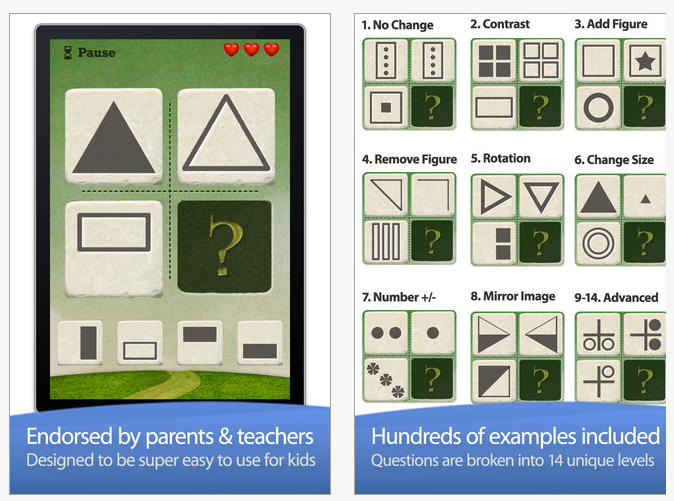
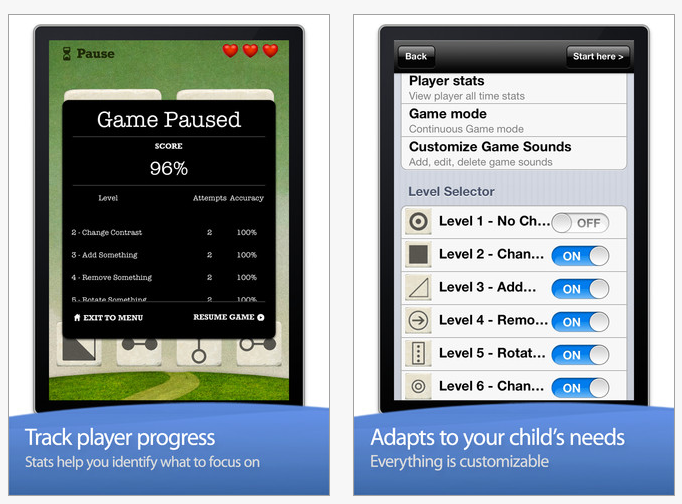
Innovative Mobile Apps has been developing again and this time it is a visual – spatial reasoning app called Little Solver – Figural Analogies. Just gone free this looks to be another great app to work on visual spatial reasoning with customization and data collecting features within the app.
Little Solvers – Figural Analogies – developed for iPhone/iPad (free) provides 14 levels of geometric – figural analogy shapes with text, sound and data gathering tools. Here are some screenshots of the app:
Look like an app that would benefit your students? Will this be included in your OT iTool Kit?
Here is PAAL part 3 on apps presented by Avi Glick, Director of Preparing Adolescents and Adults for Life (PAAL) while attending the 2012 Closing the Gap Conference in Minnesota last week. This third post shares community life skill apps used with individuals with Autism Spectrum Disorder students enrolled in the PAAL program. These app could also support many other individuals including individuals with cognitive impairment, traumatic brain disorder or possibly those with early stages of dementia and the ability to learn mobile device use.
Purchasing and Budgeting:
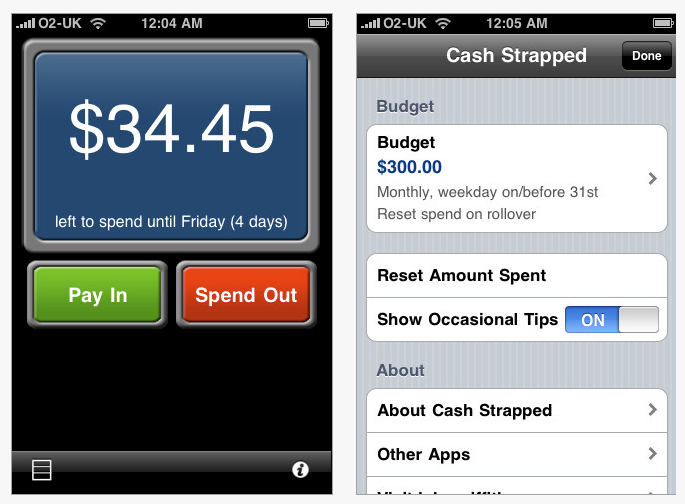
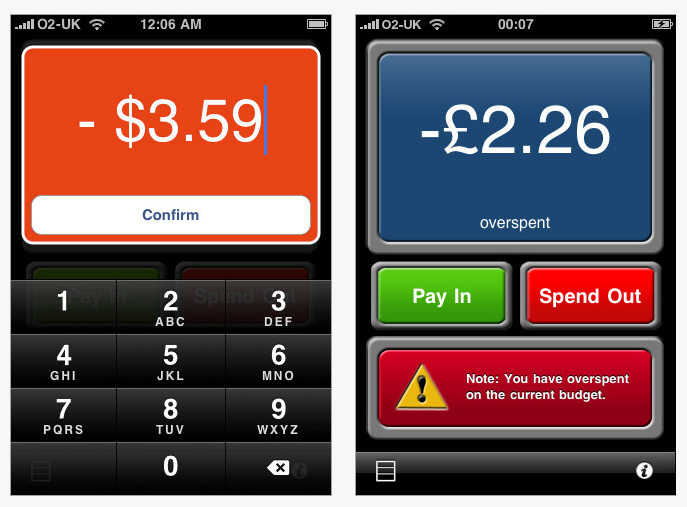
Cash Strapped – app for iPhone/iPad (.99) – Set a daily, weekly or monthly budget for all your disposable income and keep track of it quickly and simply. Every time you spend money at the restaurant, store or vending machine just enter the amount and your remaining budget will be recalculated immediately.
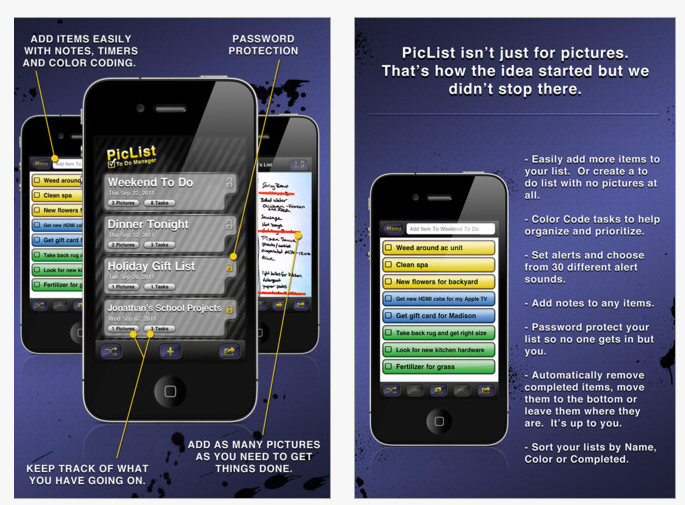
PicList To Do Manager – iPhone/iPad (1.99) PicList is a to do management app with features such as reminders, sorting, password protection and color coding tasks. PicList also has the tools to turn anything into a list without having to type it into your phone or iPad. Import photos, take pictures of text messages, shopping lists, sticky notes and add them to your list. Tools also allow you to cross off items on your list with a draw tool.
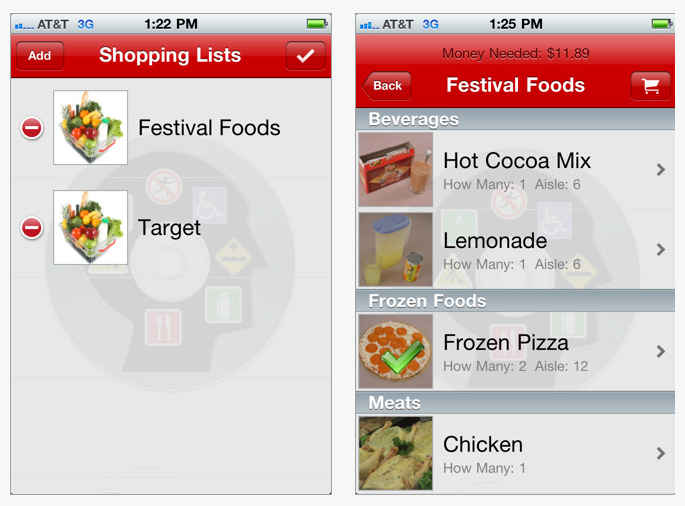
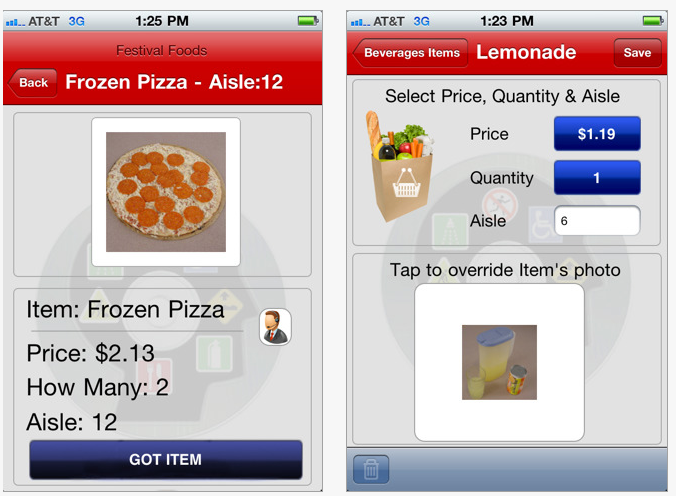
Shopping List Generator – iPhone/iPad (4.99) by Connor Company is a functional, picture shopping list app that allows you to create different lists for different users, use your own pictures, add items and categories, enter item prices and locations. Shopping List Generator provides accessibility features for individuals with special needs as described in iTunes :
* text-to-speech engine reads items and locations
* uses large, easy-to-see images
* item locations are a great reminder when at the store
* item prices are automatically totaled for you!
The Shopping List Generator can be used by an individual or in a classroom setting with multiple users. Screen shots of the app:
Navigation
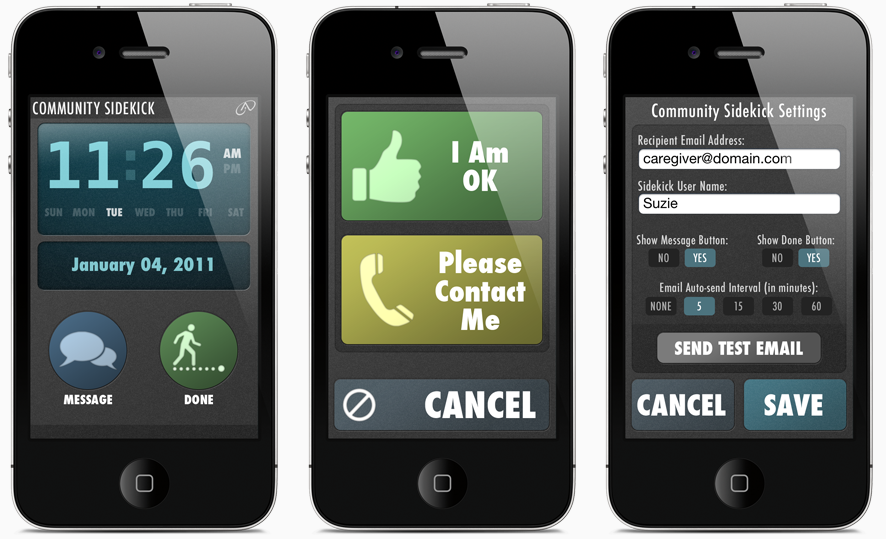
Community Side Kick for iPhone/iPad/iPod (19.99), developed by AbleLink Technologies is a travel support tool, providing a “virtual” travel companion for the user. Automated location updates can be sent via email while traveling in the community. Community Sidekick sends email messages generated automatically by intervals determined by a caregiver which containing map links showing the user’s location. With use of an iPhone, services can be sent using phone service. iPad/iPod devices must have connection to the Internet be turned on and run in the foreground to track user location.
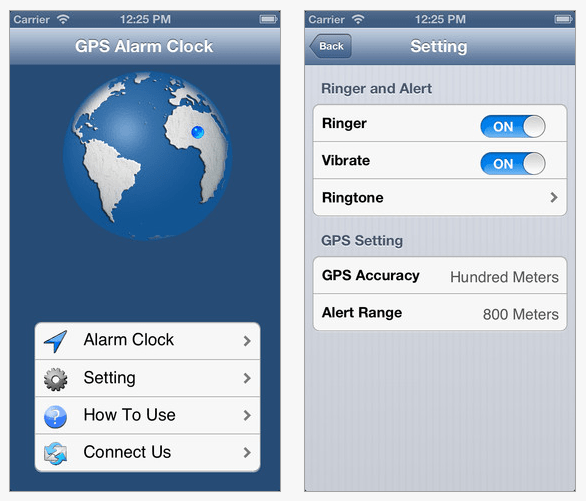
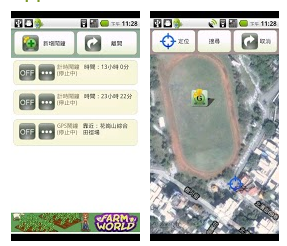
GPS Alarm – (.99) for iPhone/iPad (optimized for iPhone 5, requires iPad iOS 5.1) provides GPS and time alarm/alert in one app. Set destination and time and it will alert you when you are near the destination. Clever!
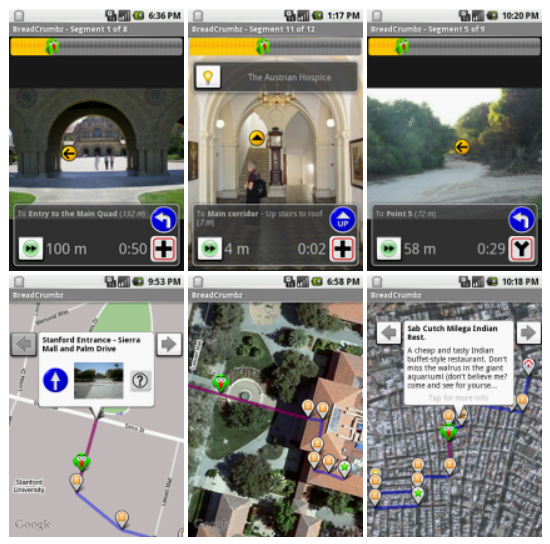
BreadCrumbz – Android (free) Allows navigation using pictures and a map. Here is a description by a review from CNET as using “GPS, Google maps, and the G1’s camera phone to help you track a route, like directions from the train station to your house.” (retrieved on 10/26/2012 http://reviews.cnet.com/8301-3504_7-10073098-14.htmlBreadCrumbz ) . Take photos along the way to mark the path and label with helpful hints. Here’s a view of the app:
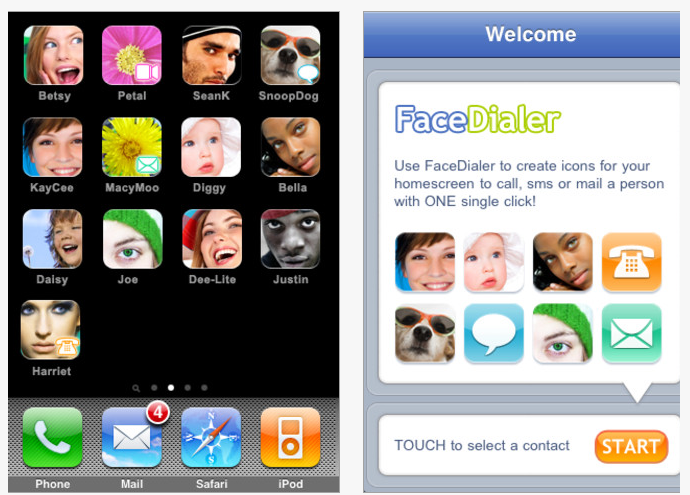
One Tap Dial (also called FaceDialer) – for iPhone/iPad (.99) provides creation of picture icons for speed dialing contacts on iPhone 4, iPod Touch 4 and iPad 2 for calling or mailing.
Pocket Ace – A picture based smartphone application created by AbleLink Technologies as part of their Pocket Endeaver Suite of mobile apps. Contact AbleLink Technologies for more information.
Here is a link to videos about the PAAL program. Links to prior posts on apps used in the PAAL program:
Great app list for individuals who are community based and need additional support to develop or be independent. Many more apps for your OT, Teacher or Parent iTool Kit (I actually think this actually should be mTool Kit)!
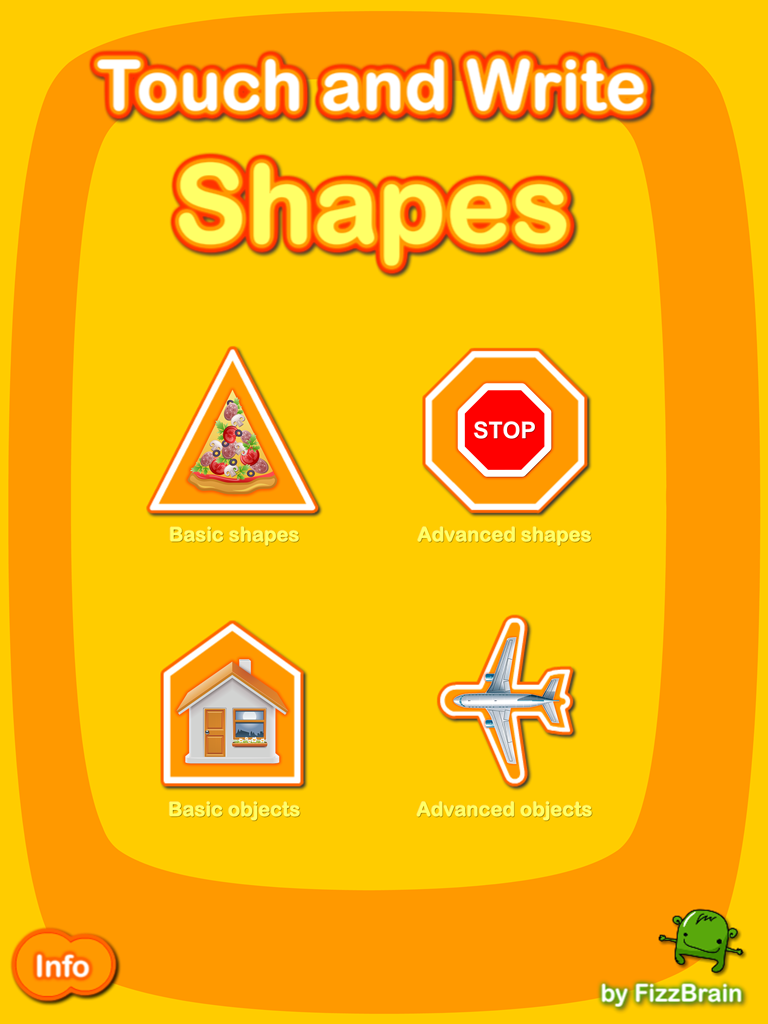
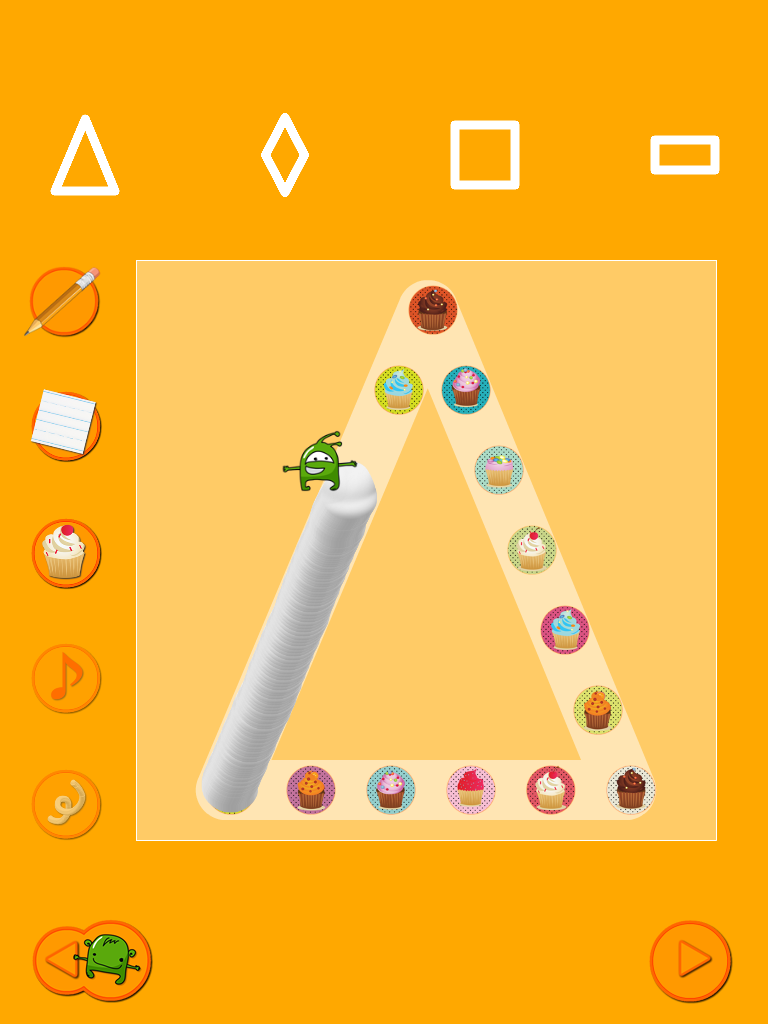
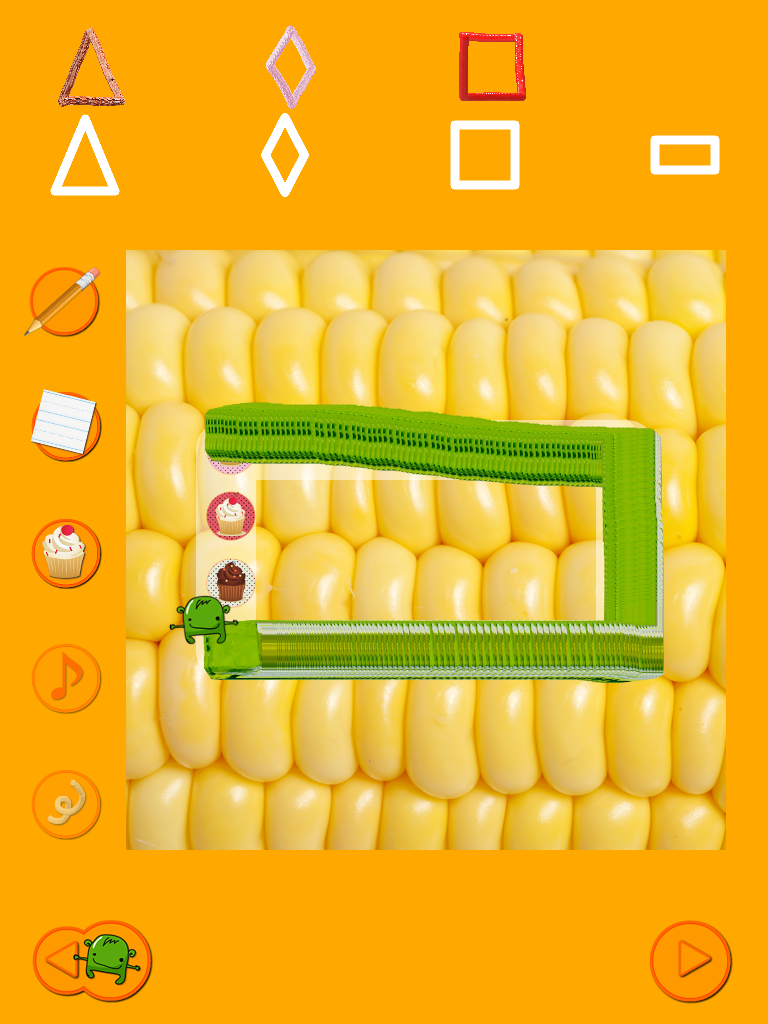
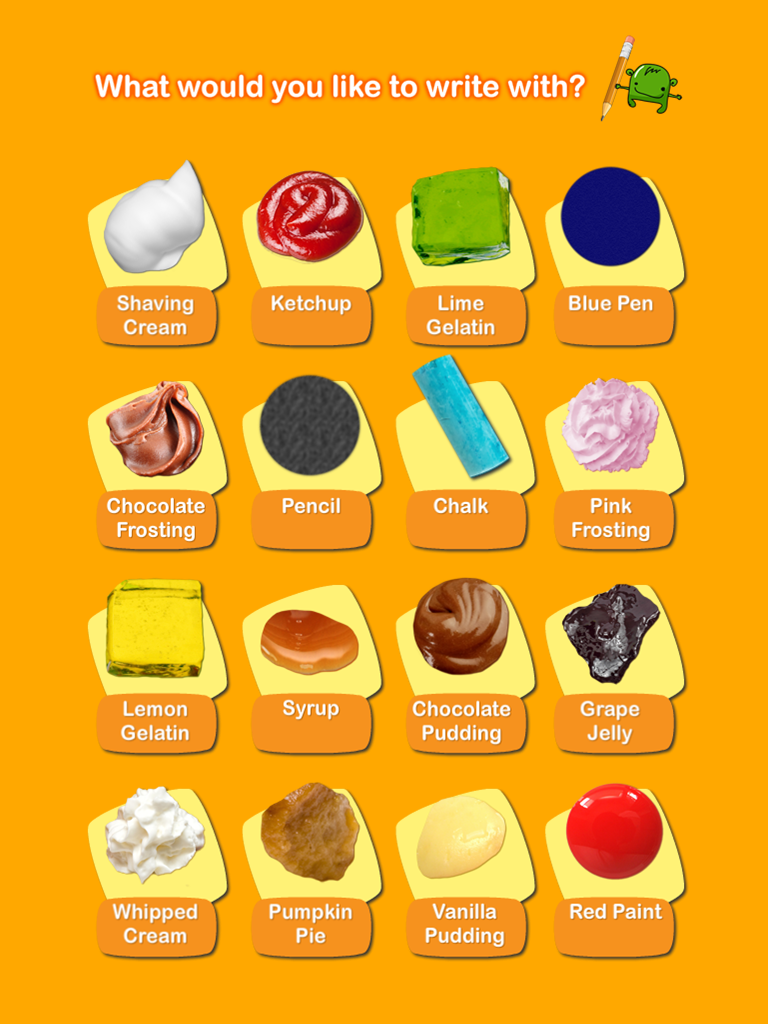
Drawing with shaving cream, paint, and jello! Developed by real classroom teachers using and fun and effective teaching strategies for learning shapes with shaving cream, jello, finger paint, and more!
Here’s a video, features and screenshots :
FEATURES: ✰ Comes with 16 different writing textures: shaving cream, ketchup, lime gelatin, chocolate frosting, chalk, pencil, blue pen, lemon gelatin, chocolate pudding, syrup, grape jelly, whipped cream, pumpkin pie, red paint, and vanilla pudding! ✰ Comes with 28 different writing papers, including 4 different line patterns children are most likely to find in real classrooms, food papers, animal papers, nature papers, and more! ✰ Includes “You Try” mode – perfect for OTs and others – in which children have a chance to try the shape on their own after practicing with support ✰ As children write, their shapes are displayed next to a standard shape, so children can compare and work to improve ✰ Brief reward at the end of each word reinforces learning and motivates children, without becoming a distraction ✰ Does not use OT assessment shapes, so will not invalidate assessment reliability ✰ Created by real elementary teachers – based on best teaching practices! ✰ Children can practice basic shapes, advanced shapes, basic objects, and advanced objects ✰ Basic Shapes: Circle, Oval, Triangle, Square, Rectangle, Diamond ✰ Advanced Shapes: Right triangle, Equilateral triangle, Rhombus, Pentagon, Hexagon, Heptagon, Octagon, Nonagon, Decagon, 4 pointed star, 5 pointed star, 6 pointed star ✰ Basic Objects: Check mark, Arrow, Heart , Spade, Crescent, House, Chair, Table,, Stick man, Stick woman , Stick animal, Skateboard , Half circle, Apple, Tree, Cloud, Fish, Fork, Cup, Spoon, Bread slice, Shirt, Pants ✰ Advanced Objects: Smiley face, Frowny face, Sun, Clover, Flower, Bed, Tea pot, Feather, Cat face, Dog face, Car, Airplane, Train, Skateboarder, Walking man, Sitting man, Walking woman, Stick bird , Stick giraffe
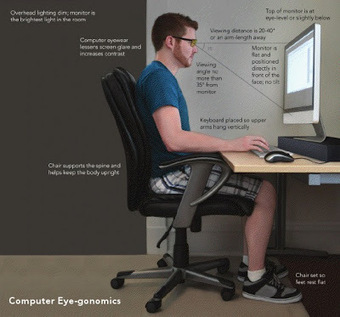
Richard Byrne, blogger of Free Technology for Teachers, provides information on digital eye strain. Very similar to prior posts on ergonomics and the use of mobile devices, Richard Byrne shares a report from the Vision Council that provides information on symptom of visual strain and how to manage it. Are you using computers or mobile devices for long durations? Do you experience the symptons of visual eye strain?
For iPad stands that can help with appropriately positioning your iPad during prolonged use, check out the OT’s with Apps Amazon Store for a selection.
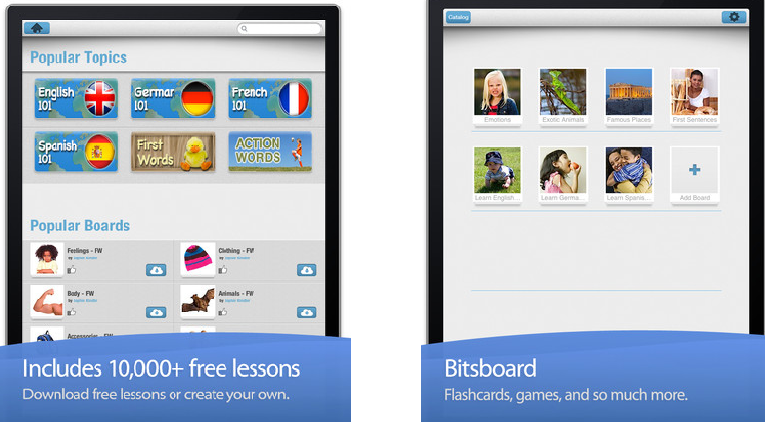
Bitsboard (free currently) is a brand new iPad app created by Grasshopper Apps, the fabulous developer of over 90 educational apps for learners with early developing skills. Currently a free the apps, app, Bitsboard is a flashcard app providing a catalog (color, action words, telling time, first words, languages, numbers, words topics and more) of downloadable flash cards as well as the option to create your own. Images, audio and text are options to add to the flash card contents. I have not had a chance to work with this app yet, however as typical of the Grasshopper Apps ability to customize contents makes this app appealing as it can be used for a variety of students and content topics. Posting it now also allows others to hopefully acquire it when free should it be a pay for app after its initial debue.
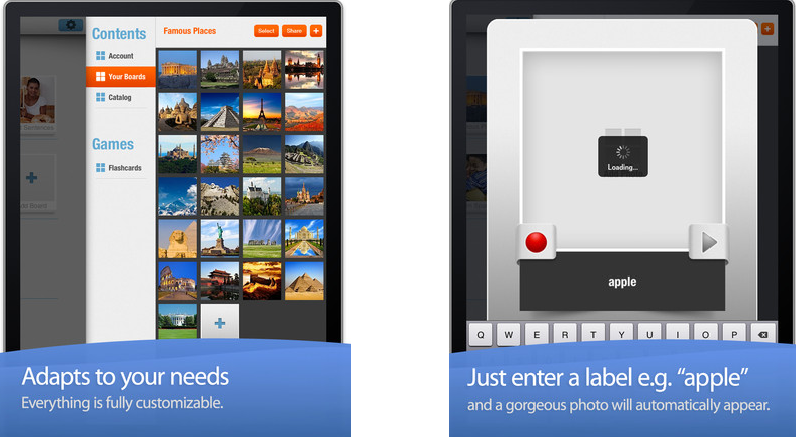
Bitsboard app screen shots:
Topics available (there are many more…):
Creating content:
(images from iTunes app description)
Check it out while still free. Will this be part of your OT iTool Kit? What are the kinds of things you might use it for? I am thinking some self-regulation flash cards???? Knowing OT’s, special education teachers or parents there are many ways to use this app!
I had the opportunity of attending the annual Closing the Gap this week in Minneapolis, MN with school district colleagues. It can be a bit overwhelming going from session to session gleaning new tools, apps and ideas from the technology gurus of the field of special education and assistive technology. It was no less than that! Presentations of models of integration of software, hardware, apps and new tools present and emerging filled my electronic notes, folders and bag reminding me how much more there is to do to support students and clients with their individual needs. Now that it is done it is time to share and apply all the great information gathered with staff, students/clients and colleague. Not a small task. So here is where I’ll start:
One of the many sessions I attended was presented by Avi Glick, Program Director at the Preparing Adolescents and Adults for Life (PAAL) School in Pennsylvania. Avi Glick presented information about his program and the community instruction for adolescents with ASD.
With the goal of attaining independence and technology use as a supplement, Avi Glick shared environmental adaptations and technology used to support students enrolled in the program. Provided in his sessions were how to instructions and an overview and research performed using the technology tools they implemented. If you want to check out their research and presentations of their work they have been doing for the past four years go to their M.E.C.A .org website. They have practical but innovative technology approaches to support their ASD clients.
Working in a OT/AT capacity with secondary students and some post secondary students, his presentation resonated with the needs of many of the students I service at a practical, life skills and vocational level. Here are just a few of the categories of apps shared by Avi Glick:
Apps for Communication:
My Talk Mobile app – An iPad and iPhone/iPod app (49.99) for communication was defined to be a simpler augmentative communication app for the students. This mobile device AAC app also has a web-based workspace, My Talk Tools Home to develop and manage the customized My Talk communication environments. A MyTalk Mobile Tools Lite version (free) also is available for trial for 30 days. With an in app purchase switch accessibility is available for the iPod/iPhone.
Here is a quick, 1 minute video of My Talk Mobile:
My Talk Mobile app and workspace provides 12000 SymbolStix and 1000 public library images along with the ability to import your own sounds and images into the communication grids or lists created. Using a computer based workspace, you can create communication set up for the My Talk Mobile app to be uploaded to iPhone/iPod or iPad. This allows ease of modifying without requiring direct work with a device, a nice feature. I find it at times difficult to modify device contents that are needed throughout a students day, often taking it home and making sure that it is present for them at the start of the school day for their daily routines.
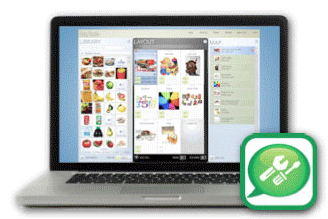
Shown is the computer based workspace:
A quick view of a mix of symbol and images used for a iPad communication set up:
iPhone/iPod Touch communication set-up:
Scanning options for iPod/iPhone.
MyTalk app was developed in 2009 by Bick Pratt, originally for an iPod Touch for his son who has AAC needs. He has a commitment to improving the app with continual upgrades made to the app.
Apps for Organization :
GeeTask Lite (free/ upgrade to GeeTask $3.99) for iPad/iPhone app and Android (2.99) – provides synchronization of a to do list with your Google Calendar. Gee Task allows you to create events in Google Calendar or on a device on the web and synchronize them to a device. This is a great way to manage another individual’s calendar, add a to do list remotely through Web 2.0 services to support a student with textual cues, calendar and alarm for free! Using free Google accounts, this becomes a very easy method of supporting remote reminders and alerts to individuals with organizational challenges using Google calendar and a mobile device.
This is a great method of supporting individuals with organization challenges remotely.
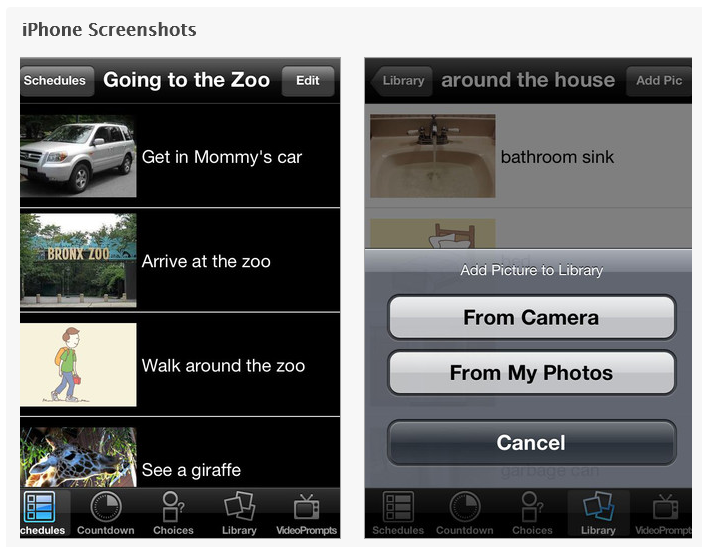
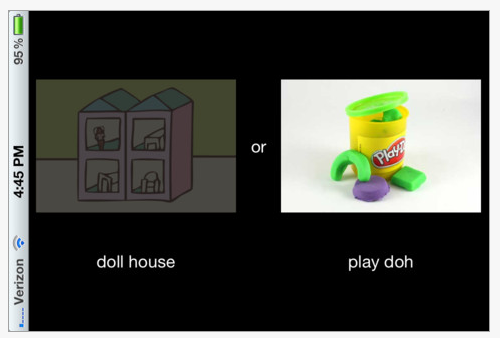
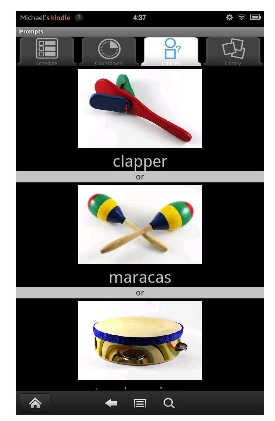
iPrompts – iPhone/iPad (39.99) and iPrompts® Android (9.99) app provides a visual schedule, choice making features and video capabilities to support task initiation and completion using a mobile device. Available for iDevices and Android platforms, iPrompts provides a starter image library for scheduled tasks and choices, the ability to import your own images, choice making and a count down timer. Text can be added to images to make a social story. Here are some pictures of the iDevice app and the Android app:
Android app images: Both Android and iDevice apps appear to have the same features available. Here is a video overview on iPrompts:
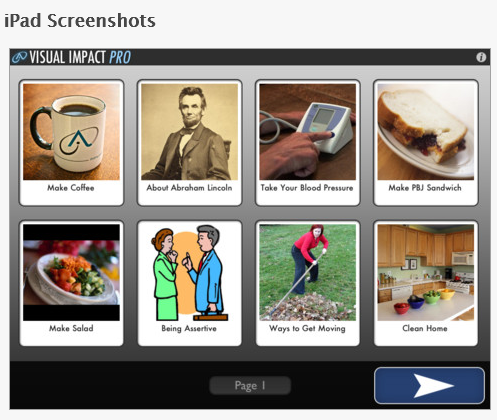
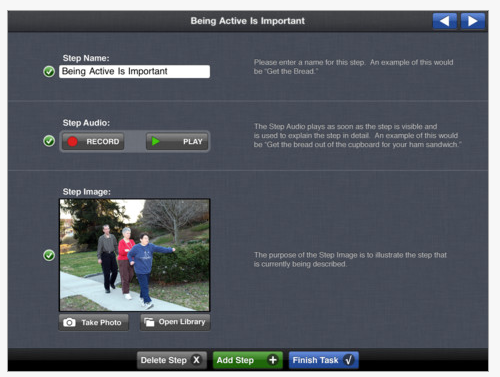
Visual Impact Pro – for iPad (49.99, Visual Impact free version also available) allows creation of multimedia task instruction sequences, social stories and visual modeling directions for nearly any activity! Developed by AbleLink, an experienced creator of mobile supports for special needs individuals, this is one of several apps that focuses on supporting independence in functional and community based life skills on mobile devices.
iTunes description of Visual Impact Pro states it as providing ” easy step-by-step multimedia instructions for use by anyone needing a simple support to perform daily tasks of all kinds. Make a grilled cheese sandwich by yourself, learn important personal skills for applying for a job, or how to take your own blood pressure at home! Visual Impact Pro also lets you create your own custom step by step task instructions for any activity by adding pictures from your iPad photo library or taking new photos as you build the task steps. You can also record your own verbal instructions to go along with each step. You can edit any multimedia task instructions that you have previously created to personalize the learning activities with new pictures, additional steps, or new audio instructions. (Creating custom video based task instructions is not currently supported but will be in a future update to the app.)”. Here are some images of the app:
What a great apps to support independent self-care and community skills! Avi Glick’s presentations inspired me to explore other visual means of supporting students. He had more categories of functional life skills apps and innovative ways to support students. I intend to post more soon. Check back!
More apps for functional life skill acquisition for my OT iTool Kit! Are you using any of these apps or types of functional life supports? Please share your experiences!

 Block-a-doodle-doo app for iPhone/iPad ($.99) by Busythings.co.uk is cute game where you move a chicken riding on a gator looking mobile device through cars and trucks on the street. The user has to problem solve to plan a course to get the chicken through the street filled with cars and trucks that must be moved.

 Line Up app for iPhone/iPad (.99) is another Busythings app that uses adorable little creatures to work on patterning. The student has to use an isolated index finger touch to make the creature the proper color, shape or size.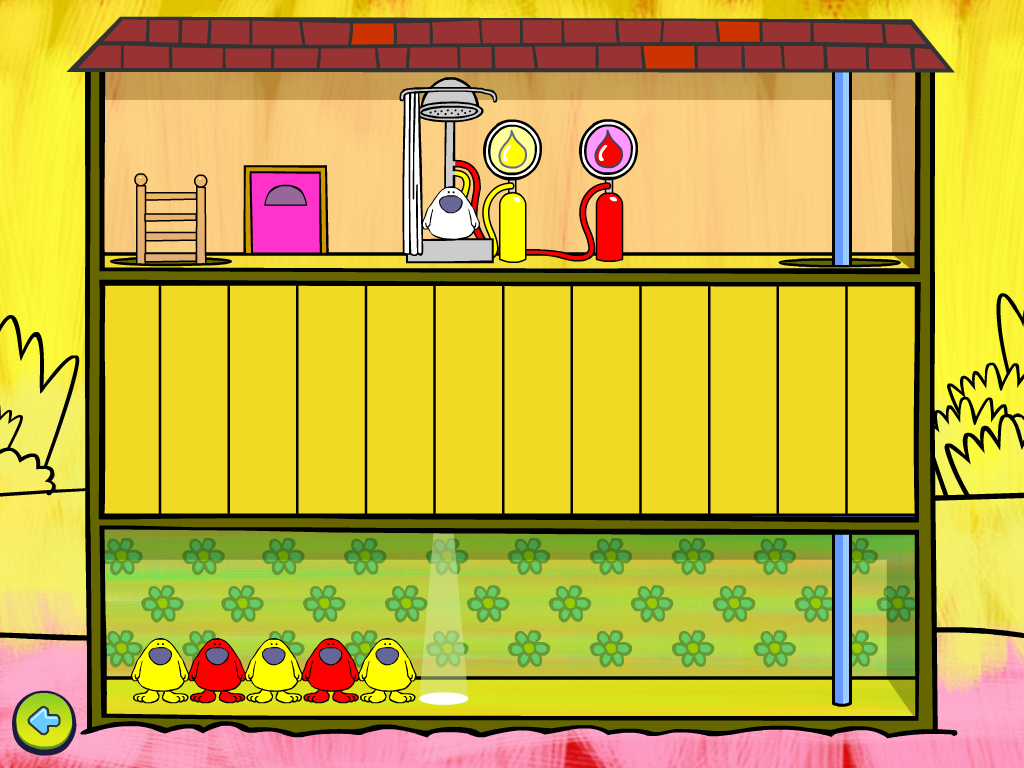














 Android (9.99) app provides a visual schedule, choice making features and video capabilities to support task initiation and completion using a mobile device. Available for iDevices and Android platforms, iPrompts provides a starter image library for scheduled tasks and choices, the ability to import your own images, choice making and a count down timer. Text can be added to images to make a social story. Here are some pictures of the iDevice app and the Android app: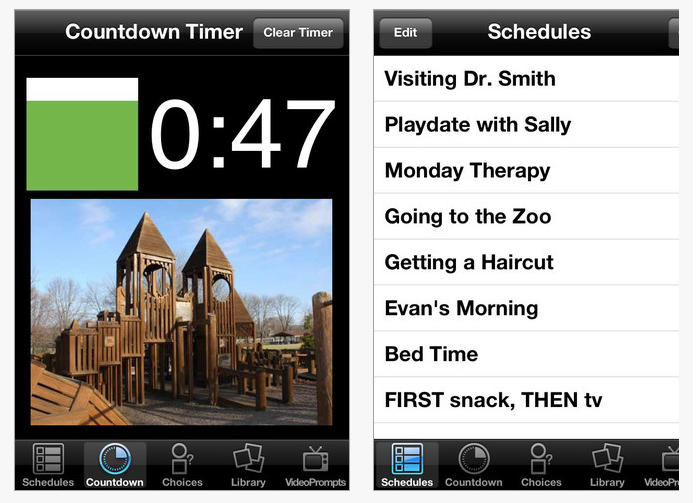






 OT's with Apps & Technology