Apps Gone Free for Your OT or Teaching mTool Kit

Apps gone free pic1

iOSnoops is one of my resources for finding free, sale or new apps. This mornings finds on iOSnoop include a couple of apps gone free that might be worth perusing or even cleaning off a few other apps to make room for on your iPad:

Sound Touch iconSound Touch – (iPhone/iPad; regularly 4.99 now free) Provides hundreds of sounds, pictures and spoken words of animals, birds, vehicles, instruments and other items in this touch based cause and effect app that reveals a real picture behind a line drawing of the picture. Real sound and image is the reward after tapping the picture. For toddlers and young learners.

Pocket Zoo iconPocket Zoo – (iPhone/iPad; regularly 3.99) Provides cams of zoo animals and facts in this app. Worth considering for teachers who might want on demand video of animals used with themes in a classroom. Pocket Zoo might also be a reward app for students who love to watch animals. Just keep a timer available for a short reward time!

OneTouch Dial iconOneTouch Speed Dial – (iPhone/iPad; regularly .99 now free) Create an image on your iPhone or iPad for one touch emailing, calling, messaging using your phone contact list. This is a great tool for individuals with severe reading challenges/print disability allowing them to create a picture icon on their phone for one touch dialing. A great possibility for individuals with cognitive impairment for creating an immediate phone or email method on a smart phone. My experience has found this an easy to use app for set up and access by the user.

Not free but reduced and worth considering if working with preschool to kindergarten age:

Magic Sticker iconMagic Stickers (iPhone/iPad; reduced from 2.99 to 1.99) A Lazoo app providing pre-writing/story telling tools as drawing, stickers, sound recording on your iPad. A great way to provide emergent writers authorship with electronic tools. A favorite of OT’s with Apps.

More for your teaching or OT mTool Kit!

Carol

Posted in Activities of Daily Living, App Reviews, Apps for OT's, Apps for Special Needs, Cause and Effect apps, Drawing, Early Childhood, Elementary School, Emergent Literacy, Free apps, iPad, iPhone, iPod, School Based Interventions | Tagged , , , , , , , , | 2 Comments

Smart Balloons – Learning to Write App

Smart Balloons Learning to Write icon

Smart Balloons – Learning to Write App

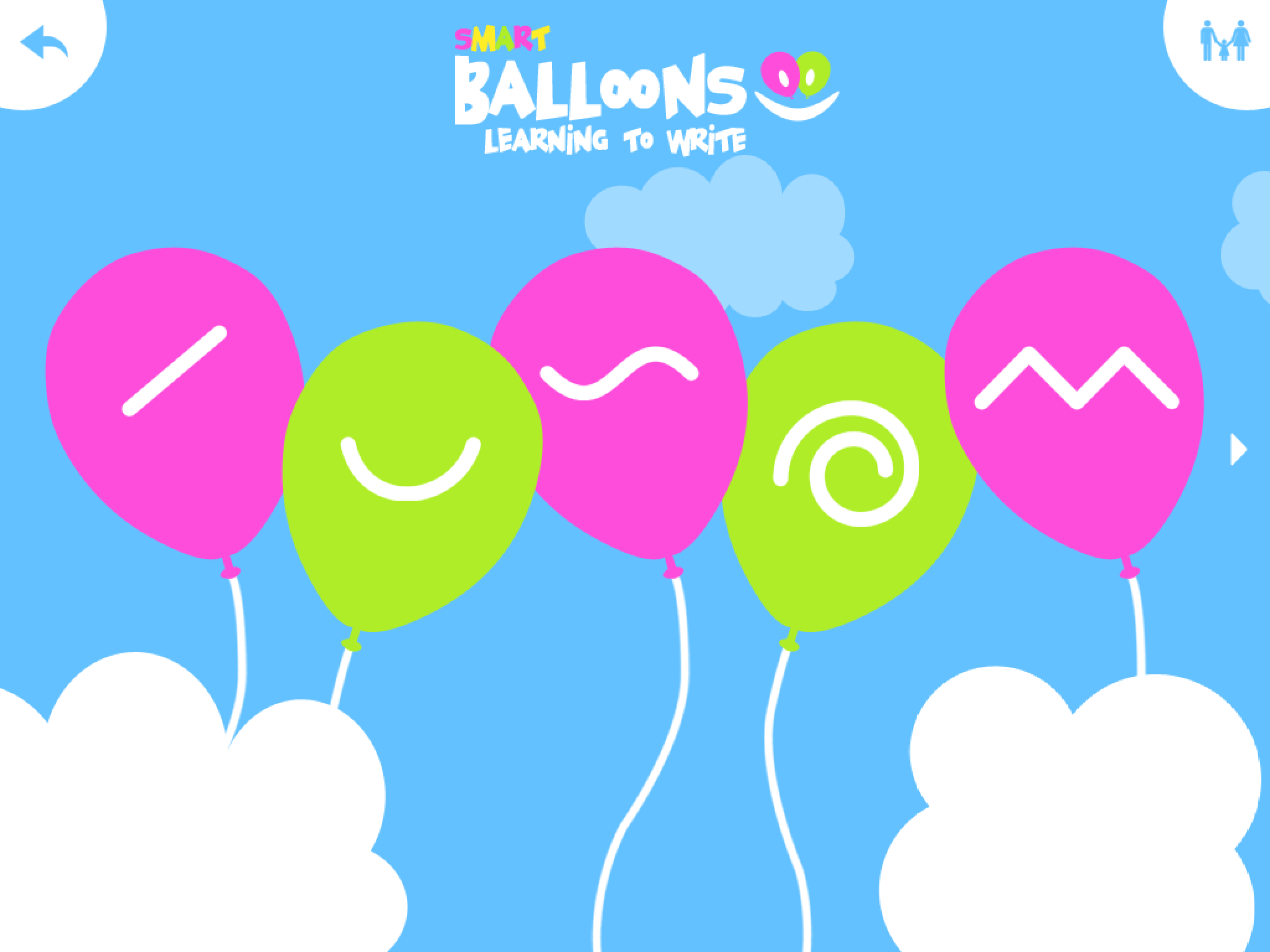
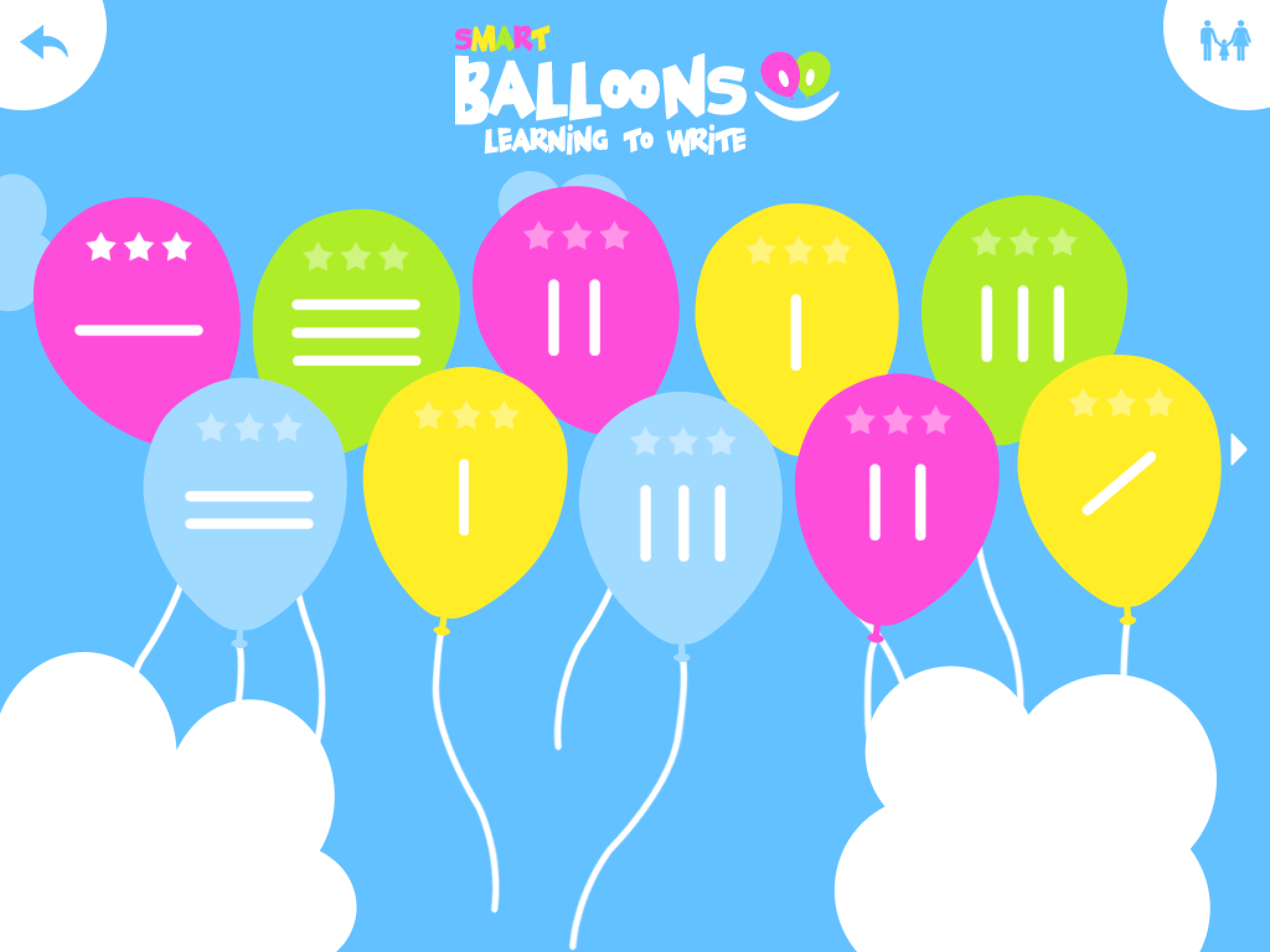
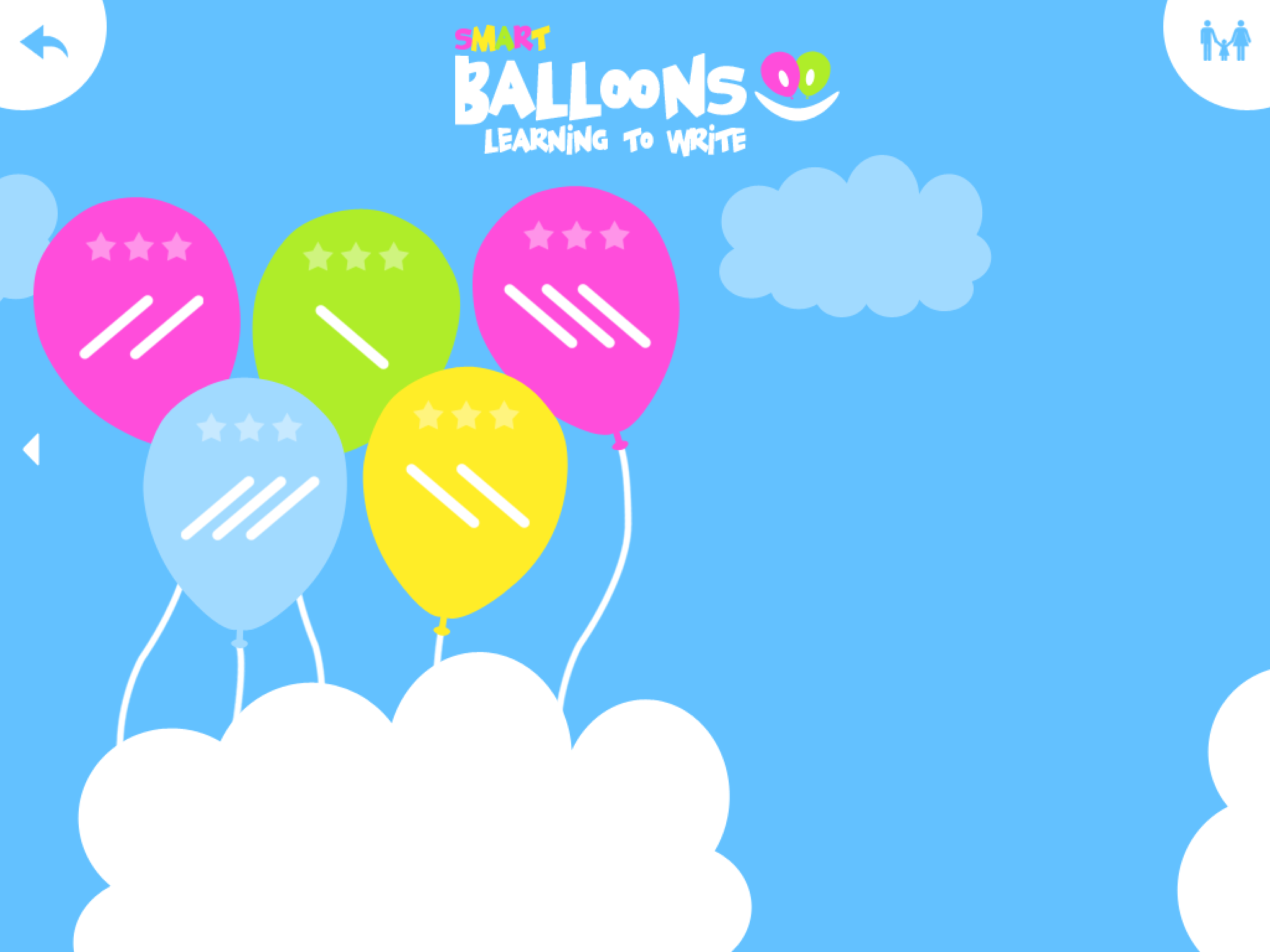
Smart Balloons – Learning to Write App  (iPad; Free/1.99) – is a pre-writing program for  4-7 year olds featuring drawing on lines in a developmental sequence. Smart Balloons offers drawing on lines from horizontal, vertical, diagonal and on to complex curves.  A progression to angled lines and loops also is provided.

2013-08-18 07.04.20        2013-08-18 07.04.31

Practice for each of the types of lines is offered with a single and multiple line practice.

2013-08-18 07.02.21         2013-08-18 07.04.10

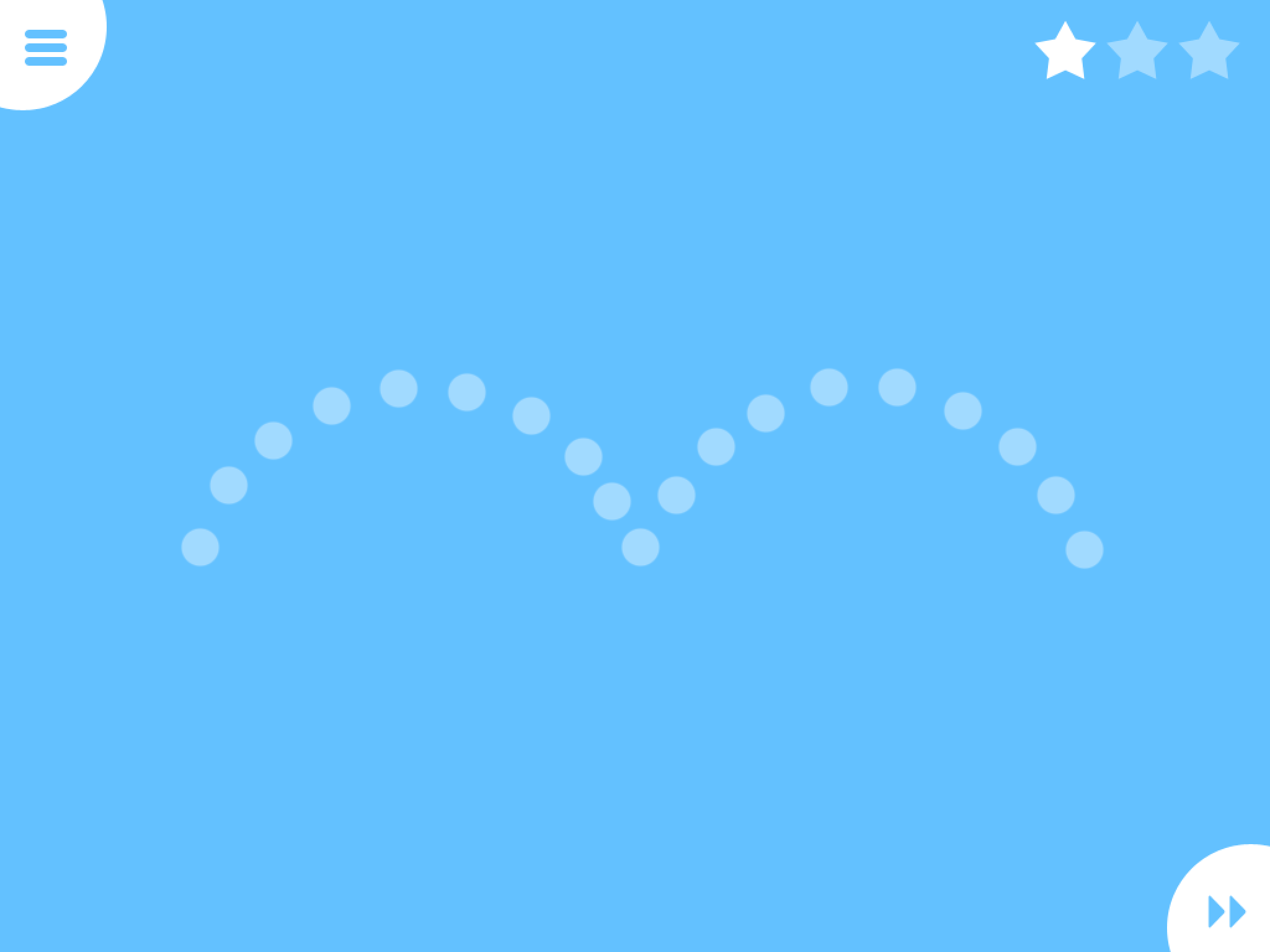
Practice of each of the types of lines is provided at three levels:

  1. Tracing within a pathway
  2. Forming the lines given dotted lines
  3. Drawing with reduced visual supports (dotted lines)

1.        2013-08-18 16.43.15

2.       2013-08-18 16.42.22

3.       2013-08-18 16.47.14

Accuracy when drawing is required with completion of the task only when drawing within the lines accurately is completed. This might be difficult for some students to achieve requiring repeat opportunities but which also could be frustrating. Stars at the top right of the screen are achieved with drawing accuracy. When all three levels of the lines are completed a reward of a inflating a balloon is provided. The handles inflate the balloon by pushing the pink handles down with one or both hands providing a fun unilateral or bilateral task until the balloon reaches the pin at the top to be popped.

2013-08-18 16.42.57Other Features: No settings are apparent in this app with exception of turning the sound or music off. Lines can be completed out-of-order if needed. Although it has a great variety of pre-writing lines or tasks, the accuracy required might be frustrating for some students. No gradation of line widths are provided as an option in the app.

I liked the reducing supports and multiple practices provided in the app. Smart Balloons can be an alternative pre-writing activity performed on the iPad. A lite version is available providing only some trials of the beginning levels of lines for individual to trial this app prior to purchase.

Smart Balloons – Learning to Write app is a pre-writing app that provides reducing supports when reproducing a variety of different lines. Although settings are limited and high level of accuracy is required, it provides a nice sequence of pre-writing lines for children to work on.

Thank you to Erin Higgins, COTA for finding and sharing this pre-writing app suited to preschool students in OT or preschool/kindergarten.

More for your OT mTool Kit!

Carol

Posted in Apps for OT's, Apps for Special Needs, Early Childhood, Handwriting, iPad, Occupational Therapy, Pediatrics, Pre-writing, Visual Motor | Tagged , , , , | Leave a comment

OT’s with Apps @ School Workshop 1 & 2 – A Big Thanks to All!

OT's with apps at school Thank you 2

A BIG Thank – You from Erin and I to the participants of the OT’s with Apps @ School Workshop for enduring 2 days of OT App – lication!  The collective wisdom shared by all OT’s attending  was really fabulous – it is so exciting to be with peers sharing their expertise!

Also a big Thank – You to ATR for hosting the workshops. It was a great location with Wi-Fi readily available (after a bit of management of downloading…) and even an iPad repair person available (Thank you Rick)!

And last but not least, thank you for the generosity of many app developers who graciously donated promo codes for demonstration or as a give away to participants. We had over 120 promo codes to give to participants between the 2 OT’s with Apps @ School Workshop sessions (August 7-8 and 14-15) from the following developers:

  • Stephan at Ling Apps for providing numerous codes for AppWriter app
  • Ewe from Track & Share  who provided participants codes for Autism Tracker Pro app
  • Diane Reid, OTR for providing codes for her app Ready to Print
  • Cheryl Bregman, OTR who provided codes for her app, Abilipad
  • Grasshopper Apps for the codes for Little Writer Pro and Bitsboard apps
  • My First Apps providing their perceptual apps from their collection along with their Teacher Pack app
  • Good Karma provided codes to their new First Then Visual Schedule HD app
  • Petr Jankuj  for providing codes for Picture Scheduler app
  • Winston Chen who providing codes for Voice Dream Reader app
  • Readdle for providing codes for  Scanner Pro and PDF Expert for iPad Apps
  • Don Johnston for a Co:Writer app allowing demonstration
  • Panther Technology for a demonstration app for Panther Writer App

And anyone that I missed,  again –

Thank You from the OT’s with Apps @ School Workshop Instructors – Carol Leynse Harpold, OTR/L, ATP and Erin Higgins, COTA

Interested in attending a workshop? Drop us an email at otswithapps@gmail.com,  Carol@adaptivetr.com or Shantell@adaptivetr.com we’d be happy to explore options or notify you of any upcoming OT’s with Apps workshops!

Carol of OT’s with Apps

Posted in Apps for OT's, Continuing Education, Occupational Therapy | Tagged , , , | 1 Comment

Back to School Apps for OT/PT Administration – iConnect – Notes Edition

iConnect - Notes Edition icon

iConnect – Notes Edition App

Looking for an app to manage your case load of OT/PT/SLP students information and compile notes and treatment artifacts (pictures, etc.)?

There are a number of general note taking/ note management apps that can work for organization of client/student information (e.g. Notability, Awesome Note HD).  Lisa Brandolo Johnson, PT, one of the creators of Grembe, Inc. apps (developers of iCommunicate , iReward, My Pictures Talk apps ) has created a client/student management app – iConnect – Notes Edition  geared to therapists that is free!

iConnect - Notes Edition iconiConnect- Notes Edition app (iPhone/iPad; free) allows you to create a list of clients/students with contact information and ability to create notes, take or import pictures and email the information individually or as accumulated to yourself. It is not a data collection app.  A passcode lock option provides the needed security for client/student information confidentiality.

iConnect - NE pic2 Notes button on lower right screen provides a method of creating a note.

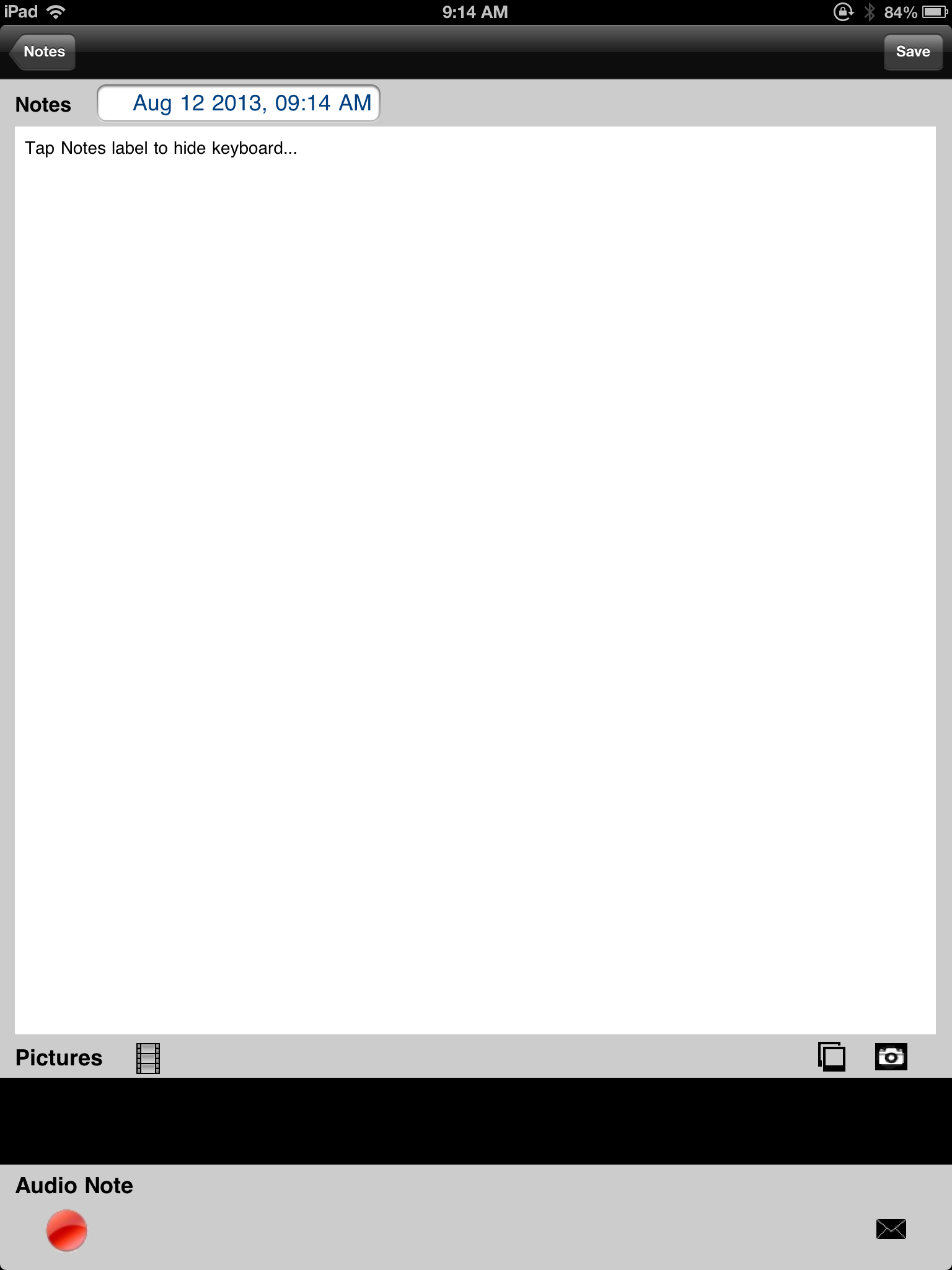
IMG_0643 The note page allows options of taking a picture, importing a picture as well as creating an audio note when needing to annotate information on a therapy session on the fly. Notes created are populated with a date and time stamp automatically inserted. Workflow of the notes can be emailed individually or using the button “Mail All Notes” for archiving or use in other programs.

Below is an image of a note with pictures inserted in an iPhone/iPod.

iConnect NE pic3

iConnect – Notes Edition app is a basic caseload app with the ability to annotate and add pictures. Although it does not have data collection tools, it is an easy and basic app that can be used to manage caseload information. The ability to annotate and take pictures used for pre-post status/skills (grasp patterns, wound, range of motion, coloring/writing samples, current equipment, etc. ) can be extremely useful as pre-post data, recall of physical evidences, equipment available or captured skills. The ability to lock the app for privacy is essential.  A discussion with work based supervisor regarding use of client information on an app is recommended.

This app could be a useful tool for therapists in the school or medically based for quick annotation of client/student information.

Thank you Grembe, Inc. for offering this app for free!

More for your therapy/ OT mTool Kit!

Carol

Posted in Administrative Apps, Apps for OT's, Clinic Based Interventions, Customizable app, Free apps, Geriatrics, Medical, Occupational Therapy, Rehabilitation, School Based Interventions | Tagged , , , , , , | 5 Comments

Co:Writer App Available

CoWriter icon

Co:Writer App

Familiar with Co:Writer software, the word prediction software from Don Johnston, Inc.? It’s gone mobile – the Co:Writer app is now available for iPhone/iPad (17.99).

Although I have not had a chance to work with it yet, here are some of the features available in their  mobile, word prediction app as featured in iTunes:

Word Prediction

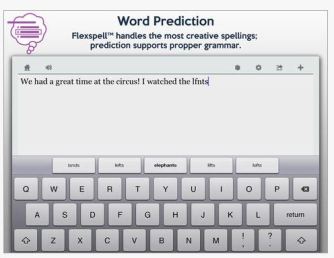
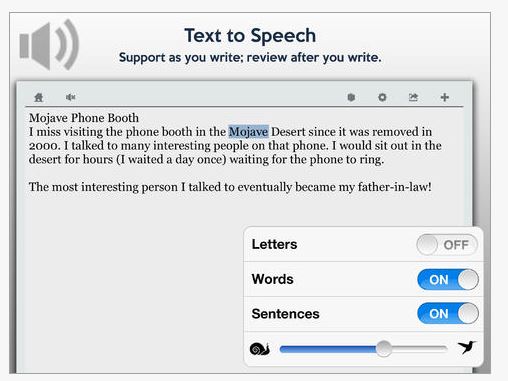
Co:Writer predicts the intended word with a selection of word suggestions using powerful grammar-smart word prediction. These suggestions can be read aloud with a swipe. Selecting the intended word places it into the document. For feedback while writing (and after writing) built-in text to speech can be used to read letters, words, sentences, and the entire document.

CoWriter pic1Topic Dictionaries
Co:Writer has access to a main prediction dictionary (that includes core words) and Topic Dictionaries (that includes topic specific words).
Samples of the variety of topic dictionaries:
– America’s Cup
– Apple II
– Compare and Contrast
– Dinosaurs
– Grumpy Cat
– History of the Peloponnesian War
– Mahatma Gandhi
– My Dog
– Pig Latin
– Rolls-Royce Silver Ghost
– SpongeBob SquarePants
– Tommy (album)
– Wonders of the World

CoWriter pic2

Spelling Support
Co:Writer handles the widest range of spelling mistakes through its Flexspell™technology including phonetic spelling and inventive spelling errors (letter omissions, word ending omissions, letter reversals, etc).

Examples of how Co:Writer aides with phonetic and/or inventive spelling:
Before Co:Writer
1. The blk jargon flu over the bra lfnt.
2. R u hpy to ce me?
3. I no hw to nor the fone.
After Co:Writer
1. The black dragon flew over the gray elephant.
2. Are you happy to see me?
3. I know how to answer the phone.

Grammar Support
Co:Writer bases its prediction off of proper grammar, and uses its understanding of grammar to accurately predict words within the framework of valid sentence structures.
Examples of how Co:Writer aides with grammar:
1. Dogs are furry. (noun, verb, adj.) – When you typed d-o, you get plural noun choices
2. Three very mangy dogs ran down the street. (adj., adv., adj., noun, verb… etc.) – After typing three, very, mangy, you get plural noun choices, then you get plural verb tenses.

Text to Speech

CoWriter pic3

Work Flow

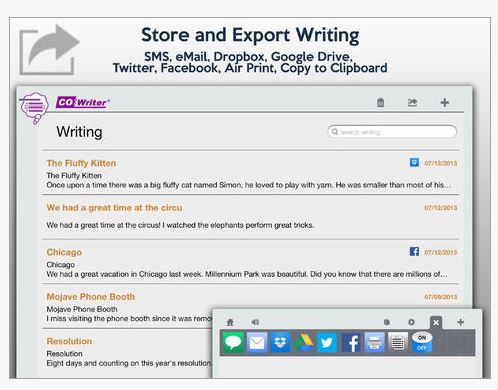
Work Flow options includes Dropbox, Google Drive, social media, email, messaging, printing and saving/copying (?) from Co:Writer . Great options for schools. CoWriter pic4

Many of the features of the desktop software appears integrated into the Co:Writer mobile app. Sure hope to give it a drive soon. Has anyone had a chance to trial it?

This looks like a great addition to a students, teachers or OT mTool Kit !

Wouldn’t it be great to have Draftbuilder on a mobile device???

Carol

Posted in App Reviews, Apps for OT's, AT for Handwriting, Customizable app, Elementary School, High School, iPad, iPhone, iPod, Language Arts, Learning Disability, Middle School, Occupational Therapy, School Based Interventions, Spell Checking, Text to Speech, Word Prediction, Writing | Tagged , , , , , , , , | Leave a comment

Readdle’s Birthday Gift – Scanner Pro App Price Reduction !

Scanner Pro icon

Scanner Pro App by Readdle

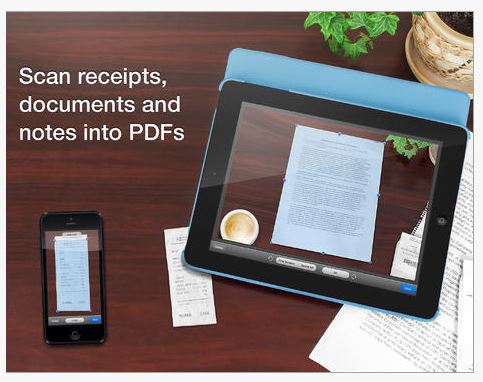
Scanner Pro App is my favorite scanning app to create PDF’s that can be opened in an annotation app such as PDF Expert (another Readdle app on sale!). We use this scanning app at our school (as well as for professional purposes) to adapt worksheets for students with dysgraphia. It is easy to use (our 4th graders use this independently…) and provides great scan quality. While there are many other scanning apps,  Scanner Pro remains my pick!

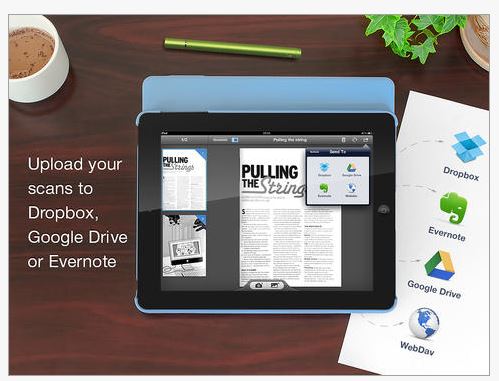
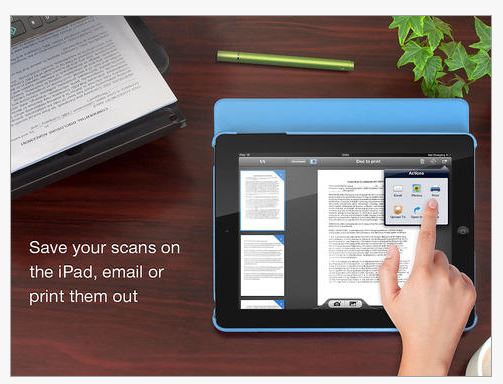
For Readdle’s 6th Birthday (the developers of Scanner Pro) they are offering Scanner Pro for 1.99 (originally 6.99) -a great buy. Here’s some main features of the app (I love the fact that its workflow includes Dropbox,  Evernote, and Google Drive – a bonus for Google Schools!)

Scanner pro pic1 Scanner Pro pic2 Scanner pro pic3

Scanner Pro is not only great for completing worksheets for students but also is a great productivity app for administrative tasks:

+ Scan receipts to keep track of travel expenses
+ Convert paper notes and sketches into digital copies
+ Sign with a pen and scan a contract to email it back
+ Save interesting articles and book pages for further reading

Why would you use a scanning app instead of just taking a picture with the iPad camera? Quality, lighting can gray out your docs pretty significantly, with scanning apps, setting allow you to straighten, whiten and despeckle documents. So when you need a clean copy of something a scanning app can help. I recently had a few down moments and needed to scan a receipt for reimbursement and a quick scan (while waiting in my car…) then emailing it took care of that task in minutes, literally (don’t you just love it when you can be efficient?).

You know those forms that you have to sign and return? Scan them, fill them using Scanner Pro with your iPhone/iPad and forward them back in a jiff.

For Readdle’s Birthday they have reduced the price of all their quality apps, so if you are in the market for PDF management, or a calendar app you might check out the Readdle website. Also the folks at Readdle are responsive to questions and generous folks!

Readdle apps(For those of you who will be attending the OT’s with App’s Workshop in August, if you have funds I would suggest purchasing this app for 1.99!).

A great app for your teaching, personal, AT or OT mTool Kit!

Happy 6th Birthday Readdle! Thank you for your great apps!

Carol

Posted in App Reviews, Apps for OT's, Apps for Special Needs, AT for Handwriting, Elementary School, Handwriting, High School, iPad, iPhone, Learning Disability, Middle School, Mobile Device Use, Occupational Therapy, OCR, Productivity apps, Scanning, School Based Interventions, Special education, Special Education Teacher, Work Flow, Writing | Tagged , , , , , , | Leave a comment

Alien Buddies Gone Free – Today!

Alien buddies icon

Alien Buddies app (iPhone, iPad) is a fun, preschool app with visual motor activities. It has been around for a while but has gone free today (regularly 1.99). This is a long standing fav of mine providing academics, visual motor and fun for kids 3-7 years!

Here’s a video of the app to check it out:

This is a fun app and good for school or for the remaining month of summer vacation. Kids are bored by now, time to give them a bit of a hidden curriculum…

More for your OT m Tool Kit!
Carol

Posted in App Reviews, Early Childhood, Occupational Therapy, Visual Motor | Leave a comment

Button, Button, Do You Have the Button Board ?

Button Board icon

Button Board App

I have a bit of an issue suggesting iPad apps as fine motor skill apps, I consider them visual motor activities with true fine motor skills developed using haptic skills of in-hand manipulation, tactile discrimination with three-dimensional objects. There are a few apps (very few) I might qualify as being fine motor apps. I think that Button Board app is one of them that might fill the bill if students are required to isolate finger usage to participate with this app!

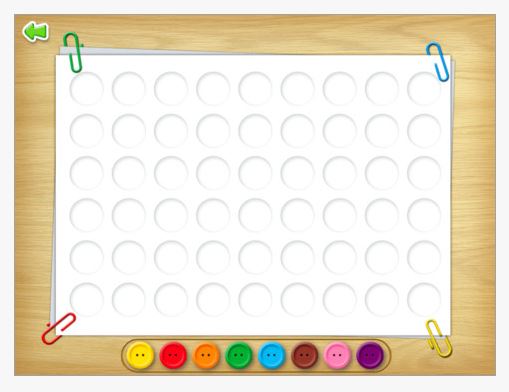
Button Board App is a new, free iPad app. Created by MediaKitchen, it is a simple app requiring placement of colored buttons onto a picture. Matching colors, finger isolation, and visual motor control are the skills worked on in this app.

Button Board pic1

The app provides a few free pictures and many more in-app themes but also provides a blank page that allows you to create your own.

Button Board pic3

Some thoughts about use of the blank screen might include:

  • Creating a simple shape on a teachers iPad and having a student copy it on theirs
  • Create a pattern, shape on an iPad, take a screen shot (saves to Photo Album) and display that for the student to copy from near or far source
  • Creating a color sequence of buttons and having the student copy it on the row or column underneath
  • Start a pattern and have the student complete the pattern

The app has a few options available:

Button board pic2

Orientation is possible in either portrait or landscape making it easy to display with easels and stands with students. Instructions are included in the app making instructions easy to access. I found the app to be simple, clean and easy to use with no ads included.

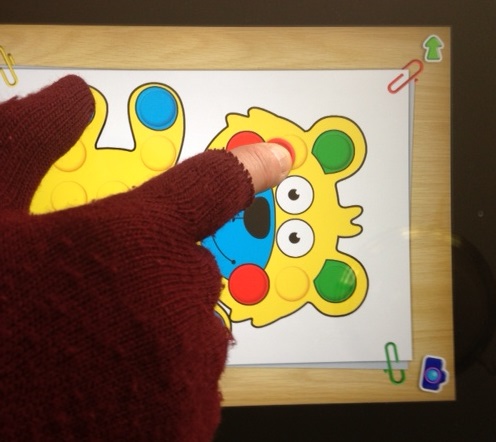
For young children working on finger isolation, you might consider using a magic glove with the finger cut out to help with facilitating finger isolation (as one of many methods!).

finger isolation with glove 2

Button Board is a free, simple app with some customization possible with use for young children. Certainly handling 3-D buttons and shapes would be an important fine motor activity to use along with this app, but as a visual motor activity, I would include this in my OT mTool Kit!

Button Board (Kindle Tablet Edition) is also available, as well as for Android – Button Board Learn Colours .

More for your teaching, family or OT mTool Kit!

Carol

Posted in Android, App Reviews, Apps for OT's, Early Childhood, Education, Finger Isolation, iPad, Occupational Therapy, Pediatrics, Visual Motor | Tagged , , , , , , , | 2 Comments

Irlen Syndrome – Is There an App for That??

Colored overlays pic

Irlen Colored Overlay

Irlen Syndrome – Is There an App for That???

Recently I had the opportunity to be trained as an Irlen Screener by Irlen Diagnostician, Judy Palapala of the Irlen Clinic of the Twin Cities. Having worked with both students and adults who have symptoms of the Irlen Syndrome, also known as Scotopic Sensitivity Syndrome (SSS), I wanted to be able to better assess their needs and provide them other options to help them with reading as well as vocational tasks.

So what is Irlen Syndrome? A visual perceptual syndrome that can include any or all of these symptoms:

  • Light sensitivity
  • Inefficient reading
  • Slow reading rate
  • Attention deficit
  • Strain or fatigue when reading
  • Poor depth perception

Individuals with Irlen Syndrome often don’t recognize that their symptoms if they have had them since birth. Since they have always seen things in a different manner, whether distorted or experienced fatigue when reading they often don’t recognize that reading could be improvied. Applying color filters for those with Irlen Syndrome can normalize light perceived and reduce the symptoms of discomfort, inefficiency, fatigue or inattentiveness to mention a few. Like the symptoms for each individual, the effect of colored filters can differ. Irlen Method of intervention is a researched based intervention ¹ that can help some with the perceptual disorder.

What is the incidence of the disorder and who does it help?

  • Prevalence is 14-16 % of the general population
  • Estimation that 46% of those with reading problems, dyslexia, ADD or LD have some level of Irlen Syndrome
  • Other diagnoses as TBI, CP, ASD or Light Induce Epilepsy can have Irlen Syndrome¹

How do you know if you have Irlen Syndrome?

So, is there an app that supports Irlen Syndrome?

No app currently is available specifically for Irlen Syndrome, however there are apps and methods to apply the concepts of using colored filters once a color is identified that improved reading or helps with light sensitivities that for some individuals with Irlen Syndrome.

Here are some methods to help apply the color filter solutions and apps for those that are found to benefit from use of color filters:

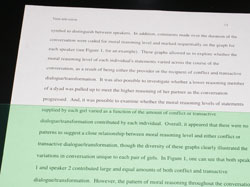
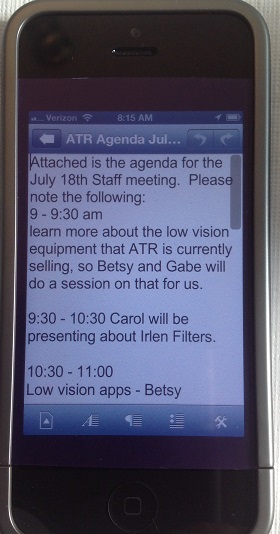
  1. Applying Irlen color filters over the top of an iPad, iPad Mini or even an iPhone can be done without affecting the touch capabilities of a capacitive screen. This provides the chosen color applied to all environments on the iOS device. Here are a couple of trials that worked using specific cases with iOS devices:
    • A color filter neatly cut to the size of the screen of an iPhone using an incase® iPhone 5 protective case worked well. Below a purple colored  filter cut to size was applied.
Color filter iphone

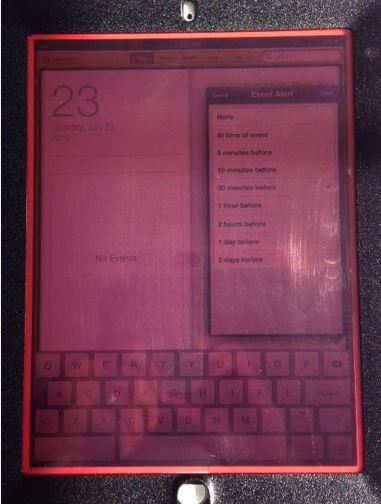
    • Cutting a colored filter to fit under a case, such as the Otterbox® protective case also provided the color filter effects on an iPad. (Note: I trialed inexpensive colored, transparent plastic dividers which produced some minor distortions when directly on the screen – not recommended.)
Color filter iPad red

Note: The above screens with color filters may not appear to work for you but what might work for one person is not correct for another!

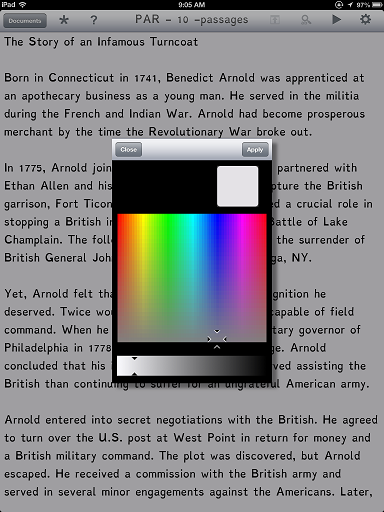
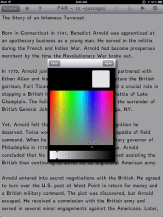
2. Specific iOS reading apps provide back ground color options which can customize the background by chosing a color from the full color spectrum palate.
Color customize on apps pic

Apps that provide customizable, full color palate choices (as in above image) that can be matched to the specific Irlen filter color determined after screening for students or clients:

Other apps that provide some color background choices but not customization:

  1. Read2Go app
  2. ZoomReader app (contrast colors only)

Other solutions that can be applied to an iOS device to help with light sensitivities can include:

  • The iOS Invert Color setting provides one color change to reduce the contrast which can be helpful but is not customizable.
  • Dimming the screen or brightness on an iOS using the Settings>Brightness & Wallpaper can allow customization of the brightness on an iPhone, iPod Touch or iPad screen.
  • Applying a glare reducing screen or privacy screen (typically gray) can also help for those who need a dimmer screen.

If you are interested in more information about Irlen Syndrome, visit the Irlen.com website or for other colored filter solutions you can contact me at: Otswapps@gmail.com , Carol@adaptivetr.com or through www.Adaptivetr.com .

More for your OT m Tool Kit and low tech solutions for your students or clients!

References:

1 “National and International Research Studies.” Irlen Institute, Colored Lenses, Colored Overlays, Diagnosticians, Screeners. Irlen.com, n.d. Web. 21 July 2013. <http://irlen.com/index.php?s=research&gt;.

Carol Leynse Harpold, MS AdEd, OTR/L, ATP, Certified Irlen Screener

Posted in Apps for OT's, iPad, iPhone, iPod, Irlen Syndrome, Reading, Uncategorized, Visual Perception | Tagged , , , , , , | 2 Comments

Apps to Support Individuals with Learning Disabilities

app shopping pic

Apps for Individuals with Learning Disabilities

Shopping for some apps to support the needs of individuals with LD who are middle – high school aged or older?

Here an updated, downloadable list of preferred apps for reading, writing, organization, reference material, math, concept mapping, graphing app and file management apps for students or adults! Not a huge list just a manageable list of favorite, go to apps.

OTs w Apps Basic App list for LD 7-17-2013

These are many of my favorites, what are yours?

Carol from OT’s with Apps!

Posted in Adults with LD, Android, App Reviews, Apps for OT's, iPad, iPhone, iPod, Language Arts, Learning Disability, Math, Note Taking App, OCR, Organization, Post secondary, Reading, Scanning, Special education, Text to Speech, Writing | Tagged , , , , , , , , , | Leave a comment