Link for Kati Lea’s blog post “Low Cost AAC Apps for Speech” at:communicationaids.info
Blog post at Communication Aids : Low Cost AAC Apps for Speech
The range of AAC apps on the market is vast and working your way through them all can be a daunting task. [..]
Carol Leynse Harpold‘s insight:
Kati Lea provides a few low cost AAC apps to consider if you need a method of communicating with your clients on specific OT related tasks but have limited funding.
If your kids are having a tough time with Back to School, consider helping them along with visual supports. Why do I like visual aids? Here’s why: My kids can’t always process what you tell …
Carol Leynse Harpold‘s insight:
Deanne Shoyer, blogger of Small But Kinda Mighty, shares a list of affordable visual schedule apps. Her list contains 10 visual schedule apps, some familiar and some new, with a quick overview of their features. With so many visual schedule apps out there, I enjoy a quick overview to help with selecting options available for individuals benefiting from concrete, sequential visual directions.
Thanks to Small But Kinda Mighty for the time to put together and share this helpful list !
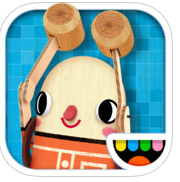
For those that work with preschool to early elementary aged students, Toca Boca is a familiar name for the creative apps they produce. For a limited time, their app Toca Builders (iPhone/iPad) is free. Developed with 6-8 year olds in mind, this is a fun app that features building with directionality and spatial relationship skills needed while constructing and operating the builder. Here’s a trailer from Toca Boca featuring what you can do with the app:
A fun and motivating app, the Toca builder moves and builds requiring changing directions left/right, back/forward and up/down. Definitely a spatial activity!
You also can paint and choose different colors of blocks when building. Playing with the app is the best way to understand what is required to operate it. I would guess kids who game would be far better than I at learning how to operate the builder, as it took a little bit of time for me to learn to understand how it works (I am so not a gamer!). The app definitely took spatial skills to operate the builder and direct his moves.
Although I have not had a chance to try this out with a student, I could envision this app as a motivator for some students. Certainly those who have difficulty with spatial relations may not have an infinity to apps as such, but it might be a motivation after a hands on activity working with real 3 dimensional blocks and a visual block model. Reproducing block designs with Toca Builders might definitely be more challenging than performing the hands on task, but might be a great follow-up or reward activity after completion with real blocks. Could Toca Builders construct these Color Cubes Activity Set designs?
You may need to scale down the type of designs you are doing on Toca Builders due to the additional spatial requirements of the app. This would seem to be a fun, free (for a limited time!) visual perceptual app for kids ages 6-8 years given some practice and the appropriately selected activity!
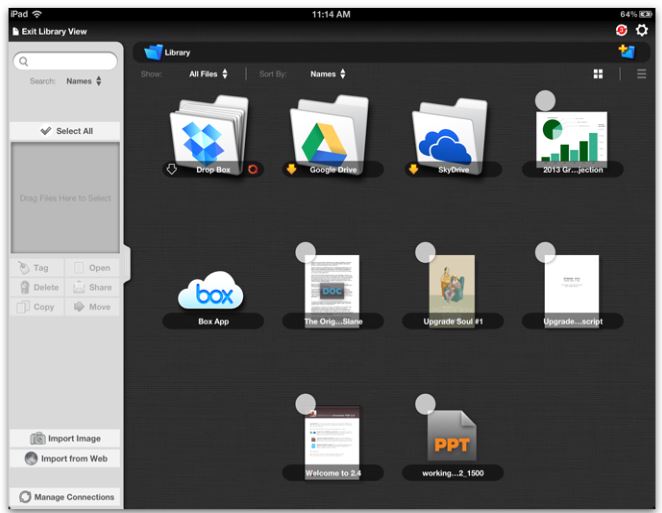
iAnnotate PDF App, developed by Branchfire, Inc. is currently on sale for 1.99 (not sure how long!), regularly 9.99. A PDF management app, iAnnotate’s features are numerous and well suited to students in upper elementary through secondary school:
Annotate with text boxes, highlighting and drawing tools
Customize the tool bars (great when used with younger students to reduce tools offered)
Workflow to Google Drive, Dropbox, Sky Drive, Box and more
Create new PDF’s with different backgrounds (graph, lined, blank)
Organize your PDF files with a folder system
Easy navigation with tab system and folder organization
Wrist guard tool when handwriting or keyboarding
This app has been a recent choice as a form filling app for our students with dysgraphia. iAnnotate provides a number of features such as the ability to create folders to organize documents and the ability to customize/simplify the tool bars, reducing the difficulty of use by younger students. iAnnotate also provides the type of choices for workflow needed in our school district allowing transferring the document to Google Drive, Drop Box or by email.
iAnnotate PDF app provides many tools, an organization system and great workflow options. It is a worthwhile app at 9.99 and a real deal at 1.99! iAnnotate PDF is also available for Android.
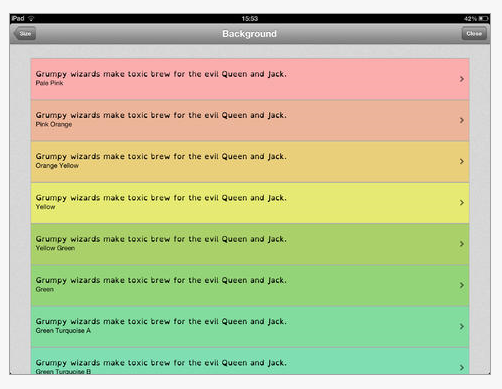
ER Browser app for iPhone, iPad or iPod Touch (.99) provides a web browser with choices of color background, font size and type and simplifies the content on your devices for those with experiencing visual discomfort and difficulties. Created for individuals with dyslexia, this app could also be helpful for some individuals with low vision. The ER Browser app also provides a variety of dyslexia friendly fonts, letter spacing choices and different degrees of saturation. As a browser, ER Browser app, also provides a bookmark tool and browsing history. Created by Celf Creative.com , more information on the research and app can be found at the apps website – erbrowser.com .
ER Browser is an iPad/iPhone web browser designed specifically for dyslexia and visual stress. Choose your Font, Choose your Colours and Browse the Web!
Carol Leynse Harpold‘s insight:
ER Browser is a new mobile web browser app (.99) providing choice of color background and font to support individuals with Irlen Syndrome. The color background environment applies only when browsing the Internet and not all apps so use of filters might still be needed when in individual apps if color filter is desired. What is not in the color range however (although can somewhat be managed by dimming the screen in the Settings menu) are shades of gray which I have found to be a choice for some individuals.
If you are a color filter user on mobile devices, this app might just be a great option for web browsing or accessing Internet based information!
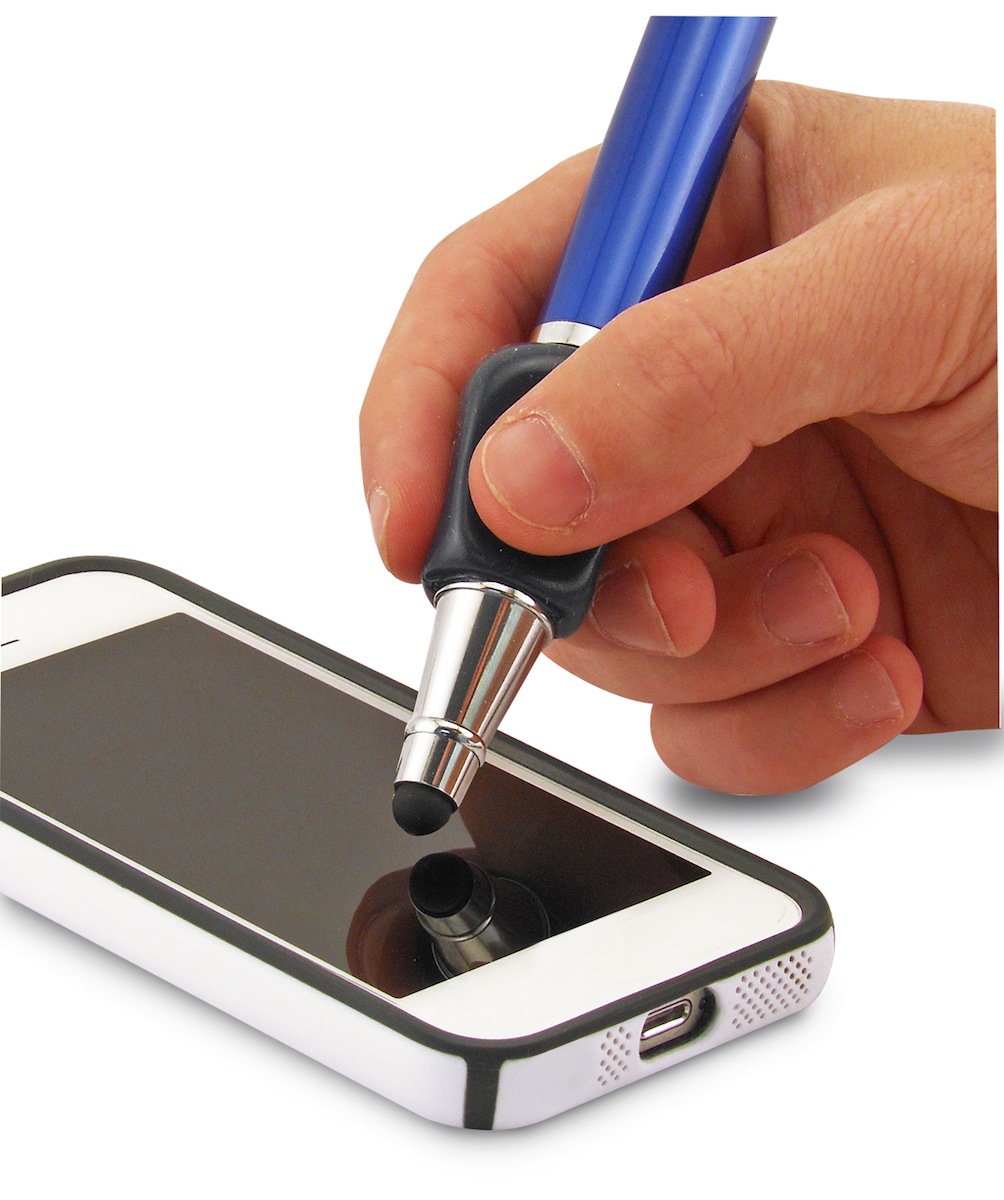
I just received the Ergo Stylus from The Pencil Grip Inc. folks, and I am excited to trial this stylus having used The Pencil Grip , as my favorite utensil grip, with many, many kids for all kinds of tools (pencils, pens, crayons, markers, pencil colors, paint brushes, styluses …) in therapy.
Trialing it on visual motor and handwriting apps the Ergo Stylus had the familiar feel of The Pencil Grip which can be used with either right or left hand. It has a similar weight and resistance when drawing or writing as the Cosmos Chunky Stylus by HHI and the Cosmonaut Stylus which provides “drag” causing some feedback when used on the iPad.
The Ergo Styluses tip is soft and flexible and allows good connectivity even when holding it at a narrow angle to the iPad screen, important for a stylus. One of the things I did find that when holding it at very narrow angle to the screen when writing, the metal shaft occasionally would tap on the screen, but which did no harm. This should not be a problem with most students using the Ergo Stylus as they typically do not have enough finger extension or control that would allow a narrow angle position of a writing tool.
The Ergo Styluses tip as aforementioned is soft and flexible. The tips connectivity is good at all angles but experience has found these tips can tear or may be more easily damaged with use. A recommendation would be to provide replaceable tips for the Ergo Stylus for reuse and also allow easier replacement of The Pencil Grip if needed.
I like the Ergo Stylus and would be a good stylus choice for students who need a somewhat heavier stylus and benefit from the use of a gripper when drawing or writing. At $13.00 it is affordable, but would be even more appealing if there were replaceable tips available.
I will look forward to using the Ergo Stylus and making it available for students or adults to trial. Thank you to the The Pencil Grip Inc. for providing the Ergo Stylus – it is a welcome addition to my OT/AT mTool Kit!
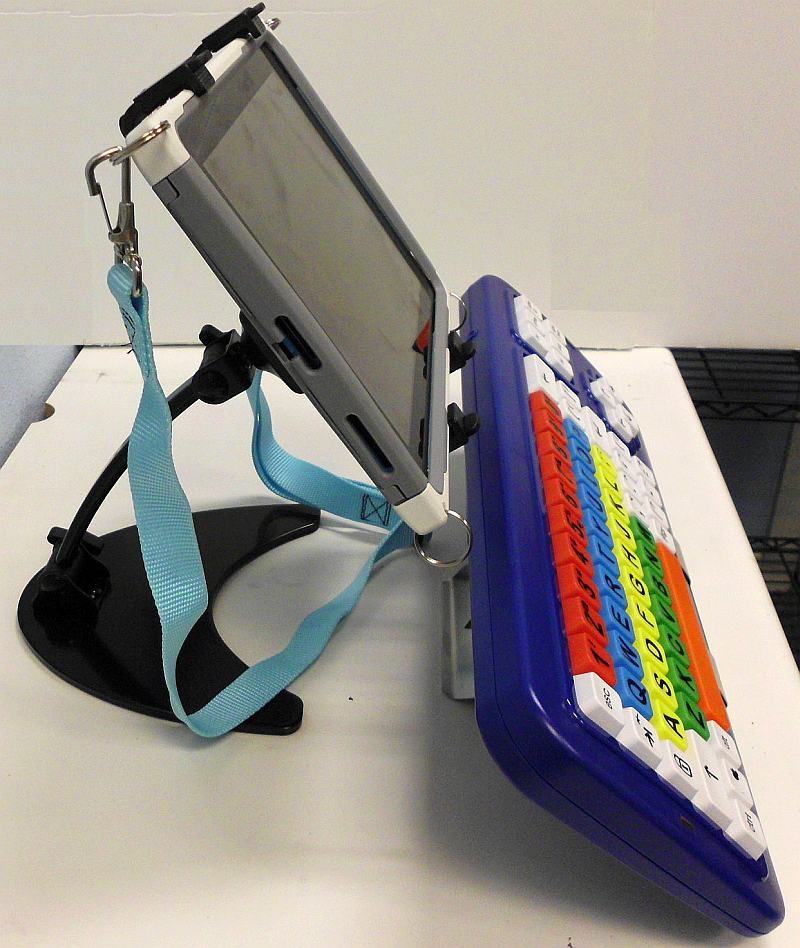
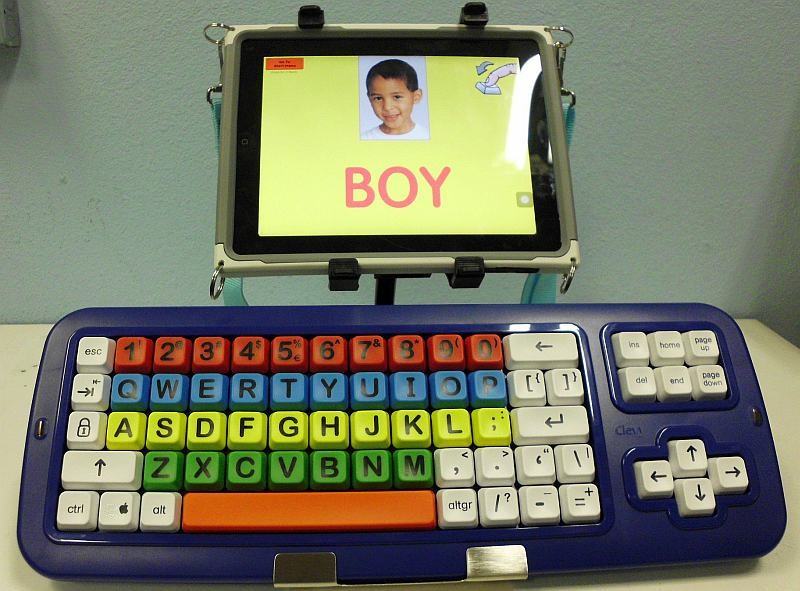
That is what RJ Cooper does and is, a source that supplies tools for individuals with disabilities when not available on the market. His most recent answer to a need is his BIG Blue-Tooth Keyboard (199.) created to interface via Bluetooth to the iPad.
BIG Blue-Tooth Keyboard for iPad
It is interesting that the same question was asked at the OT’s with Apps @ School Workshop held in August, however I don’t believe the keyboard was out at that time. Just yesterday I received an update email from RJ Cooper on his new BIG Blue-Tooth Keyboard.
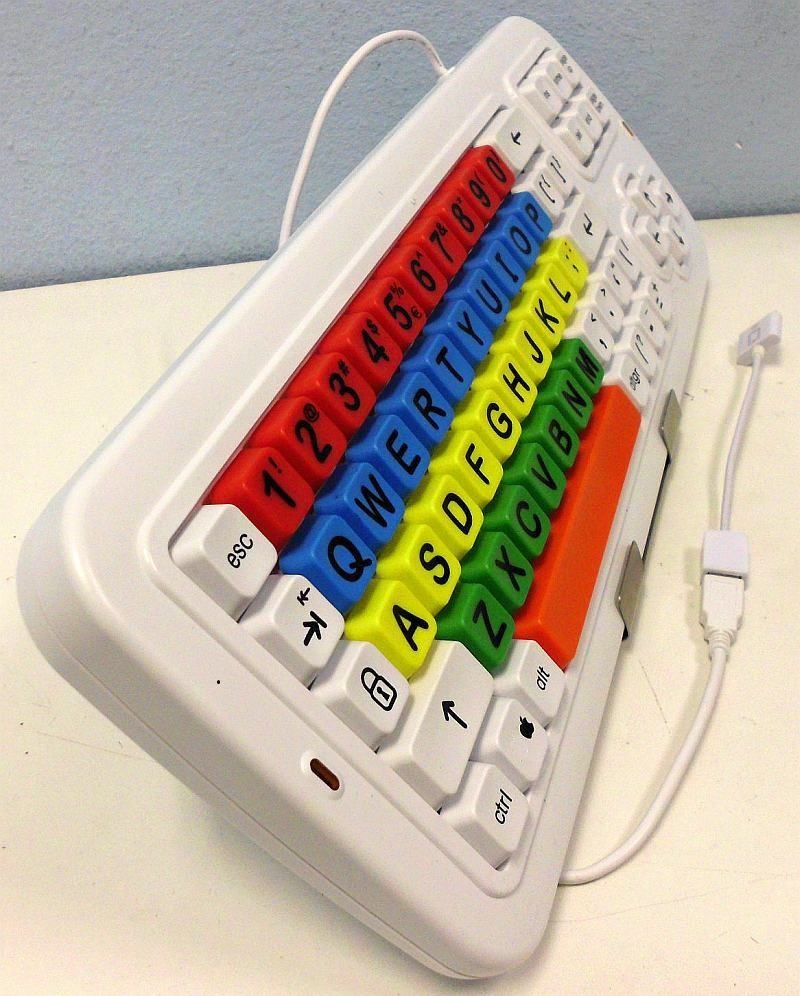
RJ also provides his USB LargeKeys (119.) with an iPad adapter (20.) that is iPad ready:
Other components RJ Cooper has available for individuals with motor challenges that are using an iPad include:
RJ Cooper has an answer for access with his BIG Blue-Tooth Keyboard and additional components for the iPad. More on his stands and other iPad components will be posted in a later post or go to his website to check out his equipment.
Thanks to RJ Cooper for his continual support of the needs for individuals with disabilities! Share the news!
More for your teaching, accessibility or OT mTool Kit!
As an OT, how many gazillions of The Pencil Grip have you provided to students, teachers, clients and parents?
Having worked as a school based OT for more than 30 years, I probably have distributed hundreds of The Pencil Grip to facilitate an appropriate grasp, decrease fatigue and comfort when writing or drawing. The design does not cure fine motor challenges but it has been one of my favorite pencil/crayon/ marker/utensil grips. The Pencil Grip folks have developed a stylus with their ergonomic grip !
The Pencil Grip’s Ergonomic Stylus (12.99) provides a comfortable grip that can be with the right or left hand on all types of tablets. I am looking forward to trialing this stylus !
The folks at Duck Duck Moose develop great, classic preschool and primary skill apps. Among their apps are the classic Wheels on the Bus, Itsy Bitsy Spider, Old MacDonald and Baa Baa Black Sheep as well as their other preschool apps as Draw and Tell, Fish School and Park Math to name a few.
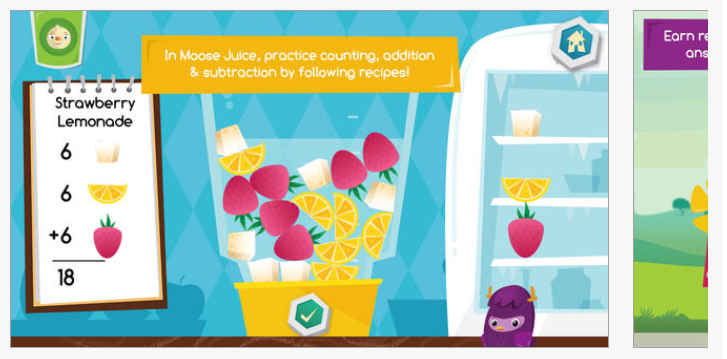
Their newest app development is Moose Math App (iPhone/iPad; 3.99), providing more number fun with concepts as rational counting and adding in an interactive activity with Dust Funnies and Moose engaging in bingo, dot to dot, sorting quantities of shapes and adding and subtracting in 5 different kid friendly activities:
MOOSE JUICE: Make smoothies while practicing counting, addition and subtraction
PAINT PET: Match the pets by counting the number of dots
PET BINGO: Solve addition, subtraction and counting problems to get BINGO
LOST & FOUND: Learn and sort through shapes and colors
DOT TO DOT: Help the Dust Funny find his way home by joining the dots
PLAY CATEGORY: Early Learning/Curriculum
Kids will learn the following math skills based on Common Core State Standards:
Numbers:
Understand the relationship between numbers and quantities
Solve word problems and algebraic thinking
Practice number pattern recognition
Counting:
Count by 1′s, 2′s, 5′s and 10′s
Master counting to 100
Addition & Subtraction:
Add and subtract by 1′s, 2′s, 5′s and 10′s
Add and subtract up to 20
Learn to add and subtract with numbers, dice
Geometry:
Master geometry at Kindergarten and First Grade levels
Learn to identify and recognize shapes
Measurement:
Understand and compare lengths
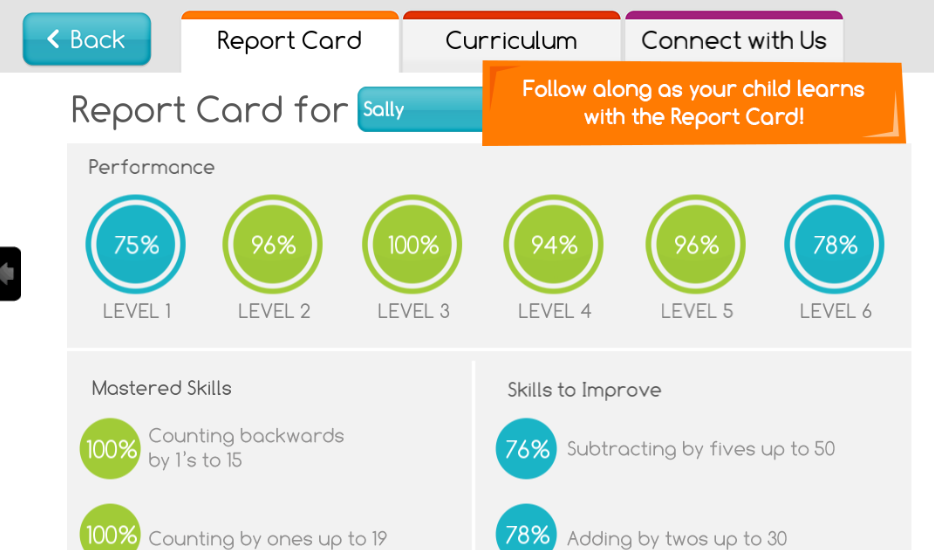
Moose Math also maintains assessment data on single student progress:
For OT’s or teachers who might want to use these on the fly, screen shots of the activity can be created and completed using Doodle Buddy or Draw Free to complete on your iPad if appropriate for your student or situation (see creating activities on your iPad for more information). Consider the use of a stylus if you are working on pencil skills when completing the worksheets on your iPad.
A trailer on Moose Math provides additional information on the app:
For OT’s and special education teachers, Moose Math provides practice with preschool math concepts including counting, adding and sorting shapes while also collecting data on student skills. Although this app does not collect the data such as accuracy with motor accuracy, however it is an app that supports reinforcement of academic skills with visual motor skill reinforcement. It is an app that can be used by OT’s as well as used to reinforce preschool, kindergarten and primary number skills for regular, special needs students who need practice with those skills. Enrolling single users and data collection is always a strong point with apps which is present in Moose Math app.
Moose Math app is another great app developed by Duck Duck Moose that may be appropriate for teachers or OT mTool Kit! If as an OT you might not use this app, suggest any of the Duck Duck Moose apps to your EC or primary teachers mTool Kit!
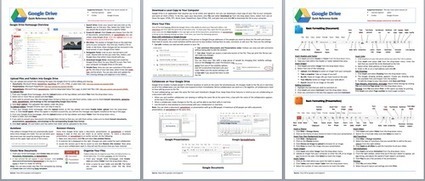
Google Drive provides many great options for easy access to administrative tasks on a mobile device. Edgalaxy provides a basic printable guide to using Google Drive on your computer (not the app) as a great starting point with its use.

 designs?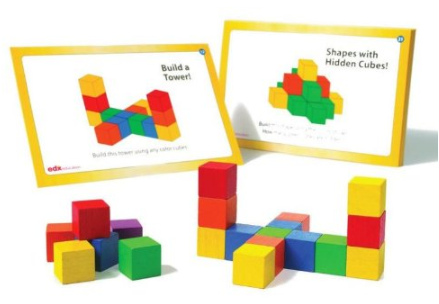


 , as my favorite utensil grip, with many, many kids for all kinds of tools (pencils, pens, crayons, markers, pencil colors, paint brushes, styluses …) in therapy.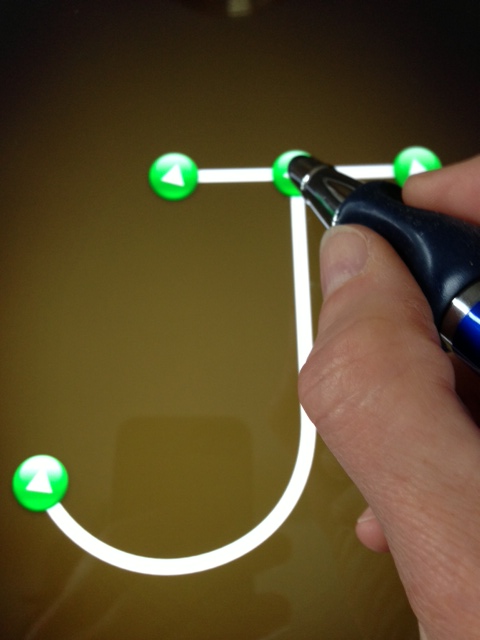





 OT's with Apps & Technology