A Big Thank You to Claro Software for ClaroApps Promo Codes!

ClaroSpeak apps pic

ClaroSpeak Apps

ClaroPDF pic2

ClaroPDF

Thank you to Claro Software for their generosity with supplying promotional app codes for the OT’s with Apps Workshop participants held in Fort Worth, Texas this past week. Participants received a free promo codes for the iOS ClaroSpeak and ClaroPDF apps. Both Claro apps provide support for struggling readers and writers and are a great asset for OT’s and teacher mTool Kit.

Here are just a few of the features that provide supports for literacy to students with learning disabilities available in the ClaroSpeak/ClaroSpeak Plus and ClaroPDF apps:
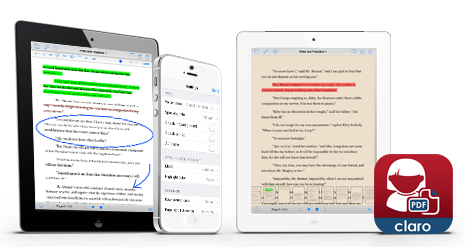
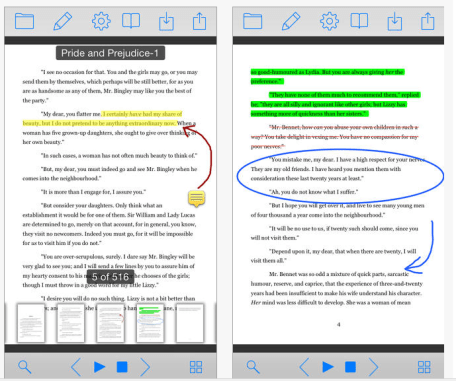
ClaroPDF iconClaroPDF app (iPhone / iPad; 2.99) is an accessible, reading and study PDF tool for all. Annotate, mark up and save PDF files which are then still fully compatible with Adobe Reader and other popular PDF apps. Have accessible text PDF files read back to you with a human quality voice & synchronized highlighting. The app also provides text to speech (TTS), word prediction, annotation tools to highlight, make text boxes to complete worksheets, drawing to access and complete worksheets with TTS capabilities.
ClaroPDF pic3

Few other apps provide all these accessibility features at such a reasonable cost.  A lite version is also available of ClaroPDF app. This app is a great AT tool supporting access and productivity for students with learning disabilities.
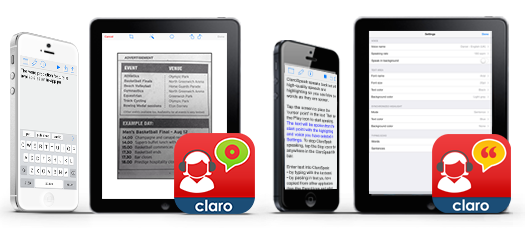
ClaroSpeak icon newClaroSpeak app (iPhone / iPad; 2.99) app provide access to text using text to speech capabilities with many different settings for text size/color, font color/type and spacing,  background colors, synchronized highlighting with TTS and speaking in the background.  An option save text as an audio file is also available in the app.
ClaroSpeak plus icon2The new ClaroSpeak Plus app ( iPhone/ iPad a bargain at 6.99!), provides “capture text from photo”. Capturing text from photo performs OCR (optical character recognition) of text for “on the fly” grabbing text using the camera, processing it and using tools to hear it read aloud. A feature to have it read text in the background, allows you to open other apps on your device while listening to the text file read aloud.
ClaroSpeak workflow pic

ClaroSpeak Plus app is new. A trial of the app using the Capturing text from photo feature found the scanning recognition to be good. It also maintained most of the formatting of the text scanned (which is not always the case with other scanning apps). Here is an example of  text scanned with ClaroSpeak Plus:
ClaroSpeak Plus trial OCR

Although a short text, the OCR recognition was accurate with few errors. I had a few glitches with the availability of the camera when scanning (a black screen was present when attempting to take a picture – taking a picture resolved this, offering an image retake) which was resolved by taking a picture and may be due to limited memory available on my device.

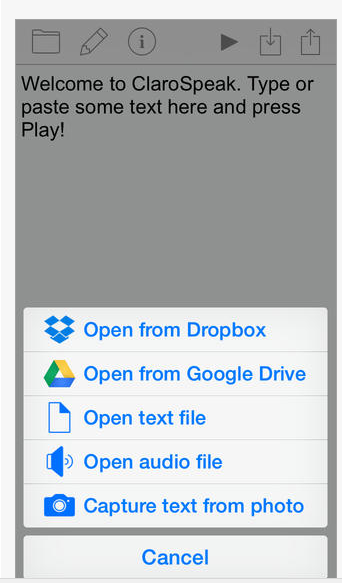
ClaroPDF and ClaroSpeak apps integrate with Dropbox and Google Drive for easy workflow from those cloud based services. Emailing documents is another method of importing documents into each of the apps. Determining the methods of workflow for these apps is important with its use.

I found ClaroSpeak and ClaroSpeak Plus provides many features that are easy to use and allow students a method of producing and accessing print at a very reasonable price. Great tools for your mobile device. If you are looking for software for accessing reading and writing on the computer, ClaroRead software provides a suite of tools for students with reading and writing challenges for MAC and PC.

Thank you Claro for sharing your tools with OT’s with Apps Workshop participants!

Carol Leynse Harpold,  OT’s with Apps
 

Posted in App Reviews, Apps for OT's, Apps for Special Needs, Assistive Technology, iPad, iPhone, iPod, Note Taking App, Occupational Therapy, Reading, Text to Speech, Word Prediction, Writing | Tagged , , , , , | 6 Comments

OT’s with Apps Revised List

Apologies for the problems with the prior revised list, repaired list…

OT mTool Kit App List 11-2014 rev4

Carol

Posted in Android, Apps for OT's, Apps for Special Needs, iPad, iPhone, iPod | 3 Comments

iPod Touch Cases for Work Environments

    iPod Touch for Visual Communication at Work

iPod visual schedule

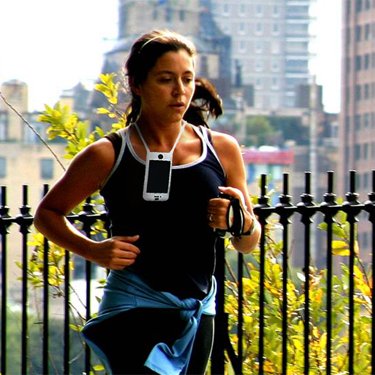
Recent evaluations of individuals with disabilities transitioning to employment situations have resulted in recommendations for an iPod Touch. Used for a variety of communication needs, the iPod Touch’s low profile, portability, apps and multimedia tools provides the potential of supporting many individuals in work environments. iOS Apps are also plentiful, following identifying the specific features needed to support individual needs. What has been difficult is finding a sturdy, hands free case for protection and securing the device from loss.
After way too much time (I will not admit how long it has taken me…) here are a couple of options that I found for the iPod Touch:
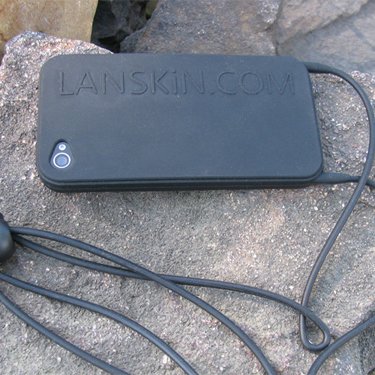
Lanskin iPod Touch 5 Case (19.99) – provides a single adjustable strap for easy application and wear. iPod Touch lanskin case piclanskin case for iPod 5 - 2

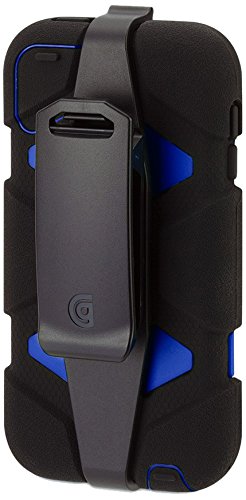
Griffin Survivor iPod Case (23.10 – Amazon) – Griffin Survivor cases provide protection and have a belt clip. Add a retractable strap  or lanyard for security when working.

Griffin Survivor iPod 5 case

Any other case suggestions for the iPod 5th Gen ?
What apps have you found suitable for work situations?

Carol

Posted in Accessories, Assistive Technology, Augmentative Communication, iPod, iPod/iPad Accessory, Rehabilitation, Transition, Traumatic Brain Injury, Vocation | 9 Comments

PhotoMath App

Photomath icon 2

Photomath App

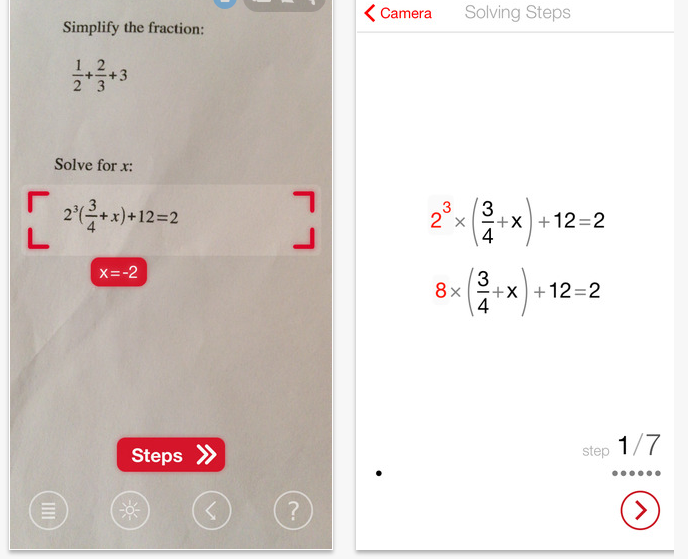
Photomath app (iPhone / iPad; free) developed by Microblink, promotes the apps as the world’s first camera calculator. I have been well aware of using cameras to access text but math has always been a tough AT situation in my opinion. This app is pretty amazing. Although I have trialed it with just a few math problems, it worked quite well given that I had good lighting, the problems were spaced appropriately to capture just one equation on a the worksheet.

So it’s as simple as snapping a picture of an equation (no it won’t do work problems or conversion) and it calculates the answer and shows the steps. It also saves the problems previously calculated for later reference.

Amazing. Pictures of process:

Photomath pic1 Photomath pic2

Great for checking your work and understanding the math process for math expressions, fractions and decimals, powers and root and simple linear equations. There might be hope for me yet with math!

Carol

Posted in iPad, iPhone, Math | Leave a comment

Keedogo Keyboard for iOS 8

Keedogo plus icon

Keedogo Keyboard Plus

With iOS 8, options of integrating customizable keyboards into other apps provides a flavor of universal design when typing. Many different keyboard apps are  now available adding emoticons, customized keyboard backgrounds and keys to your favorite writing app.  AssistiveWare provides a new iOS 8 iPad keyboard option for young or basic writers – Keedogo Keyboard Plus app –  currently at an introductory price (Plus – 2.99; basic – 1.99) .

Keedogo pic ipad_mini_horizontal_srgb_keedogo2

Keedogo Keyboard comes in two flavors, a basic and premium version, with a third in development. So what’s the difference? Here’s some details about Keedogo keyboard apps from AssistiveWare:

Keedogo pic comparison chart

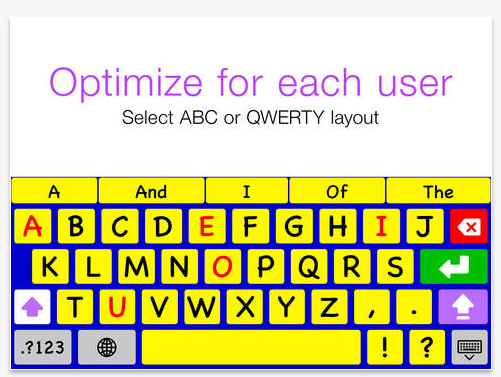
Keyboards are only in English at the current time. Keyboard options include QWERTY and ABC and upper and lower case lettered keys.

Keedogo pic3 abc

What a great addition for young writers using the iPad. Great introductory price! I can’t wait to try it out!

More for your OT, teaching or student dedicated m Tool Kit!

Carol

Posted in Accessories, Apps for OT's, Apps for Special Needs, Assistive Technology, Dysgraphia, iPad, Keyboarding, Word Prediction | Leave a comment

Free Technology for Teachers: Organize Your Thoughts With Google Keep

Source: www.freetech4teachers.com

Richard Byrne from freetech4teachers.com give a quick overview of Google Keep app for iOS, Android and web based. Another option for organizing ideas, bookmarks and notes that can be accessed on many devices with Internet connection.

So many great options!

Carol

As scoop with  Scoop.itOT mTool Kit from: http://goo.gl/O21D0m  on October 22, 2014.

Posted in Android, iOS, Organization, Web based | Tagged , , , , | Leave a comment

Irlen Awareness Week Oct 20-24

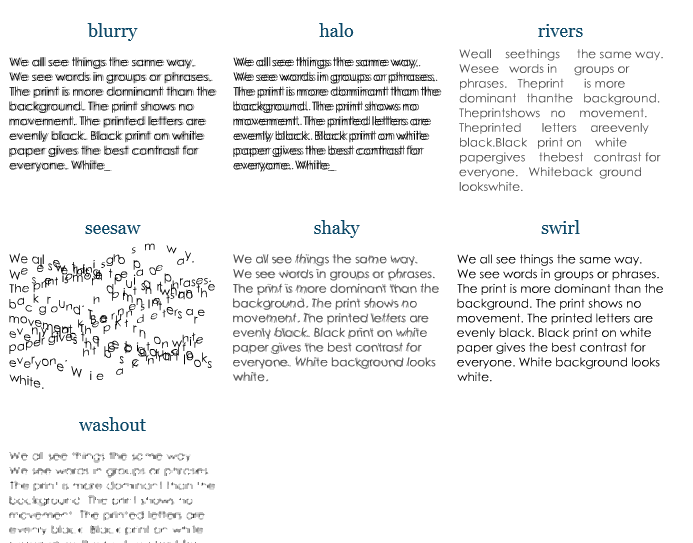
Do you become distress with bright lights, black print on white paper, experience visual fatigue or experience print that does not remain stable?

Irlen distorsions

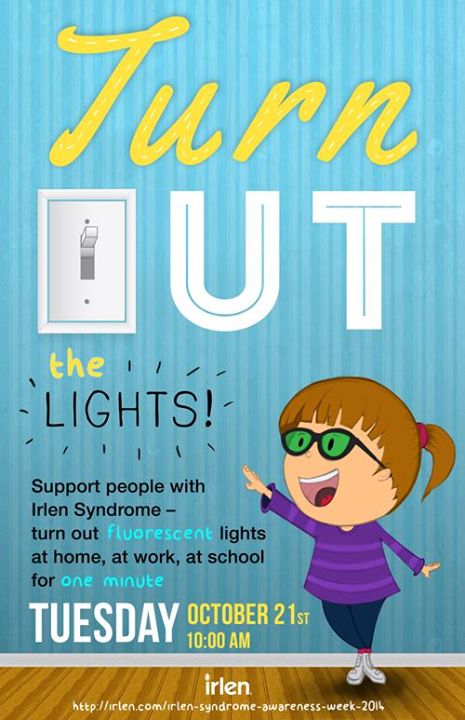
These are just a few of the symptoms of Irlen Syndrome. Find out more during the Irlen Syndrome Awareness week…

Irlen Awareness week1959539_10152856696849923_8882178089764219642_n


For more information visit Irlen Website.  More information to come this week.

And yes, there are some apps that can help with that!

Carol Leynse Harpold, MS AdEd, OTR/L, ATP , Irlen Screener

otswithapps@gmail.com or Carol@adaptivetr.com

Posted in Irlen Syndrome, Vision, Visual Perception | Tagged , , | Leave a comment

Abilipad App Price Reduction!

Abilipad icon

Abilipad App

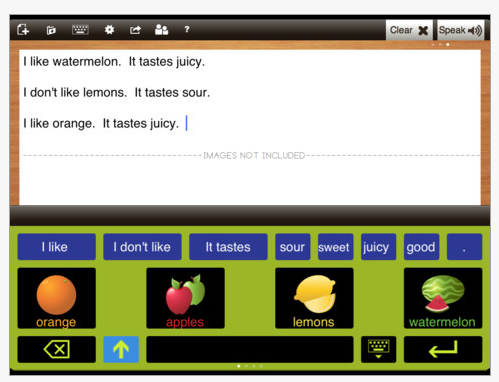
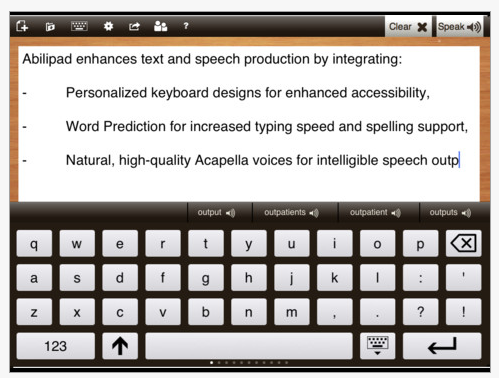
Abilipad app  (iPad; regularly 19.99) is reduced to 9.99 today (always a mystery how long this reduced price will be!). This app provides tools to customization the keyboard layout with pictures, text, key size and color. Other options available to support reading and writing includes word prediction, text to speech and ability to create a writing environment with those features. It is a great app for customizing the writing environment.

Abilipad pic 2

Abilipad pic

Great app to have in your app arsenal to support writing!

More for your OT mTool kit!

Carol


Posted in Apps for OT's, Word Prediction, Writing | Tagged , , , , , , | 3 Comments

WordToob App

light bulb-29050_640 - Pixabay

Do you ever stumble upon an app and think ” that is really cool” but the light bulb just doesn’t go on for application of it (or may be you don’t have an immediate application) ??

Wordtoob iconWordToob app (iPad; 19.99 for iOS 5.1 or later) was one of those apps. I have had it on my iPad for quite sometime but just didn’t quite see the application – maybe I was blinded by the light????

I have the opportunity of working with a great school team supporting a student with special needs. The team created videos of the many activities the student participates (dozens! Kudos to Erin and Jodi and the rest of the team!). This has helped guide the student with the activity. It has worked well to feed forward the expectations of the activity. A significant amount of research supports use of video modeling as  evidence based practice  intervention for a wide variety of individuals. Using WordToob app provides the vehicle for displaying all those video models in an organized method for easy access for the student or staff.

Wordtoob pic 1 Wordtoob pic2

John Halloran, developer of WordToob app, provides an overview of the many uses of WordToob. Although a lengthy video, the video below gives you ideas of the many applications of its use.

Video modeling ideas with use of WordToob, as described on iTunes:

• Learning social skills
• Recognizing emotions
• Visual schedules
• Learning adaptive skills
• Show and tell, storytelling

There are many more ways to use WordToob:

  • Learning new words
  • Recognizing words you hear
  • Improving articulation
  • ELL

For more information check out WordToob on their website. A number of videos in YouTube are available for ideas and instruction in its use.

Creating albums of videos certainly works on the iPad, however, WordToob app provides an easy method of titling videos and access for both student and staff. Although a bit expensive, WordToob has multiple uses beyond just presenting and organizing videos. Games, word work and visual schedules are just a few methods WordToob can be used.

As I now see the light, I am glad its on a little brighter! I am looking forward to adding this to the arsenal of apps used to support individuals with disabilities – whether at school or in work settings!

More for your teaching, PT or OT mTool Kit!

Carol

Reference:

National Professional Development Center, on Autism Spectrum Disorders. “Evidence Base for Video Model.” Evidence Base for Video Modeling (n.d.): n. pag. National Professional Development Center on Autism Spectrum Disorder. Web. 17 Oct. 2014.http://autismpdc.fpg.unc.edu/sites/autismpdc.fpg.unc.edu/files/VideoModeling_EvidenceBase_0.pdf

Posted in App Reviews, Apps for OT's, Assistive Technology, Augmentative Communication, Autism, Choice Making app, Communicaton, Customizable app, Education, iOS, iPad, Occupational Therapy, School Based Interventions, Self Care, Special Education Teacher, Special Needs, Story Telling, Therapist/Teacher Tools, Video Modeling | Leave a comment

Flip Writer AAC | Two Displays

Flip Writer lets you type a message on the keyboard, and this message is displayed on two displays,


Source: As Scooped from: http://attraining.org/atdaily/2014/09/30/two-displays/

AT Daily reviews Flip Writer app. Free, with in-app purchase for word prediction, provides a flipped display for a communication partner. Wow, I remember when these types of devices were specialized and quite expensive .  Flip Writer AAC is developed by the creators of Spell Better.

If you need a text based communication device, check this out.

Carol

See on Scoop.itOT mTool Kit

Posted in Apps for Special Needs, Assistive Technology, Communicaton, Word Prediction | Leave a comment