OT iTool Kit Tip and Trick #5 – Reducing Accidental Hits on the iPad

As easy as it is to activate a capacitative touch screen sometimes that ease can make it difficult, causing accidental hits or activation for individuals or students who have difficulty with finger isolation.  Causing additional hits and activation can be frustrating, especially when just making a movement can be an effort! Styluses can help with targeting a single point but some users aren’t ready for an implement like a standard stylus.

Scouring the racks for magic gloves with cut out fingers (or cutting the index finger tip) at discount stores at the end of the winter season can provide a cheap solution. Here are some great solutions from an experienced family sharing methods to increase the success of activating the iPad for a child with motor challenges. Check out this blog post from Uncommon Sense:  Necessity is the Mother of Invention for some great ideas. Here is one of their ideas from their blog :

Retrived on 5/1/2012 from http://niederfamily.blogspot.com/2012/03/necessity-is-mother-of-invention.html .

I really liked their ideas of using conductive thread, kids tea gloves or easter gloves (- might be still available and on sale??) to get a smaller fitting glove.

I found some great deals on cheap gloves, some with fingers and some without at discount stores by cruising their sale racks. There are also gloves make with capacitative finger tips (New Easy2touch Touch Screen Gloves PICK YOUR COLORS!!!) made just for touch screen devices:

We call them smart gloves at school (we also use them with the Smartboards when little fingers are too sticky to slide well!) and students don them readily to use with a iDevice!

Thanks to Uncommon Sense for their great ideas – when there’s a will there’s a way. Simple solutions to add to your OT iTool Kit!

Carol

Posted in Accessibility, Fine Motor Development, Finger Isolation, iPad, iPhone, iPod, iPod/iPad Accessory, Mobility Impairment, Occupational Therapy, Physical Disability Tool, Special education | Tagged , , , , , , , | 1 Comment

OT iTool Kit Tip and Trick # 4 – Transferring Pictures Between Devices

Do you have a 1st generation iPad that you want to transfer pictures to for a communication app, book making or customizing an app?

Here is an easy way to transfer the pictures you want from iPad to iPad without connecting to your computer, sending or the need for Wi-Fi. It is really easy. What you need is  your standard iDevice USB sync and charging cable, two iPads and an Apple iPad Camera Connection Kit (MC531ZM/A).

Watch this video on how easy it is to do:

Here is what the Apple Camera Connection Kit looks like. It is a bit pricey but allows transfer of photos and videos and can transfer pictures from a camera or SD card using one of the two adapters included in the kit.

This Camera Connection Kit has been very handy to transfer pictures needed onto an 1st Generation iPad with a dedicated communication app, a visual schedule or for storytelling/book creating for students. Fast, easy way of transferring photos and videos with no need to connect your device to your computer.

More tools for your OT iTool Kit!

Carol

Posted in iOS, iPad, iPhone, iPod, iPod/iPad Accessory, Occupational Therapy, Photo, Special education, Uncategorized | Tagged , , , , , , , | Leave a comment

Cosmonaut Stylus – A Really Chunky Stylus

Need a stylus that has some weight and a large shaft for gripping?

The Cosmonaut: Wide-Grip Stylus for Capacitive Touch Screens may be what your looking for. This stylus has a large shaft that is compariable to the size of a fat marker. Although I have not handle it, the description reports it to be heavier than most which is great for many students or clients who may have some sensory processing challenges and benefit tools that provide more feedback. Priced at $25.00, this is more expensive but appears to be the chunkiest stylus I have seen.

Other choices for a chunky stylus are the 2 pcs COSMOS ® Purple (Large,Small) Stylus/styli Touch Screen Cellphone Tablet Pen for iPhone 4 4s 3 3Gs iPod Touch iPad 2 3 SONY PLAYSTATION PSP PS VITA Motorola Xoom, Samsung Galaxy, BlackBerry Playbook AMM0101US + Cosmos Cable Tie . The Cosmos comes in a two pack with one fat and one smaller stylus.

We recently ordered these for school to be used by early childhood and our OT staff due to their chunky, hexagon shaft. We have found them to have a good feel and are nicely weighted, providing the sensory feedback needed for some of our students or perhaps for older clients. The actual size of the stylus is similar to the chunky hexagon colored pencils used for preschoolers but heavier. We have not had them long enough to comment on how their durability. The Cosmos comes in choice of bright, fun colors (blue, pink, green, purple) at a great price of $6.99 for the two pack.

Many choices of styluses are available. If you are looking for really chunky check out the Cosmonaut Stylus otherwise the Cosmos stylus is a great value.

One more item for your OT iTool Kit!

Carol

Posted in Fine Motor Development, iPod/iPad Accessory, Occupational Therapy, Stylus, Uncategorized | Tagged , , , | 3 Comments

More Perceptual App Recommendations

Thank you to Diane Novatnik, OTR for sharing recommendations on perceptual apps from Myfirstapps.com .

Here are her  great recommendations:

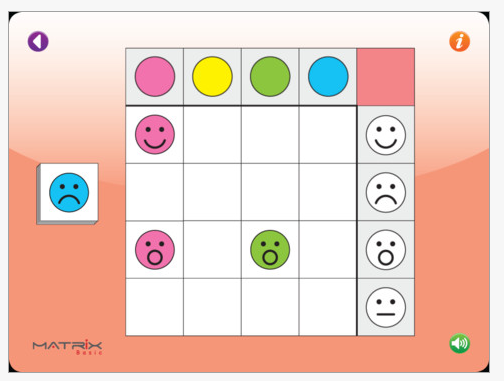
 Basic Matrix – A free app for iPad. The activity requires visual discrimination by color and image matching. Designed for ages 4+.

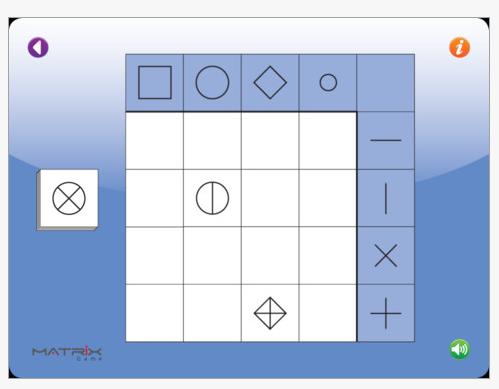
 Matrix Game – Also for iPad and free. This app requires visual discrimination skills of shape and designs within the shape. Recommended for 6+ year old skill level.

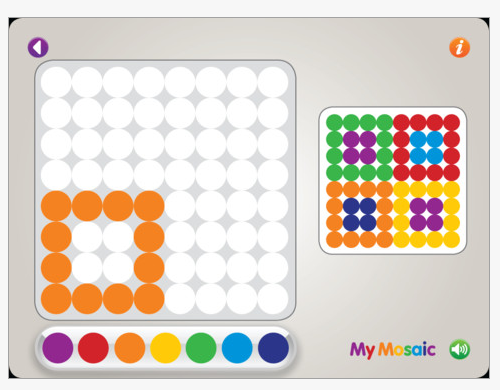
My Mosaic – For iPad and free. This app requires visual perceptual skills of spatial discrimination and visual matching. Recommended for 4-year-old.

There are many non-electronic activities that provide the these same kinds of activity. If you have students who are capable and need work on motor control, choosing the non-electronic versions of these activities may be the activity of choice. For some students who can not manipulate but can slide pieces to the correct location, this app make these types of activities accessible.   Using a stylus with the app also would provide practice for manipulating crayons and pencils for drawing tasks.

When considering the Mosaic app, I might prefer the use of the app on my iPad using an easel and a stylus to promote wrist extension, upright sitting, improved visual viewing when comparing the non-electronic version.  I often used a magnetic mosaic activity that required the use of a wand to place the pieces. That non-electronic mosiac could not be placed upright, losing some nice positioning possibilities important for some students.

Those students needing refinement of motor skills might be best suited to work on 3D mosaic tasks requiring manipulation. Considering the student needs, skills and interests and matching them to an activity is the creative and problem solving ability  therapists and teachers are great at. Therapists are especially suited to look at the physical and sensory needs of their clients and are always willing to help!

Wow! Thank you Diane for providing these suggestions! What great finds and all free. I believe you can buy a bundle of My First Apps for $.99 – also a great deal!

My First Apps has more perceptual apps available for ages 1.5 – 6 + years. It is worth checking out their website if you work with students needing perceptual skill development.

Many more possibilities for you OT iTool Kit!

Carol

Posted in App Reviews, Apps for OT's, Apps for Special Needs, Early Childhood, iPad, Occupational Therapy, Special education, Visual Perception | Tagged , , , , , , | Leave a comment

Merry Cubes App – Perceptual Game App

Merry Cubes HD – Free iPad app that provides the traditional cube puzzle game requiring rotation to match  6 different cubes pictures. Recommended for children ages 2-7 years. Information on the website describes its features:

  • 6 different 3D fruit to match and discover
  • 2 levels of difficulty – easy (4 cubes), hard (9 cubes)
  • Funny animations as a reward after every other fruit is matched and surprising animation at the end of the game
  • Designed for kids – no confusing menus or navigation.

 This cube puzzle game provides a higher level visual spatial skill to rotate and flip the puzzle pictures to assemble the puzzle correctly. It takes some getting used to do the rotating and is rather touchy, requiring good graded control to rotate the pieces to obtain the correct orientation. The app provides options of Easy (4 cubes) and Hard (6 cubes) puzzle levels.

Merry Cubes provides music in the background which has no on or off within the app (just decrease or mute the volume control) which may or not be annoying to users. When you complete the assembly correctly it does provide a quick dancing fruit reward.

This app is certainly not for every child, it requires graded control to perform controlled rotation of the pieces and a high level perceptual ability to spatially orient the puzzle piece in your head to attain correct orientation. It could be an appropriate app for students with good fine motor control needing higher level visual spatial activities than the standard puzzle assembly. It provides similar demand to tanagram activities requiring rotation and translation of the pieces to complete a design. Although it states the app is good for fine motor skills, it does require some more advance two-fingered rotational finger movements to rotate pieces but, as many iPad apps the fine motor demands are limited in a 2D  activity. If the need for fine motor skills exist, use of the 3-D, real cube blocks will best suit development of fine motor skills such as in hand manipulation skills and haptic abilities associated with manipulating real objects. If you have  questions about fine motor skill development, consult a OT who can provide more information on improving fine motor development.

Check it out to see if it would benefit any of your students or patients would benefit from this app. I searched for other apps that might be similar to this app for a comparison and did not find any comparable apps.

If it sounds like it could be something that provides a different needed skill for your students, it might provide a visual spatial app for your OT iTool Kit.

What other visual spatial apps do you use?

Carol

Posted in App Reviews, Apps for OT's, Apps for Special Needs, iPad, Occupational Therapy, Special education, Special Needs, Uncategorized, Visual Perception | Tagged , , , , , | 6 Comments

How to Draw App – Another Step by Step Drawing iTool

 How to Draw is another step by step drawing app appropriate for kindergarten to primary aged (app description indicates 4-7 years) children who have the ability to draw basic shapes from demonstration and align them somewhat accurately. Developed for iPhone and iPad, it is currently free until April 30th.

The app review reported that it can be difficult to draw on an iPhone, however using your  iPhone/iPod you could provide these visual step by step directions from the app to your student/child as instruction to draw it on paper, white board or chalkboard (then take a picture of it or photocopy the production!) if working with students who are able to copy from a model. Working directly in the app on an iPad provides the ability to trace on animated lines (arrows ) provided in a step by step manner. Verbal directions are also provided for a multi-sensory method of instruction.

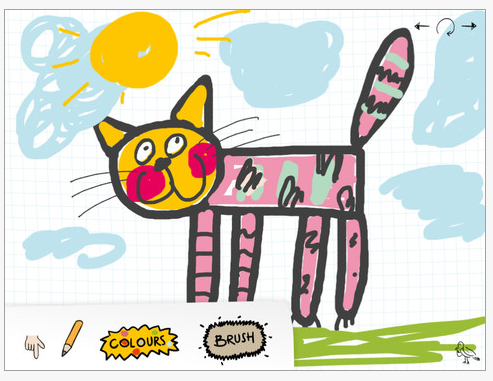
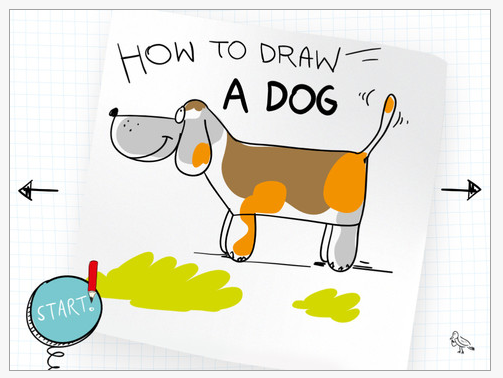
Here’s some screen shots of the app:

How to Draw app consists of twelve episodes which teach you “How to Draw a Cat, a Dog, a Space Shuttle”, a Princess, a Dinosaur, a Skeleton, the Statue of Liberty, a Pony, a Tank, a Locomotive, a Hippopotamus and Santa Claus“. Simple steps are provided (e.g. on the cat, first head, ears, eyes, body, legs, tail, then details of facial features, claws, spots) that many student can follow. Episodes such as the skeleton, tank, locomotive and Statue of Liberty require more advanced skills with a lot of detail required. A pallet of tools is also provided for different sized lines, colors, pencils or brushes.

Appropriate for primary aged students working on acquiring the visual motor and visual spatial ability to produce drawings required in the classroom or art activities. This app provides both visual and auditory instructions to support students through the drawing process. Using the tracing feature on the app then transitioning to copying it on hard copy and then from memory could support students ability to independently produce such drawings independently in the classroom.

I did not see the option of emailing your production but taking a screen shot (pressing Home button and power button simultaneously takes a picture of your screen and saves it in your Photos) is an easy method of saving and sending the creation.

Hopefully you have a chance to check it our prior to April 30th when it is offered for free. I found this app while perusing one of my favorite, trusted app resource, Digital Storytime where apps for primary aged students are reviewed.

Would you include this in your OT iTool Kit?

Carol

Posted in App Reviews, Apps for OT's, Apps for Special Needs, Drawing, iPad, iPhone, iPod, Occupational Therapy, Special education, Uncategorized, Visual Motor, Visual Perception | Tagged , , , , , , , , , | 2 Comments

Kindergarten.com Apps – Free for Autism Awareness Month!

Are you aware of Kindergarten.com’s generosity during April Autism Awareness Month?

Kindergarten.com has developed 19 different iPhone/iPod apps with 8 of them now created for the iPad. During April all of the iPad apps and the majority of the iPhone apps are free!

Using an ABA philosophy, their apps provide flash card content to develop expressive and receptive language skills. The apps provide wonderful, focused real life pictures and great sound to provide clarity to the content presented.  They have continued to upgrade their apps now providing options in the settings for controlling the audio, labels, descriptions and the ability to select specific target content and reinforcements. A new feature provides the ability to collect data (not by multiple users). Having downloaded these apps a year ago during Autism Awareness Month, improvements provides more customization within the apps.

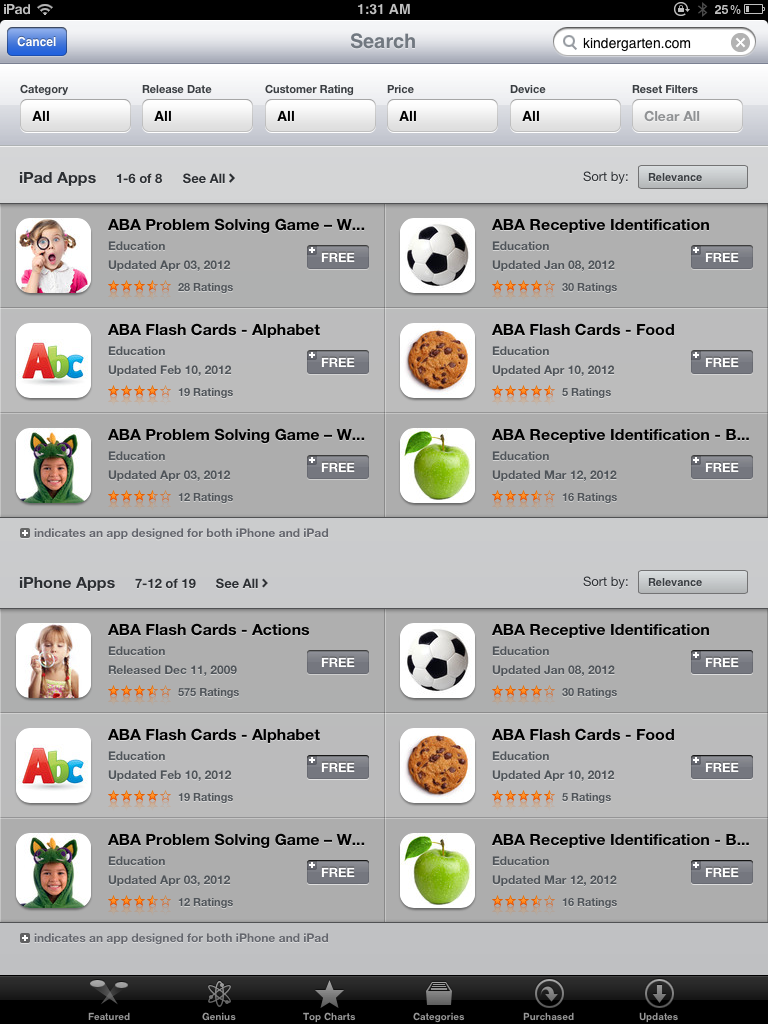
To check out all of their apps at a glance, go to the App Store on your iDevice, click on Categories at the bottom of the screen. In the search box at the top right of the screen type in “Kindergarten.com”, this will generate all of the apps by iDevice (iPad or iPhone/iPod) that Kindergarten.com has developed. Here is the search results for Kindergarten.com in the App Store:

You can scroll left and right within this search to view all of the app titles and download them from this search page to your heart’s content!

Although not all of these apps may be appropriate for OT’s, I have found some titles helpful with some of my students with ASD (Autism Spectrum Disorder). Those that I have specifically used included the emotion app with some students needing help to understand feelings and emotions that often are tied into sensory and behavior management.  The flashcards provide different pictures of real people of varying ages to aid generalization of those feeling and emotions.  The flashcards focusing on letters and objects reinforce academic or daily living concepts that also might focused on with your students.

Be sure to check out the apps and share them with the speech and language therapists and special education teachers you work with.

Happy Apping at Kindergarten.com! Which ones will be added to your OT iTool Kit?

Carol

Posted in App Reviews, Apps for OT's, Apps for Special Needs, iPad, iPhone, iPod, Occupational Therapy, Special education, Special Education Teacher, Special Needs, Uncategorized | Tagged , , , , , , , , | 2 Comments

40+ Super Secret iPad Features and Shortcuts

This was shared on Twitter by Dr. Jenny Lane.  Posted on  iPad.Appstorm.net  it features 40 great tips and tricks for iPad use!

Check it out to see how many you know and learn a few more tricks for ease of use with the iPad!

If you visit I bet you will find a new tip or trick to put in your OT iTool Kit!

Carol

Posted in iOS, iPad, iPad Management, Occupational Therapy | Tagged , , | 1 Comment

Voice Dream Reader App – Making Text Accessible

Voice Dream Reader App for iPhone/iPad (1.99) is a newly developed app  by Winston Chen which supplies high quality text to speech within a reader app. Some of the great features this app provides is its easy connection from within the app to the Web, Dropbox, Instapaper and Read It Later- now Pocket services files and text to speech capabilities for access to documents when imported. Established accounts with Dropbox, Instapaper and Pocket are needed for access to those web-based services. As a frequent user of Dropbox to manage, organize, transfer files and media to numerous devices, I am extremely excited to find this app that integrates established cloud services so well and provides access to print for special needs students all for $1.99!!!

Voice Dream Reader app’s ability to connect to your Dropbox articles and documents organized in the cloud allows access to many different file formats:

  • PDF
  • txt
  • Word documents
  • RTF
  • PPT documents
  • epub
  • Pages documents
  • Keynote
  • html/htm files

After accessing and importing your files, the app populates the documents into a playlist that provides easy access to different documents within Voice Dream Reader app.  I see this being used to manage and populate documents into a playlist for students to read using the text to speech tool – all in one easy app.  How exciting is that!!!

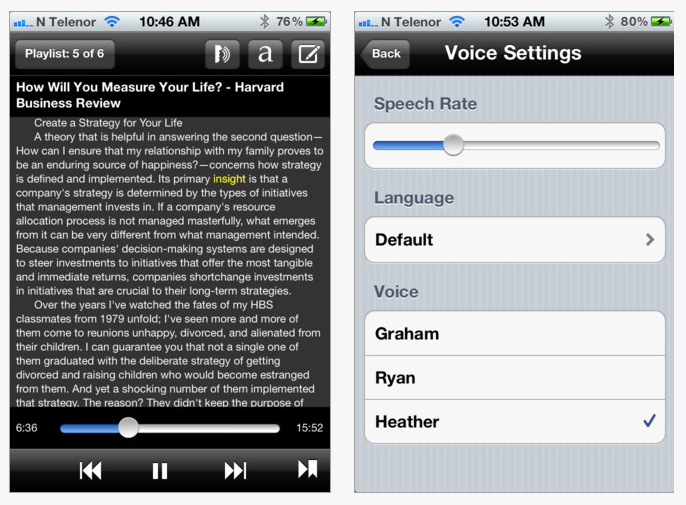
Here are some screen shots of how Voice Dream Reader presents on an iPhone:

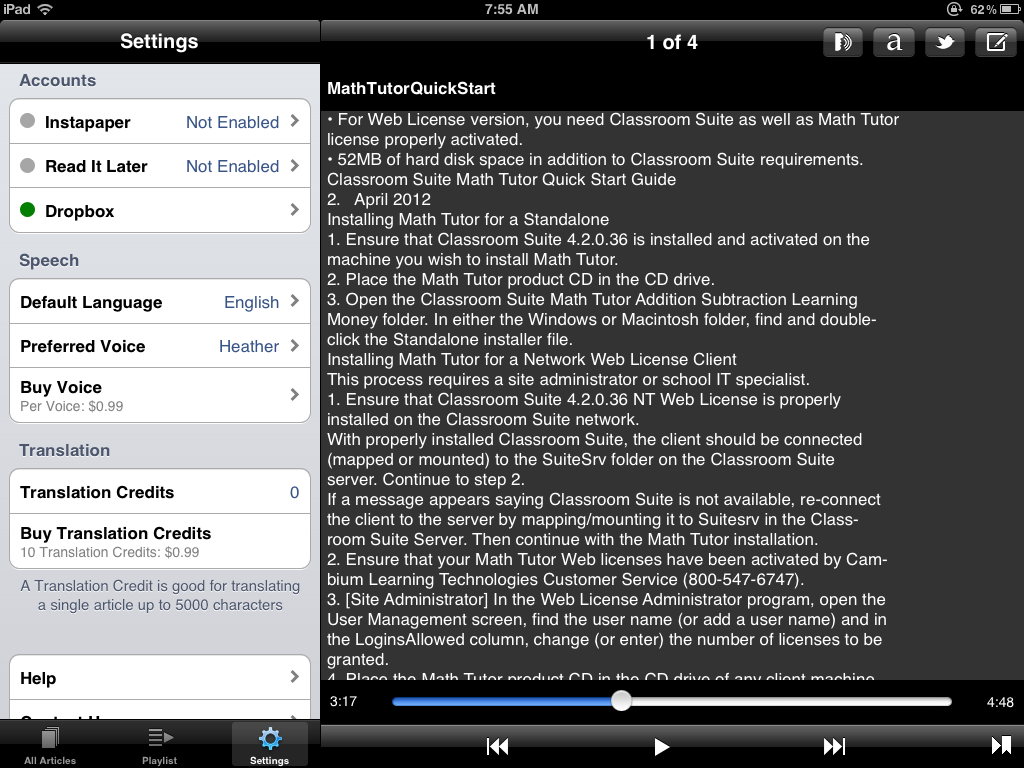
Here is the app on my iPad reading a PDF imported from my Dropbox:

Immediate use of the app found the text to speech provided to be high quality. It offers a wide variety of other high quality voices for $.99/each which can be easily downloaded within the app. Other features supporting students with a print disability include easy access to speech rate, choice of voices (as purchased), ability to turn on highlight spoken text and ability to increase or decrease text size up to size 17 font. The app provides easy controls at the bottom of the screen to pause, start, forward, review and return to the last text location you read.  You can also touch a word to start it reading at that location when  text has been stopped or been paused. This feature required use of a stylus for me due to the size of the text, but was much better than many other apps I have used with text to speech which did not provide easy start and stop of text to speech at the touch of a word.

The option of highlighting spoken text (yellow only and one word at a time) is important, however the small text size somewhat limits its visual effectiveness. I hope that the limited text size might be changed in the future to larger font size capabilities.  What is impressive is the presence of the highlighting, high quality text to speech, ease of managing the speech rate as well as ease of general navigation within in the app. An immediate help menu provide a good overview and directions for app use. Other features not mentioned such as editing text, translating are also provided within the app.

Thank you to the developer Winston Chen for alerting me to his new app. I think it is a great app that can be used for individual with a print disability whether middle, high school, post secondary, or adult users who need to easily access documents stored in cloud storage or from other Web services (newspapers). It does not allow access to iBooks or Kindle services or have study tools but does provide high quality text to speech and easy access to documents of your choosing. Many of our students qualify for Bookshare service which has a great app to access Nimas files, however for accessing classroom content not found in Bookshare stores, this provides a method of accessing curriculum materials in a number of different formats within one app on the iPad. The developers statement on the iTunes app page stating “this app will actively be maintained and enhanced” indicates a commitment to the app and individuals with a print disability. Contact with Winston Chen found him very responsive to questions regarding the app!

Do you have a suggestion of a similar app you use, please share! If you don’t have an app that imports and reads a variety of formats check out this app and consider adding this to your OT iTool Kit!

Carol

Posted in Adults with LD, App Reviews, Apps for OT's, Apps for Special Needs, High School, iPad, iPhone, iPod, Learning Disability, Middle School, Occupational Therapy, Post secondary, Reading, Special education, Special Needs, Text to Speech | Tagged , , , , , , , , | Leave a comment

iPad and Student Transport

The more we use the iPad the more we find uses for it. For some students their schedules or communication tools are on it and it goes where ever they go. Those students often have a paraprofessional or teacher accompanying them, however if we want students to be independent with their devices they need to be in control of it and have ready access to it for immediate use. So how do we keep it available/accessible and protected for students whose goals are to have ready access to the iPad for schedules and communication when transitioning about school?

Fortunately we have protected our idevices with Otterbox cases. The iPads with Otterbox cases have survived being bounced, tossed and dropped without electronic injury. Most of our students have the ability to carry their devices safely. A recent planning meeting for a student who will be transitioning to use of their iPad for use with their visual schedule lacks a secure grasp and motor planning skill to ensure safe transport while moving about the school.  The Otterbox cases has protected our iPads thus far, but this situation seems to warrant a bag with a strap to help protect the iPad during use and transport. So what are the choices of totes or bags with shoulder straps for an iPad that allows immediate access and protection transported by the student?

The search began. Here are a few bags that I found that would appear to fit the bill:

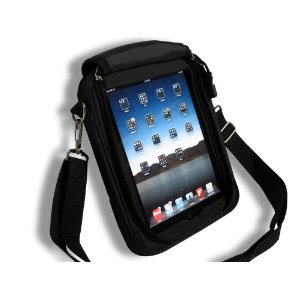
Padded Ballistic Nylon Hybrid Travel Case / Bag with Strap for iPad and iPad 2
– 49.99 Heavy duty foam, plastic, and nylon around the edges protect your device in case you do drop it. Looks very sturdy and functional for students.

The TRAVELER II mobility iPad 2 & The New iPad 3 cases – Royal Blue
(59.99) that has possibilities depending on the case used with the iPad. Made with neopreme to hug the device. A stand is integrated into the back of the case.  Comes in 8 different colors.

RJ Cooper also has an Ultimate iPad Case or shoulder bag made for iPads ($99) which appears to include a bumper case for protection.

Any suggestions for an iPad bag with a strap? What have you used for your ambulatory clients who need ready access to the iPad? Please share!

Carol

Posted in iPad, iPhone, iPod, iPod/iPad Accessory, Special education | Tagged , , , | Leave a comment