I found this a helpful post. Of course there are more options including using Google drive and Google Drive app or a Google Site for accessing content!
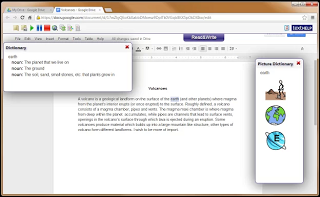
Kurtis Broeg in his blog post “Sharing Picture Vocabulary using Read & Write with Google Extension” provides an explanation and a video demonstrating how to create a picture vocabulary list in Read & Write in Google Chrome. I am thankful to be able to see his short but succinct video explaining the use of this tool that I have not been successful with using.
Check out his blog post and the helpful video he created to make picture supported vocabulary lists for your students:
Thanks to Kurtis Broeg for creating the video and sharing!
Story Wheel is an app for the iPad and iPhone that is designed to promote audio storytelling. Spin the Story Wheel on your device and when it lands on an image, dictate a short story based on that …
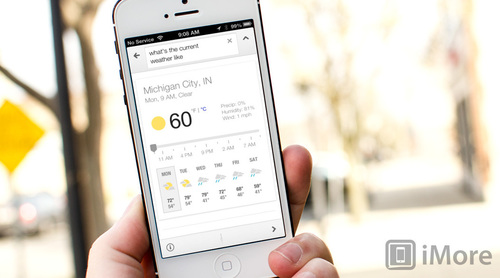
Use of Google is pervasive, whether personally or in the schools for those who work in a Google schools. Adding apps, extensions and other functionality to your mobile devices with Google tools can help with efficiency, some basic accessibilty and a host of synchronizing tools. Google Search for iOS gets Google Now! which can integrate more Google features on your iDevice. See the post at: http://www.imore.com/google-search-updated-weather-traffic-and-sports-information
Google Search has just been updated to add even more features from the Google Now service including traffic and weather updates as well as information about sports teams and breaking news.
Are you and your students really getting the most out of the iPad? FETC speaker Luis Perez lists 12 little-known tips, tricks, and settings to supercharge your iPad use.
Sometimes it seems just unbelievable what apps can do. I stumbled upon TapTapSee app reviewed on Disabled World by Thomas C. Weiss and just couldn’t resist sharing this incredible app that takes pictures and speaks aloud what the object is. Created for individuals with low vision and blindness, such apps may also provide support for some individuals with significant reading or dyslexia when access to print is a huge barrier.
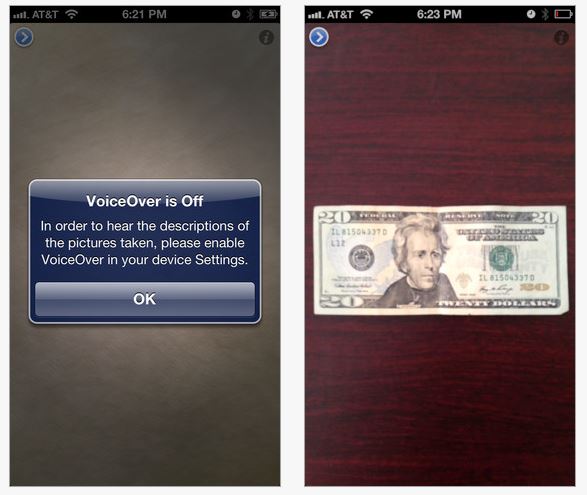
TapTapSee is a free iPhone/iPad app requiring an iDevice with a camera (the better the camera the better the outcome is usual for apps such as these) and Wi-Fi or Internet connectivity for it to work. It is optimized for iPhone 5. After taking a picture, the application identifies the item and speaks a description back to them. VoiceOver is required for the description to be spoken.
As always seeing is believing, so here is a video from Disabled World that provides you a glimpse of what it can do:
Using my iPad3 I had to trial this app out. I took pictures of every day objects with labels such as:
Pamphlet from hotel chain
Container with Sony CD’s
Paper back book of Sudoku puzzles
In 2 of the 3 items the labels had word art labels with large block print (ever try to scan word art labels? it is a nightmare in the OCR world of accessing print!). Although the information read aloud did not give me detailed or text to speech of the smaller print on the label, in each case after first snapshot (and first use!) the labels were clearly spoken using VoiceOver :
“XYZ Hotel”
“Sony CD”
“Sudoku”
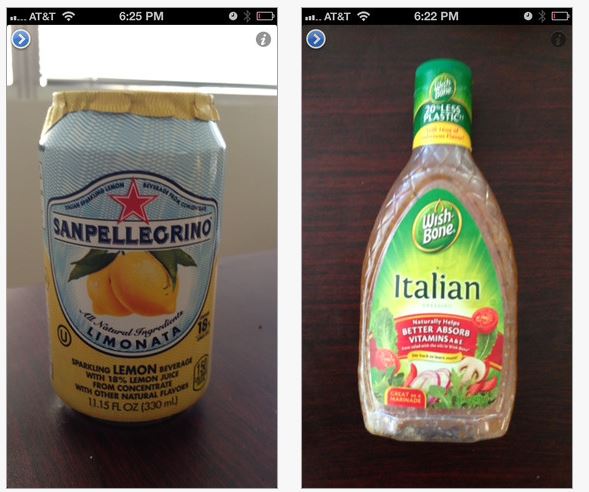
Thomas C. Weiss’ review from Disabled World reported that TapTapSee was an easy to use app. That is no exaggeration. It provided prompts for turning on VoiceOver to make sure it would operate. With only two buttons on the screen and voice prompts given (a play or review button and information button) problems occurred were typically due to operator error. The app identifies bills, colors as well as object and basic labels:
TapTapSee is truly a remarkable app for individuals with significant visual challenges. Recently, I had the opportunity to work with an individual with severe dyslexia who could perceive pictures but not letters, words or numbers. Navigating the community was a concern with “reading” signs, door markings, and other environmental words and numbers. Although TapTapSee won’t read a whole menu (there are other apps that can do that better however), it just might be the answer to accessing some basic environmental print that may not be detected with OCR!
Wow! How exciting – TapTapSee app just needed to be shared – perhaps not for everyone but for the right individuals this could be a wonderful access tool! I can’t wait to try this on a shopping trip with my iPhone!



 OT's with Apps & Technology