Dysgraphia Solutions for Math

Math apps CalcuPad Mathscribe

Students with dysgraphia are challenged with producing written information legibly and fluently. Written composition is a significant challenge but also writing math problems can also be a challenge. Here area a few solutions for creating math problems electronically – yes with apps for that!

A couple that can do the job (certainly there are more!):

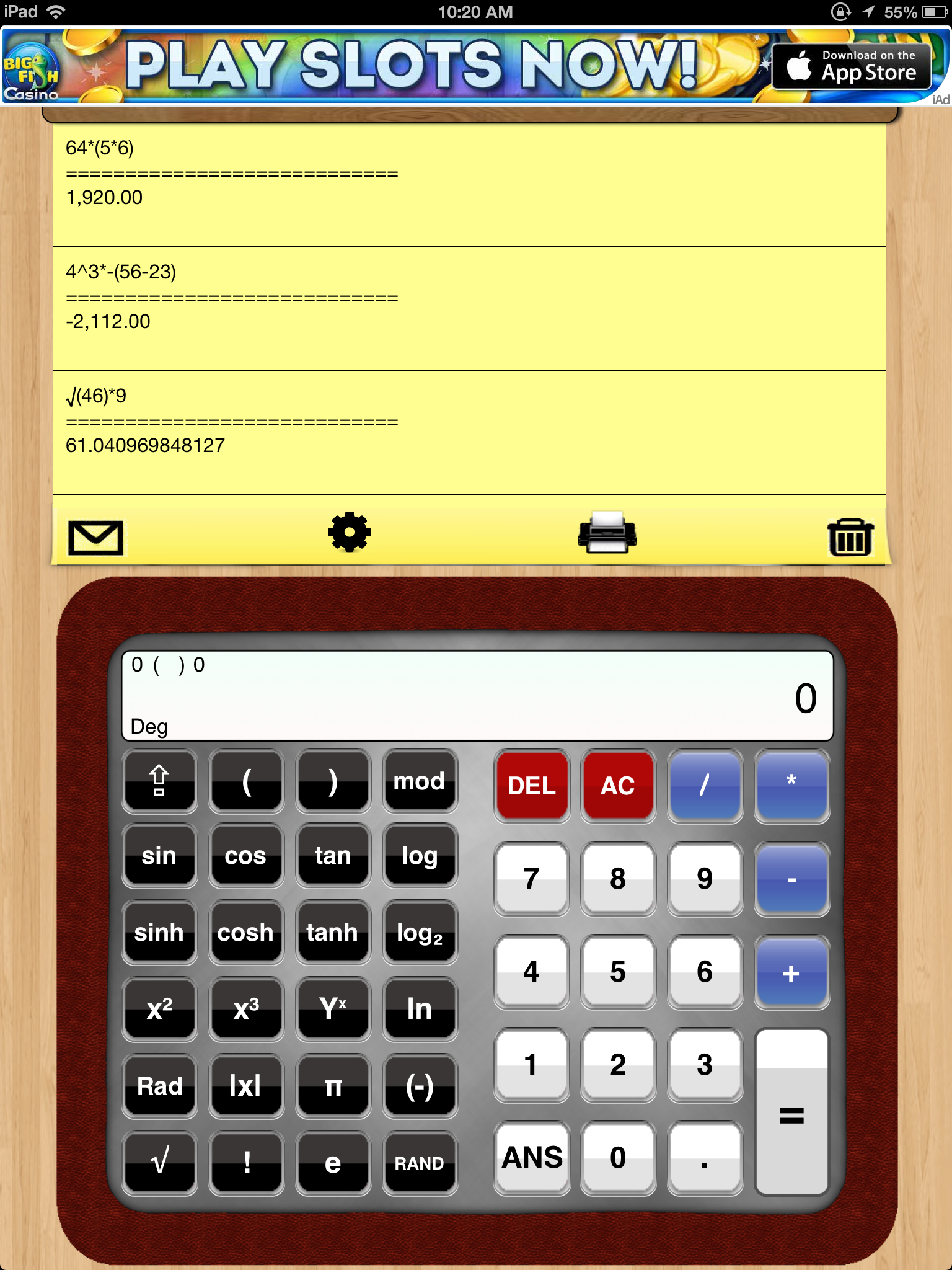
CalcuPad iconCalcuPad App (free and Pro- 1.99) – Provides a viewable writing area to display the math equation. Performs the calculation automatically. Provides symbols for operations as √, parentheses, exponents needed in algebra problems. You can populate a number of math problems on one page. Work flow provides printing, copying and emailing your work. Pro version removes ad.

CalcuPad pic1

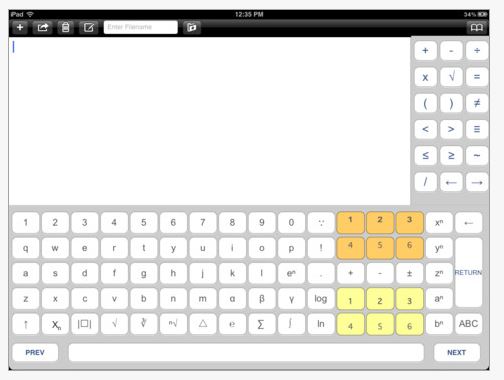
Mathscribe iconMathScribe app (free) for iPad. Provides a document work environment for creating basic math problems. Create new and saves as RTF files. Three different keyboard providing a variety of math symbols are available using the PREV and NEXT buttons on the bottom of the keyboard.

Mathscribe pic1

Both of these apps could provide solutions for upper elementary, middle or high school or college students who have significant difficulty writing math problems and are taking basic or functional math classes.

Certainly there are many more, but here are a few for your school, AT or OT mTool Kit!

What math apps are in your mobile tool kit?

Carol

Posted in App Reviews, Elementary School, High School, iPad, Learning Disability, Math, Middle School, Occupational Therapy, Writing | Tagged , , , , , | 4 Comments

Teacher’s Visual Library of 40+ iPad Apps ~ Educational Technology and Mobile Learning

See on Scoop.itOT mTool Kit


“I love it when I come across such educators curated lists of apps because I know since these apps are reviewed by fellow teachers then there is a high possibility that they will work for other teachers in different settings too.

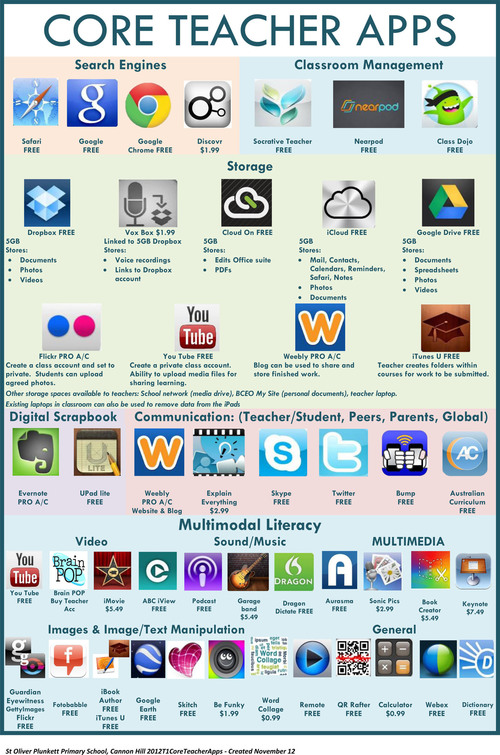
For instance, the wonderful work embedded below and which has been created by the folks in St.Plunkett Oliver Primary School http://www.stoliverplunkett.qld.edu.au/Pages/default.aspx ; is a great library of apps that every teacher should have the chance to explore. It contains a set of useful apps pertaining to different categories. Most, if not all of these apps, have been already reviewed here in Educational Technology and Mobile Learning before but it is much more practical to see them  compiled and organized all in one page.”

Carol Leynse Harpold‘s insight:

Looking for educational apps for mobile learning. Check out John Evans scoop!

Carol

See on www.educatorstechnology.com

Posted in Uncategorized | Leave a comment

Video Scheduler – A Top Ten App for Special Education

See on Scoop.itOT mTool Kit

Get Video Scheduler on the App Store. See screenshots and ratings, and read customer reviews.

Carol Leynse Harpold‘s insight:

This is a great app providing video scheduling for students with a preferred visual mode of learning or accessing information.

Check out this review scooped by Kathleen McClaskey.


Carol

See on itunes.apple.com

Posted in Uncategorized | Leave a comment

Handwriting vs. Keyboarding–from a Student’s Perspective

Jacqui provides insight on keyboarding vs. handwriting speed for upper elementary/middle school students. As OT’s this is a process that we typically do with students we support individually. It is a great perspective to gain Jacqui’s insight on typical students responses and progress!
Thanks Ask a Teacher!
Carol

Jacqui Murray's avatarAsk a Tech Teacher

keyboardingEvery year, I have 4th grade students compare handwriting speed to keyboarding speed. We run it like an experiment.

  • we discuss the evidence–pros and cons
  • we develop a hypothesis
  • we test the hypothesis (with a series of four tests)
  • we revise if necessary

I wanted to test some of the reasons students come up with on both sides of this issue. I framed the discussion with Common Core standards for keyboarding as well as my school’s guidelines:

  • students must type 25 wpm by 4th grade, 30 by 5th, 35 by 6th, 40 by 7th, 45 by 8th
  • students must type 2 pages in a single seating. That roughly 500 words. at the 4th grade required speed, that’s 20 minutes of typing at a single sitting

Since fourth graders for both years I’ve done this have (from a show of hands) believed handwriting was faster, I put that as pro. I…

View original post 535 more words

Posted in Uncategorized | 4 Comments

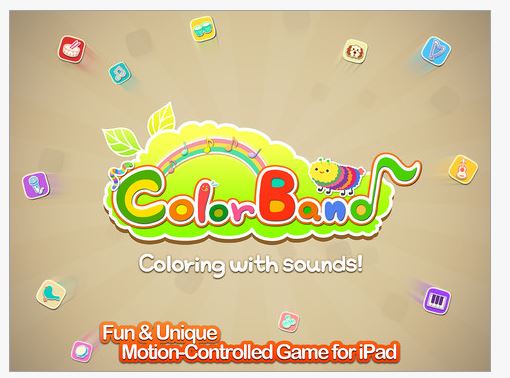
Play Your Musical Drawing – Hands Free with Color Band App

Color band pic1

Color band iconColor Band App, for iPad (free with in-app purchases) provides an interesting twist of technology to drawing with music. It Combine a drawing with crayons and music with the ability to play the music with your fingers as well as hands free by waving your hand over your drawing.

This “new” technology (at least for me) looks a little like what is yet to come with iOS 7  and some of the switch activation features, one which activates buttons or selections on your iDevice by motion detected from your front facing camera – an absolutely WOW kind of technology coming soon (thanks Rick Z for your beta demo)!

Seeing the Color Band app in action provides a much better understanding of what this app can do…

App Features

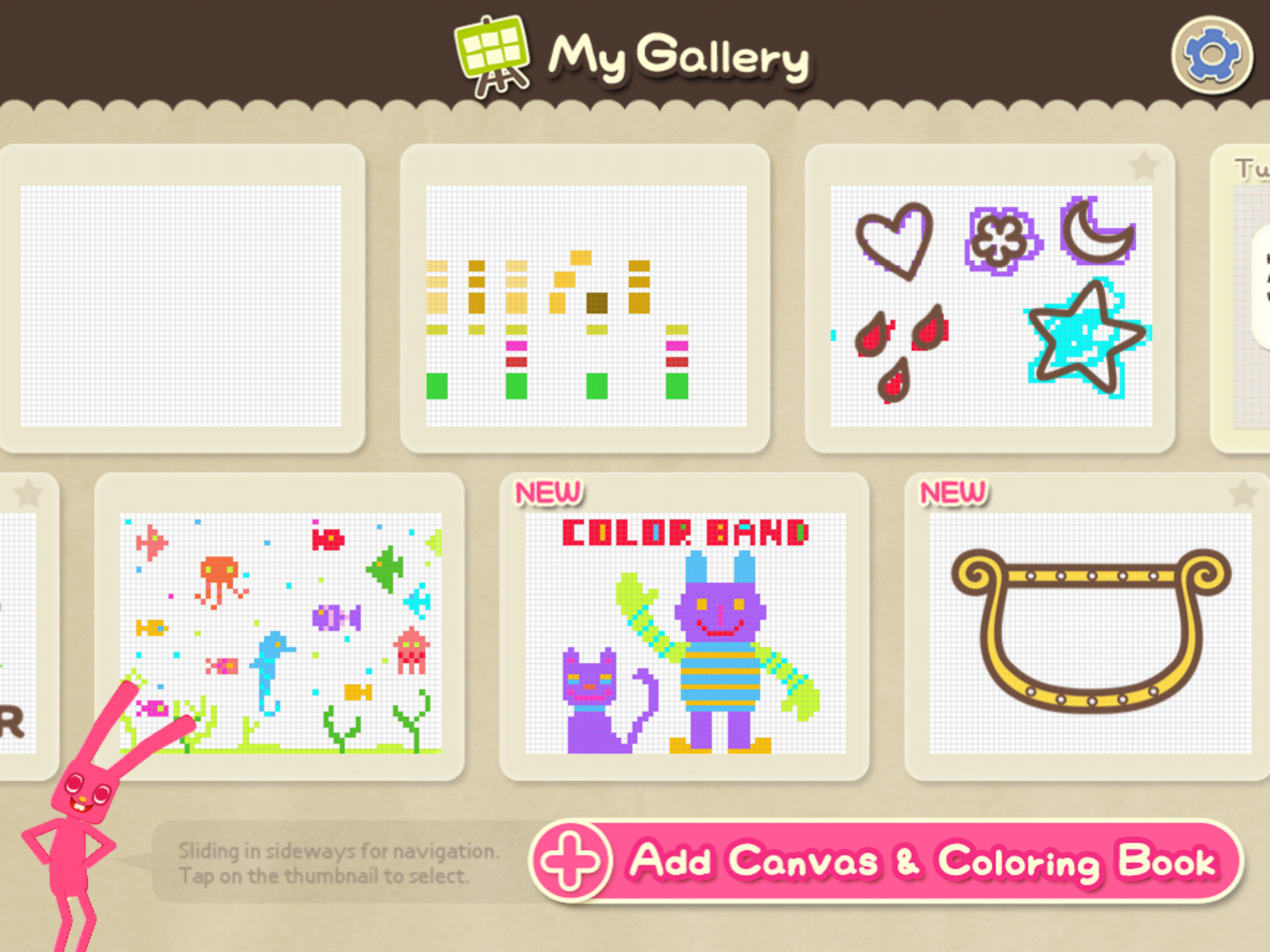
The app provides blank drawing pads or pictures to draw in using color and music palates.  A drawing mode and a play mode provides the choice of interaction with your drawing. Productions can be saved in your “Gallery” to replay or erase and start all over again.

Color band pic4

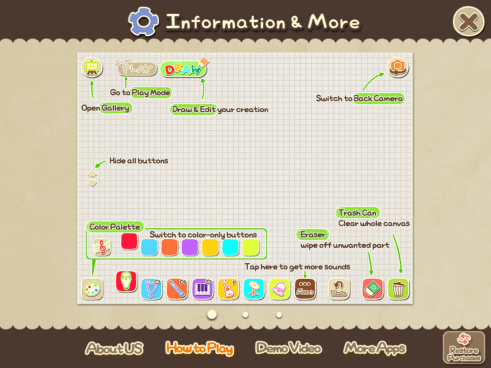
A video demo and “how to play” instruction sheet is available in the apps setting to help get started but most of the tools are intuitive. Watching the video demonstration provides great information on how to get started.

color band pic3

Additional palates are available as in app purchases which are somewhat expensive at .99 to 1.99 for a few additional pictures or tools. Other in app purchase options includes adding other instrument sets, an animal sound set or miscellaneous sound set that has everyday life sounds.

Thoughts

Color Band app is an intriguing app providing drawing tools with sounds and interaction upon completion. I have not had a chance to trial this with students or kids, but the interactive qualities of this app invites participation, especially for those who are attuned to music. The potential for just drawing, creating basic shapes, letters and numbers or using as a cause and effect tool appears somewhat endless. I believe just playing with it opens the door to ideas of how camera detecting movement activation controls work. Now think about all those students or clients where direct access is challenged and a movement might result in control of your environment or selection on a device… just for that glimpse. This is a huge thumbs up app for me!

Here’s to you Gail and your girls who asked for a movement sensed app… It is coming!

Carol

Posted in App Reviews, Apps for Special Needs, Cause and Effect apps, Drawing, iPad, Mobility Impairment, Motion Activation, Occupational Therapy, Special education, Special Needs, Visual Motor | Tagged , , , , | Leave a comment

Timers with Elapsed App

Elapsed timer icon

Ever need a timer that provides multiple alarms ?


A student that I work with is working on determining his self regulation needs along with completing homework tasks with greater independence using schedules and work choices within his day. Taking a walk for just a few minutes helps him self regulate and refocus on his work tasks.  The walk time is only 4-5 minutes but knowing how far to walk in one direction and then returning back within the 4-5 minute period is another component that needed to be worked on to achieve the goal (yes, we have set the time on 2 minutes then when it goes off it is time to return, but then it is not a concrete, written cue!).

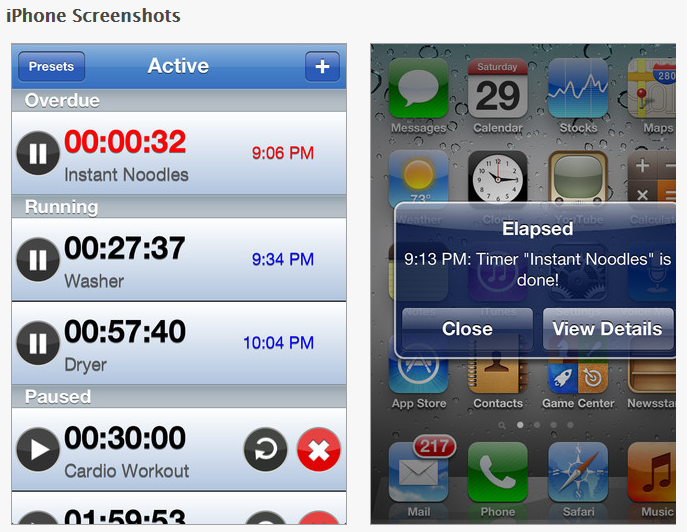
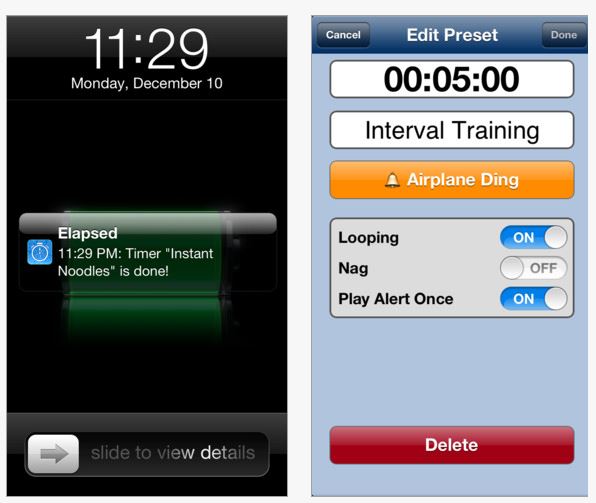
Timers with Elapsed: The Multiple Timer App (iPad/iPhone) is one solution that would work providing an alarm with two presets for 2 minutes on his iPad mini. This app allows setting multiple alarms, unlimited presets, allows reusing the set times and stopping it and runs in the background.

Elapsed timer pic1Seven different alarm sounds are provided in the free version plus Silent (vibrate) for iPhone.  More alarms are available with an in-app purchase (1.99). The alarms can be set for Looping, Nag or Play Alert Once providing persistent alarm reminders. Preset alarms can be searched alphabetically or according to Recent or Frequent for reuse.

Elapsed timer pic2

The free app does have an ad at the bottom of the screen which can be removed with the premium purchase.

Although this is not the strict visual time with visible lapsing timer, Timer with Elapsed  app definitely can provide support for students or individuals with cognitive impairments (CD, ASD, EF , etc. ) to support awareness of temporal organization such as multiple sequenced tasks, break periods and allotment of time at school, home or work.  I know this would be helpful to me to help organize multiple tasks required to complete within a specific time period.

Have you used this app or any similar to this multiple timer app?

More for your OT mTool Kit.

Carol

Posted in Adults, Adults with LD, App Rubric, Apps for OT's, Apps for Special Needs, Autism, Cognitive Impairment, Developmental Delay, Free apps, iPad, iPhone, iPod, Life Skills, Occupational Therapy, Organization | Tagged , , , , , , | 2 Comments

4th of July Apps

Fourth of July

Looking for 4th of July apps for a road trip, seasonal fireworks celebration without overload, a seasonal social story, or just for fun?

Here are a few free or low cost apps with a US Independence Day theme:

Real Fireworks app HDReal Fireworks Art Show HD (iPad; free)  – Create fireworks light show, draw in a 4 in 1 app.

4th of July Mahjong iconFourth of July Mahjong – (iPad/iPhone; free) – Play a Fourth of July mahjong matching game. Great for individuals with visual preferences.

Fireworx light show icon Fireworx Light Show (iPhone/iPad; free) – Display a fireworks light show on your iDevice and control the noise or surprise of the real thing.

Fireworks Arcade icon  Fireworks Arcade (iPhone/iPad; free) – By Big Duck Game is a fireworks game app.

i See quence fireworks icon  I See quence … Going to Fireworks (iPhone/iPad; 1.99) by I Get It! is a social story app for those needing understanding of going to fireworks.

Fourth of July is a fun day, however fireworks, the unexpected sound and booms of firework can be a challenge for those with hearing sensitivities. Noise cancelling or reduction headsets can be a huge aid to help with tolerating the noise and management of the anticipation of the sound and vibration that comes with firework displays.

The folks over at i Get It! , developers of I See quence … Going to Fireworks have great suggestions for managing the fireworks events as listed below. Whether you have their app or not, there are many ways to produce the suggestions they provide on an iDevice or in hard copy – whatever will work!

Suggestions from i Get It!:

      • Preview the events at an upcoming fireworks event by organizing and discussing the icons in the i See-quence…Going to Fireworks app.  Start a few days before the event and continue reviewing until the day of the fireworks.
      • Use i See-quence… Going to Fireworks as a visual support to target narrative discourse objectives. While at the fireworks, pictures of the child can be taken easily using the camera button in the app on your camera-ready device.   Custom pages are easily created in the “Settings” section.  Written reminders can be added in the text box of each page.  Using the pictures and text, the child can be more independent and descriptive in recalling the details of the event afterwards.
      • Fireworks often have periods of wait time.  Provide your child strategies while waiting for the fireworks to start or after the event.  Use custom pages to include these ideas in the activity sequence.
      • Use the custom icons to include pictures of family and friends you will see at the fireworks.  Prior to the event, brainstorm conversational ideas for each and list in the “Notes” section.
      • Encourage executive functioning skills by using the app to plan for the fireworks event.  Make a packing list of supplies using the notes section.
      • Address possible behavior issues by including rules and behavioral expectations using the notes section.  Picture modeling of expectations can be illustrated on a custom page by taking a picture using a “camera ready” device.

Here is a suggestion for noise reducing headsets for children or adults :

Baby BanZ Noise Protection Ear Muffs , Black, 6 Months – Adult (23.89 at Amazon)

Howard Leight R-01526 Impact Sport Electronic Earmuff (44.66 at Amazon)

Another choice are the noise reduction ear muff sold at Walmart in the sporting goods department.

Some of my students or client not only like the noise reduction of these headsets but also the pressure on their head or ears when wearing them.

Appy Fourth!

Carol

Posted in App Reviews, Apps for Special Needs, Cause and Effect apps, Free apps, Holiday and Special Events, iPad, iPhone, iPod, iPod/iPad Accessory, Social Story, Special Events, Uncategorized | Leave a comment

Cut the Buttons App

Cut the Button icon

Cut the Buttons is a free app (but with in app purchases) for iPhone and iPad that actually resembles a fine motor task. Promoting use of the iPad as a fine motor tool stretches my professional sense of what fine motor involves (manipulative, haptic interaction of your hand and fingers) but, I have to admit that this app may qualify  – at least somewhat!

Cut the buttons pic2


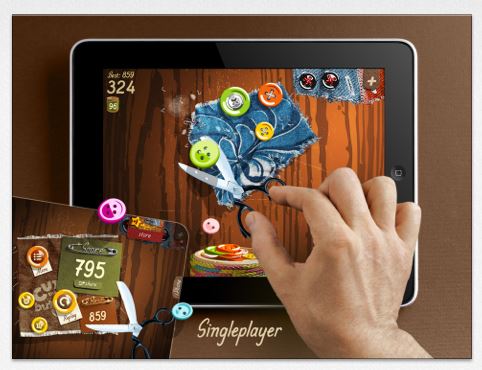
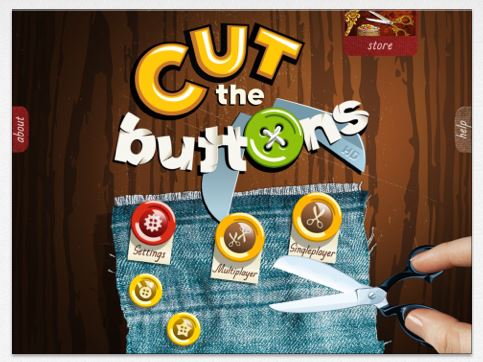
Cut the Buttons app provides a virtual scissors requiring you to cut off buttons that enter on the screen. An element of timing and sequencing and spatial relations is required in the single player mode which also requires you to cut the buttons off so they fall into a container. Another element of problem solving presented are metal buttons that ruin your scissors and don’t cut off which also challenge your score. A multi-player mode provides two scissors requiring only cutting the buttons as quickly as you can. Scores are provided as an incentive to beat your prior scores.

Cut the buttons pic1

Pros of the app are the great graphics, ability to select right or left-handed cutting modes. An arcade option and classic option of play is provided with the ability to select the length of play time (1-5 min) and level or speed of presentation of the buttons (normal and crazy). I found the normal speed to be plenty fast. This app would be best for elementary aged students K – 1st grade and beyond.

Cut the buttons pic2

A word of warning – this is a Game Center app with ads and in app purchases for advancing your play. Those pop up screens are always annoying. Setting restrictions in your General Settings menu will help you manage unwanted access to purchases or links.

Try it out! This might be an entertaining fine motor/visual motor app for summer road trips for your kids or students. On the other hand, you might just enjoy some free time for your self this summer playing Cut the Buttons!

Enjoy!

Carol


Posted in App Reviews, Apps for OT's, Fine Motor Development, Finger Isolation, Free apps, Game, iPad, iPhone, iPod, Occupational Therapy, Visual Motor | Tagged , , , , , , , | 2 Comments

WriteOnline App

WriteOnline icon

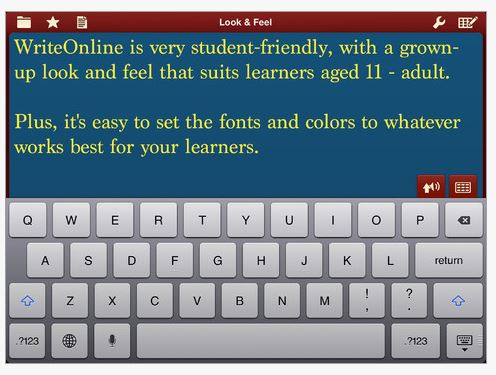
Crick Software has a new iPad app, WriteOnline (28.99) providing writing support :

  • Word Prediction
  • Word Banks (topic and alphabetical)
  • Text to Speech
  • Talking Spell Checker

With features similar to their Clicker Docs app, WriteOnline app has a more mature look for middle school or older students using the iPad:

WriteOnline pic2

WriteOnline app

WriteOnline pic3

Like Crick’s other apps and software, access to the shared Learning Grid resources for  WriteOnline app provides topic word banks already created for free. Workflow to Dropbox is available within WriteOnline app.

I haven’t had a chance to trial WriteOnline but it appears to be well worth exploring if needing word prediction and resources for a variety of topic word banks for your students. Support from developers such as Crick who have provided software for special needs for years is also a huge benefit.

For more information check it out on Crick.com !

More for your teacher, parent/student or OT mTool Kit!

Carol

Posted in App Reviews, Apps for OT's, Apps for Special Needs, Customizable app, iPad, Occupational Therapy, Spell Checking, Word Prediction, Writing | Tagged , , , , , , | Leave a comment

Summer Road Trip Apps – Gone Free (and other road trip games)!

Summer pic

What to do with the kids in the car on a road trip?

Have a summer road trip coming up? There are many fun road trip activities to engage a whole family when riding in the car. Here are some fun apps that are creative, require some visual perceptual and visual motor skills but mainly just plain fun – great for occupying kids on a summer road trip (or rainy day for short durations) – And FREE (today at least…)!

Oscar Pizza Chef Pro icon Oscar Pizza Chef Pro – by Timbuktu for iPhone and iPad provide a pizza creating, baking and monster eating experience. Most kids love pizza, let them make and have their pizza too on your iDevice!

Oscar Pizza Chef Pro pic1

Toontastic Jr Pirates iconToontastic Jr. Pirates – for iPad only provides a story telling experience using story starters, stickers and prompts for beginning, middle and ending of a story. Create a video cartoon and share with others!

Toontastic Jr. Pirates pic1

Itsy Cars icon Itsy Car – for iPhone and iPad allows the user to choose the design of a car and create a track with a variety of different track configuration pieces to drive on. Once your track is done it allows the driver a virtual view of the track from the drivers seat. Some speed controls are provided when driving on the track. Provides some visual perceptual and planning when creating the track. Saving and sharing is also provided in this app!

Itsy Cars pic1Some summertime fun apps for car rides, rainy days or quite moments (short periods for screen time for kids are recommended!) when kids aren’t outside moving and playing this summer!

Don’t have a iPad for kids this summer for road trips? That really is okay – you’ll have fun with your kids playing road games – I have spent hours playing the alphabet sign game, I Spy, looking for state licenses, reading appropriate riddles and jokes, listening to a story on CD, singing songs (The Five Little Ducks was a favorite with little kids).  You can spend hours doing road trip games with kids! Here are a few websites if you want a few more ideas:

Have fun whether on a road trip or just having some summer fun!

Carol

Posted in Game, iPad, iPhone, iPod, Leisure apps, Uncategorized | Tagged , , , , , | Leave a comment