Are you and your students really getting the most out of the iPad? FETC speaker Luis Perez lists 12 little-known tips, tricks, and settings to supercharge your iPad use.
Sometimes it seems just unbelievable what apps can do. I stumbled upon TapTapSee app reviewed on Disabled World by Thomas C. Weiss and just couldn’t resist sharing this incredible app that takes pictures and speaks aloud what the object is. Created for individuals with low vision and blindness, such apps may also provide support for some individuals with significant reading or dyslexia when access to print is a huge barrier.
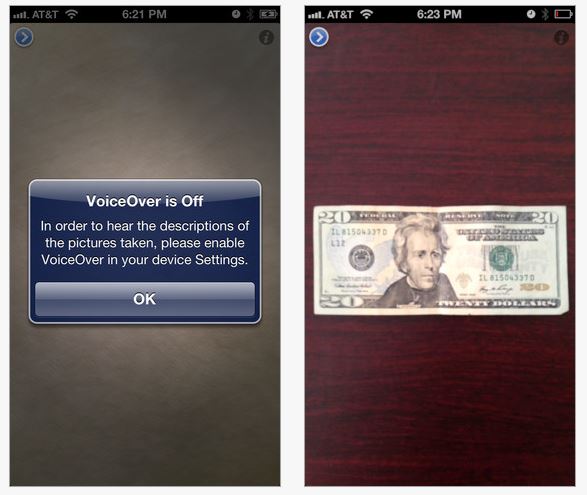
TapTapSee is a free iPhone/iPad app requiring an iDevice with a camera (the better the camera the better the outcome is usual for apps such as these) and Wi-Fi or Internet connectivity for it to work. It is optimized for iPhone 5. After taking a picture, the application identifies the item and speaks a description back to them. VoiceOver is required for the description to be spoken.
As always seeing is believing, so here is a video from Disabled World that provides you a glimpse of what it can do:
Using my iPad3 I had to trial this app out. I took pictures of every day objects with labels such as:
Pamphlet from hotel chain
Container with Sony CD’s
Paper back book of Sudoku puzzles
In 2 of the 3 items the labels had word art labels with large block print (ever try to scan word art labels? it is a nightmare in the OCR world of accessing print!). Although the information read aloud did not give me detailed or text to speech of the smaller print on the label, in each case after first snapshot (and first use!) the labels were clearly spoken using VoiceOver :
“XYZ Hotel”
“Sony CD”
“Sudoku”
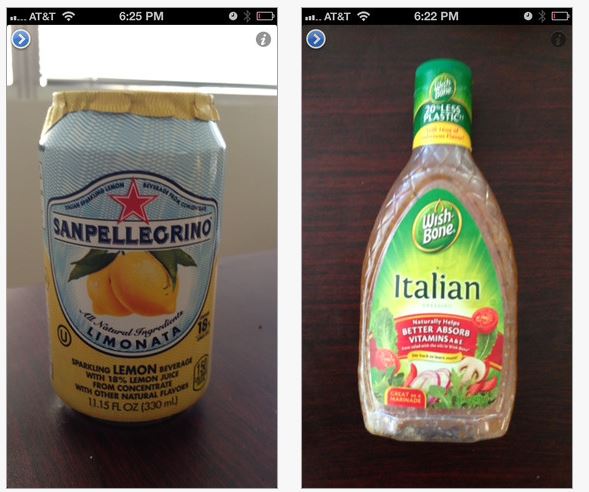
Thomas C. Weiss’ review from Disabled World reported that TapTapSee was an easy to use app. That is no exaggeration. It provided prompts for turning on VoiceOver to make sure it would operate. With only two buttons on the screen and voice prompts given (a play or review button and information button) problems occurred were typically due to operator error. The app identifies bills, colors as well as object and basic labels:
TapTapSee is truly a remarkable app for individuals with significant visual challenges. Recently, I had the opportunity to work with an individual with severe dyslexia who could perceive pictures but not letters, words or numbers. Navigating the community was a concern with “reading” signs, door markings, and other environmental words and numbers. Although TapTapSee won’t read a whole menu (there are other apps that can do that better however), it just might be the answer to accessing some basic environmental print that may not be detected with OCR!
Wow! How exciting – TapTapSee app just needed to be shared – perhaps not for everyone but for the right individuals this could be a wonderful access tool! I can’t wait to try this on a shopping trip with my iPhone!
App search engines for individuals with special needs are fortunately becoming more prevalent, aiding in the search for “just the right app” for your mTool Kit. I recently stumbled upon the Special Needs App Review search engine, a new tool for finding apps developed by the Friendship Circle, a non-profit, national organization.
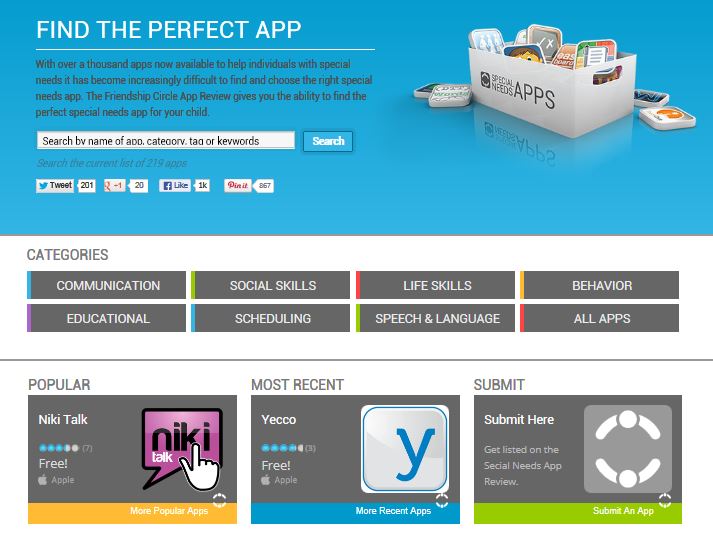
The Special Needs App Review currently has eight categories as seen below along with Popular and Most Recent apps featured.
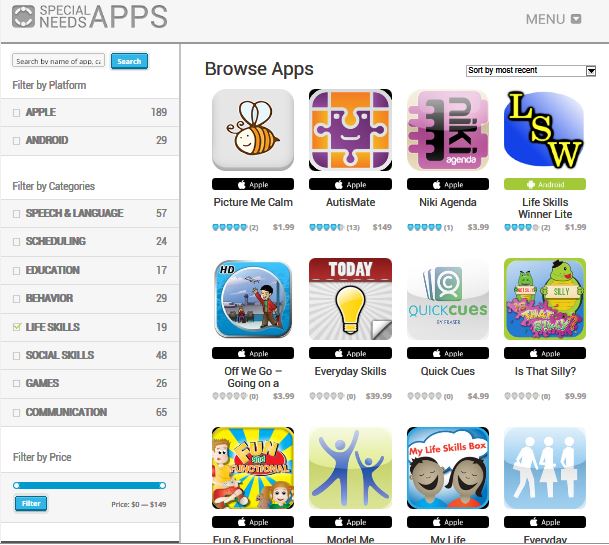
Choosing a the Life Skills category yield the following web page search options and results (this was page one of two, a page navigation is available at the bottom of the page but not seen in this screen clip):
Apple and Android apps are available for review. Currently there are about 200 apps reviewed with more Apple than Android. Some apps were rated and others not. Platform and cost are listed on this main category search results page.
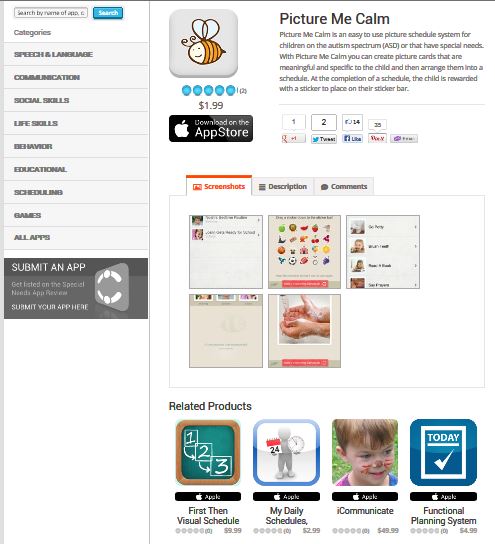
In depth review of individual apps provides additional information on the app including a description, comments and screen shots about the app:
Other similar apps are offered at the bottom of the screen. Links to the app in iTunes is immediately available for more information or purchase.
Although the numbers of apps available in the search engine is currently limited, this Special Needs App Review provides another choice for app search and review. The developers, the Friendship Circle are a reliable source for reviewing apps having expertise in supporting individuals with special needs. Their blog Friendship Circle – Special Needs Blog provides a wealth of information on parenting, products, resources, special education, therapy tips, legal and planning and more as related to individuals with special needs and those who support them.
It is well worth the visit with something for almost everyone offered in the Friendship Circle Blog.
Resources for searching for tools for your teaching or OT mTool Kit!
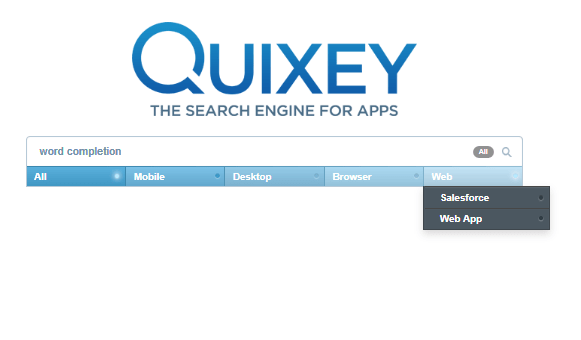
Quixey online app search engine has been around for a while but now has a new look and many search options. It appears to be a robust search engine with many choices to narrow your search by device, operating system, browner, web-based app and subject you are looking for. Having used it in the past, the new version yeilded much better results and a more friendly search options. Here are the search options:
1. Searching all of the apps in its data base (see below).
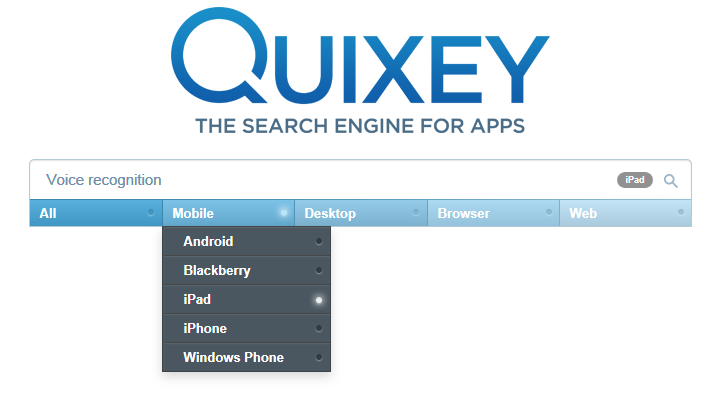
2. Search by mobile device (below):
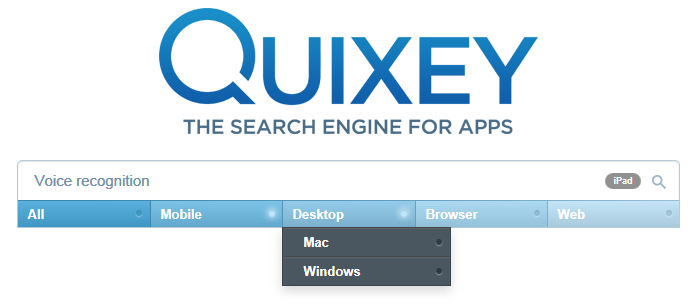
3. Search by type of desktop system:
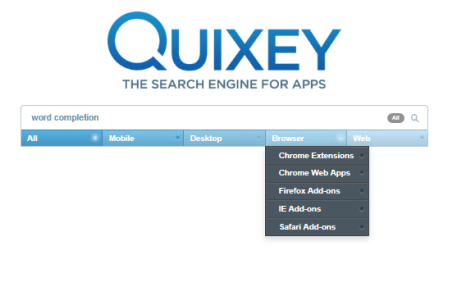
4. By Browser:
5. Web search options.
Although not a search engine like Bridging App, a search engine created specifically for apps related to individuals with disabilities, it is another option for finding apps in general needed for business, personal or organization that includes a variety of devices including Chrome extensions and browser (yet another platform now frequently used at school).
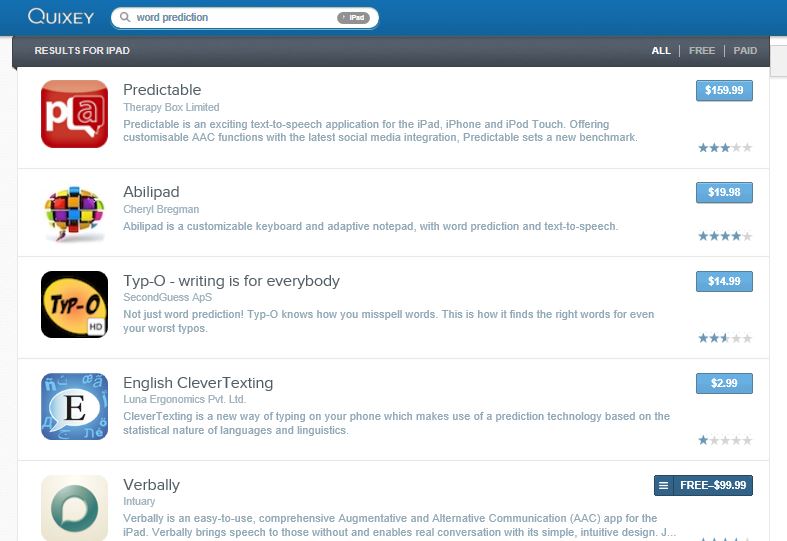
A search using the subject word prediction generated the following list (there are many more in the list) resulting in many familiar apps with word prediction as well as unfamiliar app names. Cost, rating, developer and brief description is listed with a link to an expanded view of information.
The online search engine has a clean, easy to navigate interface. Having another option for identifying apps or extensions such as needed for the Google platform is very helpful with the wide variety of platforms and devices available and widely used.
Using Quixey this time was a much improved experience or past trials. Quixey will be another go to search engine for the quest for solutions for clients’ and personal app needs.
A resource to support your OT mTool Kit – what ever the platform or device!
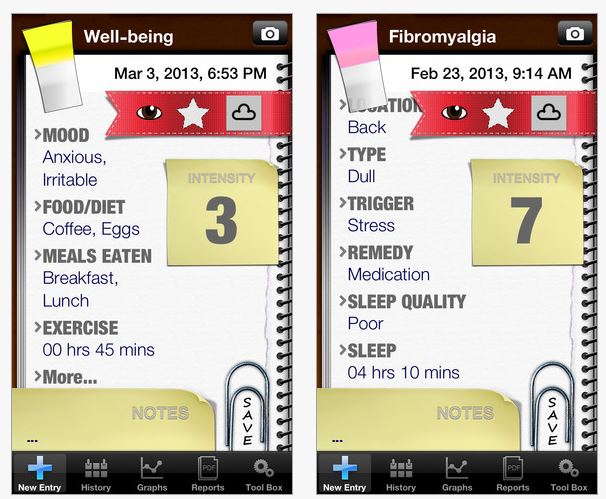
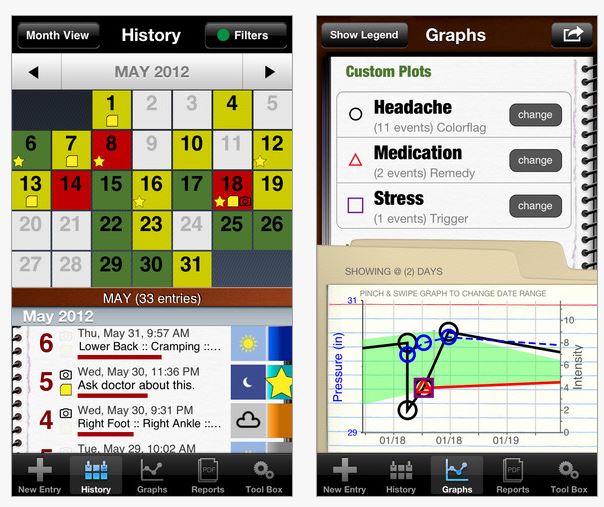
The app has many useful features including tracking and rating pain daily using a visual pain scale with a rating from 0-10. Customization within the app allows it to be uniquely geared to an individuals needs. Outcome graphs can be created to show and share visually graphed pain as well as email options.
Here is video describing the app:
Limitations of the app were cited by the developer as lack of annotation of factors such as diet, sleep, menstruation or medication not currently available.
My Pain Diary app was found to be a helpful app for self monitoring pain, track pain occurences over time and collect data for review and treatment recommendations by a therapist. This app appears to be an inexpensive therapeutic tool to support determining treatment options for your patients. For more information visit the My Pain Diary website: http://www.chronicpainapp.com/ .
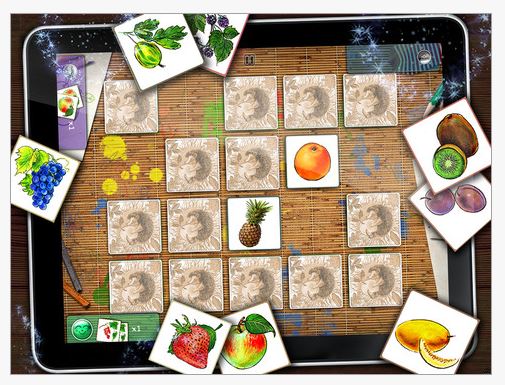
Awesome Memory app (free) for iPad is a simple memory matching game suited for all ages. This is an app I use with my mother whose memory is failing because it does not appear juvenile. She enjoys playing this memory game and it holds her attention with support for much longer than most other activities. I am also amazed at what she can hold in her memory to complete the game when fewer cards are provided, a great way to scaffold successful recall for her. It is just one of a number of iPad apps she enjoys during visits.
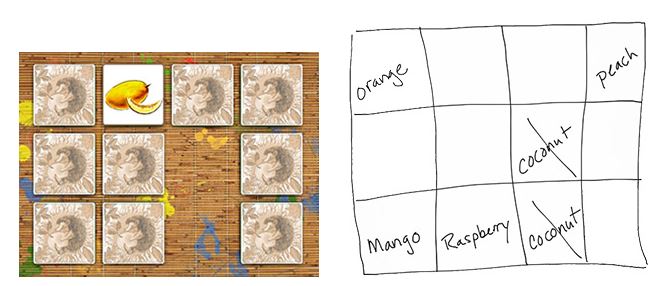
While searching for resources on line I found this great article that featured Awesome Memory app and suggestions for using it for memory strategies with individuals with cognitive impairment. Megan Sutton, in her article ” Introducing Memory Strategies” describes her use of Awesome Memory app along with writing cues of what object was under each card for the user.
Used as an example of how writing information down aids memory, Ms. Sutton explains in her article how she uses this as a precursor to writing information into a calendar or other note writing tool with clients.
Finding free apps always seems like treasure hunting and on iOSnoops today a couple of free treasures can be found:
Chore Pad – (free- reduced from 2.99) Assign chores in a list with image support and check off capabilities. Users gain stars as rewards for completion of tasks.
Little Writer Pro – (free- reduced from 1.99) provides writing and tracing practice for upper and lower case letters, numbers, shapes and words. Customizable. Developed by Alligator Apps.
Check these free apps out to see if they will be part of your OT mTool Kit!
The Zybox for iOS is a new switch interface from Zygo that uses VoiceOver to control the iOS and VoiceOver compatible apps on your iPad or iPhone. The most significant advantage of this adapter is …







 OT's with Apps & Technology