Tap the Frog HD App – Finger Tapping and Swiping Fun!

Here is an app review from Carol Hesch, OTR/L on…

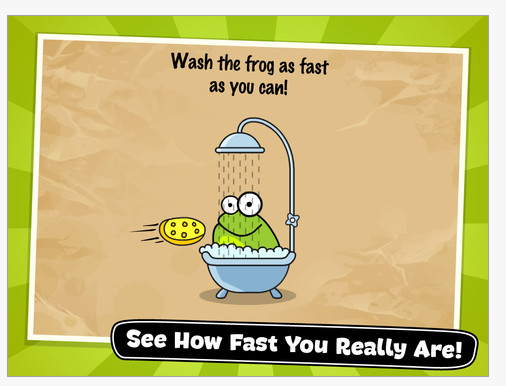
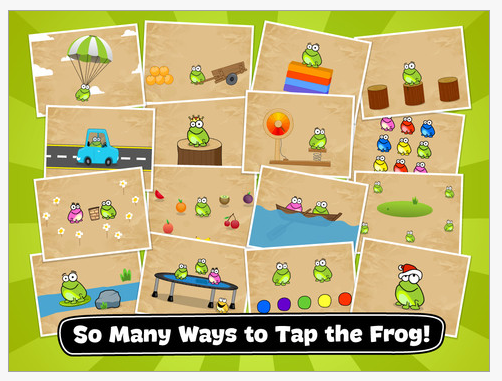
Tap the Frog HD is an App for the iPad (1.99) by Mentals LLC that I use almost daily for fine motor fun with my student’s.  The app has colorful graphics, snappy music (that can be turned off) and provides 64 levels of finger tapping and swiping fun!

This fun app allows you to pick any level to begin and provides such a large variety to choose from that my student’s can’t wait to try!

The student’s follow directions to match colors,  help the frogs jump, eat flies, answer true/false questions, do math, — really too many to name–in a timely fashion.  Student’s will use finger tapping, swiping, dragging, visual scanning, and  bilateral finger use in the higher levels.

Here is a quick video of the app:

The only drawback to the app I have found is that there are simple written directions that a child either needs to read or have read to them so they know what to do with the frog.  Usually, I read the directions quickly for the younger students ( grade 1-2 & under).  If they did not understand the directions the first time, they see their mistake and can very easily try again.  There is no limit to the amount of times they can do a level to earn stars.  The better they get the more stars they earn.

There is another version for $1.99, Tap the Frog 2 (Playmous), which is also quite fun and offers a variety of different games.

I highly recommend Tap The Frog for your OT iToolkit!

Carol Hesch, OTR/L

(Thanks Carol H for your review!More apps for your tool kit! – Carol Leynse Harpold, OTR/L)

Posted in App Reviews, Apps for OT's, Early Childhood, Fine Motor Development, Finger Isolation, iPad, iPhone, iPod, Occupational Therapy, Primary Grades, Visual Motor | Tagged , , , , , , , | Leave a comment

Router Aqua App for Android – Free Today!

  Router Aqua app for Android is comparable to the Flow App (iOS) previously posted. Currently free in the Amazon App Market (today only!), this app provides visual spatial reasoning and visual motor challenge for your clients needs or you (this is the kind of games I really like!). In app purchases are available for more challenges.

Here is an image of the Router Aqua app:


  Router app is a similar app (.99) available from the same developer provides more visual spatial reasoning activities on your Android device.

Have fun Android Appers!  More for your OT eTool Kit!

Carol

Posted in Android, App Reviews, Apps for OT's, Leisure apps, Occupational Therapy, Traumatic Brain Injury, Visual Perception | Tagged , , , , , | Leave a comment

Digital Storytime Deals for June 21 – Free apps!

Digital Storytime is one of the app review websites I peruse for free or reduced educational apps. They have some free apps today only (I am never quite sure how long free apps are available!) that you may want to include in your OT iTool Kit:

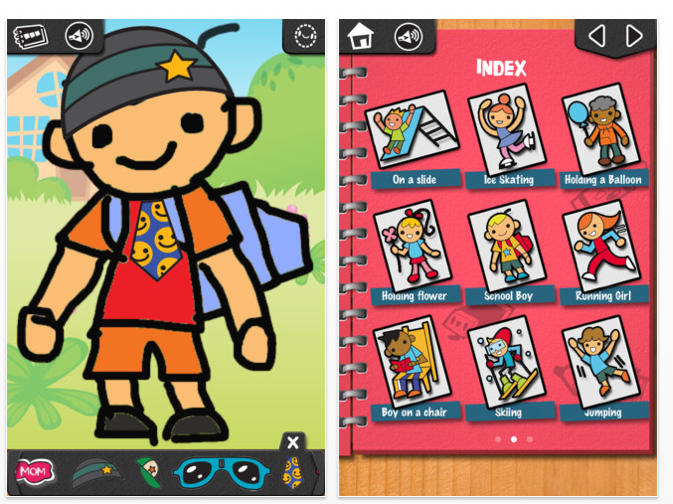
iLuv Drawing People HD – (iPad) Free step by step drawing from the same developers Learn with Fun Apps.

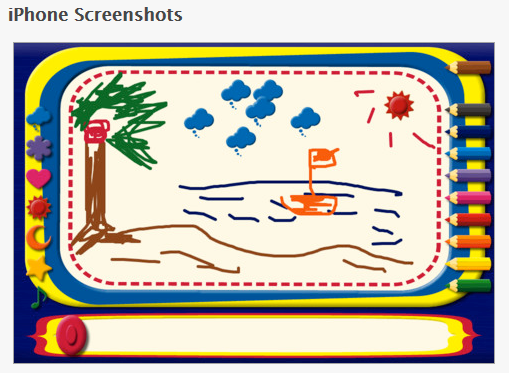
MagicBoard Mini – (for iPhone but will work on iPad in 2x mode). This app is a magna doodle on your iPhone or iPad with colored pencils and stamps for drawing.

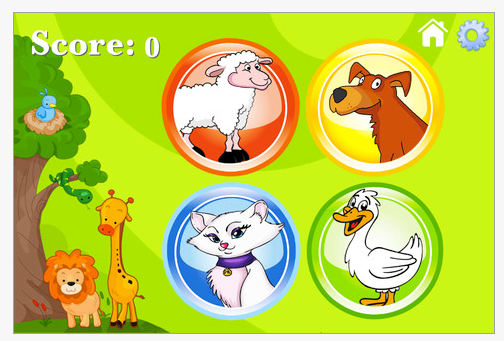
Zoola Simon –  (iPhone/iPad) Your basic simon game requiring visual and auditory sequential memory for young learners. Features a standard mode with four buttons, one with animal pictures and one with animals with music. sEasy, medium and hard level are offered in the app.

More free apps for your OT iTool Kit!

Carol

Posted in App Reviews, Apps for OT's, Drawing, Early Childhood, iPad, iPhone, iPod, Occupational Therapy, Visual Memory, Visual Motor, Visual Perception | Tagged , , , , , , , , | Leave a comment

More Android Puzzle Apps and Games – For Adults Clients

A comment from Sandy asked about Android puzzle apps and what might be suited for adults with head injuries. Although this is not my area of expertise, I did a search in the Android app market to see if there were more puzzles with appropriate content for adults with varying number of pieces to grade the task for an adult client. Here are some puzzles that I thought would work for adult clients:

  Horses: Jigsaw Puzzles For Kids and Adults (free). For ages 9 and up.

  Spectrum Puzzles
(1.49). Has puzzles of different levels of difficulty ranging from 20 pieces (small) to 48 pieces (huge). More puzzles are available with add on app purchases.

Ultimate Jigsaw Puzzle HD (2.49) – Puzzle with piece numbers ranging from 9 to 81.

Other game apps for Android devices may also foster problem solving, maintained attention and work on perceptual skills such as Connect 4, Mahjong (there are a lot of Mahjong games which requires scanning, visual memory and visual discrimination skills), and memory games that would be very suited to young and old. Here are a few apps that I found that I believe would work on cognitive skills that are listed for Android:

  Mahjong Words (.99) – A mahjong game of matching words.

  Fantastic 4 in a Row HD  (.99) – A classic game of connect four.

 Memory Game for All – Pro (.99)- Visual matching game.

Word Search (free) – Word search app for your Android.

Sandy, Hope this helps!

More for your OT eTool Kit!

Carol

Posted in Android, App Reviews, Apps for OT's, Traumatic Brain Injury, Visual Memory, Visual Motor, Visual Perception | Tagged , , , , , | Leave a comment

iLuv Drawing Dinosaurs – Gone Free!

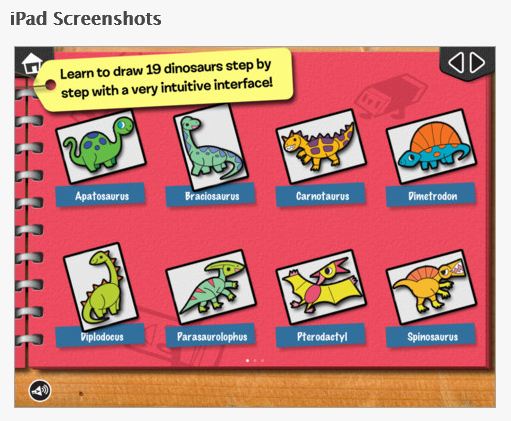
 iLuv Drawing Dinosaurs  is currently free (typically 1.99). Compatible with the iPad, this step by step drawing app has 19 different dinosaurs for artists aged 5 years and above. Developed by the same makers as iLuv Drawing People, Animals and Monsters, iLuv Drawing Dinosaurs adds a popular theme to the iLuv 5 step drawing process. Here are some pictures of the app features:

Here is a video of the app:

Will you add this step by step drawing app to your OT iTool Kit?

Carol

Posted in App Reviews, Apps for OT's, Apps for Special Needs, Drawing, Early Childhood, Elementary School, iPad, Occupational Therapy, Special education | Tagged , , , , , | 2 Comments

Puzzles for Young Learners for Your Android

Looking for puzzle apps for young learner for an Android device?

Here are some of the same puzzle apps available for iOS now available for the Android. These apps have received good ratings on either platform. Make sure before you download that the app is compatible with your specific Android device.

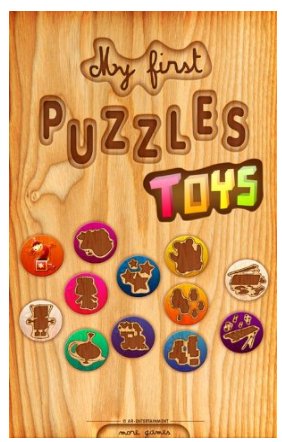
  My First Puzzles: Numbers – Inset puzzle app for preschool children (1.99 or lite version available). Here are pictures of the app:

  My First Puzzles: Snakes – Inset puzzle app of  15 different dinosaurs shapes, sizes and numbers of pieces. Levels of difficulty for ages 2-6 years (1.99 or lite version available).

   My First Puzzles: Toys – Inset puzzle app for ages 2-6 (1.99, lite available). 12 different puzzles featured.

  My First Puzzles: Dinosaurs – Inset puzzle app for ages 4-6 years (1.99 or lite version available).

  My First Puzzles – Inset puzzle app for ages 2-4 years of age (1.99 or lite version available).

In need of puzzles for young learners for an iDevice? Check out Puzzles for Young Learners on Your Ipad.

More for your OT eTool Kit!

Carol

Posted in Android, App Reviews, Apps for OT's, Early Childhood, Elementary School, Puzzles, Uncategorized, Visual Perception | Tagged , , , , , , | 2 Comments

More Stylus Suggestions for Special Needs ….

Responses from experienced readers provided some more great stylus suggestions:

Cosmonaut Stylus

Leann T. commented that she loves the Cosmonaut: Wide-Grip Stylus for Capacitive Touch Screens.  Here are images of the Cosmonaut: 

Information from websites indicates the Cosmonaut is made to feel like a dry erase marker. It has a rubber grip that is easy to hold for young and old.

More MacGyver Stylus Solutions

Another McGyvering a bulb gripped stylus solution from Robin C.:

“I have a suggestion that might work the same way as the bulb grip that you are looking for.  I have made my own ball style grips that would probably work on a regular stylus. The ball is made out of a hollow hard plastic golf ball (mine are bright orange) from the dollar store.  I make a small hole in one side of the ball with a sharp phillips head screwdriver or knife and push a pencil/pen into the hole to make it a tight fit.  I do the same thing to the other side of the ball.  I have been using these grips with students with low tone/poor grips for years – they work really great! ( FYI – there would not be a conductivity issue, as I use a variety of grips with a stylus).”

Here is another attempt at MacGyvering a stylus using a new moldable material called Sugru Air-curing Rubber – 8 x 5g of mini packs with a mixture of Multicolors
recommended by Kathleen Allgood. Here is an inexpensive Cosmo Stylus that I adapted with this moldable, adaptable material called Sugru:

Sugru Air-curing Rubber – 8 x 5g of mini packs with a mixture of Multicolors
is an incredible moldable material that cures within hours and withstands temperature variations and sticks to almost anything. It comes in packets in a variety of different colors or by single colors.This is marvelous stuff for adapting, making handles, patching or modifying equipment for clients ! I believe Sugru Air-curing Rubber – 8 x 5g of mini packs with a mixture of Multicolors is a OT’s adaptive dream material! Check it out to see what you can do with it – it is amazing! You will love it !

More tool ideas for your OT iTool Kit!

Carol

Posted in Accessibility, Accessories, Early Childhood, Geriatrics, iPad, iPhone, iPod, iPod/iPad Accessory, Mobility Impairment, Occupational Therapy, Physical Disability Tool, Special Needs, Stylus | Tagged , , , , , , , , | 4 Comments

Comparing OCR Scanning Apps – ZoomReader, Prizmo and TextGrabber

What’s the difference in accuracy and features of ZoomReader, Prizmo and TextGrabber OCR scanning apps for clients with a print disability?

A few great questions from comments of readers inquired about the difference between OCR scanning apps mentioned in a prior post that are used to convert images to text for individuals with disabilities. So, I decided to do an informal comparison of the apps mentioned to determine the accuracy of the apps ability to perform OCR scans of images using with three apps typically mentioned or reviewed for individuals challenged with accessing text (e.g. low vision or print disabled).

Here is what I found in this informal research comparison:

Material used: A clean, hard copy document with 275 words with 12 point Arial black and blue font on white paper with no images was consistently used to scan with each app. The document has some text with blue font which was bold 12 point type as headings.

Apps used:

ZoomReader on an iPhone4 (only available for iPhone)


 TextGrabber + Translator (iPhone and iPad) and


 Prizmo (iPhone and iPad) apps were used on an iPad 3.

Camera use: The iPad 3 and iPhone 4 camera was used in natural lighting with the hard copy document  placed in the same location with same day lighting available within a 20 minute period of time (I find lighting to be a big factor with the use of the scanning apps). No flash component was used when taking the picture of the hard copy text with any of the devices. A consistent method of taking pictures was used (camera button was pressed while centering the iDevice over the hard copy then released when best image was in focus  to get the best still picture possible).  The iPad 3 was used with TextGrabber + Translator and Prizmo apps and iPhone 4 was used with ZoomReader app.

Results:

App ZoomReader (iPhone4) Prizmo (iPad3) TextGrabber + Translator  (iPad3)
OCR character errors 5 errors( 4 character recognition errors, 1 spacing error; resulting in 3 word errors) Character recognition accuracy:272/275 words correct = 99% accuracy 4 errors(2 character errors, 2 spacing errors; resulting in 3 word errors)Character recognition accuracy:272/275 words correct = 99% accuracy 2 errors(1 character recognition error, 1 spacing error; resulting in 2 word errors)Character recognition accuracy:273/275 words correct = 99+% accuracy
Formatting Detected 10/15 Enters or paragraph returns between sentences or paragraphs in the text. Formatting accuracy (% maintained from original): 67% Detected 6/15 Enters or paragraph returns between sentences or paragraphs from the original text.Formatting accuracy (%maintained from original): 40% 0/15 Enters or paragraph returns were detected. OCR processed text was one block of text. Formatting accuracy (% maintained from original):0%
Other scanning app features
  •  Provides voice feedback throughout the process
  • No cropping available
  • Provides contrast, highlight color and font size options in app
  • Image saved to Photos, text converted must be emailed or copied for later use
  • Imports images from Camera Roll


  •  Provides cropping, perspective, rotating image to edit image prior to scan
  • Translates text
  • Provides text to speech after OCR processing performed
  • Saves image and text for later use
  • Provides ability to copy, email, move/link to Dropbox, Evernote, CloudApp, MobileMe or translate text
  • Imports images from camera roll
  • No options available for contrast of change of text size within app
  • Provides cropping editing
  • Saves OCR text for later retrieval
  • Translates text
  • Provides ability to copy, Email, move/link Twitter, Facebook, EverNote, Messages
  • Imports images from camera roll
  • No options available for contrast of change of text size within app

Comments: There were minor differences between the OCR accuracy for character recognition on the trials performed using ZoomReader, TextGrabber + Translator and Prizmo apps.  Prizmo and ZoomReader apps showed greater detection of basic formating, maintaining paragraph Enters or blank lines at the end sentences to show paragraphs and line spacing present in the original text. TextGrabber did not detect any paragraph Enters from the orginal text scanned resulting in one block of text. A greater number of trials were needed to get a good scan using ZoomReader app in these informal tests. A document of the original text and results of the three app scans are available here.

The differences of features of each app need to be considered pending user, linking services for the user and reason for use of the app. Some individuals may need an immediate scan for access to text on the fly as opposed to scanning in text for later use. Prizmo and TextGrabber + Translator apps were more user friendly for this sighted user. Prizmo app provides a few more options of scanning in business cards, bills, whiteboard, and text as well as has a reader within the app for conversion and immediate access by a user. Prizmo also has numerous in app links to use the text for different reasons. TextGrabber is linked Evernote and social media services. ZoomReader provided contrast options, changing text size and voiced instructions with use of the app for individuals with visual challenges. ZoomReader linking options is limited to emailing or copying OCR results and pasting it into another app.

Results: As with many other apps or software, user characteristic or needs, features of the app and application purposes and where you want to use the information will depend on what app is most appropriate. I heavily rely on Dropbox to manage documents and am looking for tools for print diabled individuals to access text on the fly with text to speech making Prizmo a strong choice of mine. However if using social media and not concerned about extra steps to access a text to speech app (Speak Text tool was not offered within TextGrabber) or formating this may be the best option. For individuals needing low vision options of contrast and text enlargement, ZoomReader may be the tool of choice on an iPhone.  

Note: In prior trials there were little difference with the accuracy of scanning with Prizmo and TextGrabber apps with iPhone 4 and iPad 3. Scanning with the iPad 2 is a whole different ball game due to reduced megapixels in the iPad 2 camera. See prior post, New iPad 3 Features – A Boon for Individuals with LD for a comparison.

What app might be your choice for your OT iTool Kit?

Carol

Posted in App Reviews, Apps for OT's, iPad, iPhone, Learning Disability, Print Disabled, Scanning, School Based Interventions, Special education, Uncategorized | Tagged , , , , , , , , | 6 Comments

Flow Free – Fun Visual Motor App!

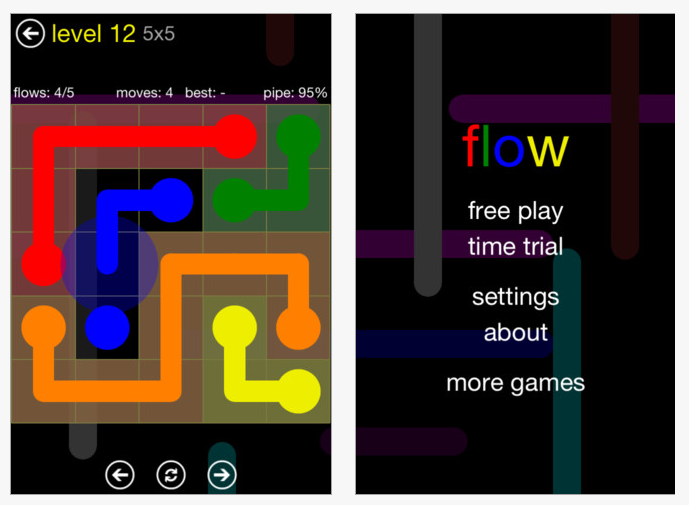
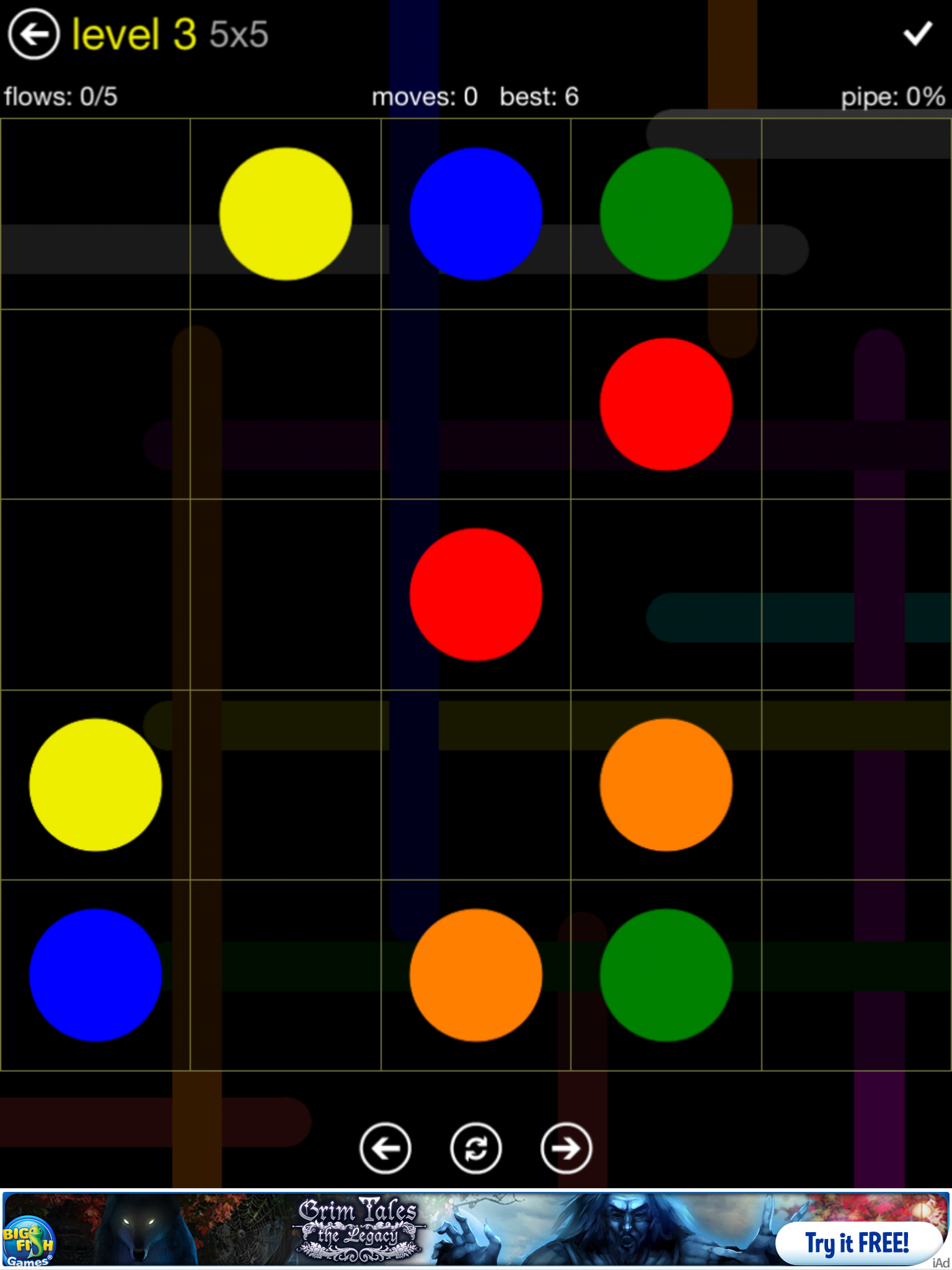
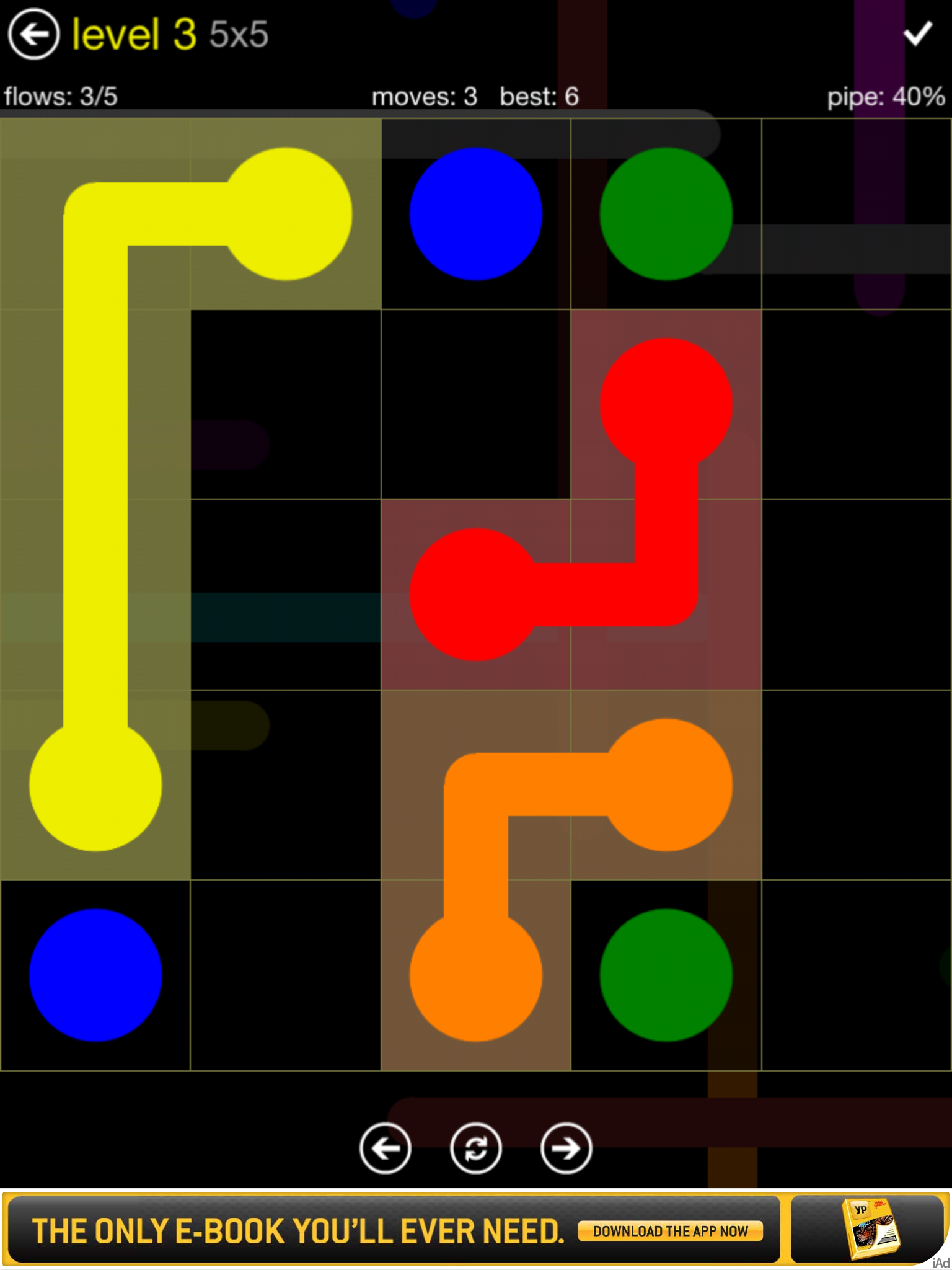
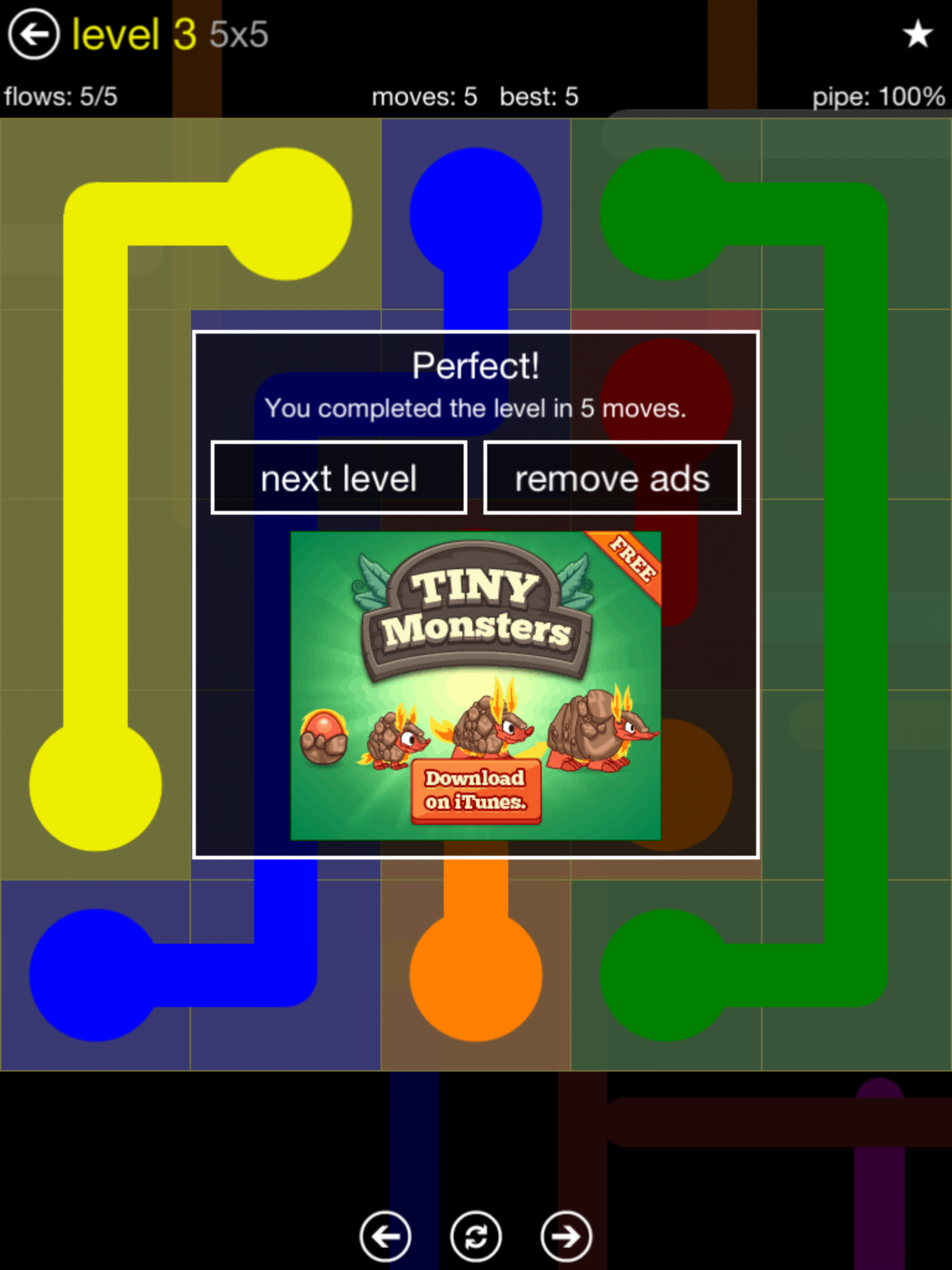
Flow Free is a free, fun iPad and iPhone app requiring the user to connect matching colors with a line or pipe to create a flow. Not just a matching game, this app requires spatial reasoning and planning to complete all of the color matches without crossing or overlap of the lines or pipes.

It starts at a 5×5 level and increases in difficulty. As an app in the game center but I was able to play using the free play without having to sign in. Navigation controls at the bottom of the screen allows you to easily go back and forth or redo a level and also redo a level.

Here is a sequence of a game:

The app does have ads in it which can be removed by purchasing .99 pack available at different levels of difficulty. In the free app there are 5 levels of difficulty with each level having 30 challenges to complete, providing a lot of Flow opportunities without having to purchase add on levels. The levels start as “Easy” for  5×5 grids (5 different colored dots to connect) up to “Hard” which is a 9×9 grid  (9 different colored dots to connect) to correctly complete or do again.

I found this a fun visual perceptual, visual motor and spatial reasoning app that provides leveled activities suited to elementary and older students. This app requires visual motor, motor planning, spatial reasoning – visual perceptual skills. The free app has ads but which I found subtle and which provides many levels of play. Timed scores are provided when completing a “Flow” activity that might be motiving to students who are competitive.

This may be one of those apps used as a reward after working on other tasks with students in therapy. Students on the autism spectrum may be motivated to engage in this visual reasoning task while performing a motor planning task that can be challenging to them.  Playing this on an iPod may also provide additional motor planning and visual motor accuracy when scaled to the small screen.

Would you add this to your OT iTool Kit? I will, and will share with my students but you might also find my name on the user list!

Carol

Posted in App Reviews, Apps for OT's, Elementary School, Game, iPad, iPhone, iPod, Middle School, Occupational Therapy, Primary Grades, Visual Motor, Visual Perception | Tagged , , , , , , , , | 6 Comments

iOS 6 Accessibility Features – More Options for Individuals with Disabilities!

iOS 6’s projected upgraded features  for fall, were announced by Apple providing many new exciting features supporting individuals with disabilities.

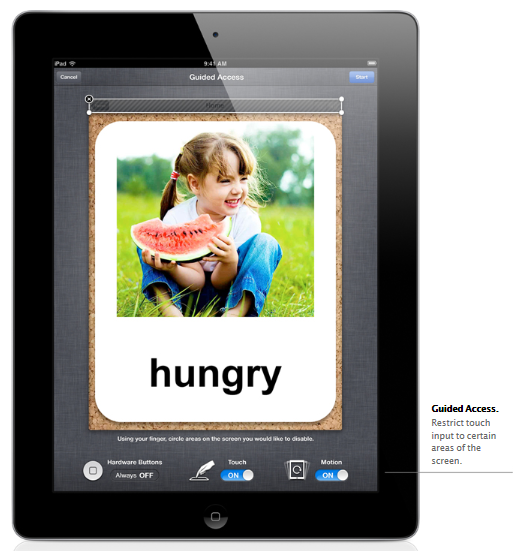
Here is what the Apple.com website previews in their Accessibility overview for the iOS 6 with one of the new features called Guided Access:

Guided Access
“iOS 6 comes with even more features to make it easier for people with vision, hearing, learning, and mobility disabilities to get the most from their iOS devices. Guided Access helps students with disabilities such as autism remain on task and focused on content. It allows a parent, teacher, or administrator to limit an iOS device to one app by disabling the Home button, as well as restrict touch input on certain areas of the screen.”

Here is an image of what some of the Guided Access controls look like:

Other Accessibility Upgrades

“VoiceOver, the revolutionary screen reader for blind and low-vision users, is now integrated with Maps, AssistiveTouch, and Zoom. And Apple is working with top manufacturers to introduce Made for iPhone hearing aids that will deliver a power-efficient, high-quality digital audio experience.”

Retrieved on 6/15/2012 from: http://www.apple.com/ios/ios6/?siclientid=6381&sessguid=dae605fd-6f53-4941-9125-6cef14a58728&userguid=dae605fd-6f53-4941-9125-6cef14a58728&permguid=dae605fd-6f53-4941-9125-6cef14a58728#accessibility

Other Accessibility Features

For more information on the iOS 6 Accessibility upgraded features visit The Website of Luiz Perez Blog has more information on the iOS 6 Accessibility upgrades. Luiz Perez, an expert on disabilities, provides a explanations of the projected Accessibility functions in the iOS 6 upgrade. Here is just an overview of the improved features he explains in his post:

  • Guided Access
  • VoiceOver integration with Maps, Zoom and Assistive Touch
  • Word highlighting in the speak text option
  • Custom vibrations
  • New Made for iPhone hearing aids
  • Dictionary improvements
  • Siri features integrated into the iPad 2 & 3

Visit Luis Perez’ post for his expert overview of the iOS 6 at: http://luisperezonline.com/2012/06/12/ios-6-accessibility-features-overview/ .

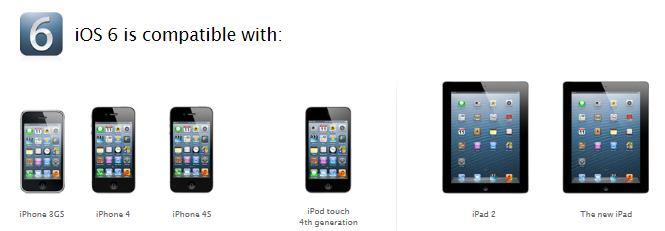
iOS 6 Compatibility

The iOS 6 upgrade according to Apple.com with be compatible with:

The new iOS 6 upgrade is exciting news for iDevice users and service providers who have or are working with individuals with disabilities. Wow, so many possibilities! How exciting it is to be able to apply these features to clients we work with to remove barriers as well as making life easier for ourselves!

Keep your device up to date to be ready for iOS 6 this fall!

Carol

Posted in Accessibility, Computer Utilities, iOS, iPad, iPad Management, iPhone, iPod, Mobility Impairment, Occupational Therapy | Tagged , , , , , , | 2 Comments