Read & Write app for Google Docs

Are you aware of Read & Write app for Google Docs?

First off it has been confusing to me to consider the Read & Write extension available in Google Chrome as an app. Apps have a wider connotation than I thought. Doing a little research on the definition of apps or mobile apps helped clarify how and what an “app” was and why the Read & Write for Google was an app…

“Also called mobile apps, it is a term used to describe Internet applications that run on smartphones and other mobile devices. Mobile applications usually help users by connecting them to Internet services more commonly accessed on desktop or notebook computers, or help them by making it easier to use the Internet on their portable devices. A mobile app may be a mobile Web site bookmarking utility, a mobile-based instant messaging client, Gmail for mobile, and many other applications.” (Retrieved Nov. 23, 2012 from http://www.webopedia.com/TERM/M/mobile_application.html) .

So,  Read & Write extension for Google Chrome is also considered an app!

So what’s the big deal about Read & Write app for Google Chrome? If you are a Google school and students with learning disabilities are using Google docs, or if your school is rolling out Chromebooks you will want to know about this free “app” that can help support struggling readers and writers.

Read & Write app is a free extension available from the Google Chrome Web Store when using Google Chrome as a web browser. The web app provides some of the basic features of the desktop Read & Write software created by TextHelp and can only be used within Google Chrome.  Features available in the Read & Write Google web app include:

  • Text To Speech with Dual Synchronized Highlighting
  • Talking Dictionary
  • Picture Dictionary
  • Vocabulary Tool
  • Study Skills tools to capture Google highlights

Word prediction is not yet available in the Read & Write Google Docs app.

Here are some screen shots of Read & Write for Google Docs to help you understand how this extension or app works:

Selecting text allows text to speech with dual highlighting.

Picture and regular dictionary available. Text to speech allows the dictionary text be read aloud.
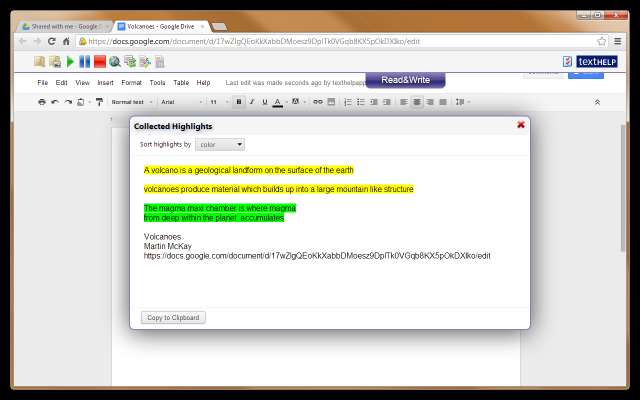
Highlighting tools are available and can be extracted and copied to another document.
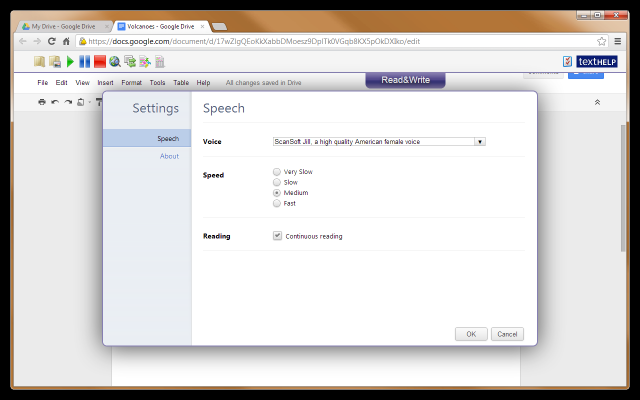
Basic tools for text to speech are available.

(Images retrieved on November 23, 2012 from –https://chrome.google.com/webstore/detail/readwrite-for-google-docs/inoeonmfapjbbkmdafoankkfajkcphgd#detail/readwrite-for-google-docs/inoeonmfapjbbkmdafoankkfajkcphgd )

A video clip provides a better explanation about the app:

To trial Read & Write for Google Docs, download Google Chrome browser to your desktop computer. Log into your Google Drive account and search in the Google Chrome Store for Texthelp, Read & Write or text to speech. Add Read & Write app as an option to your Google Drive app. The Read & Write tool bar  will be available in Google Docs. The tool bar collapses and expands by tapping the tab as shown in the above images of the app in Google docs.

A great support for students using Google Chrome and Google Docs in or out of school. Texthelp has developed a web-based app for use on the iPad with a current version of Read & Write and a paid maintenance plan. Visit the Texthelp website for more information on the web apps or trial the mobile device version of Read & Write version 10.

While attending Closing the Gap conference in October 2012, I was able to listen to the developer of Read & Write. More plans for expanding the features of the Google app including word prediction are projected for next year. Whether it remains free is a question! As a Google school, I find this a great support as we venture into new territory that was known to not be accessibility friendly!

It is an interesting time with many shifts (it seems like seismic shifts!) and changes with operating systems, web-based tools, a variety of mobile devices and apps seemingly occurring daily. Trying to keep up with supports for access methods for individuals with disabilities is definitely a challenge!

Is this app in your OT mobile Tool Kit or does it need to be if you have clients or students who are Google users?

More to come on Google apps that support individuals with disabilities!

Carol

Posted in Accessibility, Adults with LD, App Reviews, Apps for OT's, Apps for Special Needs, Google Docs, Learning Disability, Occupational Therapy, Post secondary, Text to Speech | Tagged , , , , , | Leave a comment

Black Friday iOS App Deals!

Deals!

iOSnoops is one of the places I peruse looking for free or reduced apps. The list of free and reduced apps for iOS is exceptionally long today with some great deals on apps. Here are some of the deals that caught my eye that supports access, productivity, concept development and self management tools for special needs. Certainly there may be many more that may be a value to you on the lists.

Scanning apps:

I have been working with scanning apps for a while to convert images and text to useable formats for students for reading or completing worksheets (see workflow discussed in prior post if interested). My favorites are all on sale making them much easier to have on multiple devices:

  • Scanning text for access and editing (best with iPad 3 or iPhone):

Text Grabber app developed my Abbyy has been reduced to $ .99 from $14.99. Steal. This processor scans text to editable text with specific tools for translation. When used with New iPad, accuracy can be amazingly good. No text to speech provided however.

Prizmo app – My favorite for scanning for quality and options of text to speech and work flow is reduced to $4.99 from $9.99. Prizmo continues to be updated and improved.

  • Scanning for worksheet completion (best when using iPad3 or iPhone):

Scanner Pro by Readdle is my very favorite for ease of use and work flow to convert hard copy worksheets to electronic PDF version using your iPad. Now reduced to 1.99 from 6.99. A great deal!

Doc Scan HD Pro app is another scanning app for conversion of images to PDF file formats. This app has many options during the scanning process, to lighten, draw and crop and provides a great choices for work flow (other apps, Google Docs, DropBox and many more).  Now $.99 from $3.99.

Other apps worth checking out:

Timer+ Touch HD – (free was 1.99) a visual timer app for iPad. Plays in background, set timer on minute, second, hour. Limited customization provided. Currently free.

Smart Office app – (free, was 9.99)Productivity suite that synchronizes with Dropbox, Google Docs. Create basic word doc, spread sheets, PPT and synchronize/share with other services.

Chore Pad – (.99 was 4.99) Create a list of tasks. Check off chores when completed, offering a visual task list for a number of individuals.

Sequences – (.99 was 3.99) App to work on sequencing. Create your own sequence using recorded voice and your own pictures.

Splash Math apps worksheets – Variety of different grade level work sheets are reduced from 4.99 to 2.99.

TeachMe apps – Kindergarten, 1st, 2nd apps are reduced from 1.99 to .99.

PDF Expert – ( Free) A PDF management app developed by Readdle.

Many, many more apps are available as Black Friday deals. Here are just a couple of places to check on what’s out there:

iOSnoops

AppAdvice

The mystery exists how long any price reduction will last so check them out soon! Know of other sources of Black Friday Deals for special needs or individuals with disability? Share if you do!

Carol

Posted in App Reviews, Apps for OT's, Apps for Special Needs, Free apps, iPad, iPhone, iPod, Occupational Therapy, OCR, Special Needs | Tagged , , , , , , , | Leave a comment

Styluses for the Emerging Artists and Writers

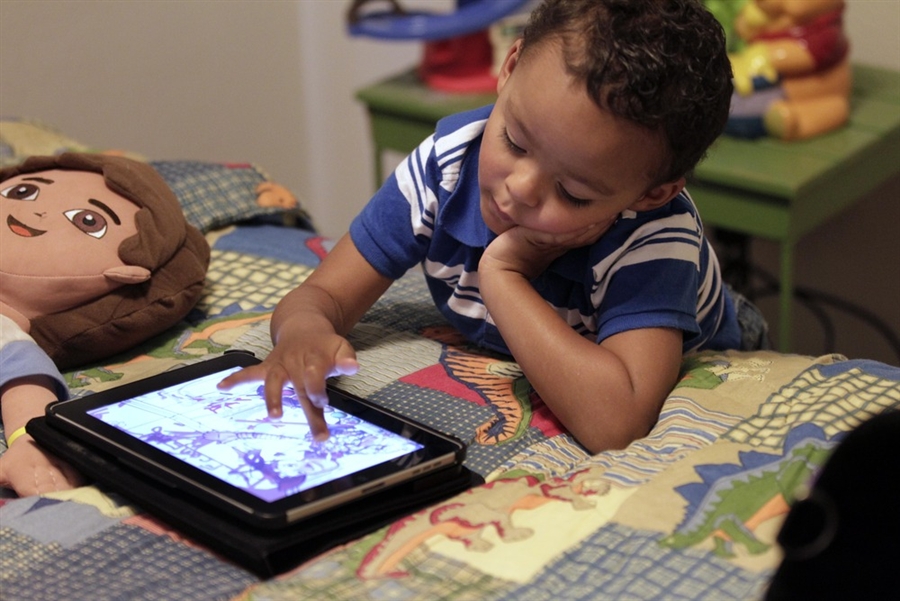
Mobile devices provide great opportunity for direct access using fingers to draw, write or tap to interact on a touchscreen tablet any where.

With its popular use with children, mobile devices can be yet another tool to transition users to writing tools to work on pencil grasp and tool control. Although styluses have been previously reviewed new styluses continue to emerge with different styles and qualities and some might be better suited to young emergent writers or artists than others.

What do you look for in styluses for the emerging author or painter?

  • Durable tool
  • Large, chunky shafts or gripping surfaces
  • Accuracy when holding in at an angle (not requiring upright positioning to connect)
  • Weight of the stylus, light weight or heavier providing appropriate feedback for the need of the writer.

What are some choices?

HHI Chunky Pencil-Like Capacitive Stylus  (2.99) – These styluses are hefty.  Beneficial for those writers who need additional input when writing from the weight of the stylus . The shaft of the stylus is thick and chunky providing good surface for grasping. Experience at school has been positive and have shown to be durable, reasonably accurate and a low-cost solution. Lots of colors available with a range in price from 2.99 to 4.99 for a pack of two however the pack contains a chunkier stylus and a slimmer stylus. Works on capacitive and touch tablets.
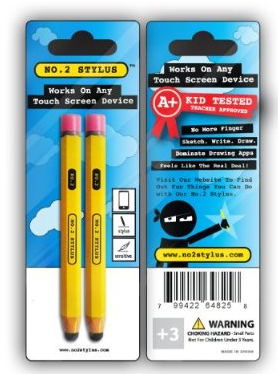
No. 2 Stylus – Pencil – (14.99) “Looks like a pencil”  stylus that works on all touch screens. Two in a pack (Shipping weight is 8 oz total which may indicate a lighter stylus.) Positive responses from user reviews.
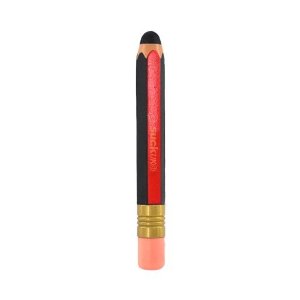
Red Black Pencil OEM Suck – (11.09) – Pencil like  stylus. Made of electro-conductive silicone or rubber. Weighs 6 oz. (same as the Cosmonaut indicating a heftier, weighted stylus). Reports indicate you have to press hard to get it to connect so accuracy and ease of use might be compromised.
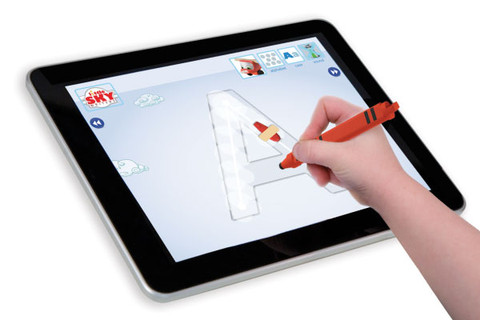
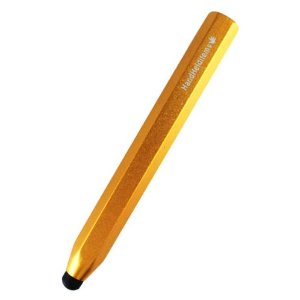
App Crayon – (24.95) – Chunky, triangular stylus. For touch and capacitive screens. Comes in different colors with good ratings by PC magazine review for its responsiveness and feel with use. If its shipping weight (10.1 oz.)  is indicative of being a heftier stylus then it would appear to be a heavier stylus.
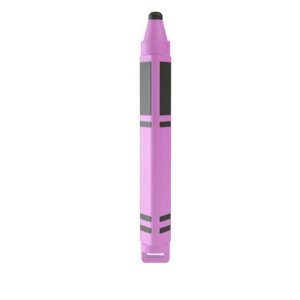
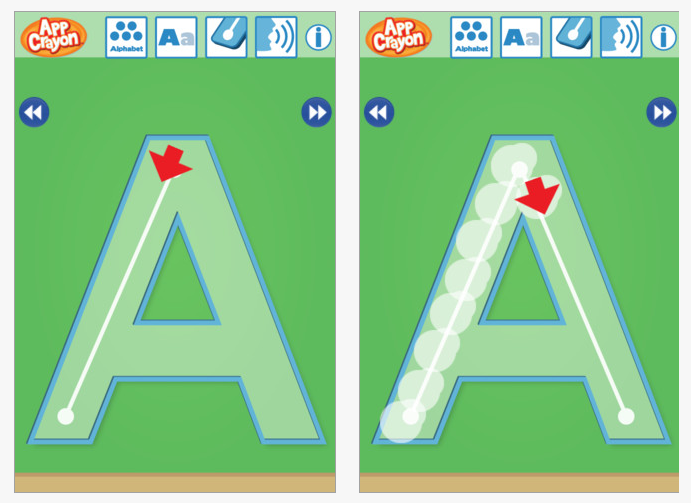
Made by Dano, who also created an AppCrayon app which works on practice of upper case and lower case letter formation.The AppCrayon app is a nice writing app, featuring  arrows directing each stroke, ability to fade tracing lines and letters spoken. It does not follow strictly use of Zaner Bloser, D’ Nealian or Handwriting without Tears style of letter formation but does provide nice step by step visual instruction (j, q).

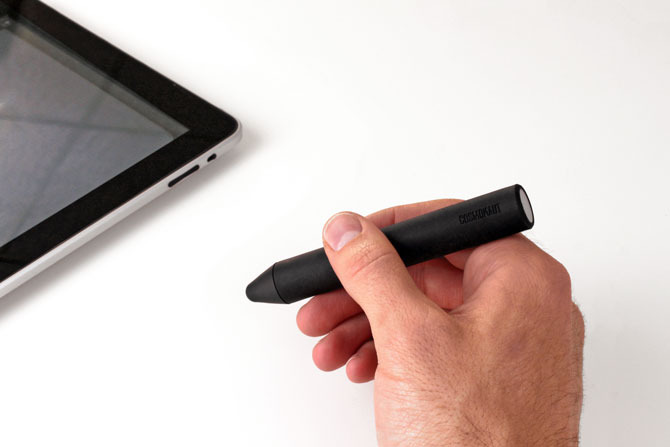
Cosmonaut – (24.99) For all touch windows this was meant to feel like a marker. Weighs 6 ounces. Reportedly has some heft and a rubberized exterior for ease of gripping as reviewed by the Gadgeteer . Heft would appear to provide some resistance when writing good for some students needing additional proprioception when writing or drawing.  Recommended by some therapists.
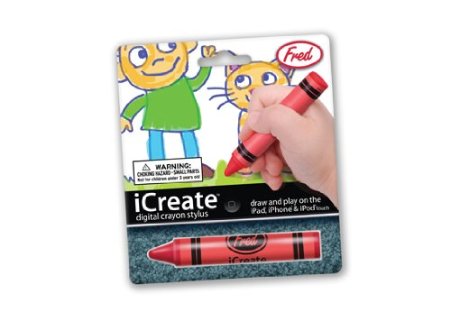
iCreate – Digital Crayon Stylus  – (15.01) A round, crayon like stylus for touch tablets weighing 2 ounces, a lighter weight stylus.
With many choices of styluses for emergent writers, considering the needs of your writer can help with choice of a stylus.  Don’t forget a stand if that will help with visual and motor skills.

What type of stylus are you using or recommend?

Carol

Posted in Accessories, Early Childhood, Fine Motor Development, Handwriting, iPad, iPhone, iPod, iPod/iPad Accessory, Occupational Therapy, Stylus | Tagged , , , , , , | 3 Comments

Your Therapy Source – www.YourTherapySource.com: Motor Skills, Emotions and Autism

See on Scoop.itAT 4 Education

Your Therapy Source provides another interesting summary of research on motor skills, emotions and Autism. Although interventions with individuals require many different types of approaches it is no wonder why there are so many apps for emotional and communicative needs for individuals with ASD.

Check out the findings of the article and then visit Autism Speaks for an extensive listing of apps for individuals with Autism – http://www.autismspeaks.org/autism-apps or Constantly Speaking’s incredible app list – http://consonantlyspeaking.com/posts/2012/05/social-skills-and-autism-spectrum-disorders-app-list ;

Carol

See on yourtherapysource.blogspot.fr

Posted in Autism, Occupational Therapy | Tagged , | Leave a comment

Counting Dots – Ellie’s Games

Ellie’s Game apps are described as “frustration free apps” providing cause effect and simple touch interactive games on the iPad/iPod Touch or Android mobile devices. With simple and clear graphic designs, Ellie Games provides emergent learners with touch activities to hone in on eye-hand coordination, cause/effect and beginning academic concepts.  Here are just a few of Ellie’s Games with academic concepts:

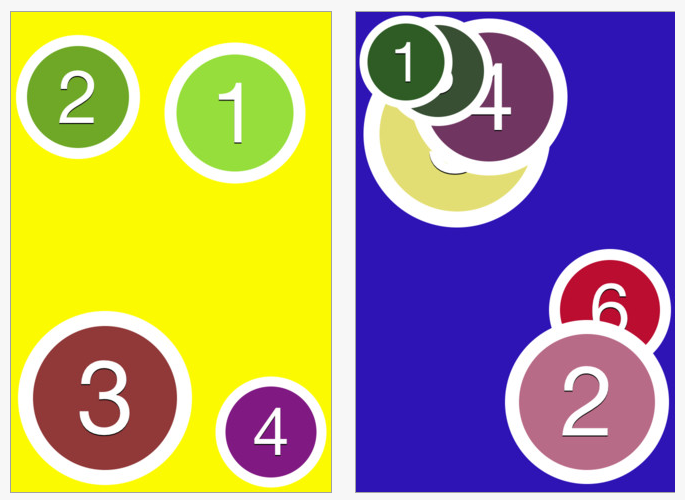
Counting Dots for iPhone and iPad (.99) game requires counting dots in order from smallest to biggest. Counting Dots
is also available on the Android platform for $ .99. Settings provide options of removing dot borders or sound or enabling vibration when using an iPhone.

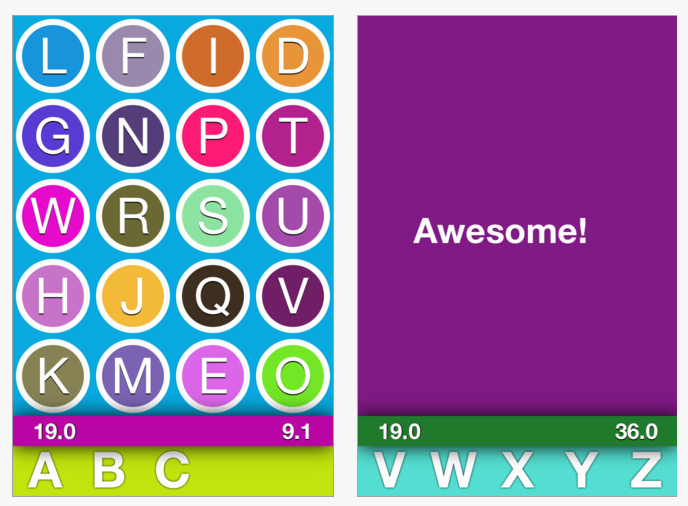
Alphabet Dots is a puzzle game requiring recognizing letters from A-Z in order. Available for iPhone and iPad (.99) it provides entertainment and letter recognition. Settings provide options of removing dot borders, sound, enabling vibration on an iPhone and timed scores.

And another of the Ellie’s Games that is just for fun and fine motor…

Color Dots for iPhone and iPad (.99) and Color Dots for Android
(.99) entertains you with bouncing dots to catch or tap. After you pop the first dot then two dots show up, three dots appear and the game continues. When you pop the first dot, two dots show up to replace it.  After popping those two, three dots show up and so on. Settings in Color Dots allows you to change the size of the dots, change dot speed, remove borders, set max levels and  remove sound. Sounds like way too much fun!

Just a few of the Ellie’s Game apps for young and old!

Apps for learning and fun for your OT mobile or iTool Kit!

Carol

Posted in Android, App Reviews, Apps for OT's, Cause and Effect apps, Early Childhood, Fine Motor Development, Finger Isolation, iPad, iPhone, iPod, Occupational Therapy, Special Needs, Uncategorized | Tagged , , , , , | Leave a comment

Bugs & Bubbles App

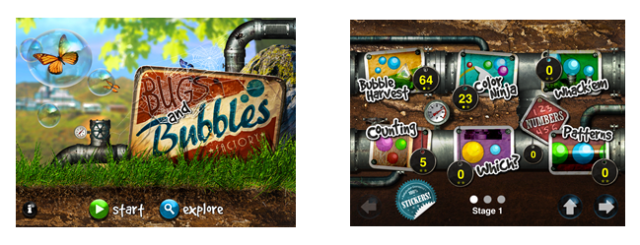
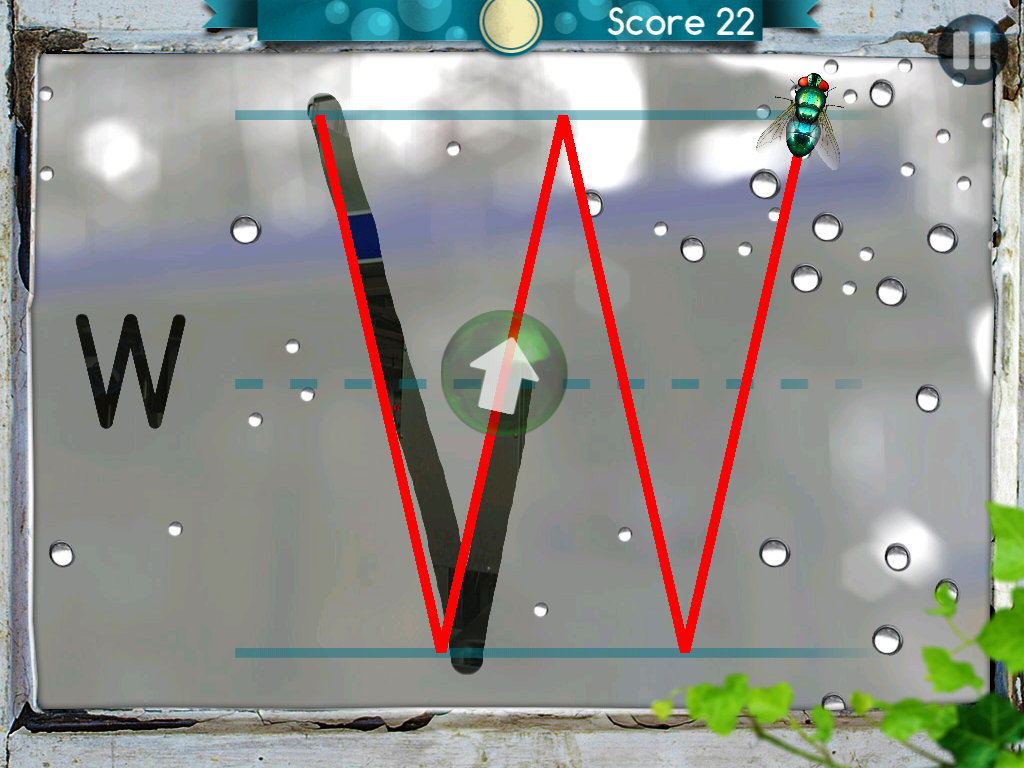
Bugs and Bubbles is an app for the iPad ($2.99) from Little Bit Studio, LLC, the same creators of the infamous and wonderful Bugs and Buttons.  The graphics and amazing attention to detail in this app are truly some of the best available.  This app has 18 games to choose from and various levels in each game that automatically adjust the more you play.  Kids of all ages love to pop, pinch and interact with these gorgeous bubbles.

This app offers OT’s such a wonderful variety of options to focus on isolating finger use in Bubble Harvest, and academic skills such as Patterning, Colors, and Letter Matching.  In Counting, you count the colorful bubbles and they remain clear in the box.  You then move the correct corresponding number –which turns out is a packing slip into the box–to a soothing Pachelbel Canon in D.

In the Racing game,  developers have added the elements of crossing midline, and  rotation.   The bugs will give a “Yippee” or a frantic “RUN” at the start.  Really clever and engaging.

One of my favorites is the Follow Me game where a fly leads the way for letter formations.  The screen has the appearance of a foggy window and you use your finger or stylus to “follow the fly”. When you trace the line it sounds just like a finger on glass!  Maybe I am just old fashioned, but I still get a big kick out of those kinds of details!  And you do this to the Nutcracker Suite–adorable.

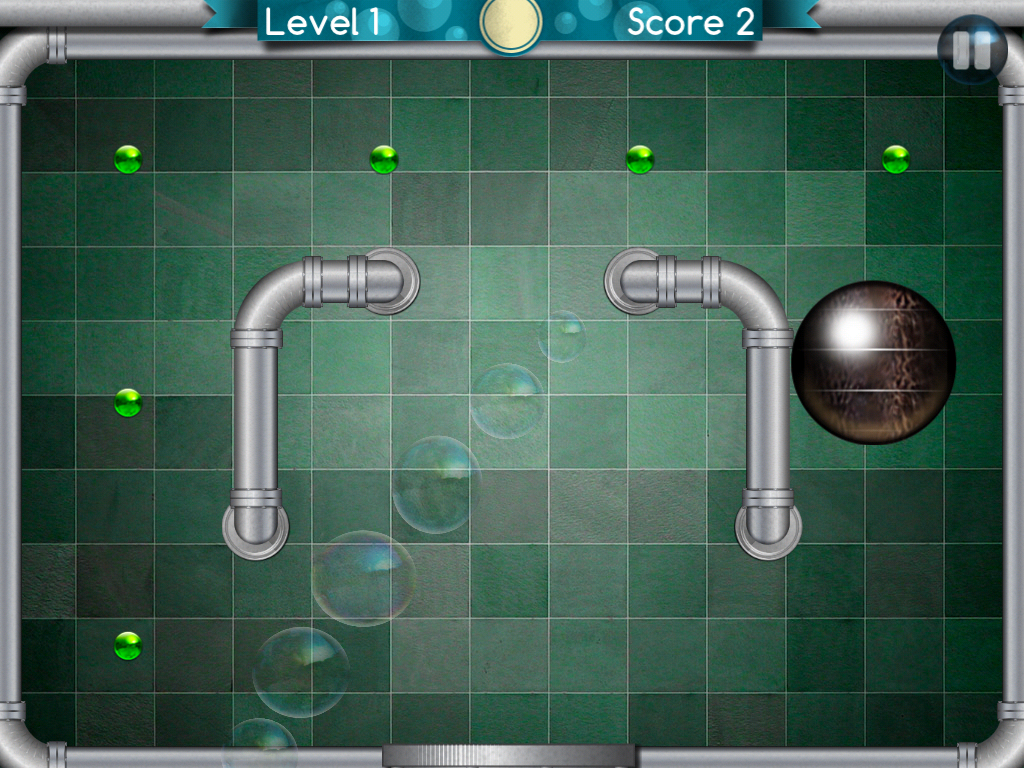
The app also has two games in which you use two hands and tilt the iPad to complete tasks.  Great for bilateral awareness and motor planning.  In Bug Chase, the roly-poly bug rolls into a ball and you move it around to get rid of the green dots and the more you play the tricker it gets.

In Load Balance you tilt the iPad to move the load into the truck.

I highly recommend you add this app to your iTool kit for the graphics and shear number of inventive and challenging games!

Carol Hesch, OTR, – OT’s with Apps reviewer.

Carol Hesch, OTR is an occupational therapist of 23 years with a passion for helping children learn. She has experience in pediatric acute care, rehabilitation, early intervention and school based therapy. As a member of an iPad team for a large school corporation, she has been exploring the use of mobile technology as a “new age” modality with her students.

Posted in App Reviews, Finger Isolation, iPad, Occupational Therapy, School Based Interventions | Tagged , , , , | 2 Comments

TextGrabber + Translator App – Mobile Scanner for IPhone or IPad

See on Scoop.itApps for Special Education

“TextGrabber + Translator turns your iPhone into a multifunctional mobile scanner with translation capability.”


An inexpensive app that can actually turn an iPhone and IPad into a scanner. You simply take a picture of a document with your device and the app uses Optical Character Recognition to create an editable text file. Just take a picture of the text, and you can immediately edit it or translate, share via e-mail and SMS, or post directly to your account at on Facebook, Twitter and Evernote.


Not only that, but it can translate documents from more than 40 different languages. This app can also be very useful for anyone who prefers or needs to read (and manipulate) digital text documents rather than print documents.


One more app that is leveling the playing field!


See on itunes.apple.com

Posted in Uncategorized | Leave a comment

iPad Adaptive Styluses for Individuals with Mobility Impairment

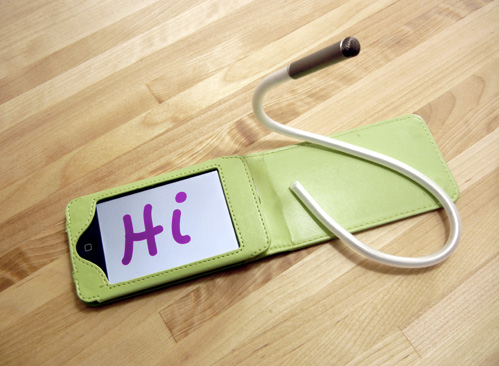
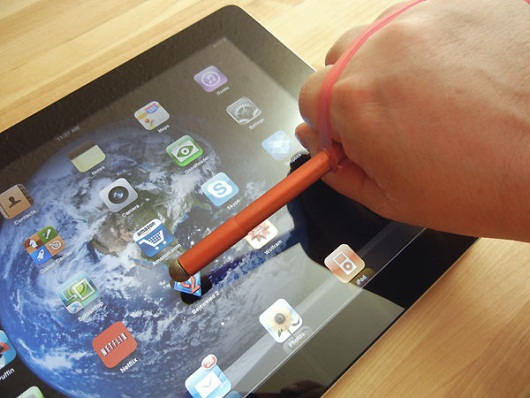
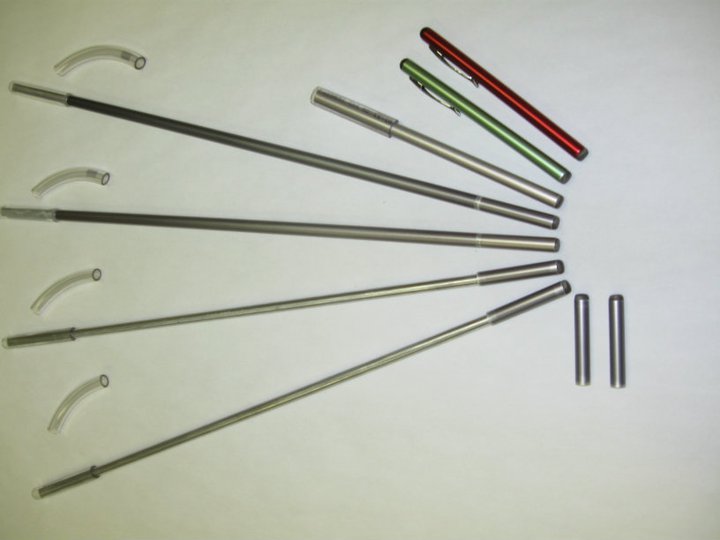
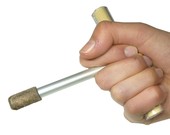
Looking for styluses for individuals with a mobility impairment (this is for you Phil!)?  Here is what I found as possible adaptive styluses for quadriplegic or individuals with limitations in grasp or strength:

Adjustable Touch Screen Stylus from Enabling Devices (79.95)

iFaraday Styluses

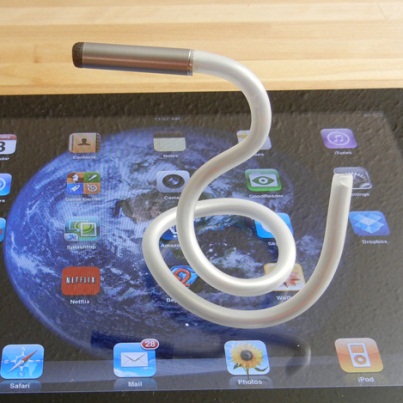
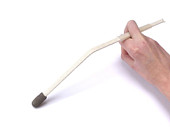
Caduceus –  Stylus with a bendable shaft.                    


                                                                                iFaraday Salt Stylus – ($20) Lightweight stylus with sensitive tip.

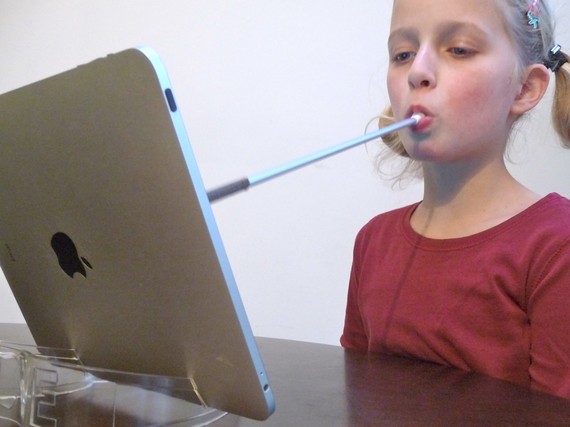
iFaraday Mouth Stick ($20.) – Capacitive tip on lightweight aluminum shaft. Replaceable tip.

Shape Dad Styluses  (as sold on Etsy)

iPad Steady Stylus Junior  ($18)

iPad Steady Stylus ($40)

Flex Stylus  ($40)

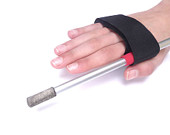
Strap Stylus ($34)

Mouthstick Stylus  ($45)

Snorkle mouth piece stylus ($34)

Mouthstick Stylus ($45)

Mouthstick Stylus Pro ($58)

Conductive stylus tips (2 pack $16)

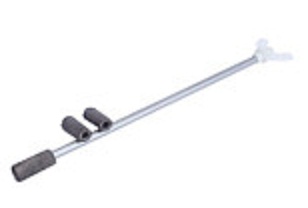
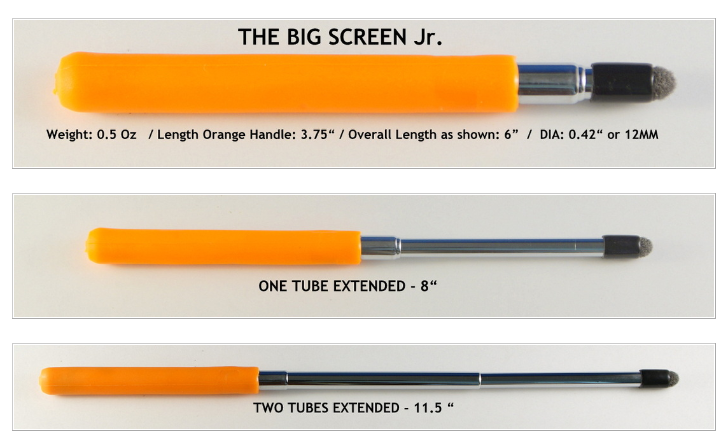
Stylus R Us – Makes telescoping styluses with larger grips that can be adapted. Check website for prices.

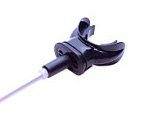
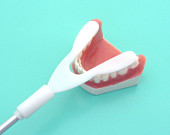
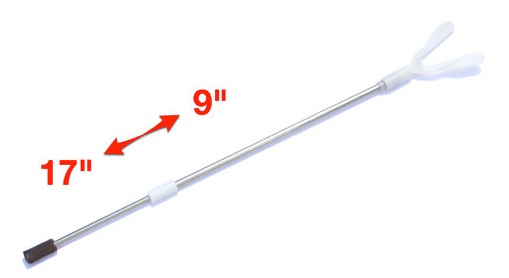
Touchtec Multi-function Capacitive Touch Screen Mouth Stick for Apple iPad, iPad2, iPhone 4s, Kindle Fire, Droid Phones -Black (49.95) 14″ lightweight mouthstick. Replacement tips available.
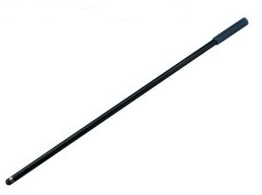
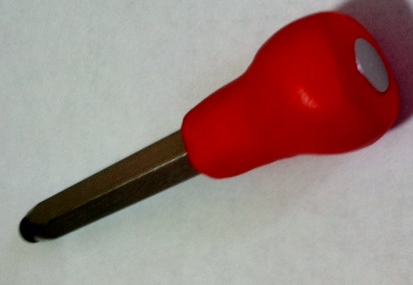
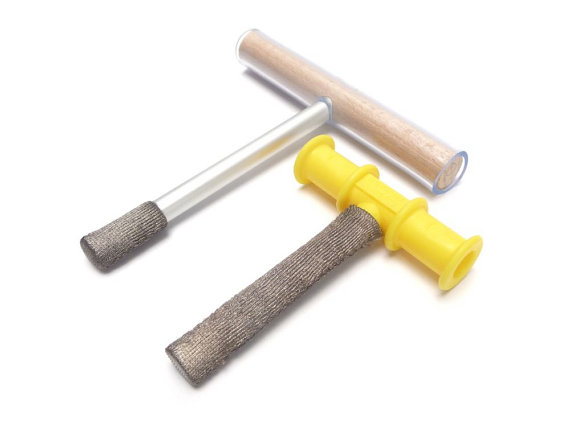
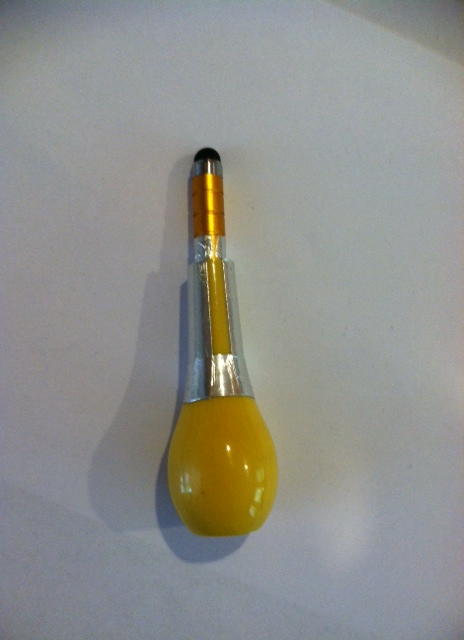
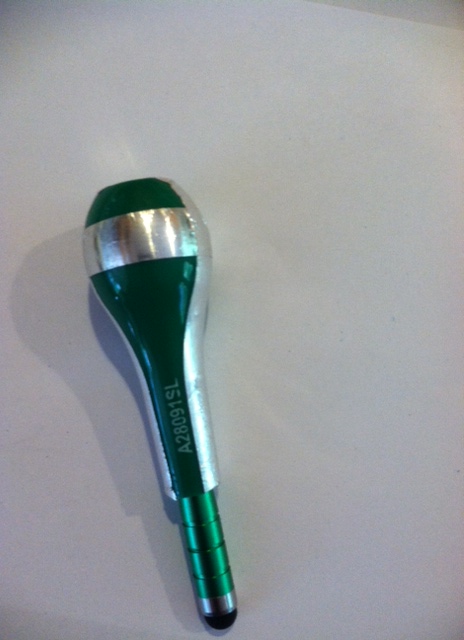
Mac Guyvered – Bulb Grip Styluses ( OT’s with Apps adaptation with Sugru and modified handle)

What stylus has been successful for you or your clients who have a mobility impairment?

Carol

Posted in Accessories, iPad, iPhone, iPod, iPod/iPad Accessory, Mobility Impairment, Physical Disability Tool, Stylus, Uncategorized | Tagged , , , , , , , , | 4 Comments

What Apps Will Benefit Your Patients?

Image from http://occupational-therapy.advanceweb.com/Web-Extras/Online-Extras/App-of-the-Week.aspx

Angela Wood OTR reviews apps for Occupational Therapy Advance. Checking out their website I came across her curated app reviews for 2011. Angela uses an app rating system on each of her reviews providing a good method of comparing apps to apps (?).

Here is the link to the 2011 app review entitled “What Apps Will Benefit Your Patients ?” :

http://occupational-therapy.advanceweb.com/Web-Extras/Online-Extras/App-of-the-Week.aspx

You may need a login to get to the review, but signing up for OT Advance membership is worth the while. I have been getting it for years and enjoy the monthly newsletter with short professional articles, new products and interventions, educational opportunities and current events that affect OT.

Check it out and see if there are new apps  you want to try. I am looking forward to checking out a few unfamilar apps.

More for your OT mTool Kit!

Carol


Posted in Uncategorized | Leave a comment

Your Therapy Source – www.YourTherapySource.com: Using Metronome Apps to Teach Gross Motor Skills

See on Scoop.itApps for Special Education

Your Therapy Resource describes how to teach gross motor skills using a metronome app. Check out their idea. What other ways could you use a metronome app for learning?


Carol


See on yourtherapysource.blogspot.fr

Posted in Uncategorized | Leave a comment