Bugs and Numbers App (Little Bit Studio offers a free code)

Bugs and Numbers icon

Bugs and Numbers app is new iPhone/iPad app (2.99) developed by Little Bit Studio . The third of their educational apps, this app features math activities and provides  fine motor, visual motor and visual perceptual activities for preschool and elementary ability aged students. The Bugs series of apps are favorites with OT’s and students providing innovative and engaging games while learning new skills.

Recently reviewed on OT’s with Apps, the folks at Little Bit Studio supplied a free promo code for Bugs and Numbers app as listed below. If you are the one who redeemed the app code please leave a comment so others will know it has been redeemed (it reduces a lot of frustration for others!).

Bugs and Numbers

E3R6XNRLL44W

Are you familiar with the other popular Little Bit Studio apps?

Bugs and Buttons icon  Bugs and Buttons app – Previously reviewed: http://wp.me/p1w0d0-JO

Bugs and Bubbles icon   Bugs and Bubbles app – Previously reviewed: http://wp.me/p1w0d0-1gn

Thanks to Scott at Little Bits Studio for the free app code!

Great apps for your OT or teaching mTool Kit!

Carol

Posted in App Reviews, Apps for OT's, Apps for Special Needs, Developmental Delay, Early Childhood, Education, Elementary School, Fine Motor Development, Finger Isolation, Game, iPad, iPhone, iPod, Occupational Therapy, Pediatrics, School Based Interventions, Special education, Visual Motor, Visual Perception | Tagged , , , , , , , , , | 3 Comments

Lingvo IDE3S App

See on Scoop.itTherAppists at Work

Lingvo App for Communication

Carol Leynse Harpold‘s insight:

Lingvo app provides a basic symbol communication system when language becomes a barrier whether due to disability or cultural differences.

Free this app may be helpful to therapists working in home health, hospitals or or other medical situations.

Carol

See on www.lingvo.ide3s.com

Posted in Apps for OT's, Augmentative Communication, Community Programs, Geriatrics, iPad, iPhone, Medical, Occupational Therapy, Visual Communication | Tagged , , , , , | Leave a comment

Free Technology for Teachers: 13 Good Chrome Extensions and Apps for Students and Teachers

Richard Byne reviews 13 Chrome Extensions for student and teachers which include some that are support students with reading and writing challenges. Find his review: http://www.freetech4teachers.com/2013/03/13-good-chrome-extensions-and-apps-for.html

As scooped on Scoop.itOT mTool Kit

Carol Leynse Harpold‘s insight:

Many of the 13 Chrome extensions or apps are beneficial to students with special needs (text to speech, dictionary picture supports, etc).

Are you familiar with the extensions or apps available in Google Chrome. Read on for more information: http://www.freetech4teachers.com/2013/03/13-good-chrome-extensions-and-apps-for.html


Carol

See on www.freetech4teachers.com

Posted in Accessibility, App Reviews, Apps for OT's, Apps for Special Needs, Google, Google Chrome, Google Docs, Learning Disability | Tagged , , , | Leave a comment

NEW iReadWrite App!

See on Scoop.itOT mTool Kit

iReadWrite app for iPad makes reading easier and ensures accurate writing as you use your iPad for school, work, or leisure.

Carol Leynse Harpold‘s insight:

Read & Write now has an app! I’ve heard good things about it!

Carol

See on itunes.apple.com

Posted in App Reviews, Apps for OT's, Apps for Special Needs, Dictionary app, Education, Elementary School, High School, iPad, Learning Disability, Note Taking, Note Taking App, Occupational Therapy, Reading, School Based Interventions, Special education, Special Needs, Text to Speech, Word Prediction, Writing | Tagged , , , , , , , | Leave a comment

email & texting

Ergonomic ideas to prevent repetitive strain injury caused by excessive email and texting from OT Idea.com . Their list is basic for those who know ergonomic principles but always a good reminder, especially in the advent of frequency of use of mobile devices.

A task that we all do, all too often. Our bodies are not made for continuous and repetitive texting, email or in general, typing. Before smartphones and laptops occupational therapists were steadil…

As scooped from: Scoop.itOT mTool Kit

Carol Leynse Harpold‘s insight:

More ideas on Email and Texting from The OT idea website : http://www.theotidea.com/archives/2196email-texting/ .

Carol

See on www.theotidea.com

Posted in Activities of Daily Living, Adults, Ergonomics, Mobile Device Use | Tagged , , , , , | Leave a comment

Bugs and Numbers App

Bugs and Numbers icon

Bugs and Numbers app for iPhone/iPad (2.99) by Little Bit Studio, developers of the popular Bugs and Buttons and Bugs and Bubbles apps. The focus of Bugs and Number is to provide a wide range of math skill activities from counting to early fractions. Like their other apps, Bugs and Numbers provides unique ways bugs interact with a numeric focus.

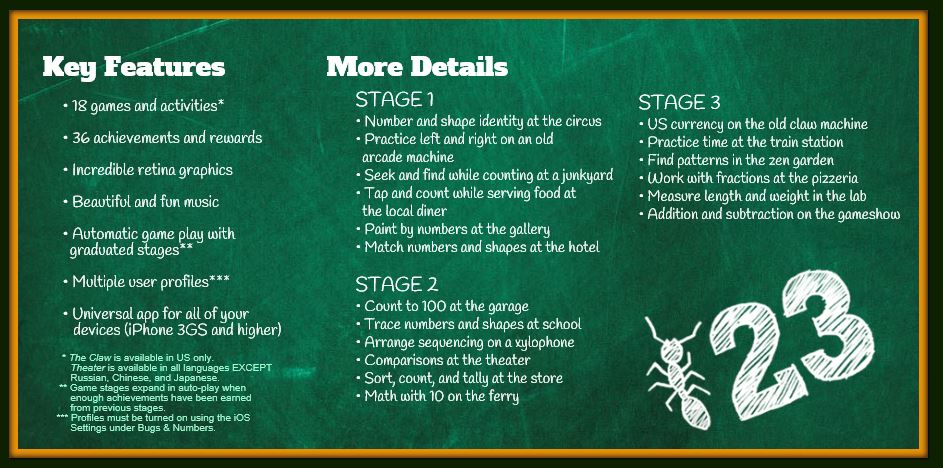
Little Bit Studio breaks down number sense in Bugs and Numbers app:

Bugs and Numbers pic1

A number of setting are the base of the unique number activities as listed above:

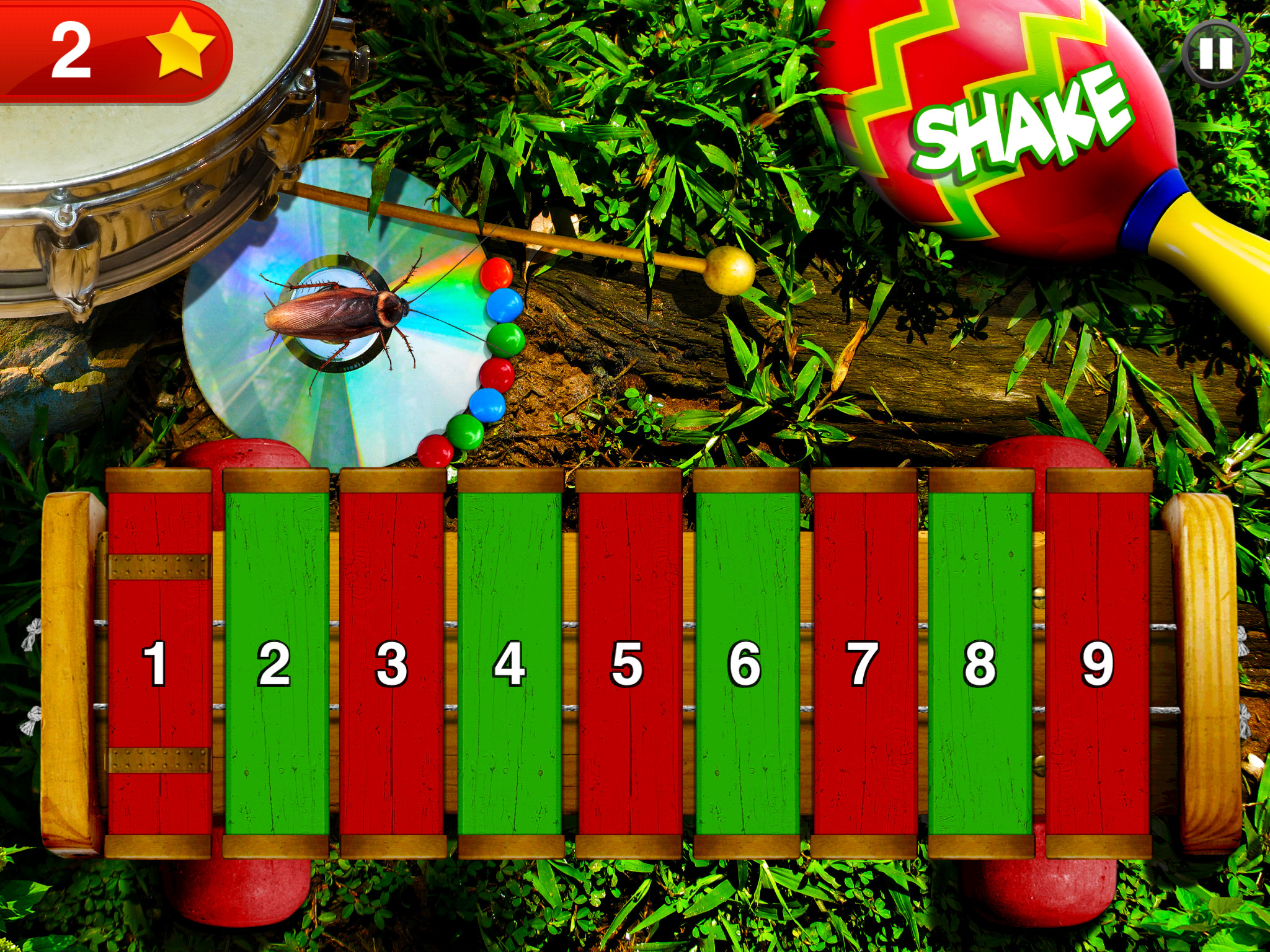
Circus provides number and shape recognition.

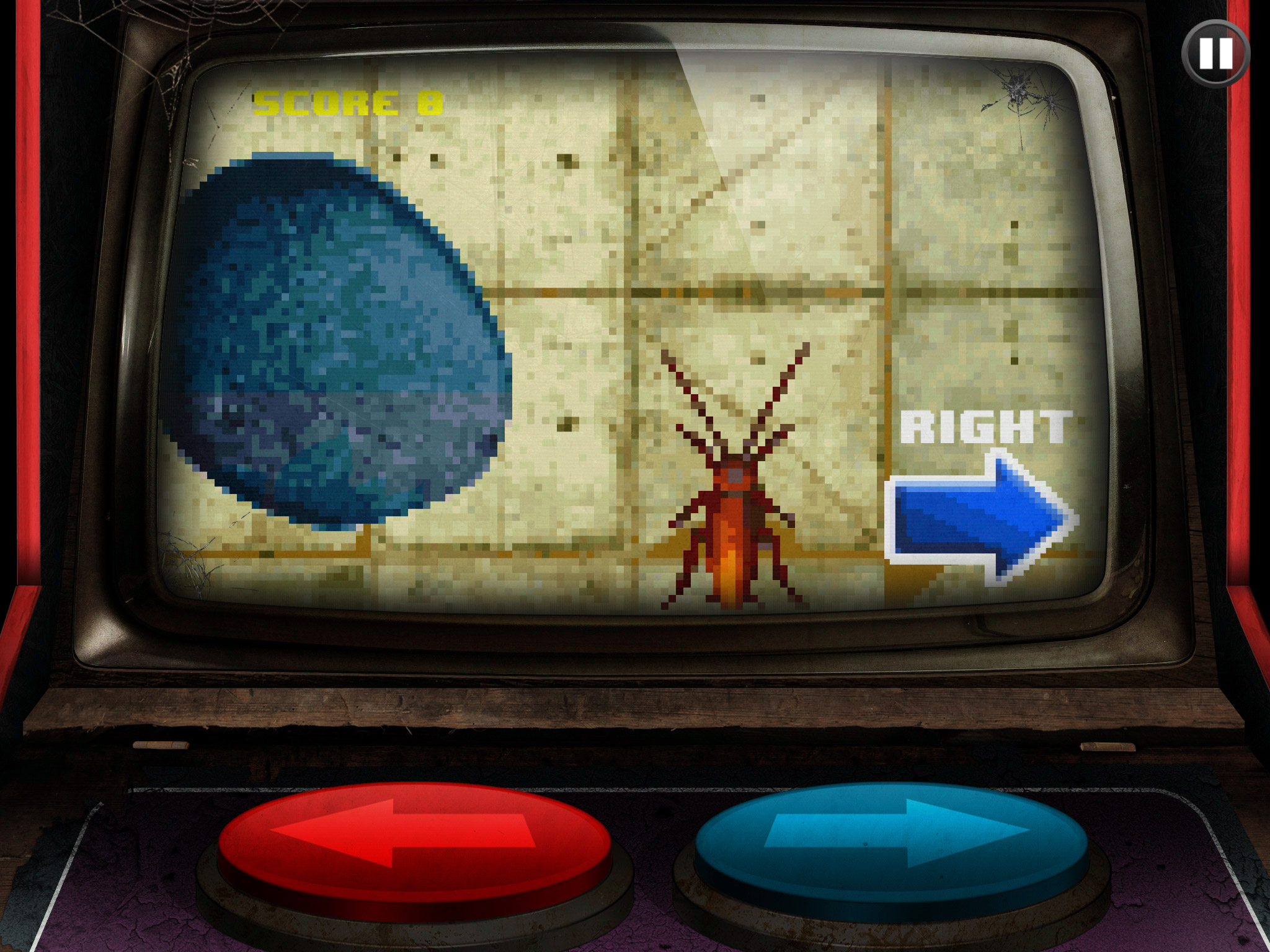
Bugs&Numbers-screen2Arcade features practice with right and left discrimination:

Bugs&Numbers-screen5

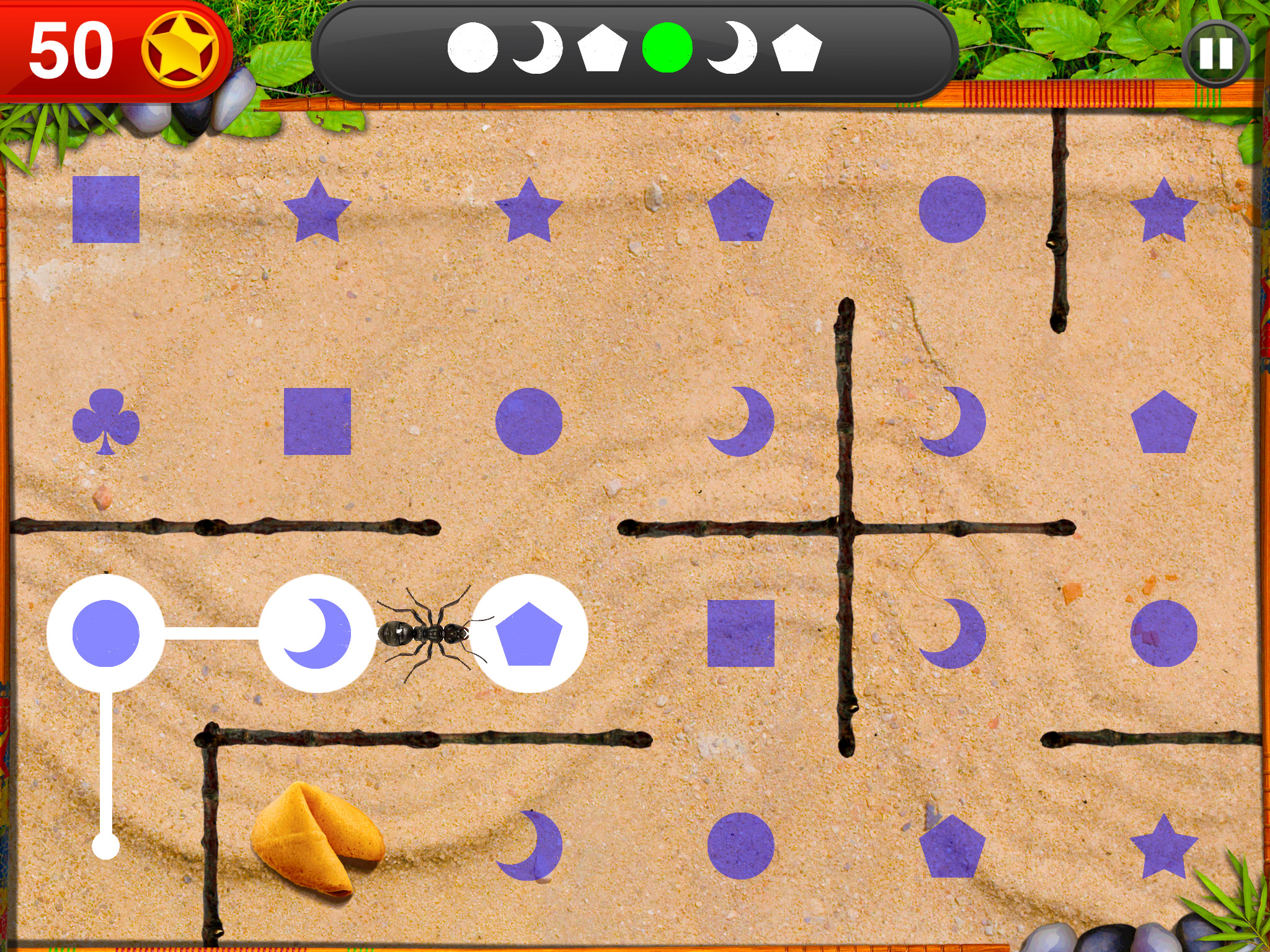
Dance and the Garden provide sequencing practice:

Bugs&Numbers-screen9

Bugs&Numbers-screen14

Bugs and Numbers provides early and elementary school learners with a wide variety of math activities in a game like format where they collect bugs as an incentive. The wide variety of early math concepts are suited to instruction by teachers, therapists and parents. Matching, number formation, sequencing and patterning are skills worked on by teachers and therapists and Bugs and Numbers provides a unique method of practicing those skills in a game like format. The activities are intuitive and interactive for the user and require little instruction if supervision is given to students by an adult.

Bugs and Numbers provides easy access to the activities through touch. Music can be turned on and off in the app. This is a well developed app that is motivating to users, has skills worked on with young students in OT and the classroom and is well worth the 2.99 cost.

More for your teaching or OT mTool Kit!

Carol

Posted in App Reviews, Apps for OT's, Early Childhood, Education, Elementary School, Finger Isolation, Game, iPad, iPhone, iPod, Math, Occupational Therapy, Pediatrics, School Based Interventions | Tagged , , , , , , , | 2 Comments

World Autism Awareness Day

It’s that time of the year again, April 2, 2013 is around the corner and is the annual World Autism Awareness Day, one of the few official United Nations health related days. With 1 in 88 individuals diagnosed with Autism in the US ( March 2012 statistics from CDC), awareness, research on causes and interventions is extremely important. The United Nations offers it as a “Global Challenge”:

Autism Speaks “Light it Up Blue” website provides items, tools and resources, an app and a gallery of how others have celebrated the day.

Light it up blue 2012 iconThe Light it Up Blue mobile app is available for iOS and Android and provides a tool to take pictures of your event, color them blue and share them via Facebook. It also provides a method to donate to the cause.

A few other suggestions to celebrate the day or month include:

1. Wear blue, invite others to wear blue

2. Use blue lighting for awareness to Autism during the month of April from the following resources:

3. Provide information to the community, students, parents, clubs on Autism. The Autism Society – Resource Materials has many resources and publications on a variety of aspects about Autism.

4. Post the Light It Up Blue logos on your website or blog: http://www.lightitupblue.org/Markslist/charityAffiliate/displayPage.do?siteIdCode=LSE0Q1A0&pageId=9

5. Display the Autism Awareness Puzzle Ribbon on your car, wear a pin, post on your website : http://www.autism-society.org/about-us/puzzle-ribbon.html

6. Purchase other items featuring Autism Awarenss of them: https://secure2.convio.net/asa/site/Ecommerce?store_id=2001

6. Get involved. Autism Society has many ways to be involved and support the cause.

7. Read about Autism. The Center for Disease Control is just one resource that has great information : http://www.cdc.gov/ncbddd/autism/index.html .

8. Down load the app and post a picture on April 2, 2013 (Light it Up Blue mobile app available for iOS and Android )

What are your plans for for Autism Awareness Day? How many individuals you know have Autism?

References

Autism Society of America; http://www.autism-society.org/about-autism/

Autism Society of America Resource Materials: http://www.autism-society.org/about-us/publications/resource-materials.html

Autism Speaks! : http://www.autismspeaks.org/

Center for Disease Control – Autism Spectrum Disorders: http://www.cdc.gov/ncbddd/autism/index.html

World Autism Awareness Day : http://www.un.org/en/events/autismday/index.shtml

Light It Up!

Carol

Posted in Android, Autism, Community Programs, Holiday and Special Events, iPad, iPhone, iPod, Occupational Therapy | Tagged , , , , , , , , | Leave a comment

Write for School App

Write for school logo

A few weeks ago I wrote a post about WriteForSchool app, a handwriting instruction app gone free. This unknowingly was a  24 hour sale which I found and probably posted at the 23rd hour. I received many emails stating it was no longer free (often how long an app is free is often unknown …). My apologizes for posting it at the nth hour creating any frustration over the  free availability of the app.

The Write For School.com , following contact with them, generously provided free codes to provide to OT’s with Apps readers. Here are the free codes supplied by the folks over at  Write For School.com. Please be thoughtful if you are one of those who redeemed a free code to post a comment stating redeemed so other users can tell if codes have been consumed!

Y994J9LJ9MK7

WL97LEJY93T7

WJ6YPJRP3YKF

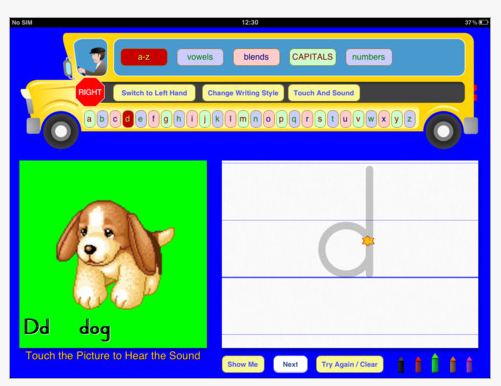
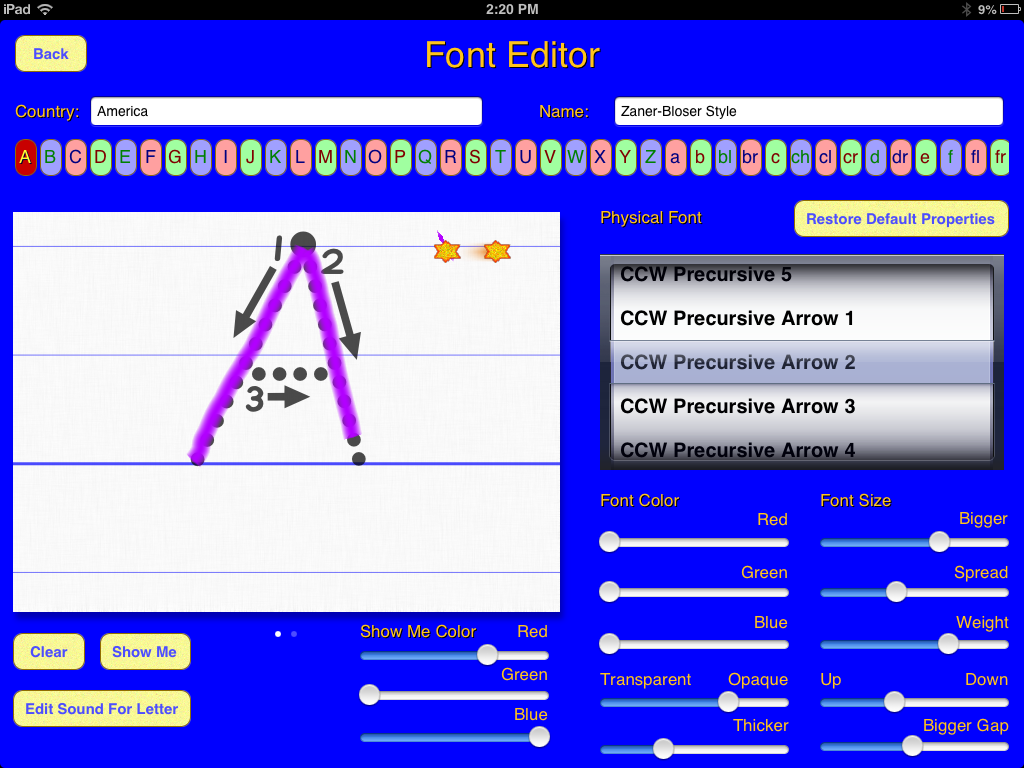
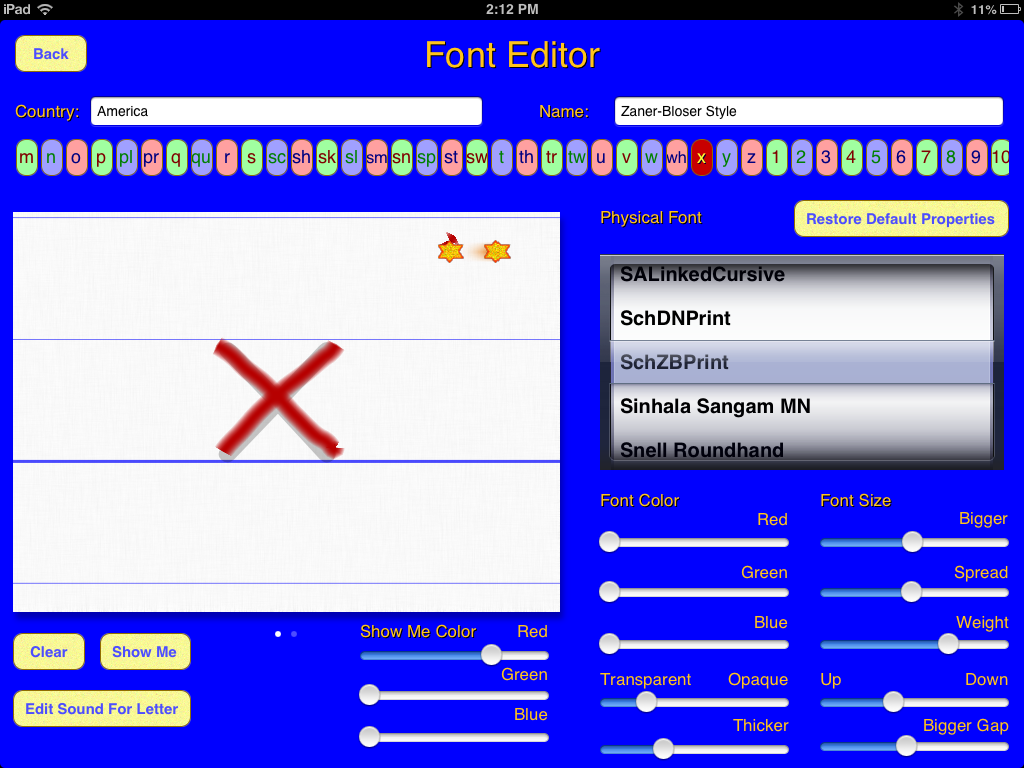
If you are not familiar with the app, the prior post “WriteForSchool App – Customizable Handwriting Instruction” has more information about this handwriting app that provides many customizing features and video instruction to the user. Screenshots featuring WriteForSchool app activities and tools provide a further glimpse of the app’s handwriting instruction. Write for School pic6  Writefor school pic5 Writeforschool pic1 Writeforschool pic2

Write for school pic1 font editor 2012-12-24 02.37.46 PM

 Writeforschool pic4

This handwriting app has many customization features and is well worth taking a look at for handwriting instruction.

Thank you to the folks over at Write For School.com for the free app codes!

More for your teaching or OT mTool Kit!

Carol

Posted in App Reviews, Apps for OT's, Apps for Special Needs, AT for Handwriting, Customizable app, Handwriting, iPad, Letter Formation, Occupational Therapy, Special education, Special Needs | Tagged , , , , , | 12 Comments

iPad/iPod Touch Assessment Checklist by Autism Specialist, Kate McGinnity

Looking for a tool or checklist to sort out how to consider if an iPad, iPod (or other mobile device) is appropriate for your child, student or client with Autism?

ipod_ipad

I recently had the opportunity of attending a Wisconsin DPI Autsim Training ” Addressing Communication” with presenters Kate McGinnity, Mary Graczyk and Daniel Parker. Not surprizingly, two days packed full of resources, ideas, and information from these presenters provided wonderful information with incredible depth from their experience with years of work with individuals with autism. It’s what keeps you coming back in an attempt to absorb their perspectives and understandings of the uniquenesses of autism.

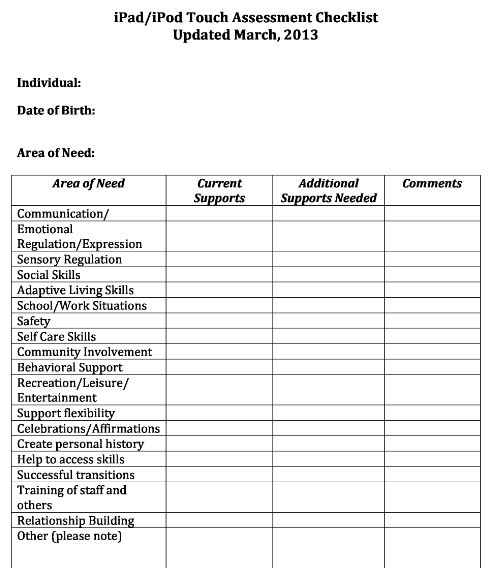
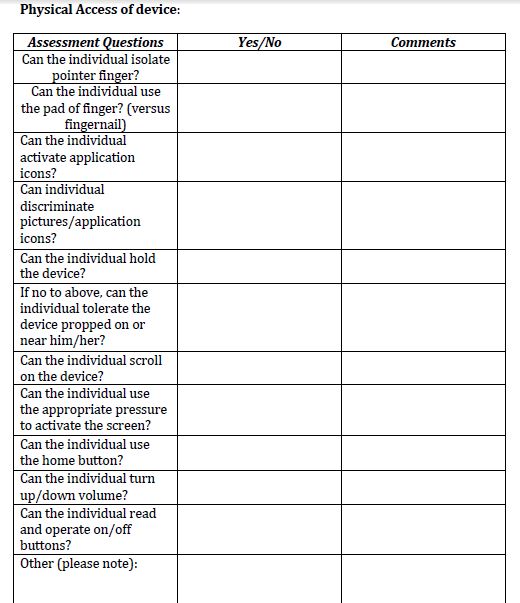
One of the many resources shared is a iPad/iPod Touch Assessment Checklist (updated in 3/2013) created by Kate McGinnity, National Autism Specialist. It provides skills, supports and reasoning when considering the use of a mobile device with individuals with autism. Here are images of the assessment checklist created by Kate McGinnity with a link to the form provided below:

McGinnity iPad iPod Assessment Checklist

McGinnity iPad iPod Assessment Checklist 2

McGinnity iPad iPod Assessment Checklist3Mcginnity iPad iPod Assessment Checklist4

Thank you to author, Kate McGinnity, for permission to share the iPad/iPod Touch Assessment Checklist .

This list can be appropriate for evaluating the needs or appropriateness of any mobile device for a variety of different students.

Thank you again to Kate McGinnity and collaborators for permission to share the checklist!

Carol

Posted in Accessibility, Autism, Formative Assessment, iPad, iPad Management, iPhone, iPod, Mobile Device Use, Occupational Therapy | Tagged , , , , , , | 2 Comments

Another Stylus “To the Rescue”…

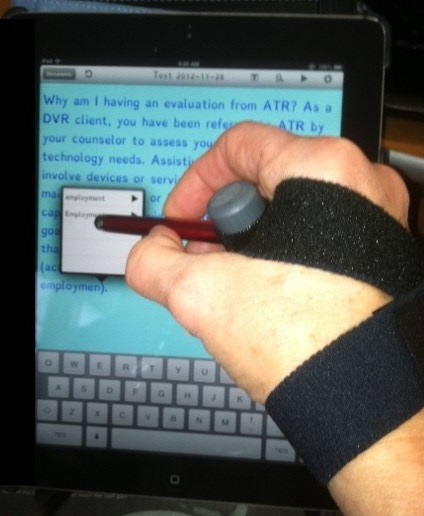
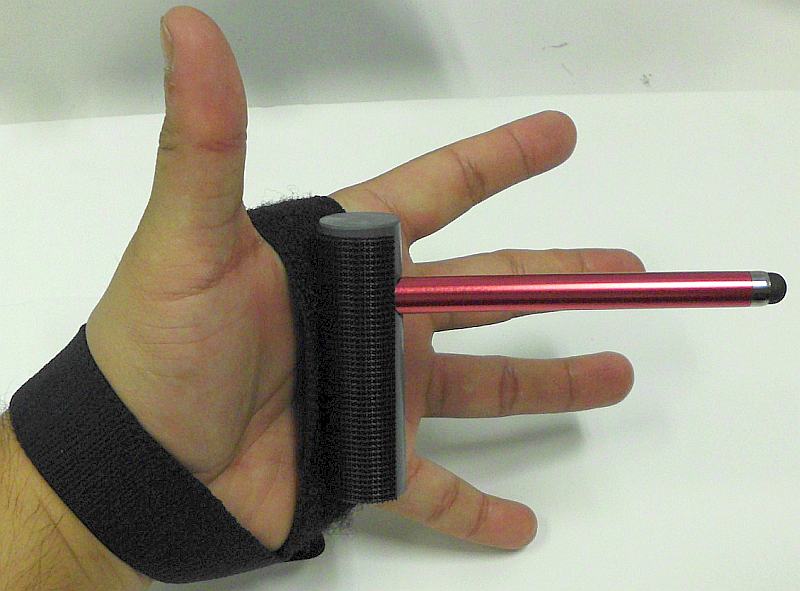
RJ cooper handpointer demo2RJ Cooper’s iPad/Tablet Pointer

Rehabgadgets2go’s recent post “Tip: Stylus Saves the Day” provided a stylus solution and other stylus options for individuals with a mobility impairment.  A stylus can be a make or break solution to accessing a tablet, or touch screen cell phone for individuals with mobility impairments as well as for the aging workforce whose finger dexterity may somewhat challenged.

Here is another stylus “to the rescue”, the iPad/Tablet HandPointer  ($29), produced by RJ Cooper  and supplied to me by Phil Dellegrazio, Manager of Environmental Control Solutions at Adaptive Technology Resources (Thanks Phil!) who needed a stylus for a client with quadriplegia. RJ cooper handpointer stylus pic

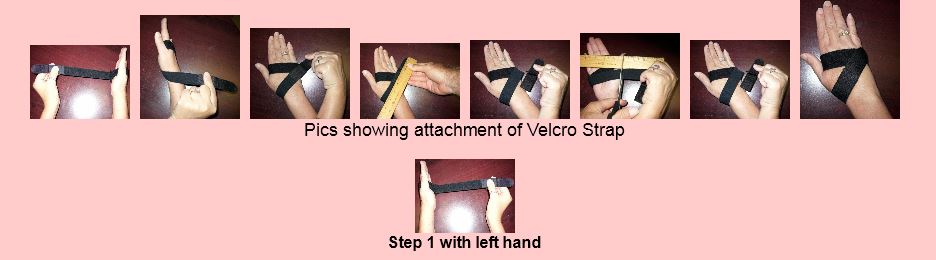
I found this stylus strap to be very comfortable and stable as it is made from elasticized loop velcro. The strap is well anchored with the cross over style method of application. Heavy duty velcro on the cylinder that the stylus is mounted in allows it to be solidly attached, adjusted in position and stable within your hand. The elasticized strap allows it to conform to the velcro on the cylinder base providing more stability to the stylus position.

Below is RJ Cooper’s instruction of application of the strap. The strap can be easily cut to size as needed and can be used for left or right-handedness.

The iPad/Tablet Stylus from RJ Cooper is a good stylus option that is adaptable to individuals with mobility impairments.

Thanks to Phil at ATR for supplying me with this adaptive device for my AT or OT iTool Kit!
Carol

Posted in Accessibility, Accessories, iPod/iPad Accessory, Mobile Device Use, Mobility Impairment, Stylus | Tagged , , , , , , , | Leave a comment