Write to Read – WriteReader

Sarah DeBellis provides an extensive review of WriteReader app. Her blogs always provide indepth information about the app from a teacher and special needs perspective. She provides a keen eye on strengths and weaknesses of apps for all learners and users.
Check out her recent review on WriteReader. Will you include this as a writing tool for your teacher, parent or OT mTool Kit?

Carol

Sarah DeBellis's avatarOn Sarah's iPad

writereaderThere are more than 750 000 apps in the iTunes AppStore, with many doing similar things, so it is very exciting to find an app that does something really different.  WriteReader is one of those apps.  The app is based on research that strongly links success in learning to read with learning to write.   The app is aimed at children aged from 3 to 10 years, although I believe it would be suitable for older children who have special needs.  I’d like to thank Sarah Muzzammil, a member of the WriteReader marketing team, for giving me the opportunity to look at this app.

Main Features

writereaderpageApart from the title page for each book you create, each page consists of a picture that you add from your camera roll, and two text entry points: one for children and one for adults.  You can add an audio recording to each page…

View original post 1,467 more words

Posted in App Reviews, Apps for OT's, Elementary School, iPad, Language Arts, Occupational Therapy, Reading, Uncategorized, Writing | Tagged , , , , , | Leave a comment

Belkin Tablet Stand with Storage Box

Belkin Tablet Stand with Storage

Belkin has this sweet new tablet stand with a storage box that seems to be a perfect little stand for your iPad. The storage container has space for your charging equipment, stylus or even a microfiber cleaning cloth, a great piece of equipment for elementary students who use an iPad, iPad Mini or other tablet computers.

Since I had to try this out, I purchased a gray Belkin Tablet Stand with Storage
which was originally a little less expensive ($31.99) than the cute green Belkin Tablet Stand with Storage which now is selling for 26.99 at Amazon (available at the OT’s with Apps Amazon Store at the menu above).
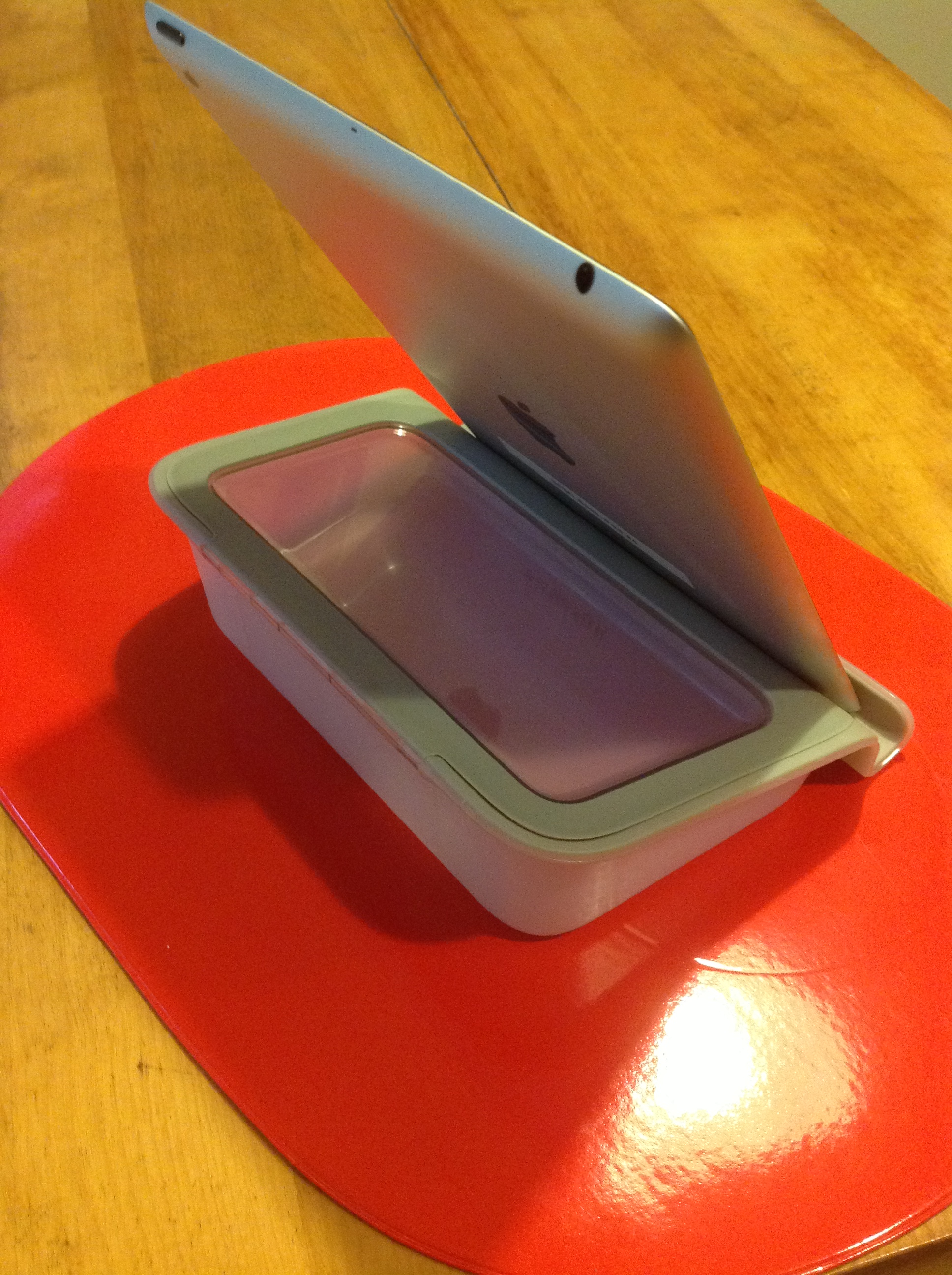
Here’s a screen shot of my new Belkin Tablet Stand with Storage with my iPad:

Belkin tablet stand with storage

The Belkin Tablet Stand with Storage  will work well with the Gumdrop and Trident cases on the iPads at school but did not work the best with the iPad cases with covers such as my Targus Versavu or iLuv case.  Non-skid material is on the bottom of the stand to keep it from sliding around which was effective as trialed.  This offers a good ergonomic solution to positioning the iPad for  reading or when using a bluetooth keyboard to write.

The storage compartment provides a great place for the assessories (stylus, cleaning cloth, cables, charging unit) used with the iPad and a little more cool that the pencil case pouches from the Dollar Tree we use at school. I could definitely see this used with some of our students with iPads at school!

Carol

Posted in Accessories, Ergonomics, iPad, iPad Management, Occupational Therapy | Tagged , , , | Leave a comment

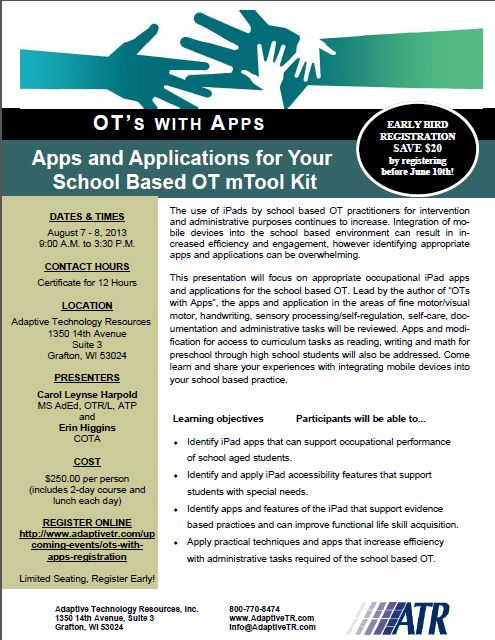
OT’s with Apps Workshop: “Apps and Application for Your School Based OT mTool Kit!

Interested in learning about apps related to school based Occupational Therapy intervention and administrative tasks?

Join OT’s with App’s for “Apps and Application for Your School Based OT mTool Kit” August 7th & 8th !

Registration Information

OT's with Apps Invite pg1

For more information visit ATR’s registration information or call: 800-770-8474 .

Carol

Posted in Apps for OT's, Continuing Education, Occupational Therapy, Pediatrics, Pre-writing, Primary Grades, Print Disabled, Productivity apps, Rest and Sleep, School Based Interventions, Self Care, Self-regulation, Sensory Apps, Sensory Apps for ASD, Social Skills, Special education, Text to Speech, Video Modeling, Visual Communication, Visual Motor, Visual Perception, Voice Recognition, Word Prediction, Work Flow, Writing | Tagged , , , , , , , , , , , , , , , | 3 Comments

iAnnotate App on Sale for Teacher Appreciation Week

iAnnotate icon

Among the myrid of apps for note taking rise a few that are well worth mentioning for personal or professional note taking as well as creating worksheets with text boxes for students with dysgraphia or dyslexia to complete. iAnnotate app is one of those 4.5 out of 5 star apps that has a history of being well supported as well as well liked. For Teacher Appreciation Week (May 6-10), iAnnotate is reduced to 4.99 (from 9.99), a good deal for this app.

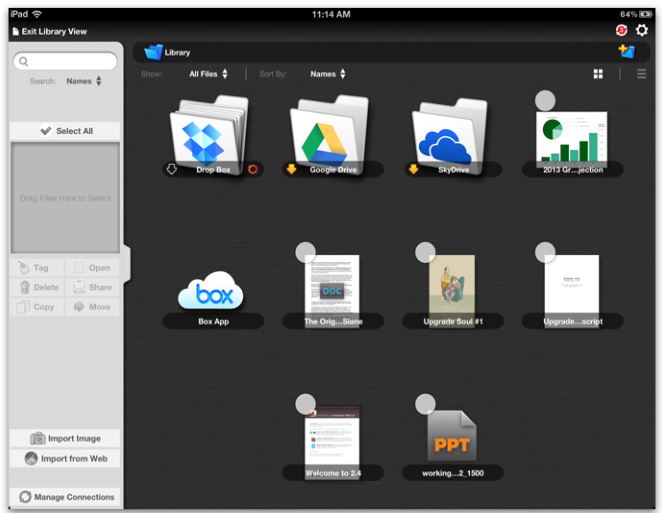
iAnnotate app for iPad provides many features which appears somewhat overwhelming initially, however customization of its tools can help reduce the visual overload with for the user. Along with annotation of PDF files, highlighting and numerous other writing/typing tools, iAnnotate provides file management within the app and ability to sync with many services (Dropbox, Google, Box, Windows SkyDrive).

iAnnotate pic2

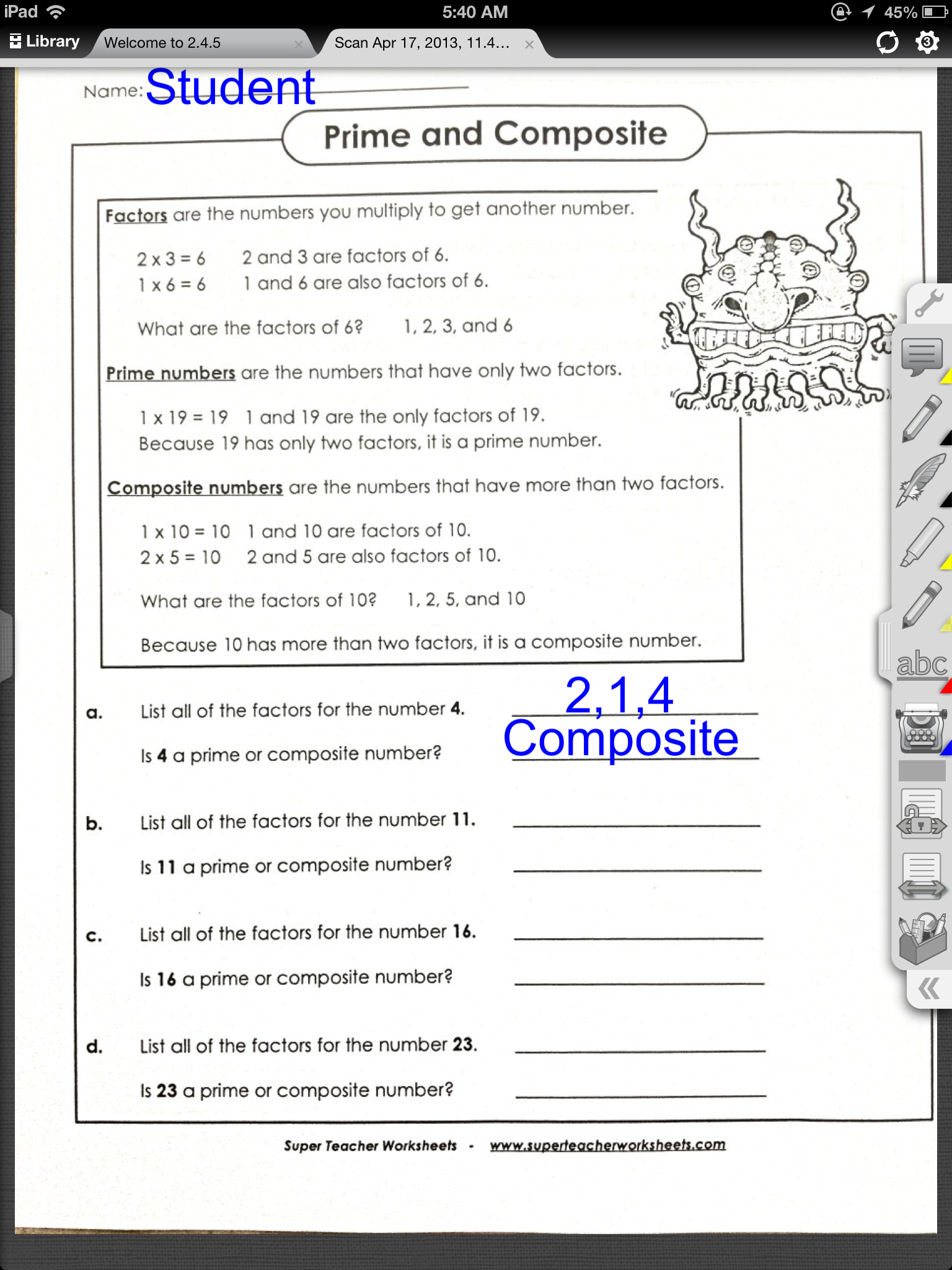
iAnnotate provides many tools for teachers and students including the ability to create text boxes to complete classroom worksheets scanned or emailed to be completed on the iPad. Here is an examples of iAnnotate used with a classroom worksheets scanned to a PDF and imported or emailed for a students with significant handwriting illegibility:

iAnnotate pic1

iAnnotate provides several documents to be open and available to toggle through using tabls noted at the top of the app screen. The tool bar on the right side of the screen can be customized with the users desired tools for ease of and simplified view .

Although, iAnnotate is a bit more expensive than some of the note taking apps and can look somewhat overwhelming, it provides a method of organizing files and allows customization of its tools which is not typically provided in other free apps I have used. At a reduce price, this app may be worth the cost for you or as a method of compensation for the student with handwriting challenges!

More information on iAnnotate can be found on the developers Branchfire website. An introductory iAnnotate app for Android is also available. is also available for Android.

Do you have iAnnotate in your teaching or OT mTool kit? Share how you use it if you do!

Carol

Posted in Android, App Reviews, Apps for OT's, AT for Handwriting, Customizable app, Handwriting, iPad, Learning Disability, Mobile Device Use, Note Taking, Occupational Therapy, Writing | Tagged , , , , , | Leave a comment

Matching – Colorful Card Concentration Game

Matching iconMatching Colorful Card Concentration Game app made for iPhone and iPad is a new Ellies Games app for young children.

Matching Concentration Cards pic1Features as described by iTunes :

FEATURES:

● Vibrant, Visually Stimulating Colors
● Playful Music
● 10 Categories (Animals, Insects, Cars, Planes, ect.)
● Smooth Animations
● Motivational Success Messages
● iPad and Retina Display Support
● No Ads! Perfect for young children!

SETTINGS:

● Pick the number of cards 8, 12 or 20 (iPad only)
● Pick from 10 different Card Types:
– Letters
– Numbers
– Animals
– Flowers
– Sports
– Planes
– Tools
– Instruments
– Insects
– Cars

HOW TO PLAY:

Matching is a card game where you try to match pairs of cards.  The game starts with all card face down.  When you tap a card, it flips over.  Tap another to try and find it’s match!  The game is over when you match all the cards

ABOUT:

Ellie’s Games combines vivid colors and simple game functions to help your child grow while having fun. Color Dots, Color Squares or Color Sliders all are bright, vivid color based games that help expand a child’s growing mind. Simple themes and a user friendly interface make all of Ellies Games simple and fun for children of all ages.

Ellies Game apps are great for early childhood. Add this new app to your Ellie’s apps collection or pass the word on to teachers and parents.

Carol

Posted in App Reviews, Apps for OT's, Apps for Special Needs, Early Childhood, iPad, iPhone, Occupational Therapy, Uncategorized, Visual Memory | Tagged , , , , , | Leave a comment

Counting Dots Gone Free!

Counting dots icon

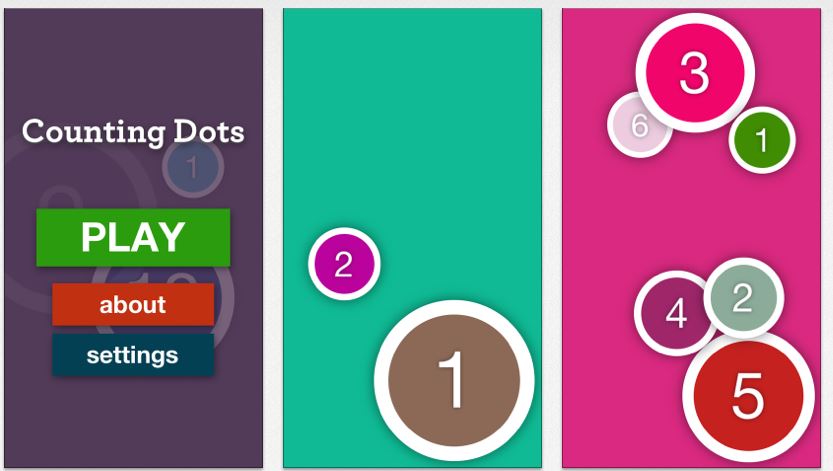
Counting Dots app, an iPhone/iPad app developed by Ellie’s Games, is a counting app with numbers one to one million. Gone free (not sure for how long).

Here are the features as described in the iTunes account:

FEATURES:

● Vibrant, Visually Stimulating Colors
● Popping Sounds
● Pop Vibration (iPhone)
● iPhone 5 support
● Kid friendly menu
● Smooth Animations
● iPad and Retina Display Support
● No Ads! Perfect for infants!

Counting dots pic1
SETTINGS:

● Remove Dot Border
● Remove Dot Sound
● Enable Dot Vibration (iPhone)
● Hinting
● Number to start counting from
● Count by 1s, 5s or 10s

HOW TO PLAY:

Tap the colorful dots in order from smallest to biggest.

ABOUT:

Ellie’s Games combines vivid colors and simple game functions to help your child grow while having fun. Color Dots, Color Squares or Color Sliders all are bright, vivid color based games that help expand a child’s growing mind. Simple themes and a user friendly interface make all of Ellies Games simple and fun for children of all ages.

Carol

Free today. Check it out or pass it on to teachers and parents

Posted in App Reviews, Early Childhood, iPad, iPhone, Math, Uncategorized | Tagged , , , , | Leave a comment

Preschool Visual Motor Apps Gone Free!

Preschool Visual Motor apps pic

Here are a few apps with visual motor activities gone free for the weekend. Whether they are for a day or for a few days is not always known so check them out soon to see if they will be added to your OT mTool Kit.

123 coloring book talking123 Color HD: Premium Version – for iPad/iPhone is an international version with several languages and many themes within the coloring pages. A fun color by number activity on your iPad. Regularly .99.


123 Zoo icon 123 ZOO for iPad/iPhone is an educational app featuring numbers. Learning, counting, drawing numbers and a game reinforcing number concepts is included in this app for preschool children.


Wow Doodle HD icon Wow! Doodle HD  for iPad features preschool drawing /visual motor activities. Tracing straight lines to a variety of shapes, drawing simple parts  on to animals and free drawing in scenes and pictures provides a variety of fun activities for preschool to kindergarten aged children. Share with parents and teachers for practice of visual motor activities.

Not your kind of apps? Share with a teacher or parent as learning activities! You might also share how to set guided access on the iPad to encourage learning rather than just entertainment. Sharing a timer with parents might also be a good ideas to limit screen time as recommended by the NIH .

More for you OT mTool Kit!

Posted in App Reviews, Apps for OT's, Apps for Special Needs, Early Childhood, Elementary School, Free apps, iPad, iPhone, iPod, Occupational Therapy, Primary Grades, School Based Interventions, Special education, Visual Motor | Tagged , , , , , , | Leave a comment

Write to Read – Cool Learning App ~ Educational Technology and Mobile Learning

Richard Byrne’s post Write to Read – Cool Learning App ~ Educational Technology and Mobile Learning” reviews  the Write to Read app.

“Write to Read http://ow.ly/kHCNS ; is an educational iPad app that helps young kids, ages 3-10, hone their reading skills through writing, specifically story creation. The app was developed based on input from teachers and leading Danish scientific researchers and is currently in widespread use in homes and schools throughout Denmark.”

See on www.educatorstechnology.com and also on Scoop.itOT mTool Kit

Carol

Posted in Apps for OT's, Education, Elementary School, iPad, Learning Disability, Occupational Therapy, Special education, Special Education Teacher, Writing | Leave a comment

OSnap! Time-Lapse and Stop Motion App – Gone Free

OSnap! App

OSnap! App

OSnap! Pro for iPhone and iPad is a time-lapse and stop motion app currently free. I have not had a chance to work with this app, but watching the video tutorials shows this app has many options for creating and editing videos or photo sequences for client instruction, video modeling or taking assessment videos or photo to name just a few. OSnap! has many options including but not limited to taking videos or photos in different orientations, using a grid for alignment, “eyes” to enable taking pictures at another time in the same orientation for pre-post photo comparisons and many more photo and video editing options.

Here is a video tutorial from OSnapapp.com presenting basics of OSnap!:

If you are thinking of doing video modeling or video self modeling for students or self-care tasks, vocational or iADL’s this free app might be a good option. Some of the options provided in this app such as the grid or “eyes” can assist with taking pre and post digital data with exact orientation if using it for posture, alignment or range of motion. A OSnap lite version is also available.

OSnapp.com is an easy to navigate and provides written tutorials and video tutorials to help you get started. With the power of camera and video features on your iPad2, 3, 4, iPod or iPad Mini, using the multimedia for treatment, instruction or monitor visually treatment outcomes can be a very valuable tool.

OSnap! is currently free and seems to be to be a valuable app to have for many therapeutic, clinical or educational uses. This will be in my OT and AT mTool Kit!

Carol

Posted in App Reviews, iPad, iPhone, iPod, Medical, Multimedia, Occupational Therapy, Rehabilitation, Video Modeling | Tagged , , , , | Leave a comment

Drawnimal App – Paper Drawing with Your iPad or iPod

DRAWNIMAL iconDrawnimal App

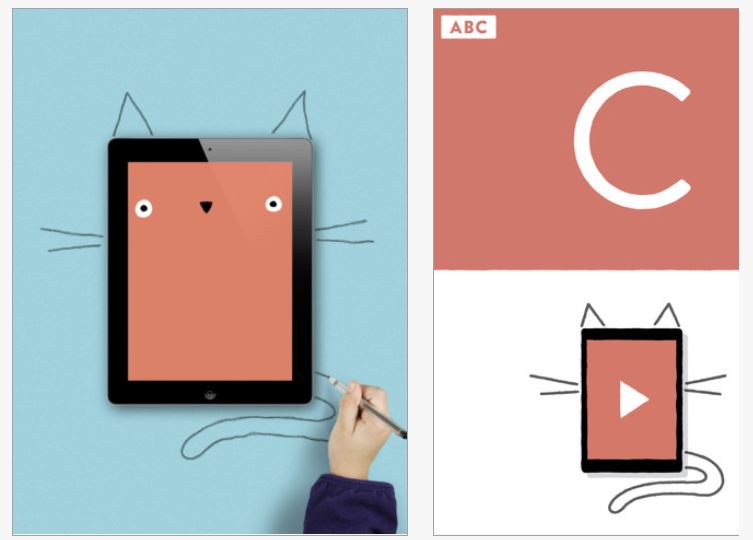
Drawnimal app (1.99) is a new twist for drawing on paper (yes, hard copy paper…) and learning letters with your iPad or iPhone. Yes, this caught my attention also, read on and you’ll understand this new mix of hard copy drawing with your iPad/iPhone.

Drawnimal pic1

Instructions are simply:

  1. Place your iPhone on a sheet of paper or any surface you can draw on.
  2. Draw around the iPhone as shown on the screen.
  3. Press play to call up the animal!
  4. Tap the screen for a surprise!

Here is a video of some of the Drawnimal examples in the app and the resulting surprises:

What a fun way to get students to draw and reinforce letters! Certainly there are many ways this can be adapted for students:

  1.  Draw part of the animal components and leave the components that the students can do, such as have them finish the last part using reversed chaining technique.
  2. Scaffold completion of the task by drawing the components that are difficult then allowing the student to draw components that they can be successful at such as drawing the straight lines or if working on diagonals have then fill in those parts as appropriate to the animal selected. Knowing the level of difficulty each letters  present can help choose letters that have components you are working on with a student.
  3. Trace the lines of the animal being created with a dotted line or highlighter. Have the student trace over the lines.
  4. Have the student also draw the face or components such as eyes displayed on the iDevice on the paper also.
  5. Include drawing the letter, reinforcing the proper formation reinforced in the classroom. Whole words or sentences can be added to the drawing.
  6. Add other details to the picture as is appropriate to the level of the student.
  7. Create a alphabet book of all of the letters.

Basic instructions are available in a Parent menu available within the app. More information can be found on the Drawnimal.com website.

Similar to step by step drawing apps provided on with your iPad this provides drawing on paper, the ability to use the drawing implement or grip of your choice (crayon, pencil, marker, pen of a variety of sizes, grippers or weight.

Would you use this in your OT or teaching iTool Kit?

Carol

Posted in App Reviews, Apps for OT's, Apps for Special Needs, AT for Handwriting, Drawing, Early Childhood, Elementary School, Handwriting, iPad, iPhone, iPod, Letter Formation, Occupational Therapy, Pediatrics, Uncategorized, Visual Memory, Voice Recognition | Tagged , , , , , , , , , , , , , | Leave a comment