Apps Gone Free Today – FotoMed HD

Apps free

Here are a couple of notable apps gone free today (limited time) that might come in handy in your OT mTool Kit:

FotoMed HD iconFotoMed HD app for iPhone and iPad (regularly 1.99) provides a pocket medical reference with images, definitions and links to resources. Good resource for those working in medical environments where images may help clients understand medical interventions or terms.

Color Memory Match iconColors Memory Match! – (regularly 3.99) for iPhone and iPad. Learn recognition of colors in a matching game. Speaks colors and provides a “Show Me”  mode allowing cards to all be seen as an easy start method. Levels of differentiation in this app.

You Record iconYou Record for iPad. Provides voice recording features with additional options. Name the file, organize the file by topics, edit the audio file within the app and share with Air Drop in iOS 7.


Many of these apps might be a duplicate, however might be worth checking out!

Carol
 

Posted in App Reviews, Apps for OT's, Apps for Special Needs, Free apps, iPad, iPhone, iPod, Medical | Tagged , , , , , , , | Leave a comment

ABC Ninja – The Alphabet Letter and Phonics Slicing Game

ABC Ninja icon

Ninja ABC App

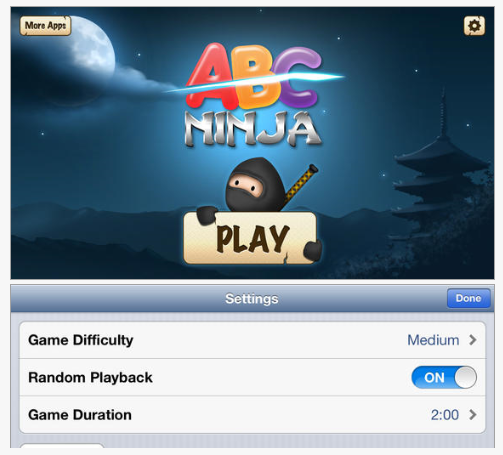
Familiar with the Alligator apps ? Their newest of their early literacy apps, Ninja ABC app, a letter and phonic slicing game for iPhone and iPad is free. Ninja ABC features the fun of identifying and slicing upper and lower case letters and sounds in a learning game (why didn’t we think of that??).

ABC Ninja pic1Presented in a clean, customizable app, Ninja ABC app  offers three levels of difficulty (easy, medium, hard), duration of play (from 1-10 minutes) and turning on and off any of the upper or lower case letters or phonics for users specific learning needs.

Ninjia ABC pic 2

Ninja ABC app is a fun app for letter and phonic identifications for your students. Unfortunately it does not allow creation of users to for assessment purposes. It is a customizable, engaging, educational app for students that can be used as a reinforce or reward following completion of academic or therapeutic tasks.

Share with parents and teachers for a free, fun early literacy game for young children.

More for your home, school or OT mTool Kit!

Carol

the developers at Innovative Mobile Apps (Alligator Apps). Alligator Apps ( like Grasshopper Apps) provides a wide range of early literacy apps that are customizable.

Posted in App Reviews, Apps for OT's, Customizable app, Early Childhood, Elementary School, Emergent Literacy, iPad, iPhone, iPod, Phonics, Special education | Tagged , , , , , , | Leave a comment

Mirror Case for iPad

Mirrorcase pic1

MirrorCase for iPad

Do you or your students/clients have a need to take pictures or video, take notes and bookmark information on your iPad?

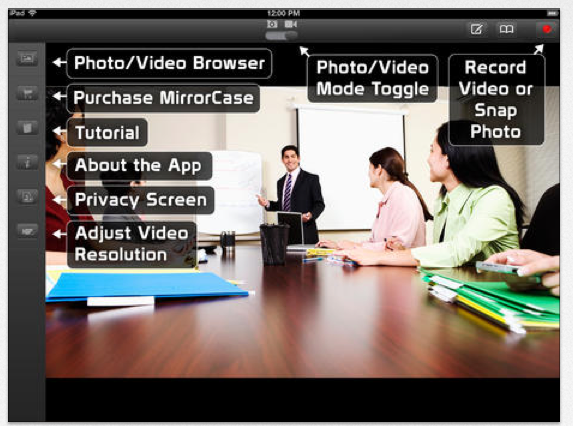
The MirrorCase and MirrorCase HD app is a recently developed product that uses the camera  of the iPad to take pictures record video, annotate and bookmark with the images. The  case features a stand and adjustable mirror to take pictures and videos with your iPad and the MirrorCase app. This video provides some of the features of the stand and app:

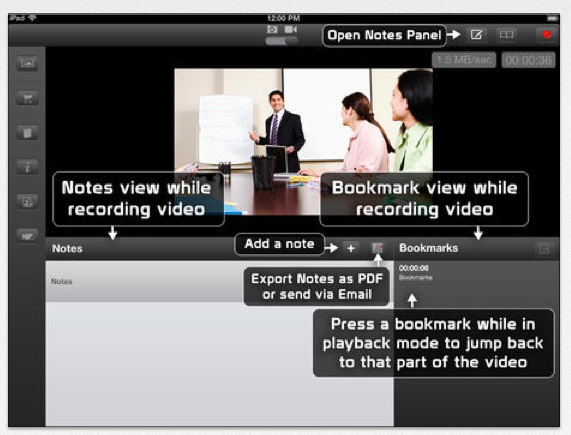
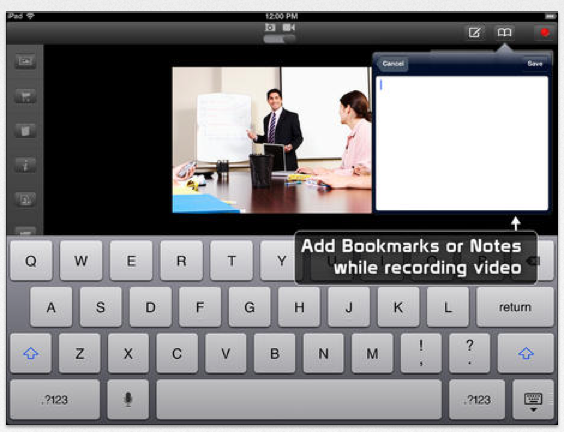
The MirrorCase HD app (free for iPad), provides the options of taking photos, video, adding accompanying notes and bookmarks.
Mirrorcase pic2

Mirrorcase pic3

Mirrorcase pic4

Brief trial of the MirrorCase and app on an iPad 4 found it provided fair viewing of videos and photos and fairly simple note taking and bookmarking notes. Replay of the videos or photo provide review of the notes and locating the bookmarks created. A library of your videos and of photos is created in the app for later review.

The MirrorCase provides an interesting option for note taking for students needing a visual and audio review of directions. Notes can be emailed and photos and videos saved to your photo album. An option for more mature students who need visual and auditory review of directions or demonstrations, the MirrorCase HD and app provides the tools for video and simultaneous note taking within the app.

Have you had experience with the MirrorCase and app?

Carol

Posted in Accessories, App Rubric, Apps for Special Needs, iPad, Learning Disability, Multimedia, Note Taking, Note Taking App | Tagged , , , , | Leave a comment

Texthelp Keyboard (Beta) for Android

Texthelp Android keyboard beta icon

TextHelp Android Keyboard (Beta)

As an iOS iPhone and iPad/iPod user for the past few years, Android device use and apps are not real familiar to me. I have a Toshiba Thrive I have used but keeping up with apps for one platform much less two is beyond my reality. Yet the reality is that we may have clients with Android  devices, especially phones who may benefit from supports for messaging, emailing and other forms of writing.

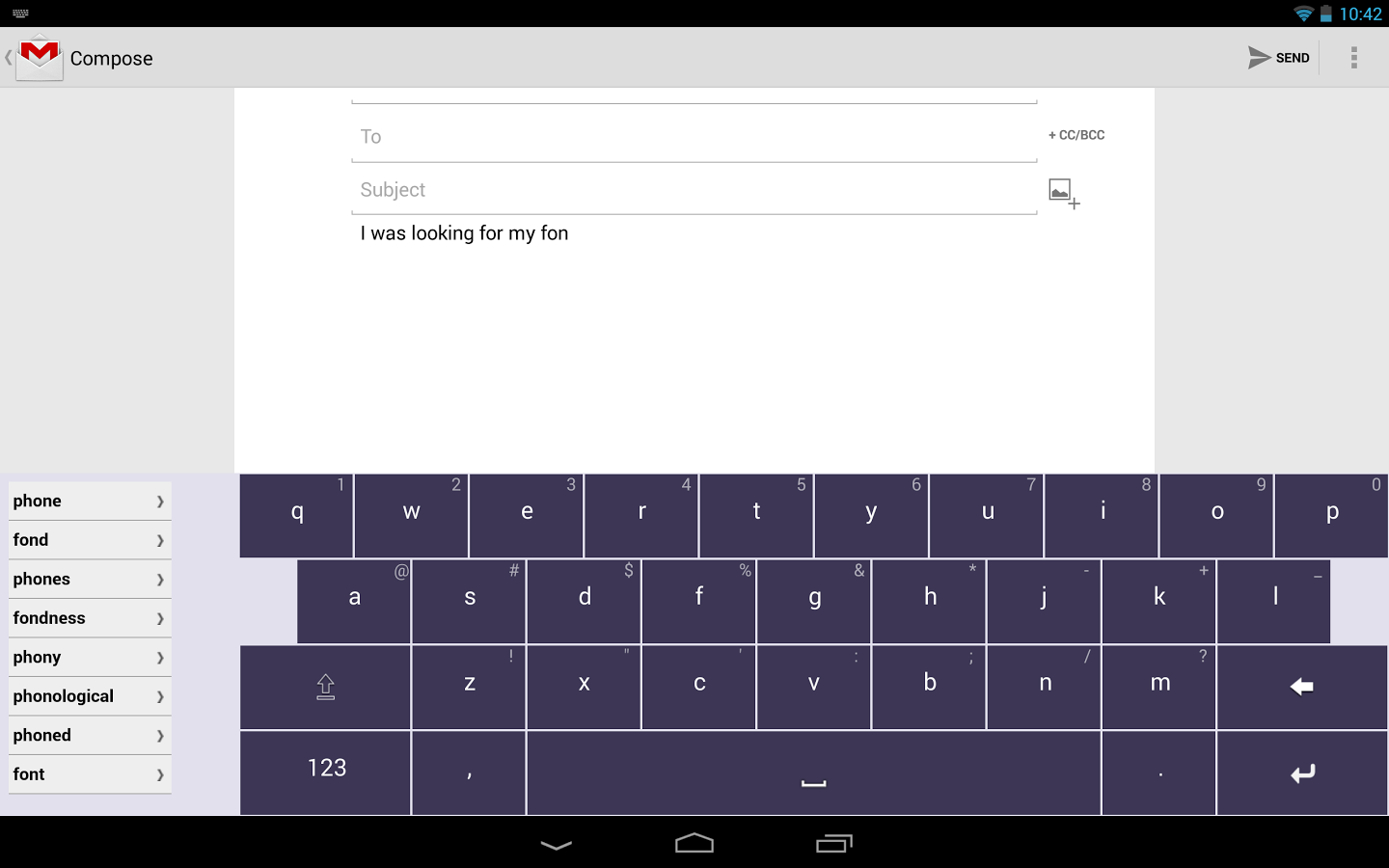
The Texthelp Keyboard (Beta) app (free for 30 days) for Android (recently updated as of September 24, 2013)  providing a replacement keyboard with writing supports which works across all applications (don’t you wish you could do that for iPad/iPhone??). Here are the features of the keyboard app as listed on the Texthelp Keyboard Google Play website:

-English (GB) Dictionary
– Form sentences from suggestions by swiping
– Next-word prediction
– Text-to-Speech Support
– Phonetic suggestions
– Variable text sizes
– Multiple keyboard support: URLs, Phone Numbers, E-Mail Address & Text
– Tap sounds
– Vibration feedback on keypress (on supported devices)

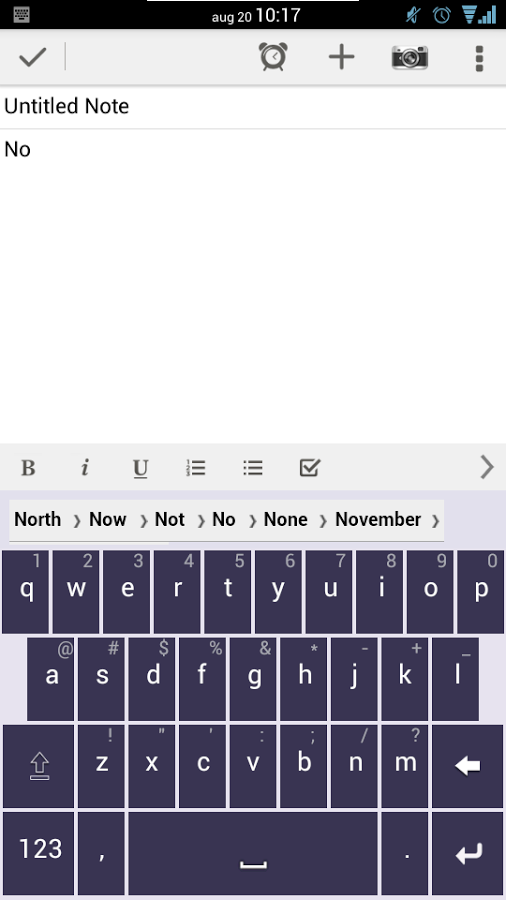
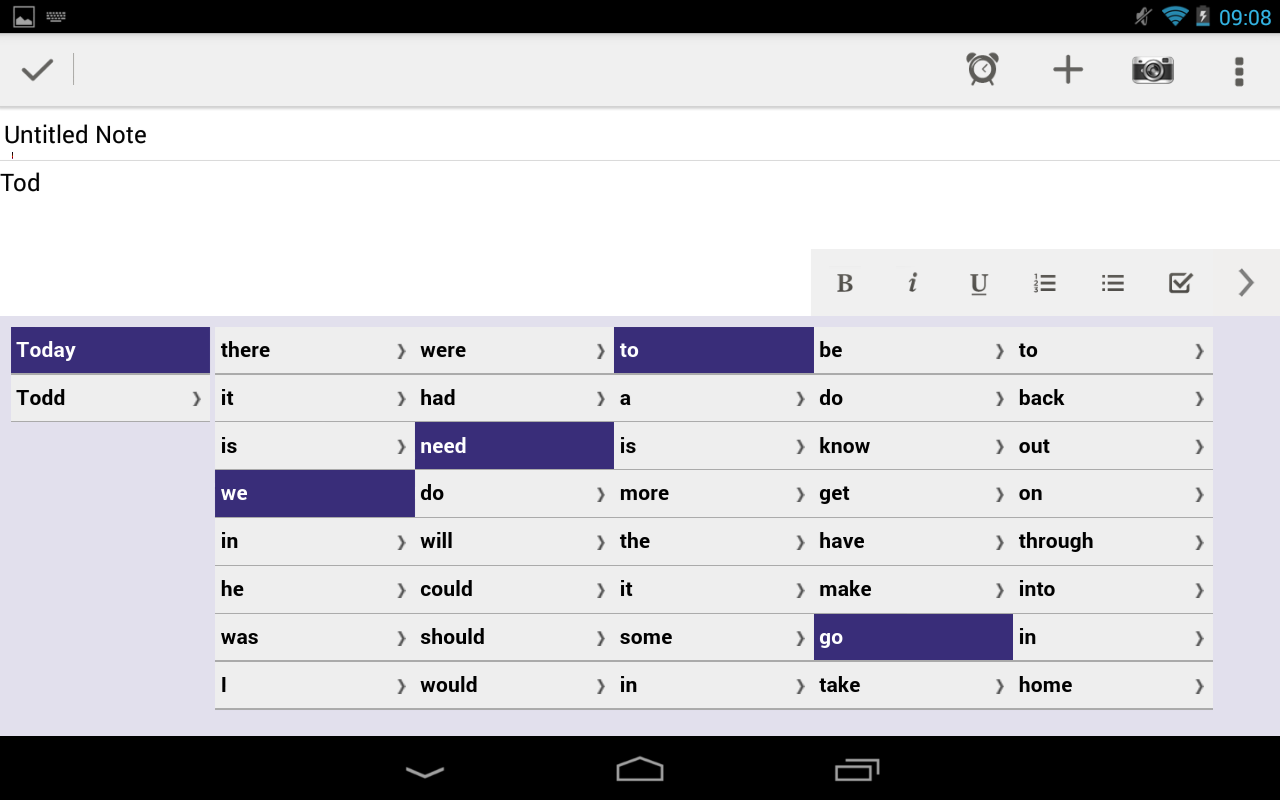
Here are a few images of the app on a phone and tablet:

TextHelp Android keyboard pic3 ph TextHelp Android keyboard pic2 Texthelp Android keyboard pic1

It appears to have important AT supports for writing as well as TTS on the tablet and phone versions.  Time to get my dated Toshiba Thrive out and see if I can give this keyboard app a try!

For more information visit Google Play Store. At present I could not find any information on TextHelp’s website, however I would check their website after the Beta version is finalized.

If you have tried it out share your experience!

Carol

Posted in Adults with LD, Android, Android Management, App Reviews, Apps for Special Needs, Communicaton, Computer Utilities, Keyboard, Text to Speech, Word Prediction, Writing | Tagged , , , , , | Leave a comment

AT Daily Shares – ChesterKeys&Case iPad keyboard and case with large print & color coded keys

As Scooped from Assistive Technology Daily – The Chesterkey & Case 

Available in Chester Creek’s large print and  color-coded keys for improved typing  speed and accuracy, or a black and white keyboard both with large bold high visibility printThe keys feature extr…

Carol Leynse Harpold‘s insight:

Assistive Technology Daily shares the ChesterKeys Case and Keyboard with large print and color coded keys. Great for individuals with visual or cognitive challenges, it certainly could be a Universal Design tool for all skills and ages!

The Chester Creek Keys Case for iPad  is also available at Amazon

Thanks to Assistive Technology Daily for sharing their great AT finds!

OT’s with Apps

As scooped on Scoop.itOT mTool Kit

Posted in Accessibility, Accessories, iPad, iPhone, iPod, iPod/iPad Accessory, Keyboard, Writing | Tagged , , , | Leave a comment

Waitstrip App – Visual Timer

Waitstrip icon

Waitstrip App

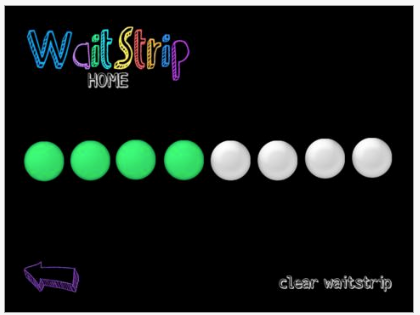
Looking for a different type of visual support for task completion?  Waitstrip app presents a visual completion in a linear (horizontal) completion method as opposed to the more typically used count down clock timer.  This provides another visual choice of marking task completion that is not timed. Compatible with iPad,  (.99) Waitstrip Visual Timer app is also available for the iPhone for free (iPhone version will not work on the iPad).

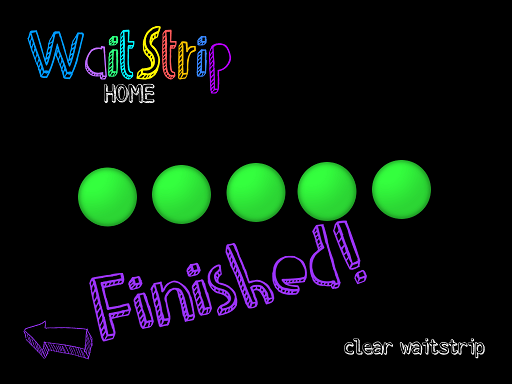
Waitstrip pic1Options in Waitstrip iPad version allows a choice of 5, 8 or 10 circles  and three different circle colors (green pink or blue). Choose the number of circles that correlate to the number of tasks requested of the user. No timing element is available, only circles that when tapped change to a color showing completion of a task. If 5 work tasks are assigned 5 circles would be chosen at set up and each time the task is completed a circle would be touched showing completion until all tasks and circles were finished.

Waitstrip pic1a

Waitstrip app is a pretty simple app, but may just be the tool needed for individuals who may not understand a timer concept or setting a time for task completion may not work. Waitstrip disappeared this summer during the OT’s with Apps @ School Workshop, so it good to see it available again for those needing a untimed visual support for completion of tasks.

Waitstrip Visual Timer app, available for iPhone/iPod, is available for free. It is not compatible with iPad.  The iPhone version provides a choice of 2-5 circles for task completion. If you have an iPhone or iPod Touch you might want to trial this free version prior to purchasing the iPad app.

Would this visual support be of benefit for your student? Visual supports are one of the 24 EBP (Evidence Based Practices) identified by the National Professional Development Center on Autism Spectrum Disorders. For more information, check out their website for specific information on visual supports and their implementation and the other 23 EBP’s.

More possibilities for your teaching, home or OT mTool Kit!

Carol

Posted in Apps for OT's, Apps for Special Needs, Autism, Developmental Delay, iPad, iPhone, iPod, Occupational Therapy, Special education, Special Needs, Visual Supports | Tagged , , , , , , | 3 Comments

Crack the Books iTextbooks – Adjusts for Reading Levels

The Mobile Education Store, developer of the Conversation Builder, Story Builder, Language Builder brings you Crack the Books iTextbook series. This series scales the content of books to suit readers at different reading levels in science and social studies for grades 3-5.

Crack The Books is a state of the art, interactive textbook series for upper elementary students.

Carol Leynse Harpold‘s insight:

Interesting universal design for learning textbook series. Have you used these?

Carol

As scooped on  Scoop.itOT mTool Kit

Posted in Reading, Uncategorized | Leave a comment

SpEd Pad – An All New Tablet for Special Education

As scooped from spedpad.com

The SpEd Therapy Pad – A dedicated mobile device with customization possibilities for students with special needs. Look interesting – have you used or seen it?

SpEd Pad is a dedicated therapy tablet. SpEd pad is a Special Education Tablet bundled with 100s of Special Education Apps for Therapists, Teachers and Students.

Carol Leynse Harpold‘s insight:

A dedicated mobile device providing customization for students with special needs. I sure would like a live demo!

Carol

As scooped from Scoop.itOT mTool Kit

Posted in Uncategorized | Leave a comment

BARD Mobile App from NLS

BARD Mobile App icon

BARD Mobile App

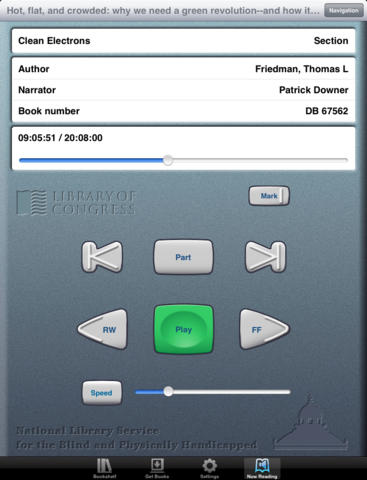
The BARD Mobile App developed by the Library of Congress is the app managing files for those registered for the National Library Service for the Blind and Physically Handicapped (NLS). Seeing the apps interface, shows it looks very similar to the actual readers supplied by the NLS.

Bard

Free and available for iPhone and iPad, this app provides access to braille and talking books directly from the NLS Braille and Audio Reading Download (BARD). This service allows access to 50,000 books, magazines, and music scores in audio and braille formats. Using Bluetooth services on your iDevice,  you can also use a refreshable braille display and read the braille materials available on BARD.

What a great app making information more portable for individuals with visual impairment.  What I know about individuals with blindness is their need to carry with them numerous devices to access information with combined weight of the devices being significant. This app provides additional access to information on an iOS mobile device.

More for your teaching, personal or OT mTool Kit!

Carol

Posted in App Reviews, Apps for Special Needs, Free apps, iOS, iPad, iPhone, iPod, Low Vision/ Blindness, Music app, Occupational Therapy, Reading, Special education, Text to Speech | Tagged , , , , , , , | 1 Comment

Goniometer app reviews by Medical App Journal

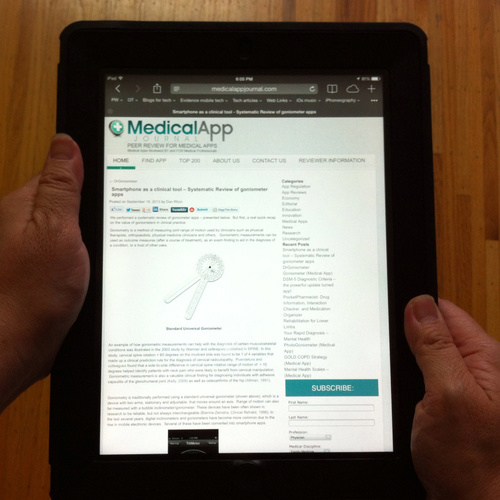
 Rehabgadgets2go.wordpress.com  provides a great medical app review resource and shares reviews on goniometry apps on their recent blog post.

I recently discovered a new-to-me website, Medical App Journal.  They do peer reviews for medical apps.  I found this informative article, Smartphone as a clinical tool – Systematic Review of gonio…

Carol Leynse Harpold‘s insight:

Rehab Gadgets 2 Go provides an online resource and review of goniometry apps for your OT mTool Kit. Some of us rarely need a goniometer, but having an electronic one available on your mobile device might be handy!

Worth checking out !

Carol

As scooped on Scoop.itOT mTool Kit

Posted in Uncategorized | 2 Comments