Study Tools for the OT Practitioner

Exam time pic

Preparing for the NBCOT Certification Exam? With June just around the corner, it is time to prepare for the OT exam.  There are a myriad of tools available to study for the OT certification examination. Online resources, exam study books and apps to help prepare. Online tools are not only for studying for the NBCOT Exam but also for many other OT related specialty areas. Study resources can be helpful if you want to update your skills (wonder what the content is in the OT curriculum these days???) or studying for a specialty certification for the practicing therapist.  Here are a few resources readily available for purchase or free!

Most likely most millennial students already know the resources available to them. As a boomer, it is interesting to stumble upon all these tools available to students and practitioners.  I would guess that most boomers are saying, “if only I had that, how much easier it would have been”. While that may be the case, the knowledge base of current OT practice has expanded exponentially since my college days ! There are many new areas of practice with evidence based also an important focus of practice. Yes, many changes!

Here are a few study tools and also some resources available that might aid studying for the exam for OT Practitioners:

NBCOT Aspire has several resources available specifically for studying:

Numerous books are available for studying such as those available on Amazon for purchase or rent: Amazon Books for OT Exam . Google also has books available for OT Exam preparation.

Other resources:

Study Stack has a variety of resources for OTR/COTA exam as well as study content for any OT Practitioner.

Quizlet.com , an online resource for flash cards for many subjects, has study topics for US and Canadian OT exams.  Quizlet apps for iOS, Android and Kindle  are also available if you want to make your own multi-media flash cards or use existing cards. OT content is available for many subjects in Quizlet.com and may be a handy resource if studying for specialty areas for practicing OT’s as well. Quizlet app is one of a number of free flashcard apps with free online flashcards shared by others.

StudyBlue.com , another online resource of flash cards for subjects related and specific to OT. Study Blue apps for iOS and Android are free allowing download of existing subject flash cards or  the option to create your own.

Whether studying for the exam or keeping your skills up to date there are many technology based tools to help you learn!

What other OT Exam tools have you used?

Carol
 

Posted in Apps for OT's, Occupational Therapy | 1 Comment

Free Apps for Your mTool Kit

free or reduced

Your iPad may be overloaded with apps, but finding apps for free or  apps that provide custom or multiple solutions are well worth considering in your app arsenal. Here are a few apps currently free or reduced for a mystery period of time:

Popplet full iconPopplet: now 1.99 is a easy to use concept mapping app. A lite version is also available.

Explain anything iconExplain Everything : is now .99. This app can do amazing things with drawing, writing and recording, capture tools. Use it for creating instructions and many more education based tasks.

Wolfram alpha iconWolfram Alpha app is now .99. Instructions in text and video for all kinds of academic topics.

Book Creator app iconBook Creator app is now 1.99. This is a great storytelling app used in education. Great for social stories, sensory stories and creating books for students. Shares to Google Drive, iBooks as a PDF and more services. Also provides support for a wide variety of languages. Great app!

Write my Name iconWrite My Name app is a handwriting app on sale for 1.99. You can create your own name activity within the app and has functional words to practice manuscript handwriting. Popular app for OT’s and handwriting practice.

Gazzilishapes app iconGazziliShapes – Currently free. A shape recognition app for young kids.


Mind organizer iconMind Organizer (mind map) – Currently free, provides concept mapping too with tools to add pictures to the topics.

scoodle JamScoodle Jam – Currently free. I have not had a chance to test drive this app but it looks like a great app allowing customization of activities for students.

More for your OT mTool Kit!

Carol


Posted in Free apps, iOS, iPad, Occupational Therapy | Leave a comment

Apps for Employment for Persons with Disabilities

The 2015 Rehabilitation and Transition Conference was held this past week in Green Bay, Wisconsin. As an employee of Adaptive Technology Resources, I manned our booth in the  Exhibit Hall. It is always interesting to meet DVR Counselors and consumers looking for AT workplace solutions for individuals with disabilities. Having performed hundreds of vocational rehab AT evaluations, the client needs are widely varied and unique. Inquiries from stakeholders mirrored the many flavors of client vocational and prevocational needs and potential solutions. So many options available, narrowed to individually chosen solutions dependent on many factors.

Friday, I was able to return out of personal/professional interest to hear Dr. Therese Willkomm”s  presentation Apps, Adaptations and Accessories for the Workplace.  I am a huge fan of her innovative and adaptive methods (yes, I could be a groupie, I subscribe to her YouTube, own her books and follow her work!). Her presentation was dynamic and entertaining, sharing  her many client driven innovative and cost effective accessories and apps for iDevices. How exciting to see her in action and glean from her experiences, inventions and resources she offers.

Dr. Willkomm shared an incredible amount of iDevice resources in her fast paced, highly informative presentation on adaptive materials and device.   Below are a few of her handouts featuring accessories and apps for employment of individuals with disability. I am grateful for her permission to share her extensive resources:

Apps for Employment of Individuals with Disability

Awesome Accessories and Adaptations for the iPad

If you are interested in adaptive devices, I encourage you to attend a presentation or check out her work at ATinNH. You can find her past and current instructional videos  by searching her YouTube channel. Dr. Willkomm also has written several books. Her latest book “Assistive Technology Solutions in Minutes: Book II “Ordinary Items Extraordinary Solutions” is choked full of low cost adaptive solutions. The book is well worth the cost!

How exciting to have met and shook the hand of Dr. Willkomm, AT MacGyver! Made my week!

Carol


Posted in Accessibility, Accessories, Activities of Daily Living, Apps for Special Needs, Assistive Technology, iOS, iPad, iPad Management, iPhone, Mobile Device Use, Mobility Impairment, Occupational Therapy, Rehabilitation, Special Needs | Leave a comment

ARC Pen for Parkinson’s Disease – The Assistive Technology Daily

Scooped from The AT Daily: http://attraining.org/atdaily/2015/04/20/pen-for-parkinsons-disease/

Arc pen pic

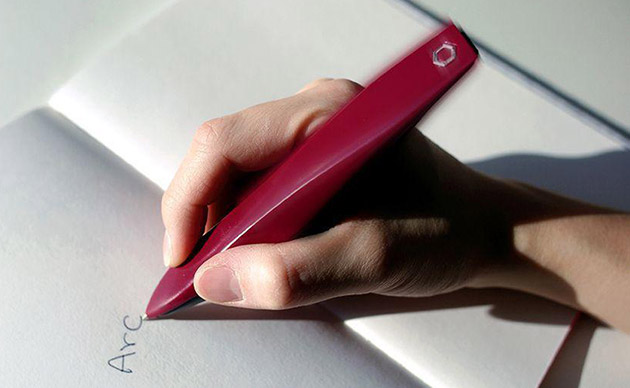
The ARC pen might look laughably large, but it could be the perfect option for folks with Parkinson’s disease. It was created by a group of students from UK’s Royal College of Art and the Imperial College London to combat a Parkinson’s symptom called micrographia.

I love The AT Daily website, they find the best AT innovations! A recent post provides another innovative AT idea, the ARC Pen for Parkinson’s Disease. Created by neuroscientists and students to combat writing challenges of individuals with Parkinson. It is currently in testing phase.

As OT’s we have all worked with individuals like this. Weighted pens and stabilization can help sometimes but the research on the use of this ARC Pen is very promising. How exciting! Check it out on The AT Daily website from those clever folks at the North Carolina AT Program!

Thank you AT Daily for scouring the market for all things AT and sharing them to improve the quality of the clients we service!

Carol – OT’s with Apps

Also See on Scoop.itOT mTool Kit

Posted in Uncategorized | Leave a comment

Practice Home Safety

Good general tips for home safety for Seniors and their family members. Many good resources available on this Alzheimers blog .

trusso599's avatarAlzheimer's Activities and More!

View original post

Posted in Uncategorized | Leave a comment

Free Stuff for AOTA Presentation “What’s the Write App?” – A Big Thanks

AOTA presentation 2015

What’s the Write App? – AOTA 2015 Convention Appy Hour

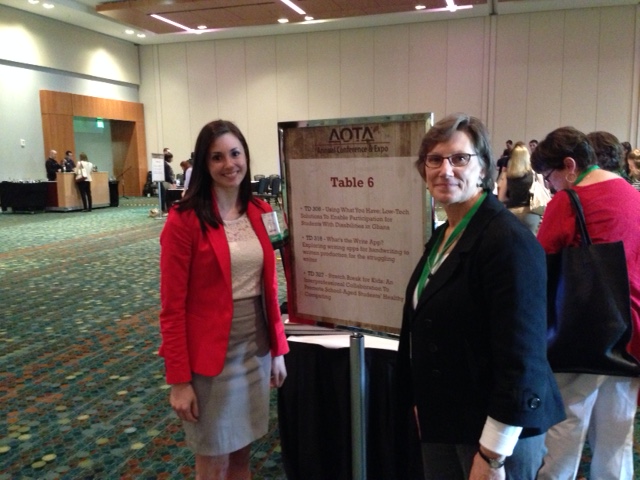
The AOTA 2015 Convention Appy Hour presentation, “What’s the Write App?” on April 18 went well with many participants joining Brittany Hand, MOT and myself during our app review session.

The session focused on 5 favorite writing apps, from pre-handwriting, handwriting and written composition apps used by OT’s working in a school setting. As we presented these favorite apps related to writing, we used a spinner app (Decide Now!) for the drawings of free stuff – apps and ergonomic styluses, from generous developers and vendors ! It was fun presenting the apps and also providing free stuff to participants. No one refused the app promo codes or free styluses with values ranging from 2.99 to 19.99 ! My gratitude to the following generous suppliers in providing freebies and an element of fun during the presentation:

The Pencil Grip Ergo Stylus ( approx. $18.00 ea.) – 12 weighted styluses with The Grip were given. The Grip Stylus provides accurate drawing and writing with grip support and proprioceptive feedback due to it’s weight. Good for kids and adults. This is one of my favorite styluses.

The Pencil Grip ERgo Stylus

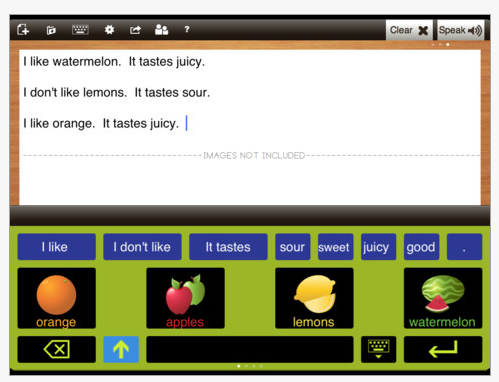
Abilipad app (worth 19.99) – 12 codes for free download of this adaptive keyboard and writing process app was provided to participants. This is a great customizable app for writers. It also provides word prediction, supports application of images in keyboard and writing environments and much more. Great for any OT’s tool kit!

Abilipad pic 2

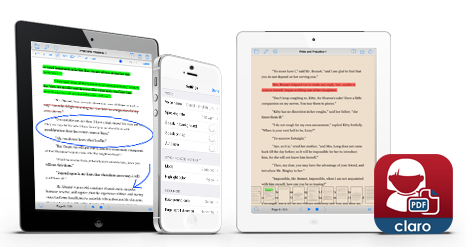
ClaroPDF app – (3.99) – 6 promo codes were given away for this PDF form filling app that also provides text to speech capabilities. A great app for students with LD and dysgraphia!

ClaroPDF pic2

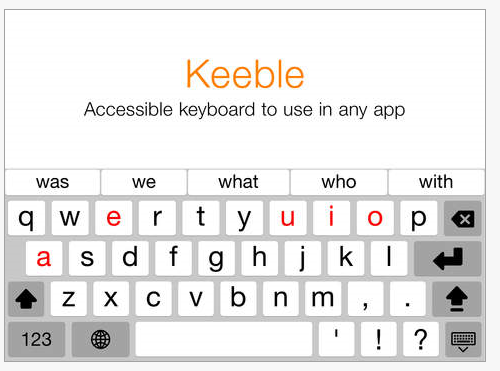
Keeble app – (14.99) – Assistive ware provided a code for Keeble, a wonderful, universal design iOS 3rd party keyboard. This app smacking keyboard allows word prediction, text to speech, scanning and choices of keyboard layouts. This keyboard can be used with other iOS apps when installed and selected . A great universal design app to support struggling writers in the classroom. Another great addition to your mobile device toolkit if working with students and writing tasks.

Keeble pic1

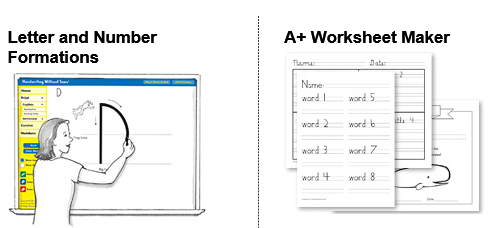
Handwriting without Tears – provided codes for 3 subscriptions (24.95 each value) to Digital Teaching Tools! Online resources for creating worksheets and letter formation is provided in the subscription for ease of creating materials for students.

Handwriting with out tears digital tools pic

A big thanks to the developers and vendors who provided free stuff to participants! Also thank you to the participants for joining Brittany and myself during our Appy Hour debut!

Don’t you wish you were there ?  It was a great time – yes, and free is always fun!! Here is a link to the handout we supplied with resources on the apps, app feature matches of handwriting, worksheet/form filling apps and 3rd party keyboard apps: What’s the Write App? .

My gratitude to the above developers and vendors for their generosity with apps and styluses and providing a bit of fun during the presentation.

Carol

OT’s with Apps

Posted in Apps for OT's, Handwriting | Tagged , , , , , , , | Leave a comment

It Hurts! Pain Management Apps for Children

pain

It Hurts!

An inquiry from a visitor about apps for pain management for children was posted so the search began. Although not exhaustive, her is an app and resource list of specific apps for pain management for kids and other relaxation apps found from the search:

There are also a whole host of apps for self-regulation and calming that might also be helpful when managing pain. A few can be found in the Mental Health or Emotions category on the OT’s with Apps List.

Any suggestions of app for pain from others with experience?

OT’s with Apps


Posted in Apps for OT's, Apps for PT's, Clinic Based Interventions, iPad, iPhone, iPod, Medical, Pediatrics | Leave a comment

What’s the Write App?

AOTA conference 2015I was excited to be invited to participate in the Appy Hour at AOTA’s 95th Annual Convention in Nashville Tennessee. So I am enjoying the convention, the speakers and the vendors hall – I can’t believe the all the vendors present! Amazing!

Our Appy Hour presentation, “What’s the Write App” features five apps on the topic of writing for school aged students (from pre-handwriting, handwriting, customizable writing app, universal keyboard app and an annotation/ form filling app for dysgraphia and LD students). Brittany Hand MOT, OTR/L, PhD Student, Graduate Research Associate  will be co-presenting at the session.

Access to our handout can be found at this link:  “What’s the Write App” . The handout has information on the apps as well as feature matches, mobile equipment  lists and a reference list. We will also be having periodic drawings for  app codes and equipment supplied by generous developers and vendors. Come and join us!

Carol of OT’s with Apps

Posted in Accessories, Apps for OT's, Apps for Special Needs, Assistive Technology, AT for Handwriting, Dysgraphia, Early Childhood, Handwriting, iPad, Occupational Therapy, Pre-writing, Third Party Keyboards, Word Prediction, Writing | Tagged , , , , , , , | 5 Comments

National Occupational Therapy Month – OT Resources for Mental Health

OT Mental health wordle

Thank you to Carol Conway, MS OTR/L, for her comment sharing a favorite OT website Every Moment Counts, developed by Susan Bazyk, PhD, OTR/L, FAOTA.

Every Moment Counts provides resources for the mental health of children. The website shares her promotion of mental health of children and youth to succeed  at home, school and in the community. Information on Positive Mental Health, school interventions and other online resources for children and youth are provided. A great resource and model for therapy programming ideas. An app listing, provided at the AOTA Convention 2015 presentation on Every Moment Counts is available : iPhone/iPad Apps to Promote Positive Mental Health in Children & Youth.

Here are a few other great mental health resources created by and for occupational therapists:

Zones of Regulations: Previously discussed in this blog, Zones of Regulations is an OT developed curriculum. It uniquely combines concepts of Cari Dunton’s 5 Point Scale, Your Engine and Michelle Garcia Winner’s social skill development programs such as Social Mapping. Developed for K-2nd grade, this program can be used for older students with social skill delays. An app, Zones of Regulation App (4.99) reinforces the concepts in a game app format. The curriculum provides easy to employ visual that can easily be printed for use.

The Alert Program – How does your Engine Run? – by Williams & Shellberger has been available since 1991. This program was an early self regulation program that remains an effective method of creating awareness and programming for individual students and classrooms.

All the Possibilities – the website of Tere Bowen – Iris, OTR/L. Her resources focus on interventions for health and wellness for children.

OT-Innovations – This is a fabulous website with information about the Sensory Modulation Program by Tina Champagne MEd, OTR/L. She programs extensive information on sensory processing, specifically geared to adolescents and adults.

Vital Links – Therapeutic Listening program for treatment of sensory processing, attention, listening and communication. Therapeutic listening can have a positive impact on quality of life for all ages.

AOTA Mental Health Resources  and Tip Sheets provides general information for mental health for occupational therapists as well as separate resources for consumers.

Advance for Occupational Therapy Practitioners Mental Health Center has a wide variety of articles, interventions and resource links specific to mental health.

Certainly this is not an exhaustive list. What is your favorite mental health resource for adults or children?

OT’s with Apps and Technology

Posted in Apps for OT's, Apps for Special Needs, Mental Health, Occupational Therapy | 4 Comments

Styluses, Cases, Keyboard and Mounts – Oh My! Favorite Accessories for Mobile Devices

stylus cases mounts pic

Oh My! So many choices!

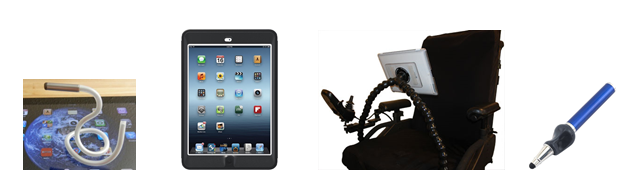
Oh My ! So many choices. Mobile device equipment can include access devices, cases, and mounts along with direct access methods such as styluses , head pointers and switches. There are many to choose from and the best, well that depends… The link below provides an equipment list of some of my favorite mobile device equipment and accessories. For switch access see the resources below.

OT’s with Apps Mobile Device Equipment List  (Stands, cases and mounts)

OT’s with Apps Stylus List for Kids and Mature Users

Switch devices, is it’s own specialty in itself , I believe,  and not included  in the above list. The link below provides a resource list of switch interfaces and apps for mobile devices:

Switch Interface and App Resources for Mobile Devices

What are your favorite mobile device accessories?

Carol


Posted in Accessibility, Accessories, Android, Assistive Technology, iPad, iPhone, iPod, Switches | Tagged , , , , , , , | Leave a comment