The Wet Dry Try App, provides explicit instruction for letter formation based on the Handwriting Without Tears (HWT) curriculum. Below is a link to research review articles related to the HWT curriculum :
Case-Smith, J., Holland, T., Lane, A., & White, S. (2012). Effect of a coteaching handwriting program for first graders: One-group pretest-postest design. American Journal of Occupational Therapy, 66, 396-405. http://dx.doi.org/10.5014/ajot.2012.004333
Denton, P.L., Cope, S. & Moser, C. (2006). The effects of sensorimotor-based intervention versus therapeutic practice on improving handwriting performance in 6- to11-year old children. American Journal of Occupational Therapy, 60, 16-27. http:dx.doi.org/10.5014/ajot.60.1.16
Dowrick, P. W. (1991). Practical Guide to Using Video in the Behavioral Sciences. New York: John Wiley & Sons, Inc.
Weintraub, N., Yinon, M, Hirsch, I.B. & Parush, S. (2009). Effectiveness of sensorimotor and task-oriented handwriting intervention in elementary school-aged students with handwriting difficulties. OTJR: Occupation, Participation and Health, 29, 125-134.
Young, S., Laxman, K. (2014). Teacher perspectives on the use of mobile devices to improve learner engagement and motivation. International Journal of Mobile Learning and Organisation. 8, 112-129.
What other research supports methods of handwriting instruction?
Among the updates in the new iOS 9 operating system, offered late October 2015, are additional features for touch accommodations. These setting are wonderful additions to students with motor impairments but also highly relevant when working with adults with motor impairment. Recent evaluations of adults with motor impairments who are interested in access to computers, whether tablets or standard computers, brought about questions of what is available currently for keyboard access for individuals with motor challenges.
As a therapist working with students inaccuracy with motor planning, in coordination, weakness or tonal challenges may be some of the difficulties presented when accessing keyboards or touch devices. Similar challenges present themselves with adults, whether aging in place, Parkinson’s or tremors, or other mobility challenges (arthritis, sensory impairments, injuries) when considering methods of access to a keyboard or touch screen for typing or access. A client recently evaluated demonstrated significant tremors, greater in the right (preferred) hand than left, significantly interfering with his ability to type. Challenges with low vision also potentially contributed to the challenge.
So what solutions are available? Here are a few solutions, not exhaustive, of direct select accessibility features of computer and mobile devices.
Windows Computer Solution:
Windows OS offers setting for repeat and rate/speed for keyboard and mouse. Ease of Access in Windows also offers Sticky keys, Filter Keys and Toggle Keys. Bounce Keys is also available in Windows OS. With one of my clients, using Windows accessibility with a high contrast keyboard with large print labels and applying Bounce keys set at the highest setting of 2.0 seconds allowed the client to type his name with two hands without errors. Initial trial without Bounce keys, resulted in little to no recognition of his name due to repeating keys and strike errors. Bounce keys did the trick! These settings can be found by searching your system for Ease of Access to trial and apply accessibility options.
MAC Computer Solutions:
Accessibility options for MAC computer key input can be customized in System Perferences for key repeat rate and delay until repeat.
Other computer based software for mouse and onscreen keyboard input rates are offered as shareware and for purchase ( a possible topic for another post!).
iOS Devices:
In iOS 8 assistive touch features were available with customization of touch gestures. New features in iOS 9 currently offers more touch accommodation settings for individuals with motor coordination problems. Here are a few of the new features and a video overview on “Touch Accommodations in iOS 9” by Luis Perez, an expert when it comes to iOS features for individuals with disabilities:
Hardware keyboards now have options for key repeat, sticky keys and slow keys. Rates can be adjusted to individual needs. Touch accommodations are also available for length of time or repeat with direct touch of the screen.
Here is Luis Perez’ YouTube (3 min.) specifically on the iOS 9 touch accommodations:
Android OS has accessibility features for touch input called Touch & Delay. Offered in Settings >accessibility > touch and hold delay, this accessibility option offers settings of short, medium or long for input into the Android touch screen.
Other Input Supports:
I have had success using some of the following equipment to assist with improving input methods for individuals with motor in coordination. Combined with keyboard rate or accessibility options may assist with input accuracy:
Use of a wrist rest for stability of the forearm or hand
keyguards are also available for standard keyboards or for mobile devices. Lasered Pics offers a wide variety of keyguards and also offers customized keyguards.
Positioning and positioning devices can also be helpful depending on range of motion and motor impairment.
Summary
This is a quick overview of ways to customize direct input for individuals with motor challenges for computers or tablets. Certainly there are many other tools that can be applied for mouse emulation or indirect access using switch control
If you are interested in more accessibility resources, I highly suggest subscribing to Luiz Perez’ YouTube channel. He always delivers highly relevant and informative AT info!
What did I miss that you have found helpful with your clients for individuals with motor impairment?
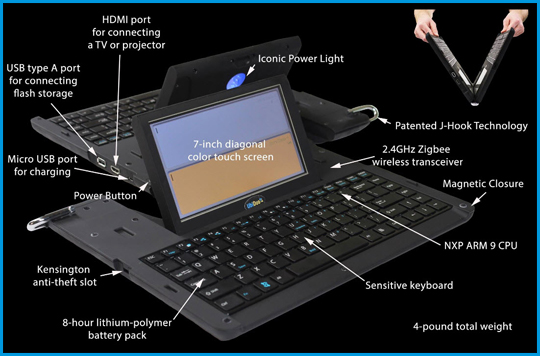
Do you work with deaf clients or co-workers? If your work setting is a hospital or governmental agency, you may have a UbiDuo 2 available to you as an accommodation for employees or clients who are deaf or hard of hearing (DHH). No, they do not replace interpreters, but they do offer a method of communication for individuals who are hard of hearing, literate and can type.
The UbiDuo 2 has two keyboards with word processing capabilities, its own wireless capabilities, long battery life, fast boot-up, and large text options for low vision. It does not offer word prediction or spell checking at this time (so you do need to have reasonable spelling and writing skills).
So if you are working with clients with hearing impairment, this might be available at your medical facility. Of course there are other options available, such as a portable word processor, use of an Android tablet or iPad to type messages using a native note taking app (i.e. iOS Notes, or Galaxy S Notes or dedicated apps such as the FlipWriter app offering dual writing environments.
As an assistive technology practitioner at Adaptive Technology Resources, we have recently received a number of inquiries for the UbiDuo 2 as an option for DHH. Exploring device features, indicates it has great options as an on demand device for individuals who are DHH and can type.
For war fighters recovering from traumatic brain injuries (TBI), the benefits of home-based, outpatient physical rehabilitation programs are numerous—they can exercise at home on their own schedules, be among family and friends and spend less time in treatment facilities.
I will admit that I am in love with Assistive Technology Daily’s ability to curate new AT advances that will aid individuals now or in the near future. The potentials are awesome and often applicable to many patients we work with.
Jacqui Murray, on her Ask a Tech Teacher website, shares a quick tech tip on using Airplane Mode to save battery life on your mobile device. Managing battery life seems to be a daily struggle, so using Airplane Mode to save the battery is extremely helpful as explained by Ms. Murray.
In addition to her use of Airplane Mode tech tip – consider putting your device in airplane mode when you are on the last bar of juice and in need of a quick charge. Your device will charge faster when in Airplane Mode when all the services are turned off.
Hat tip to Jacqui Murray for her useful tech tips. You can find more helpful tips from Jacqui at her Ask a Tech Teacher website.
Ever heard of Tar Heel Reader? It’s a wonderful collection of free books on a wide range of topics, founded by the Center for Literacy and Disability Studies. From now on, you can import and enhance Tar Heel Reader stories in Pictello!
If you have heard or used the Tar Heel Reader, you know that it is a valuable resource of books (and book creating) for emergent readers. And heard or have Pictello app from AssistiveWare? Most likely you know about this premier storybook app with features to create your own books, sensory or social stories which can be accessed on the iPad with direct access or switch.
Now merge the two, and you have a resource of storybooks that can be used in Pictello that can be accessed by those using direct access and via switch on the iPad.
A huge hat tip to AssistiveWare for creating an online converter tool for Tar Heel Reader stories that can be used with Pictello! Reading for everyone!
With Google Chrome extensions, dyslexic students can complete work more easily. Learn about seven add-ons that assist with the difficulty of reading and writing.
Jamie Martin provides a review of seven Google extensions for individuals with learning disabilities on Noodle.com. These extensions are the tried and true tools for struggling readers and writers for Google Chrome. Basic but great list!
As new iPads with iOS 9 appear, the “Hey Siri” feature may make the need for keys for speech recognition obsolete, but until that time, some users may need that feature readily available on the keyboard.
I recently evaluated a senior citizen who was cognitively alert and highly interested in using technology to communicate with others and search for information on the Internet. She was very articulate, literate but also diagnosed with low vision (mild) with some motor challenges.
Use of a standard computer, after many years away from active use, seemed to be quite overwhelming. Access to the iPad was more intuitive and also offered simplified methods of offering her the tools she was interested in using. Speech recognition, along with Siri was were tools of interest to her for searching and writing. Although speech recognition is a viable option, use of a keyboard is seemed important for allowing increased screen size by eliminating the keyboard, providing a concrete method of accessing the keyboard for correction. A keyboard with the speech tool concretely available on a key would also aid her access and use.
Realizing she would most likely be getting an iPad Air 2 (yes, the iPad Pro might be a great tool for her when in arrives this month?), the search for keyboards with a hard speech recognition key began. Here is what I found as possible iPad Air 2 case with keyboards with a hard speech recognition key:
Given the low vision, motor challenges and type of handling that may happen with the device, I vote on the Zagg Rugged Case. The back lighting, rugged case and ability to use it for just reading is a plus. Large key labels will also be suggested for improved viewing the keys. Observations of this clients’ handling of the device found that having a hard case all around it also will help to reduce additional touch input that occurred. Initial trial found her touching the edge of the iPad causing additional unwanted input to the device. I will suggest a stylus also, as that significantly improved accuracy of selection of iPad icons compared to activation with her fingers.
Training and set up of the device for low vision, her specific interests and ease of use will be required for this client. I believe with training she will have access to communication and information pertinent to her.
Are there other cases you have used successfully with senior citizens?
Assistive Technology Daily curates great examples of new and innovative AT . One of Assistive Technology Daily’s latest posts features the Flic: The Wireless Smart Button. This innovative Flic Smart Button is a simple, small, wireless button that connects to your iOS or Android device and can create shortcuts to your favorite actions on your phone. The Flic can be stuck anywhere and can be used as a reminder for tasks, perform actions and activate environmental controls that can be programmed on your smart phone and with the app. It has an incredible amount of combinations of possibilities that can be done given smart phone capabilities and apps that work with the Flic app.
To get a better idea of the capabilities of the Flic Smart Button here is an introduction video :
Interested in learning more about the Flic button? Check out their website info: Flic: The Wireless Button
The Flic buttons are available and can be found on Amazon for $34.00 (each) or purchased on the Flic website. The Flic buttons come in a variety of clever colors :
Think of the applications for everyday life for yourself, or clients we work with, whether disability or aging ! I want one for finding my phone. I can’t wait until my order is delivered!
Toca Boca apps are favorites for their quality content and engagement for teachers and for kids. One of their new Life Series apps, Toca Life: Town has gone free for iOS (regularly 2.99). Available also for Android (2.99), Kindle Fire (2.99) and Windows mobile devices (.99), this fun app is great for play, language, exploring or as a reward for completing a task in therapy. I’m not a huge curator of just for fun apps, but one of my students will love this app and having incentives for work completion is always helpful!
Here is a video about the app contents:
If not suited for your clients, share this Toca Life: Town app gone free with parents of young children, speech and language therapists or early childhood teachers. You can’t go wrong with a free Toca Boca app!


 The Wet Dry Try App, provides explicit instruction for letter formation based on the Handwriting Without Tears (HWT) curriculum. Below is a link to research review articles related to the HWT curriculum :




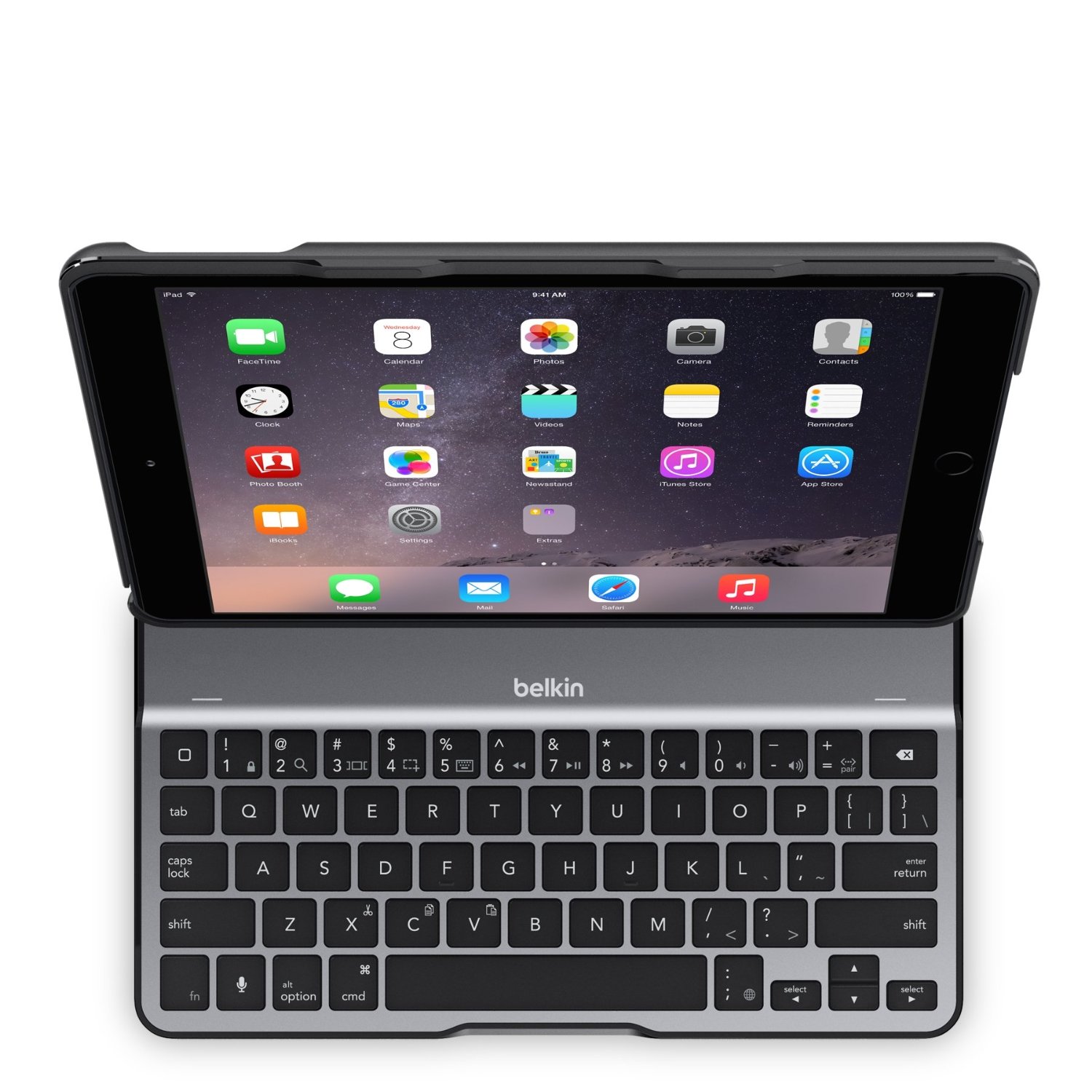
 – 99.99 (Amazon.com) has a lightweight aluminum alloy shell, folds flat, offers multiple angles for iPad positioning and has a microphone button for speech recognition.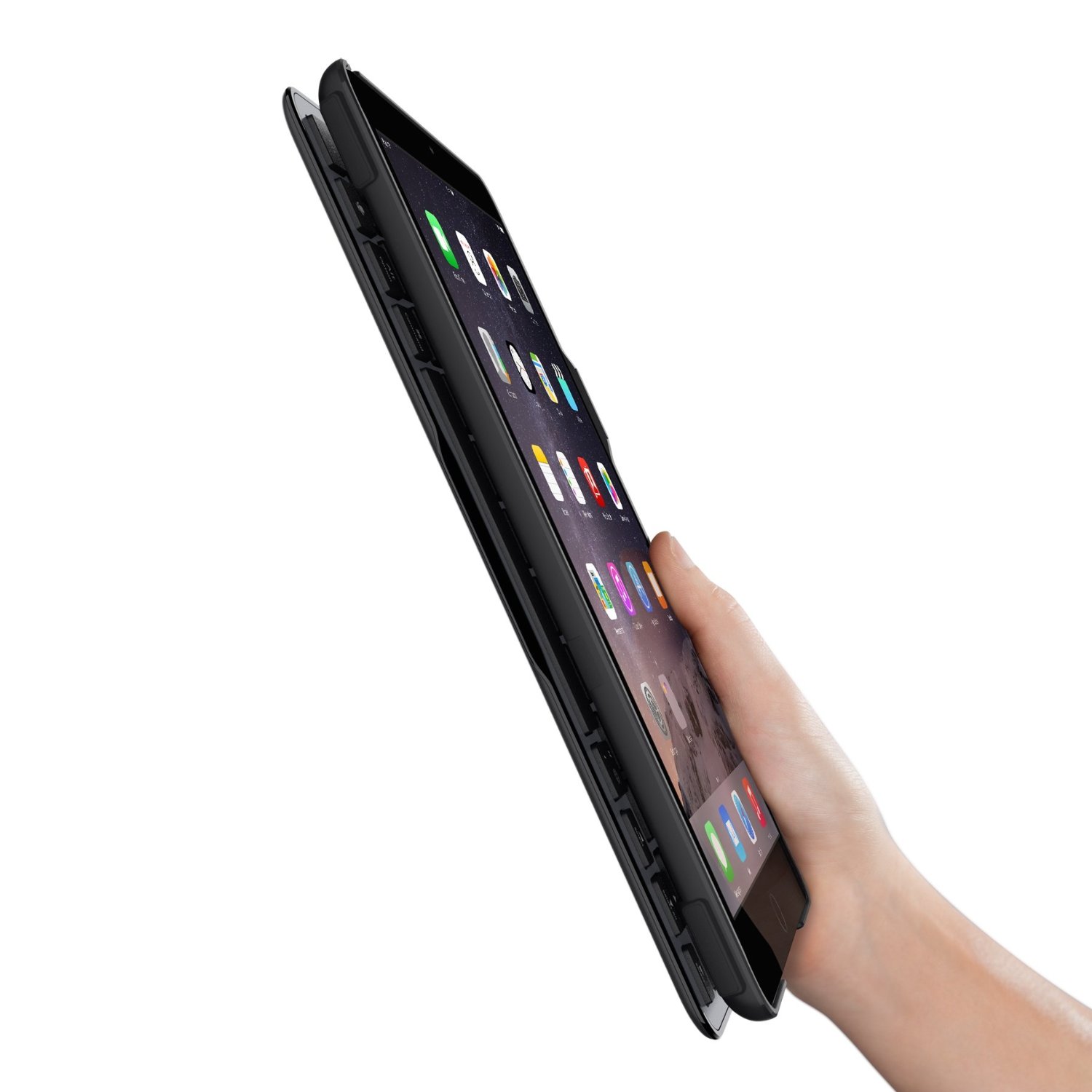
 – 113.00 (Amazon.com) offers a protective case, backlighting keyboard, a speech recognition button and multiple positions of the screen. It does not fold back , but it can be taken off the hinge for reading.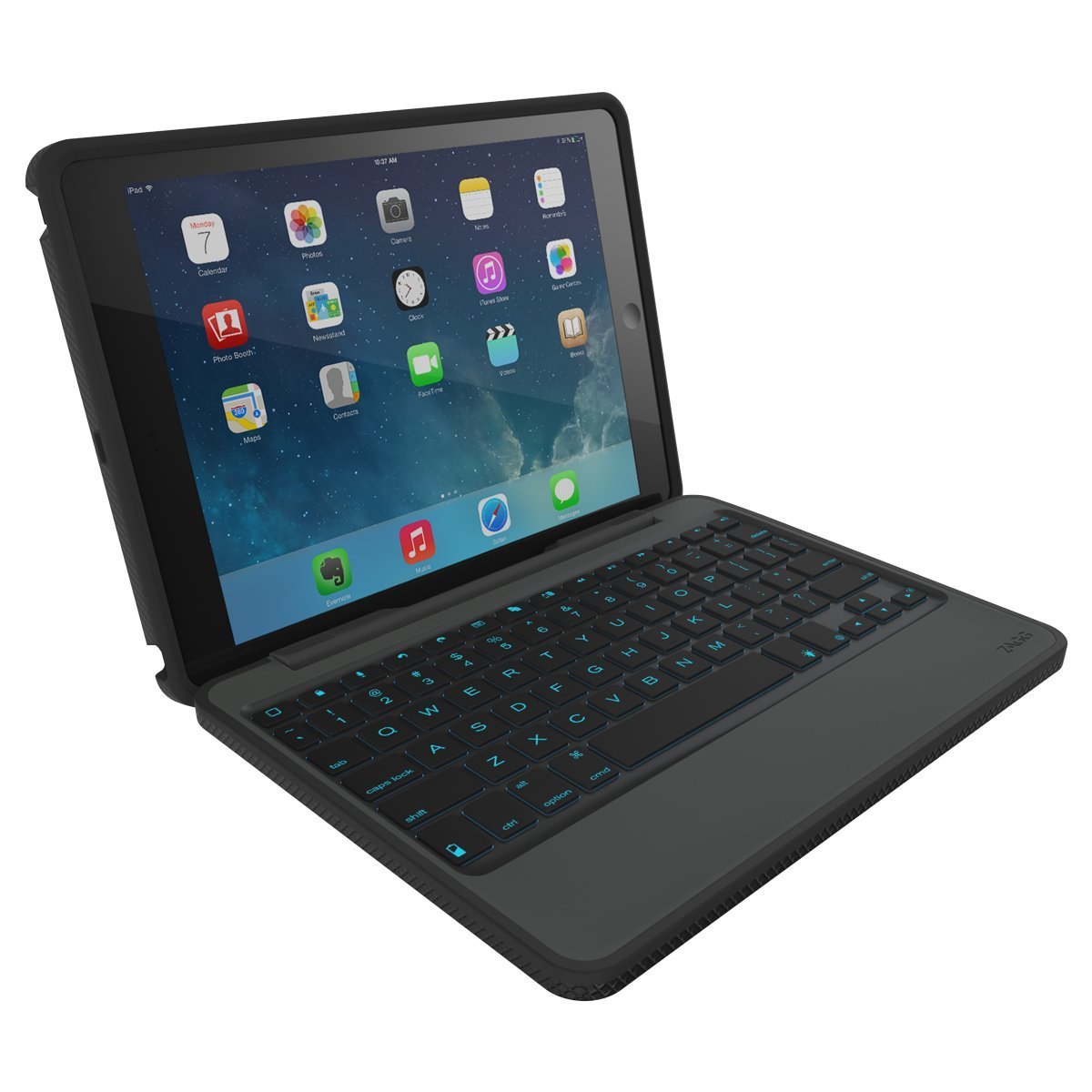

 – 99.00 (Amazon.com) is lightweight, offers an aluminum cover, stand, separates for closure and offers a speech recognition button.

 ,
,



 OT's with Apps & Technology