Pictello meets Tar Heel Reader

Ever heard of Tar Heel Reader? It’s a wonderful collection of free books on a wide range of topics, founded by the Center for Literacy and Disability Studies. From now on, you can import and enhance Tar Heel Reader stories in Pictello!

Sourced through Scoop.it from: www.assistiveware.com

If you have heard or used the Tar Heel Reader, you know that it is a valuable resource of books (and book creating) for emergent readers. And heard or have Pictello app from AssistiveWare? Most likely you know about this premier storybook app with features to create your own books, sensory or social stories which can be accessed on the iPad with direct access or switch.

Now merge the two, and you have a resource of storybooks that can be used in Pictello that can be accessed by those using direct access and via switch on the iPad.

A huge hat tip to AssistiveWare for creating an online converter tool for Tar Heel Reader stories that can be used with Pictello! Reading for everyone!

Carol

See on Scoop.itOT @ Work

Posted in Accessibility, Customizable app, eBook Creating, Reading, Special education, Special Needs, Story Telling, Switch Access, Text to Speech | Tagged , , , , | Leave a comment

Google for Dyslexia: Chrome Extensions (Part Two)

With Google Chrome extensions, dyslexic students can complete work more easily. Learn about seven add-ons that assist with the difficulty of reading and writing.

Sourced through Scoop.it from: www.noodle.com

Jamie Martin provides a review of seven Google extensions for individuals with learning disabilities on Noodle.com. These extensions are the tried and true tools for struggling readers and writers for Google Chrome. Basic but great list!

Carol

See on Scoop.itOT @ Work

Posted in Google Chrome, Learning Disability, Reading, Special Education Teacher, Writing | Tagged , , , | Leave a comment

iPad Air 2 Cases with Keyboards for Senior Citizen with Low Vision

old-woman-ipad

From Senior Tech Daily Website

As new iPads with iOS 9 appear, the “Hey Siri” feature may make the need for keys for speech recognition obsolete, but until that time, some users may need that feature readily available on the keyboard.

I recently evaluated a senior citizen who was cognitively alert and highly interested in using technology to communicate with others and search for information on the Internet. She was very articulate,  literate but also diagnosed with low vision (mild) with some motor challenges.

Use of a standard computer, after many years away from active use, seemed to be quite overwhelming. Access to the iPad was more intuitive and also offered simplified methods of offering her the tools she was interested in using. Speech recognition, along with Siri was were tools of interest to her for searching and writing. Although speech recognition is a viable option, use of a keyboard is seemed important for allowing increased screen size by eliminating the keyboard, providing a concrete method of accessing the keyboard for correction.  A keyboard with the speech tool concretely available on a key would also aid her access and use.

Realizing she would most likely be getting an iPad Air 2 (yes, the iPad Pro might be a great tool for her when in arrives this month?), the search for keyboards with a hard speech recognition key began. Here is what I found as possible iPad Air 2 case with keyboards with a hard speech recognition key:

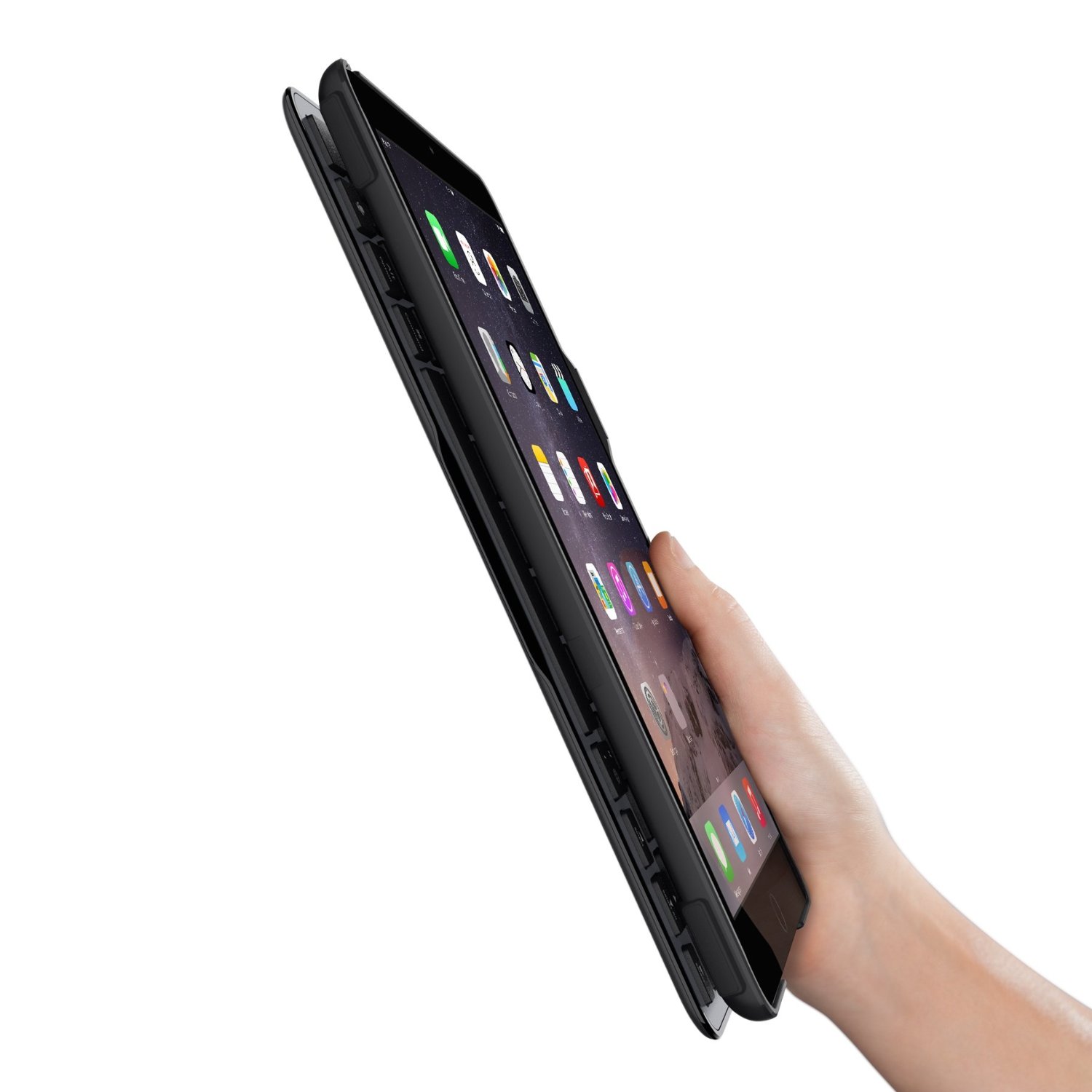
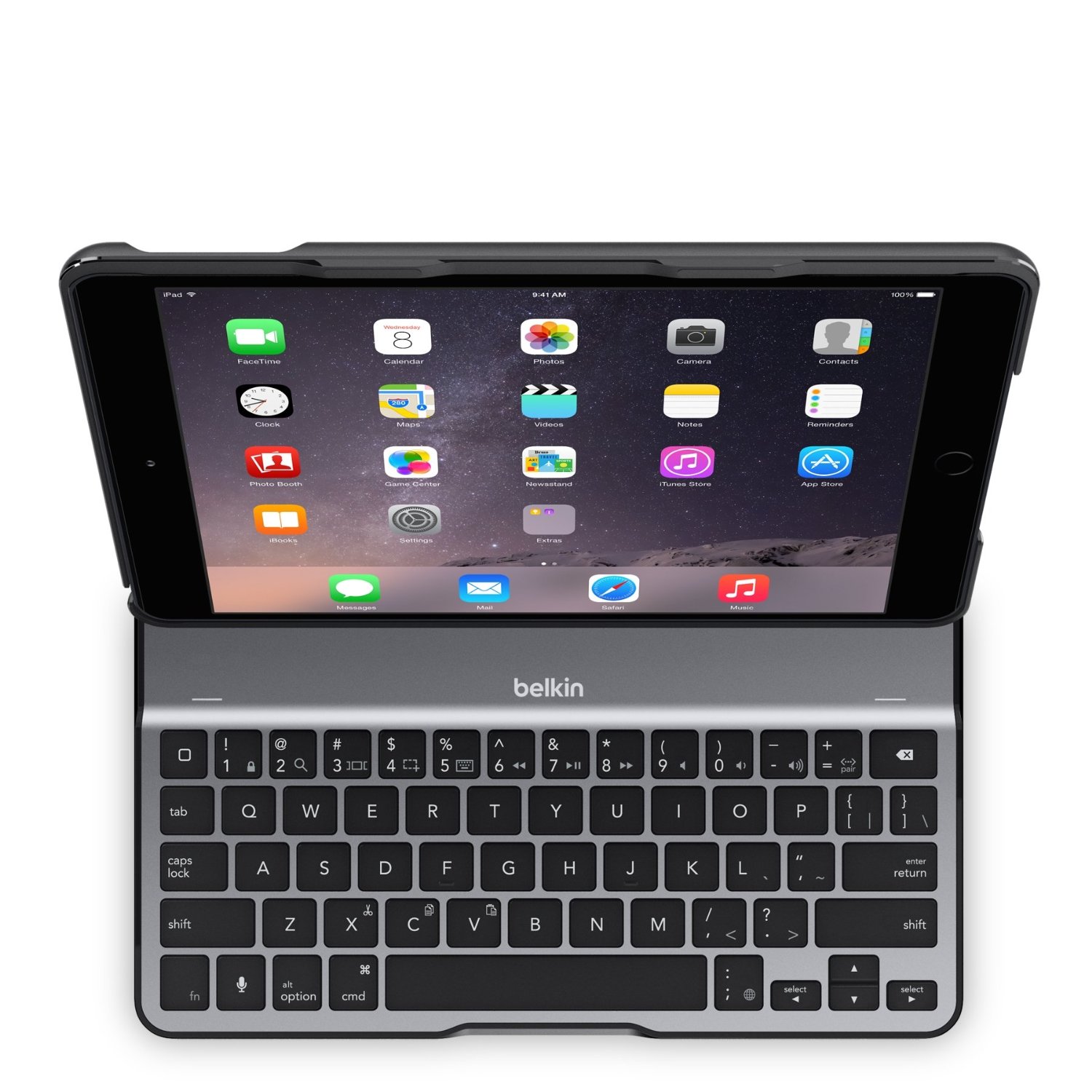
Belkin QODE Ultimate Lite Keyboard Case for iPad Air 2 (Black) – 99.99 (Amazon.com) has a lightweight aluminum alloy shell, folds flat, offers multiple angles for iPad positioning and has a microphone button for speech recognition.

Belkin QODE case pic 1 Belkin QODE case pic2

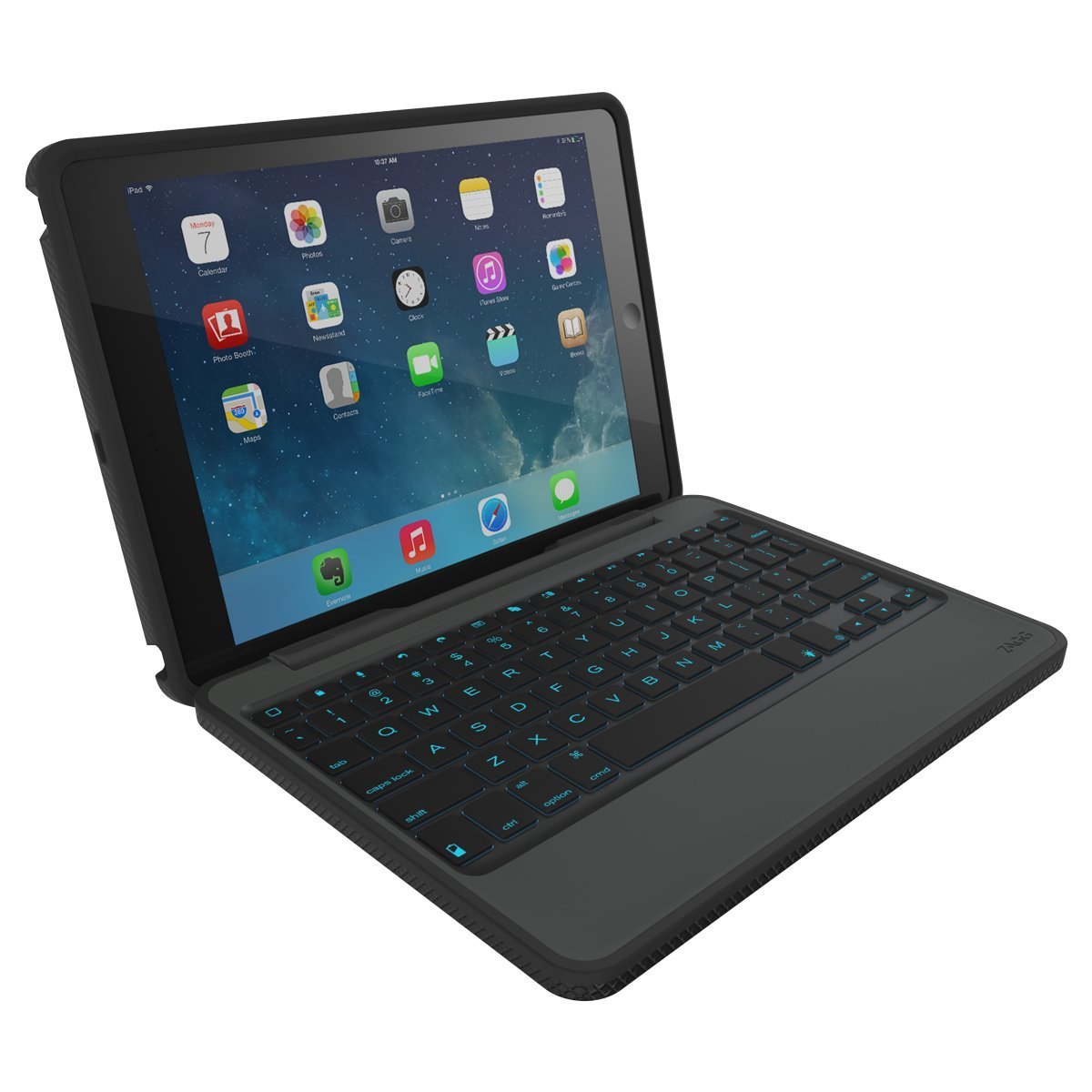
ZAGG Rugged Book Case Durable Hinged with Detachable Backlit Keyboard for iPad Air 2 – Black (ID6RGK-BB0) – 113.00 (Amazon.com) offers a protective case, backlighting keyboard, a speech recognition button and multiple positions of the screen. It does not fold back , but it can be taken off the hinge for reading.

Zagg case with keyboard for iPad Air2 pic1 Zagg case with keyboard for iPad Air2 pic2

Logitech Ultrathin Keyboard Cover for iPad Air, Space Grey – 99.00 (Amazon.com) is lightweight, offers an aluminum cover, stand, separates for closure and offers a speech recognition button.

Logitech case with keyboard for iPad Air 2
What’s the verdict?

Given the low vision, motor challenges and type of handling that may happen with the device, I vote on the Zagg Rugged Case. The back lighting, rugged case and ability to use it for just reading is a plus. Large key labels will also be suggested for improved viewing the keys. Observations of this clients’ handling of the device found that having a hard case all around it also will help to reduce additional touch input that occurred. Initial trial found her touching the edge of the iPad causing additional unwanted input to the device. I will suggest a stylus also, as that significantly improved accuracy of selection of iPad icons compared to activation with her fingers.

Training and set up of the device for low vision, her specific interests and ease of use will be required for this client. I believe with training she will have access to communication and information pertinent to her.

Are there other cases you have used successfully with senior citizens?

More for your OT mTool Kit for young and mature!

Carol

Posted in Accessibility, Accessories, Activities of Daily Living, Adults, Assistive Technology, Geriatrics, iPad, Low Vision/ Blindness | Tagged , , , , , | 2 Comments

As Seen on Assistive Technology Daily- Flic: The Wireless Smart Button

Flic button pic

Flic photo retrieved from Flic website.

Assistive Technology Daily curates  great examples of new and innovative AT . One of Assistive Technology Daily’s latest posts features the Flic: The Wireless Smart Button. This innovative Flic Smart Button is a simple, small, wireless  button that connects to your iOS or Android device and can create shortcuts to your favorite actions on your phone. The Flic can be stuck anywhere and can be used as a reminder for tasks, perform actions and activate environmental controls that can be programmed on your smart phone and with the app. It has an incredible amount of combinations of possibilities that can be done given smart phone capabilities and apps that work with the Flic app.

To get a better idea of the capabilities of the Flic Smart Button here is an introduction video :

Interested in learning more about the Flic button? Check out their website info: Flic: The Wireless Button

The Flic buttons are available and can be found on Amazon for $34.00 (each) or purchased on the Flic website. The Flic buttons come in a variety of clever colors :

Flic: The Wireless Smart Button, Black,

Flic: The Wireless Smart Button, White

Flic: The Wireless Smart Button, Turquoise

Flic: The Wireless Smart Button, Yellow

Flic: The Wireless Smart Button, Green

Think of the applications for everyday life for yourself, or clients we work with, whether disability or aging ! I want one for finding my phone. I can’t wait until my order is delivered!

Source: Flic: The Wireless Smart Button . Hat tip to Assistive Technology Daily for sharing AT innovations!

Hopefully more on the Flic Smart Buttons after a trial!

Carol

Posted in Accessibility, Android, Environmental Control, iOS, iPad, iPhone | 1 Comment

Toca Live Town App- Gone Free

Toca Life Town icon

Town Life: Town App

Toca Boca apps are favorites for their quality content and engagement for teachers and for kids. One of their new Life Series apps, Toca Life: Town has gone free for iOS (regularly 2.99). Available also for  Android (2.99),  Kindle Fire (2.99) and Windows mobile devices (.99), this fun app is great for play, language, exploring or as a reward for completing a task in therapy.  I’m not a huge curator of just for fun apps, but one of my students will love this app and having incentives for work completion is always helpful!

Here is a video about the app contents:

If not suited for your clients, share this Toca Life: Town app gone free  with parents of young children, speech and language therapists or early childhood teachers. You can’t go wrong with a free Toca Boca app!

More for your OT mTool Kit.

Carol

Posted in Android, Early Childhood, Free apps, iOS, Kindle Fire | Tagged , , | 1 Comment

Text to Speech Apps for OT’s with Mobile Devices

Text to Speech image

Text to Speech Apps for OT’s with Mobile Devices

OT’s work in many different settings and the tools we use continue to be more mobile in nature. When speaking of use of mobile device use of OT’s, a poll in 2014 by AOTA¹ found more than half of the OT practitioners surveyed use mobile devices in the clinic. A year later, I would believe that percentage has increased, with dedicated mobile devices being used for documentation in many work environments. That said,  availability of apps can be dependent on permission to download apps to work based mobile device,  permission to use a personal mobile device such as a phone or familiarity with apps that might be available to support an OT’s caseload.

A recent tech discussion  with a fellow OT / AT specialist, spurred this post. Her experience in a rehab situation with a patient who was deaf / hard of hearing, causing a barrier to understand and be understood found her sharing mobile device apps. It made me aware of the power of a simple word processing app with text to speech  on a mobile devices to aid communication with our clients/patients or even family members. Using a simple, free app with text to speech opened communication for this client. Although this client could spell (and yes he could handwrite given paper and pencil), there are many symbol based apps  for individuals with literacy or language challenges that can aid communication. In this case, all that was needed was the ability to write to communicate using a mobile device and app provided an instant communication tool.

Apps have come and gone and certainly costs have changed. Here are just a few  recently researched apps that are free with basic word processing and text to speech features  for clients or patients that can spell but can not hear to communicate for iOS and Android:

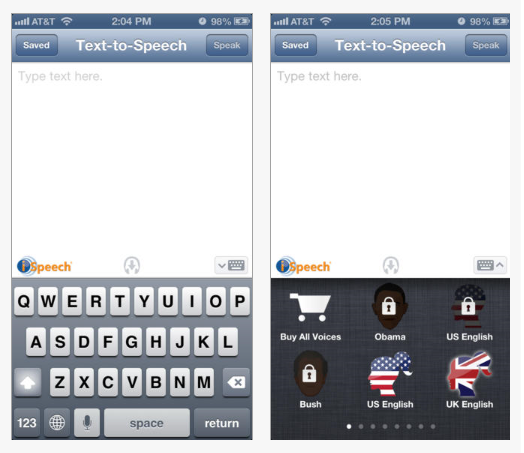
iSpeech icon iSpeech app for iOS  for iOS (free; iPhone/iPad) – Provides a simple word processing environment with “Speak” capabilities.  Very simple and straight forward app. A save function for typed text is available. In app purchase of additional voices are available. Uses Internet connection for text to speech.

iSpeech pic1

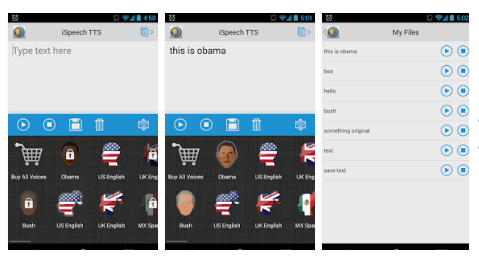
iSpeech iconiSpeech for Android (free) – Same basic features as listed above.


iSpeech pic1 for Android

Aloud! iOS icon TTSAloud! Text to Speech app  iOS (free; iPhone/iPad) – Provides word processing app with text to speech capabilities. Also allows copying text/articles and saving for future reference. In app purchases for additional voices. Simple to use.

Aloud! Text to Speech iOS pic

Speak it icon Android   Speak it app for Android – (free) Provides basic word processing and text to speech with a simple user interface. A recent search for a basic TTS app for Android found this app, in my estimation, one of the most stable and easiest to use TTS app for Android.

Speak it pic1 Android tts app

Certainly there are many more apps with TTS, free that are AAC communication apps. That list is long and worthy of another blog post or posts!

What TTS app do you use for communication with your clients or patients? If you have a favorite, please share!

More for your OT mTool Kit!

Carol Leynse Harpold, OT’s with Apps Blogger

¹ Yamkovenko, Stephanie,  retrieved Oct 11, 2015 from http://www.aota.org/practice/manage/apps.aspx .

Posted in Accessibility, Activities of Daily Living, Android, Apps for OT's, Apps for PT's, Apps for Special Needs, Assistive Technology, Augmentative Communication, Communicaton, iOS, iPad, iPhone, iPod, Occupational Therapy, Physical Disability Tool, Rehabilitation, Text to Speech, Writing | Tagged , , , , , , | Leave a comment

Sixth Digit – Adaptive Stylus for Quadriplegics

Sixth Digit pic
Sixth Digit

Thanks to Josh Smith’s ingenuity,  there are additional options for access to touch screens, buttons and small target points for those with limited hand function. The mechanical engineer created the Sixth Digit Stylus out of necessity following a C 5 complete SCI  sustained last August from a diving accident.

Josh reported he trialing a variety of styluses that did not work for him, he developed the Sixth Digit stylus/pointer. More than just a stylus for mobile devices, this stylus has a universal design flavor, allowing access to an iPad, standard keyboards, microwaves and more for individuals with poor hand/finger control. What a great device that is portable, wearable and very functional!  Here’s more about his story and invention:

Currently a kick starter project, Josh shared inventory should be available in about 2 months. Check out more about the Sixth Digit Stylus on the Kick Starter website and help him fund his project .

Kudos to Josh Smith for his ingenuity!

More for your OT mTool Kit!

Carol

Posted in Accessibility, Accessories, Activities of Daily Living, Assistive Technology, Stylus | Tagged , , , , | Leave a comment

Gray Matter App Assists with Dementia Care

GrayMatters icon

GrayMatters App

Although dementia is not my specialty, prior work in long term care settings and recent personal experience with my late mother has given me many opportunities with individuals who were in different stages of the disease.

The recent experience with my mother, afforded me options of using my iPad with her. The iPad interface was intuitive to her, easily  accessed and viewed  even with diminishing vision. Memory, joke or tongue twister apps, taking pictures of her and displaying current family pictures aided communication at times, showing that more could be retrieved given time and additional cues. As the disease progressed her long term memory regressed to earlier days and events. I now wish I had used a story telling app such as GrayMatter app  to facilitate her recall.

Gray Matter – Reaching Beyond Dementia app (free with in-app purchases) is described as an interactive life storybook, paired with music & games. The app aids patients and families preserve past memories, as well as today’s moments. The developers believe ” that people with dementia are “still here,” as Grey Matters taps into the abilities that remain to keep individuals engaged and connected.”

The app allows you to do the following:

• Create a Personalized Life Storybook:
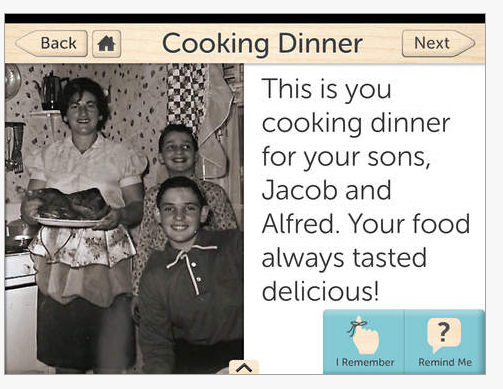
Customize “My Life” story pages for your loved one, filled with long-term memories from his/her life. Upload your own family photos, accompanied by simple text and voice narration to evoke memories from younger years & foster communication.

GrayMatters pic2• Record & Share New Memories:
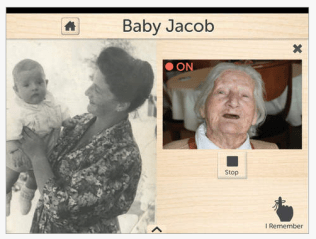
Instantly capture special moments that occur while using the app together – whether a sparked memory or a smile. Share these “I Remember” videos with family members on the spot.

• Reflect on the World:
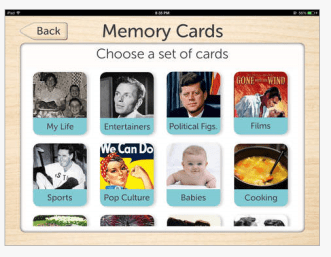
Look through pre-loaded “My World” story pages filled with universal content that appeals to your loved one’s interests based on generation–such as entertainers, films, history & pop culture from the 1930s, 40s & 50s. Enjoy 6 free content packs – more content is available for purchase within the app.
GrayMatters4

• Create a Custom Reminder:
This audiovisual reminder, containing photos, text and voice narration, can reassure your loved one about his/her surroundings. The reminder can be tailored to questions most often asked by an individual, helping to avoid embarrassment and quell anxiety.
GrayMatters pic3

• Listen to Music & Play Games:
Create custom playlists from your iTunes library for your loved one to enjoy while viewing story pages. Music can be an incredibly powerful tool in drawing out long-term memories. In addition, play a game of memory cards together featuring familiar content from your loved one’s life.

GrayMatters pic1

• Create Multiple Profiles:
Grey Matters works very well in both a private, home setting or a larger care facility because you can upload individual profiles for each person in your care. Each user’s personalized story pages, music playlist, profile and My World content will be saved for later use.

GrayMatters5 pic

There are many story telling apps that have recording, video, picture and text features, however this app appears specially suited for individuals with dementia.

The Huffington Post ” GrayMatter App Aims to Help People Connect to Love Ones Suffering from Dementia” provides more background information and resources on dementia that is worth reading.

Another app mentioned to support individuals with dementia is the free app Alzheimer’s & Other Dementias Daily Companion providing strategies and resources for caretakers.

More for your OT mTool Kit.

Carol

 

Posted in Adults, Aging in Place | Leave a comment

Monitoring System Takes Stigma And Stress Out Of Aging Independently

For any senior who has cringed at the infamous “Help! I’ve fallen and I can’t get up” ads, there’s a new product in store that can take the stigma out of aging, far more discreetly

Sourced through Scoop.it from: Huffington Post

Wearable technology has around for a long time for aging in place.  Alert pendants used for falls and emergencies have been around for a long time providing assistance for falls or emergencies for individuals who live alone.

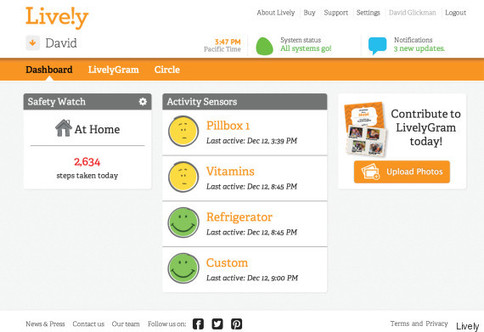
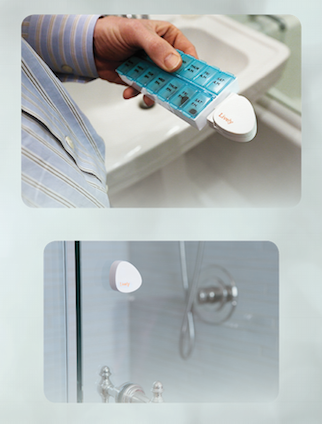
New movement sensing technologies such as  the Lively system, provides sensors that can be attached to doors, medication containers, TV’s, stove doors and monitored through a service that shows activation of the sensors. The information retrieved from online or an app provides information to caretakers on activity received from the sensors.

Lively sensors

The Lively system includes online service, app, sensors or a watch. Starter kits cost about 5$50 and a monthly subscription. This appears to be appropriate from some individuals with mild mobility or cognitive challenges who remain in their home. Check out more about the devices and application at Huffington Post. More information about the system can also be found at Lively.com.

See on Scoop.itOT mTool Kit

OT’s with Apps

Posted in Activities of Daily Living, Adults, Aging in Place, Wearable technology | Leave a comment

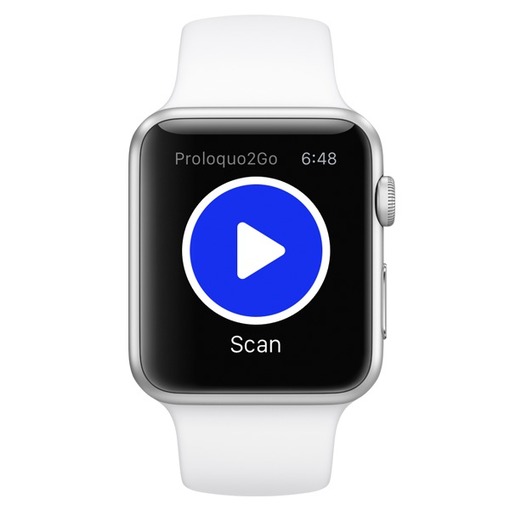
Proloquo2Go for Apple Watch! Use the app as a single switch on iPhone

Right after we released the first AAC app for Apple Watch, Proloquo4Text, we now release the first Apple Watch app that allows users with fine motor impairments to use the Apple Watch as a switch to access an iPhone: Proloquo2Go! Version 4.0.1 serves as a single switch for Proloquo2Go on the iPhone.

As scooped from : http://www.assistiveware.com/proloquo2go-apple-watch-use-app-single-switch-iphone

Wearables as AT are here! AssistiveWare syncs the Apple Watch with Proloquo2Go using the Apple Watch as a switch.

Wow!

Check it out at AssistiveWare (http://www.assistiveware.com/proloquo2go-apple-watch-use-app-single-switch-iphone).

Carol

See on Scoop.itOT mTool Kit

Posted in Accessibility, Accessories, Apps for Special Needs, Assistive Technology, Communicaton, iOS, iPhone, Switch Access, Wearable technology | Leave a comment