New iPad 3 Features – A Boon for Students with Learning Disabilities

I have heard others state that there was not enough upgrades in the new iPad 3 to warrant buying it.  Depending on the population of student you work with that might be true. However, working with students with learning disabilities and looking for assistive technology to support their inclusion has made me anxiously await the purchase of an iPad 3. Some of the features of the New iPad features that I have looked forward to include:

  • Voice recognition embedded in the keyboard in other apps
  • 5 Megapixel camera
  • Retina display

Although for some this is not a deal breaker but I believe for some of our LD students this is a huge deal!  Why?

  • Using voice recognition in apps such as ClaroSpeak, Dream Voice Reader or with apps as Poplet, or Tools 4 Teachers among countless other apps that integrate use of the iPad keyboard with speech to text capabilties embedded. This feature allows students who have the thoughts but can’t get them down on paper.  Is the voice recognition perfect, no, but getting much, much more accurate!
  • Greater resolution of images taken with the camera. So big deal? Yah it’s a big deal. If you have been using apps such as Prizmo or other OCR/scanning apps to import text or for reading or importing into e-books for students with a learning disability having a good camera is essential. The New iPad produces pictures with high resolution allowing those pictures to be used with OCR software more accurately, matter of fact significantly better (pending quality of original copy, size of print or images on it, etc). Consider the following two texts taken in the same lighting, same hard copy text, same techniques using an iPad 2 and iPad 3 respectively. Neither was edited – which one would you prefer to read with text to speech tools or edit prior to offering it to a student to access iPad?

iPad 2 with Prizmo (no editing)

iPad 3 with Prizmo (no editing)

I Why am I having an evaluaUon from ATR?-‘~ a DVR cli(~nL you have been referred to ATR by your ~unse]o~ to alse~s your m*stlve technology needs ASSlS~ ~chrm,*ogy con rn~e c~v~’es or se,Y, ces that ere used ~ ma~ta~. ~creese or ~mprove the ~rr~,~?~ ca~t~es of ~,~due,~ wiU~ ¢ f~.eb ~iL~s. Ou~ goa] is to help Irnpm~o you~ capebL~tms in ar~ thai presenl a c~aLk~ge to your occupaUon {academic work. in home c~ on ~ Job eml:doyment )2* Wh~t are the qua,flcatJonB of ATR’s Evalu=tom?ATR’S E~luato~s are licensed Occupa~al Therapists who hsve addi~onm ce,~ca ns as Adeptive Technology F’~fession~ls, Ergonom~c ,Speciar~. end have yeans ~f expenen~ bn t~e field of adapL~l~ techrm~gy end v,~ddng ind~duals w~h a w~Je v~lety of d[Sabl~s3. What could asslstJve technology Include?Assls~e technology recommenda’dons may Inc~ucre soll~a re. hardware or m (~dn~ng, Ins~Jla~on, ~mputer upgradeS, set up of equipment) Ass~.e tecS~4ogy ~n ~nge ~ row technology to high ~echnotogy dependent on the cr, e~s reeds Rec~mmendatmns are based on Vocational related needs, not desires¸ -Made with Prizmo 1. Why am I having an evaluation from ATR? As a DVR client, you have been referred to ATR by your counselor to assess your assistive technology needs. Assistive technology can involve devices or services that are used to maintain, increase or improve the functional capabilities of individuals with disabilities. Our goal is to help improve your capabilities in areas that present a challenge to your occupation (academic work, in home or on the job employment).2. What are the qualifications of ATR’s Evaluators? ATR’s Evaluators are licensed Occupational Therapists who have additional certifications as Adaptive Technology Professionals, Ergonomic Specialists, and have years of experience in the field of adaptive technology and working with individuals with a wide variety of disabilities.3. What could assistive technology include? Assistive technology recommendations may include software, hardware or services (training, installation, computer upgrades, set up of equipment). Assistive technology can range from low technology to high technology dependent on the client’s needs.Recommendations are based on vocational related needs, not desires.— Made with Prizmo. 

Remarkable, right? The accuracy of the text on the right is dependent on the quality of the picture and camera capabilities, not due to Prizmo OCR capabilities as seen in the above two examples. I have been using Prizmo for a while and anxiously awaited trialing it on the New iPad 3. My experience has been very positive with improved OCR accuracy as noted above due to continual app improvement as well as device improvements as with the high resolution camera found in the iPad 3. It may not have the exact accuracy that the KNFB Reader has, but it is remarkably good when you have a clean copy of just text, a steady hand, and good lighting. I am really excited that OCR capabilities are becoming better on the iPad3 and that this technology is becoming possible for some tasks for print disabled individuals.

  I will mention that Prizmo capabilities have continued to improve. A year ago I was disappointed with the app, but currently I use it frequently to import text into digital books with less and less editing needed. Among many of Prizmo’s user friendly features is a Speak option, providing text to speech capabilities available within the app that can be used within the apps after OCR processing has occurred. Prizmo allows image and text editing and provides the ability to save within the app. The quality of the text to speech voice is good for being a  $9.99 app.

So, for me and the needs I have with students with learning disability that I am deploying iPads to the New iPad3 features are a boon and essential features on my OT iTool Kit!

What do you think?

Carol

Posted in App Reviews, Apps for OT's, Apps for Special Needs, iOS, iPad, iPhone, Learning Disability, Middle School, Occupational Therapy, OCR, Text to Speech | Tagged , , , , , | 9 Comments

Chalk Walk App

Thanks to Carol Hesch, a regular to this blog, cued me into this interesting visual motor app called Chalk Walk . Compatible with iPad only, this 2.99 app provides slightly different dynamics when working on visual motor skills.

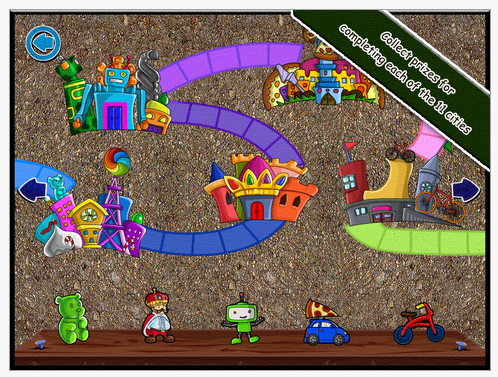
Chalk Walk app guides the user through a sequence of pathway to different cities that lead to visual motor pathways of graded difficulty. One “city”has to be completed before you can go on to the next city, requiring completion of numerous separate chalk pathways.

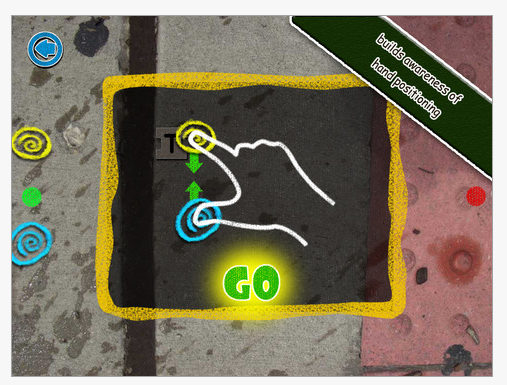
One interesting component to this app is that it requires pinching your two fingers together to bring to dots together, then hold the two dots together to draw on the pathway. This image shows a bit of what that looks like:

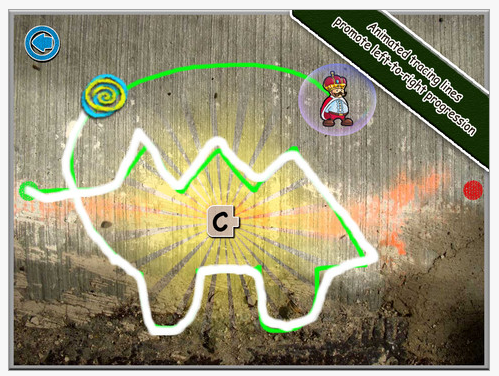
After the two dots are brought together, the user can then draw a chalk line to follow a the animated charactor or object moving from left to right cross the screen in an unanticipated pathway.

This is an interesting task. Although I was almost always able to make a chalk line, there were times that my finger nail(s) limited the connectivity required on the capacitive screen. I also at times had difficulty seeing the animated object or charactor and the line it created as it moved forward (to the right) due to my right preferred hand covering it up (a lefty would have a definite advantage on this task!). Had the line I was following been a bit thicker it might be easier to follow. The lines get harder and more complex as you move to the next “city” with more curves and angles occuring more frequently.

Chalk Walk is a dynamic activity requiring maintenance of the pincer hold to make the line and constant motor planning and visual attention to observe where the line is being drawn ahead of you. Working on an easeled surface may help somewhat with being able to view and follow the animated objects pathway. Not for beginners, this app would be suited to primary aged students who can maintain a pincer grasp and have the control to change direction of drawing somewhat quickly. Users would also need to have fairly good somotosensory awareness of their hands and fingers to guide their hands on a pathway that is not always so visible.

Chalk Walk has been out a few months it appears. I did not have a chance to try this out with students, however you can find more information on it’s use with students on Your Therapy Source’s Blog, another blog for OT’s and PT’s.

Is this app appropriate for your students and your OT iTool Kit? Leave a comment and share your experience or thoughts about this app!

Carol

Posted in App Reviews, Apps for OT's, Fine Motor Development, iPad, Occupational Therapy, Primary Grades, Uncategorized, Visual Motor | Tagged , , , , , | 2 Comments

Word Games Part 1: Word Search from Sarah DeBellis

Sarah DeBellis’s blog, ” On Sarah’s iPad” is one I follow that has great educational apps and practical ideas on use of iDevices. Todays post “Word Games Part 1: Word Search” offers a variety of apps on the topic.

As an OT, I have used word searches for developing visual tracking, figure – ground perception, visual memory and to reinforce spelling skills. Sarah list of  word game apps provides those offering levels of skill (easy to hard) to help target individual student needs. The ABC Word Puzzle for iPad provides picture associated with the printed word, a helpful cue for many students! She also has great practical suggestions on safety management with iDevices.
Enjoy Sarah DeBellis’ post – I did!

Check Sarah’s blog to see if there are any apps suited to your OT or Teacher iTool Kit!

Sarah DeBellis's avatarOn Sarah's iPad

Playing games with words is not only fun but can help your children (and you) to practice spelling and to develop your vocabulary. Personally, I love word games and always have some on my iPad.  This post is focussing on just one type:  Word Search, a.k.a Find-a-word, Word Seek, Word Find and others. I think we are all familiar with these puzzles: highlight words hidden in a letter grid.  Since all the puzzles work the same way, I’m going to focus on features such as word lists and various options you might find handy.    Forgive me if I don’t mention the game that has Weapons as one of its word lists, along with others that had some dodgy spelling and grammar before you even got to the puzzles.  The ones here are some of the better ones.

View original post 1,000 more words

Posted in App Reviews, Apps for OT's, Elementary School, iPad, iPhone, iPod, Language Arts, Primary Grades, Visual Figure Ground, Visual Memory, Word Work | Tagged , , , , , , | Leave a comment

Heydooda! Preschool Apps!

Are you familiar with the Heydooda Apps? Heydooda has preschool puzzles, numbers, animals and visual matching game apps.  Compatible with iPhone, iPod and iPad, many of the apps are free or up to  $1.99. These apps caught my attention as I was looking for simple puzzle and visual motor  apps and found their dot to dot was simple and free.

Here are the iTunes Heydooda apps available:

Those that are related to visual motor tasks:

Heydooda! Dot to Dot  Preschool (free) for children 3 to 7 provides simple dot to dot activities. In app purchases provides more activities.

Heydooda Animal Puzzles Deluxe App (1.99) provides simple inset puzzle activities.

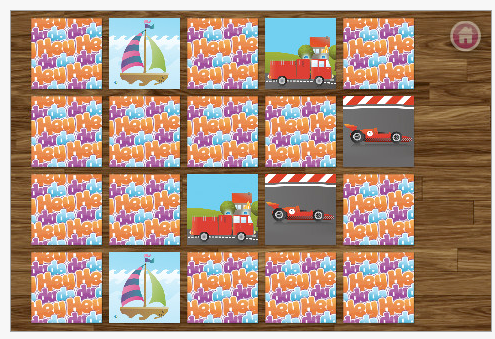
Heydooda Car Memo Match App  with visual memory activities.

Other Heydooda app titles provide concept development of alphabet, animals and numbers.

Add to your OT iTool Kit or pass them on to parents or teachers!

Carol

Posted in App Reviews, Apps for OT's, Early Childhood, Occupational Therapy, Pediatrics, Uncategorized, Visual Memory, Visual Motor, Visual Perception | Tagged , , , , , , , , | Leave a comment

Facing Mental Illness: Infographic and Facts – How Many Individuals with Mental Health Do You Service?

You might think you don’t really service individuals with mental illness, but the statistic for young and old might make you rethink that. Take a look at this infographic (see graphic below) from Candida Abrahamson’s Blog and you might be surprised about the incidence of mental health.

If you work with children, how many of them are ADHD?  How many of your high functioning students with Autism have anxiety problems? Are you experiencing greater prevalence of clients or children diagnosed with bipolar or depression?

Check out this infographic from Candida’s blog that presents mental health statistics at a glance:

Infographic retrieved on 6/8/2012 from http://candidaabrahamson.wordpress.com/2012/05/02/facing-mental-illness-infograph-and-facts/ ; Original source: http://msw.usc.edu/mswusc-blog/shedding-light-on-americas-homeless-veterans-infographic/  .

On Candida’s blog, Facing Mental Illness: Infographics and Facts she presents additional statistics from National Alliance for Mental Illness relating to the prevalence of mental illness. As an OT working with student at the middle and high school, currently my caseload reflects more than 50 % with some type of mental health challenges. Many of them are students with Autism requiring among other interventions, strategies to help with self – regulation through their day.

How does this relate to apps and iDevices?

Consider iTools for Self – Regulation

iDevices are powerful tools that students or adults might be able to use to help with self regulation. It is not the only answer by any means and may not be the answer for many clients or students but here are a few apps or examples of iPods and iPad uses that might aid self regulation:

  • Special education teachers, paras, therapists or students use free radio station apps  (Pandora app – or Yahoo Radio apps) on their devices  (iPads/iPods) to play calming music. In one situation use of apps and environmental music helped to reduce self stiming noises of a students when in the classroom. Also used to help some students when venturing in public places where students find a need to self stim for regulation,  iPod Shuffles, iPod Touches and MP3 players can help supply music or sound programs to help with self- regulation.
  • Students have access to MP3 or iPod Touches in noisy arenas to help them cope when noises get to loud. On the bus, assemblies, when studying in a busy resource room or library using favorite music, white noise or classical music with noise reducing headphones can help with self-regulation.
  • Use of apps such as Autism 5 point scale EP (questionable availability recently) to help student determine their emotional state and give them suggestions for what to do to regulate
  • SOSH app provides a variety of tools within their five R’s for self regulation. A Relax  and Regulate component of the SOSH app provides customizable tools to help high functioning individuals with supports to help with self- regulation. Most useful for older, more mature students/clients.
  • The Electric Company – Feel Electric app provides supports for teens to identify their feeling and emotions
  • Sensory apps as Fluidity, Pocket Pond or Fluid are favorite apps by a number of our students that can help with calming.
  • Providing students with a visual schedule such as First/Then Visual Schedule  app or providing choices can help them feel in control and anticipate activities or changes in their day.
  • Visual timers provides forwarning to students when they will need to finish and move on to another task, aiding with self regulation and self control.
  • Doodle apps are a preference to help with self -regulation for some students. Apps like Doodle Buddy are a favorite or Paint Sparkles are free doodling apps.

There are many more apps that support meditation, environmental sounds, breathing regulation and activities that can help with calming, social skills and self regulation. An iDevice is not the only way to deal with mental health issues but is just one more tool in your toolbag to help students or clients.  Small and portable, iPods and iPhone are available on demand with clients and students making them readily available as an behavioral intervention.  A prior post, entitled Mental Health Apps,  lists more app possibilities and mental health resources.

Thank you to Candida Abrahamson for allowing me to repost part of her blog. I encourage you to visit her personal website for great information on mental health!

Carol

Posted in App Reviews, Autism, Mental Health, Uncategorized | Tagged , , , , , , | Leave a comment

Scene & Heard App – A Functional, Interactive Communication Scene Creation App!

Scene & Heard App, developed by Tbox Apps, is a multimedia scene communication tool compatible with iPhone, iPod and iPad.

What does multimedia scene communication tool mean? It means it provides you with the possibilities of your typical multi-cell communication app as well as the ability to create interactive scenes using your photos, images, videos and make interactive “hot spots” or regions that speak, play video,  link to pictures or videos or symbols. You can use it to tell a story, make a choice, provide instruction, video modeling or express wants, needs or answers or symbols. Not your average communication app, Scene&Heard mixes communication symbols with a variety of multimedia  opportunities for receptive and expressive language, learning and exploration within the context of real or symbolic images of tasks, environments, people and things for individuals with limited or emerging communication skills. Cost of the app is $49.99 US, but for a communication app with many, many options available within it, it is reasonably priced (a Lite version is also available for trial – see bottom of page).

Here’s Tbox Apps video that overviews of Scene&Heard:

Here are some screen shots of the variety of displays you can create with Scene&HeardApp:

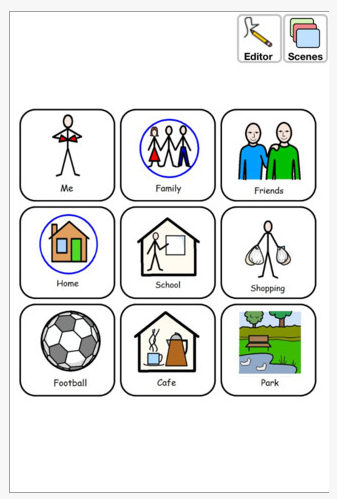
 Above, a symbol based starter communication grid supplied.

Above is a park scene featured as an examples within the app. The transparent blue rectangles indicate the “hot spots” regions that will interact. The blue rectangle “hot spots” have some customization available.  For those of you who know or remember Click- it! or use Intellitools, these rectangles provide the visual cue for items to target for communication, actions or scanning for those requiring  switch access.

Here is a bathroom scene that I quickly created with simple, basic steps and pictures of the sequence of going to the bathroom. Provides the real picture in context with symbol and text support. This could be used learning functional vocabulary, transitioning students from real to symbol pictures and learning the steps of the task to name a few uses. More items could have a hot spot if needed. Adding video to scenes is also available offering video recording (up to 2 minutes) of a skill performed or being taught as a video modeling option within the scene.

With initial exploration, Scene&Heardseemed to  immediately offer possibilities of language exploration and concept development within the context of pictures of familiar people, places and things taken for individuals needing concrete information. The symbol library available uses the Widgit symbols.

It was really easy to jump in and create. I am sure there is more to know, but at onset I was able to create and use within a short period of time  – essential these days within our time crunched days! It reminds me of the ease of Pix Writer software that can be used in minutes by staff with little instruction! Several students that I work with would benefit from this type of language and concept development in concrete and familiar contexts of real pictures, environments and objects they use daily.

For OT’s I believe this allows us functional, context based communication. Visual scenes and sequences with video modeling possibilities of self-care, classroom activities or work tasks provides a wonderful mix of best practice options for our clients. For those of us who are working with students who need visual, functional communication this app can provide many options for learning and communication.

There are a few limitations, video embedded is only up to 2 minutes long and there were a few transitions that seems to load up a bit slow when creating and moving from scene to scene. None of these were significant that I felt compromised its use, frustrated me when creating in the app. I would love to be able to change the dimensions of the hot spots, not a huge issue as the hot spots can be resized but only in one direction.

Thank you to Tbox Apps for allowing me to trial this app. A free Scene & Heard Lite  version is available for trial. I would recommend this app to therapists, teachers and parents who have emergent communicators who respond best to real pictures of familiar visual environments, things and people in context. It is easy to use with very little training at onset required. Manuals are available from Tbox Apps website.

If you are interested in more information visit Tbox Apps website: http://www.tboxapps.com/tboxapps.com/snh.html . They also have other excellent apps such as Predictable that you also might want to explore.

I am excited to add this to my OT iTool Kit and look forward to adding it to several of my students iDevices when school starts in September!

Carol

Posted in App Reviews, Apps for OT's, Apps for Special Needs, Augmentative Communication, iPad, iPhone, iPod, Occupational Therapy, Uncategorized, Visual Communication | Tagged , , , , , , , , | 2 Comments

Puzzles for Young Learners for Your iPad

Looking for simple puzzles for your student?

A comment from a previous post from Claire requested simple puzzle apps suitable for a student with CP. She was looking for apps with limited pieces. I am assuming that the puzzles would require limited manipulation, possible just a simple touch to initiate getting the piece to go into place and large pieces that can easily be physically targeted.

I started a search of basic puzzle apps that might work. Certainly there are many more apps available, but here is a listing of simple puzzle apps I found that might suit her  students needs for limited manipulation:

♦  Little Puzzles or Kids Puzzles by Grasshopper apps – These start with 4 pieces and can be customized with your own pictures and sound. Everyone should know about the Grasshopper apps!

http://www.grasshopperapps.com/apps/little-puzzles/

♦  My First App has puzzles for skill levels from 1.5 – 3.5 years of age. http://myfirstapp.com/MyFirstApp/Home.html

♦  My first puzzles – Alexandre Minard’s series of puzzles appear to have four or more pieces that simulates a wooden inset puzzle.

http://itunes.apple.com/us/app/my-first-puzzles/id347796216?mt=8

♦  A Bee Sees app has basic preschool skill development with puzzles that are leveled. http://itunes.apple.com/us/app/bee-sees-learning-letters/id345831563?mt=8

♦  Alien Buddies – Among their activities are puzzles choosing 4, 5 or 6 pieces. http://itunes.apple.com/us/app/id469461540?mt=8

♦  Shape Puzzle HD free – This appears more difficult. Kindergarten level. http://itunes.apple.com/us/app/shape-puzzle-hd-free-word/id397674808?mt=8

♦  Heydooda! Animal puzzles –  Puzzle apps and inset puzzles app. 1.99 http://itunes.apple.com/us/app/heydooda!-animal-puzzle-deluxe/id447048746? mt=8

I hope this helps. If anyone else has any suggestions please comment and post!

Basic puzzle apps for your OT iTool Kit!

Have fun!

Carol

Posted in App Reviews, Apps for OT's, Apps for Special Needs, iPad, iPhone, iPod, Occupational Therapy, Puzzles, Special education, Uncategorized, Visual Perception | Tagged , , , , , , | Leave a comment

Alien Buddies App – Gone Free (Summer Sale)!

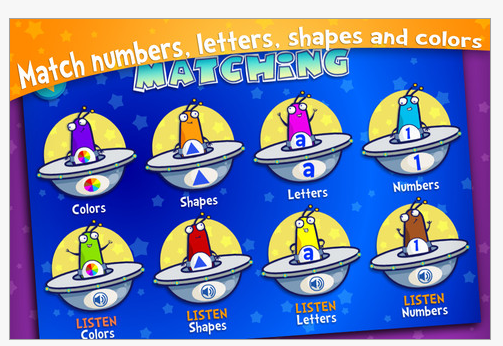
Alien Buddies is a fun preschool app that contains preschool skill development as counting, matching, dot to dot, puzzles and memory activities. Great for concept development as well as visual motor skill practice.  A tried and true app for iPhone and iPad, this app has been around for a while, revised with continually great ratings. Free until 6/3/2012 (sorry, I just found it!) – today!

Here are some screen shots:

 For OT’s, Alien Buddies  app has great basic visual motor activities such as dot to dot, visual matching of shapes, colors, letters by listening and vision as well as puzzles (4-6 pieces) for preschool students. At a cost of 1.99 it is a worthwhile app if you work with young children and are in need of an app working on visual motor and matching skills. It is also great for parents, teachers and … kids!!

More for your OT iTool Kit!! We love free!

Carol

Posted in App Reviews, Apps for OT's, Early Childhood, iPad, iPhone, iPod, Uncategorized, Visual Motor, Visual Perception | Tagged , , , , , , | 1 Comment

The Electric Company – Feel Electric

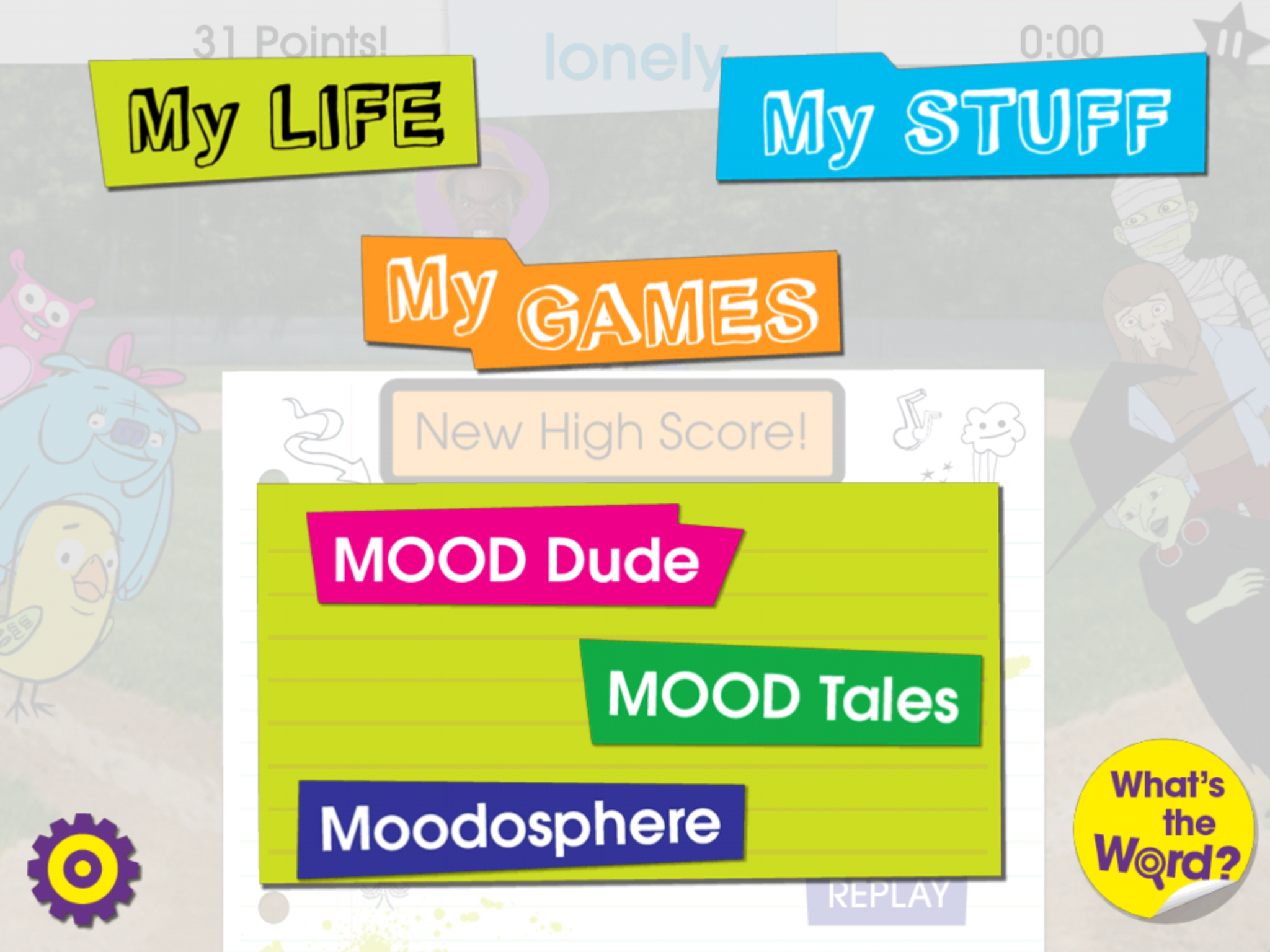
The Electric Company – Feel Electric app is a free app developed by Sesame Street/PBS that is compatible with iPhone, iPod and iPad. Geared to upper elementary, middle and even high school students, this app focuses on awareness and identification of feelings and emotions with games, story creation and vocabulary building in a fun, age appropriate way.

Here are some of the features described in iTunes:

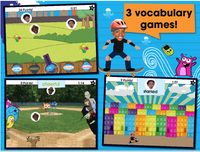
  • 3 vocabulary-based games
  • A digital diary
  • A glossary of 50 emotion vocabulary words and definitions
  • 10 zany story makers
  • Hosts Jessica Ruiz and Danny Rebus
  • A library of Electric Company music, photos, and video
  • Add your own music, photos, and video
  • Create your own mood dude
  • Fun point system and scoreboard

Here are some screenshots of the Electric Company app:


Curriculum

  • “Feel Electric!” empowers children to explore their emotions by building expressive vocabulary skills.
  • Introduces 50 emotion words and definitions
  • Builds emotional awareness
  • Encourages self-expression

The Electric Company – Feel Electric app is a well done app by Sesame Street and PBS that provides a game experience for kids on a one on one or in a group situation. I could see this app being used with a social skills group working on identification of feelings, or creating a feelings story with a group using a digital projector and Apple VGA cord connected to an iPad. Great for high functioning students with Autism, students with emotional challenges of upper elementary and middle school ages.

As a OT, parent or teacher would you add this to your OT/Teacher iTool Kit? It will go in mine and I will share it with special education teachers I work with!.

Carol

Posted in App Reviews, Apps for OT's, Apps for Special Needs, Autism, iPad, iPhone, iPod, School Based Interventions, Social Skills, Uncategorized | Tagged , , , , , , , | Leave a comment

Let’s Color App – from Lazoo

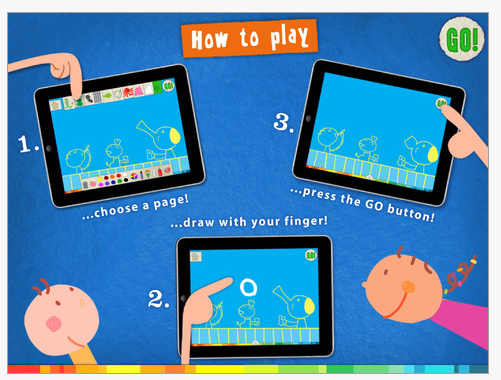
Let’s Color app by Lazoo, is a free iPad app by the same developers as Squiggles. This is a fun drawing and coloring app that provides animation with your coloring.  You simply color a page, press the GO button, and watch your drawings as they are animated.

Here are some of the features:

  • 18 free “living” drawing pages
  • Drawing palette including stickers, chalk, colors, and more
  • 16 additional pages available
  • Gallery for saved pictures
  • Email, Facebook, Twitter, and print capabilities

Here are some screenshots:

Like the Squiggles app, this is a fun visual motor app, inviting for children and has many possibilities for teaching colors, basic shapes, line and directionality. It has a number of free drawing scenes available as well as in app purchases for more possibilities.

Check it out or pass the word on about this free app for young children!

Carol

Posted in App Reviews, Apps for OT's, Drawing, Early Childhood, iPad, Occupational Therapy, Pediatrics, Primary Grades, Uncategorized, Visual Motor | Tagged , , , | 2 Comments