Customizable Apps

Customizable apps

Customizing apps seem to be essential when using mobile devices to support  special needs individuals whether in the community or in the classroom. Prior app reviews have listed many app that provide options for individual needs, situations or curriculum tasks. I would guess that most of us have our own set of apps that are customizable to meet the unique needs of individuals serviced for special education, community or occupational therapy settings.  These apps are often the staples of our mobile tool kits used to service individuals with disabilities in a variety of environments.

Judi Sweeney, educator and AT specialist has for years provided low to high tech AT solutions for individuals with special needs. Her website Onion Mountain Tech is a frequent resource for a wide variety of educational AT supports, AT materials and equipment and instructions of educational modifications. Judi provides a wealth of information on her website as well as in her workshops in modifying materials for special needs.

Currently, Onion Mountain Tech has a link Apps You Can Customize , featuring over 50 apps providing customization of curriculum concepts, visual communication, communication, productivity, accessibility, time management, written expression, functional life skills, social and behavioral management and many more topics that would support individuals with special needs. Name of app, developer and cost is provided. Here are just a few familiar apps  included in Judi Sweeney’s  customizable app list:

 Abilipad Abilipad – Customizable keyboard and writing environment with word prediction, text to speech 19.99
Answer yes no icon Answers: Yes No HD – Create yes no boards 3.99
Autismate icon Autismate – Context based AAC app. 49.99
Book Creator for iPad icon Book Creator – Create books with images, text, audio and video 4.99
 First Then First Then Visual Schedule – Visual Schedule app with First then presentation 9.99
Functional Planning System icon Functional Planning System – To do lists, plan events in calendar and planning system. 4.99
iPrompts icon  iPrompts XL – Visual schedule system 39.99
Little speller  Little Speller – Three Letters – Make words presented with 3 letters. Make your own. .99
Making Sequences icon  Making Sequences – Create activities requiring sequencing activities or stories 2.99
Photo Tel icon  PhotoTell – Make photo albums with recordings 9.99
 Pictello icon Pictello – Storytelling, social story app adaptable for many purposes 18.99
Story kit icon  Story Kit – Basic storytelling app Free
Touch and Learn icon  Touch and Learn Emotions – Features many real pictures of emotions of wide range of ages of people. Free
Visual impact pro icon  Visual Impact Pro – Create visual sequences with pictures, audio and text for task guides. 49.99
Write My Name icon  Write My Name – Letter writing practice. Features ability to create customized name writing practice 3.99
Note: Prices listed may change.

Check out her app list and also take some time to peruse all of the resources available on her website! More lists of customizable apps to come!

What are your favorite customizable apps?

More for your OT mTool Kit!

Carol

Posted in App Reviews, Apps for OT's, Apps for Special Needs, iOS, iPad, iPhone, iPod, Occupational Therapy, Uncategorized | Tagged , , , , , | 4 Comments

19 Free Text To Speech tools for Educators

See on Scoop.itApps for Special Education

At the following list you will find 19 Free Text to Speech tools that your students’ will appreciate. Some of them you have to install and some you will install on your browser. The most awesome about these tools is that are FREE!

Carol Leynse Harpold‘s insight:

Scooped from Kathleen McClaskey’s "Leveling the Playing Field". Text to Speech is like a staple in the AT world. Here are 19 free TTS tools to consider.


Carol

See on elearningindustry.com

Posted in Uncategorized | Leave a comment

Great app deal: StoryPals by Eric Sailers

See on Scoop.itApps for Special Education

  50% discount on these apps until Sunday, January 6th. StoryPals is currently $9.99 down from $19.99 and StoryPals Basic is reduced from $9.99 to $4.99. StoryPals and StoryPals Basic by Eric …

Carol Leynse Harpold‘s insight:

Another New Years discounted app. As a storytelling – book making app this is a fair price with leveled stories and option to make your own! Developed by Eric Sailers.


Worth Checking out!

See on smallbutkindamighty.com

Posted in Uncategorized | Leave a comment

11 Useful Android Apps for Special Education ~ Teachers Mobile Technology

See on Scoop.itApps for Special Education

Carol Leynse Harpold‘s insight:

You will find some familiar apps (First Then, iPrompts, Tap to Talk) and unfamiliar app titles in this Android app list for special education.


More special needs apps for Android devices!


Carol


See on www.freemobiletech.com

Posted in Uncategorized | Leave a comment

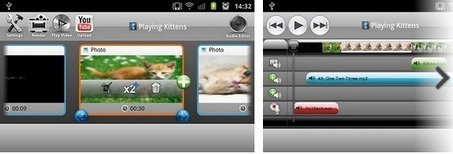
Andromedia Free Video Editing App for Android ~ Teachers Mobile Technology

See on Scoop.itApps for Special Education

Carol Leynse Harpold‘s insight:

Free video editing app for Android.


Carol

See on www.freemobiletech.com

Posted in Uncategorized | Leave a comment

The Digital Media Diet My Favorite Sites: A Resource List for Finding the BEST iPad Apps for Your Kids | The Digital Media Diet

See on Scoop.itOT mTool Kit

Carol Leynse Harpold‘s insight:

Carisa Kluver is the editor/blogger of The Digital Media Diet, Digital Storytimes and Educational Apps for Sale –  all wonderful sources of information pertaining to digital media, educational apps for children. Carisa has curated a resource list for finding the Best iPad Apps for Kids that is well worth the visit.


One of my favorite websites for books and apps on sale are Digital Storytimes and Educational Apps for Sale – check them out for digital books and apps that might be a fit in your mobile tool kit! I would also encourage you to check out her website Digital Media Diet for her thoughtful content as we consider digital media for our students on mobile devices.


Thank you to Carisa Kluver for including OT’s with Apps on her Best List – I feel very honored!!


Carol 

OT’s with Apps!  http://otswithapps.com/

See on digitalmediadiet.com

Posted in Uncategorized | 2 Comments

Categorized List of iPad / iPhone/ iPod Touch apps for people with autism | iAutism

See on Scoop.itOT mTool Kit

List of applications for people with autism or other special needs for iPad, iPhone and iPod touch devices

Carol Leynse Harpold‘s insight:

Kathleen McClaskey shares an app list from iAutism.info that provides 20 categories of apps for individuals with Autism.


A listing of Android apps is also available.


Carol

See on www.iautism.info

Posted in Uncategorized | Leave a comment

Assistive Technology: Crick Software Releases Clicker Sentences & Clicker Docs for the iPad

See on Scoop.itOT mTool Kit

Carol Leynse Harpold‘s insight:

Brian Friedlander, AT specialist, reviews Crick Software: Clicker Sentences and Clicker Docs for the iPad. Another method of providing customized access and instruction to your students on a mobile device!

Check out his reviews on these adaptive apps!


Carol


See on assistivetek.blogspot.com

Posted in Uncategorized | Leave a comment

Apps4Stages Wiki

Looking for apps that fit the characteristics of your students?

Familiar with Stages© Framework from Cambium, produced by Madalaine Pugliese?

Stages pic

“Stages© framework takes a research-based approach to defining developmentally
appropriate observable learner characteristics for each Stage and recommends
features to consider in computer software for learning, along with teaching
strategies that match and scaffold student need.  This approach has proven very helpful in supporting educators, therapists and families in selecting appropriate learning materials.

 Apps4Stages provides app recommendations from students and faculty at Simmon’s College Assistive Technology Programs that correspond to the seven Stages framework. The seven stages are not grade level or age referenced. Instead they are competency
based. Each Stage© identifies skills or milestones to achieve. Once those
milestones are determined, and from the perspective of student first, features
to seek in skill building applications are suggested.” (retrieved on December 31, 2012 from: http://apps4stages.wikispaces.com/).

The apps4Stages lists each Stage©, a description of the stage, features to consider and linked list of apps appropriate to the characteristics of the learner. Here are the individual Stage© and its wiki page:

Most of the apps are iOS however the list provides a wonder list of apps to support students with special needs. Checking out this list and then searching for Android apps may be well worth your while as more and more apps are created that are cross platforms are available.

Apps4Stages provide a wonderful listing of apps by characteristics rather than age or grade level. The wiki, supervised by faculty at Simmon’s College provides helpful app listings as well as links to Accessibility, Finding Apps and Recommenders, App Tutorials  as well as more resources and information about apps for special needs individuals.

Thanks to Simmons College, Luiz Perez, Jennifer Edge Savage, Gina Violante and their students for providing this resource!

References:

Stages© Framework , retrieved on December 31, 2012 from http://apps4stages.wikispaces.com/ .

Stages © https://www.intellitools.com/store/stages/stages-special

Pugliese, Madalaine. n.d., Using Stages to create meaningful and effective alternative assessment portfolios, retrieved on December 31, 2012 from: http://spnd453fall2013.wikispaces.com/file/view/Stages+CTG+2002.pdf .

Resources for your OT mTool Kit!

Carol

Posted in Accessibility, App Reviews, Apps for OT's, Apps for Special Needs, Cause and Effect apps, Early Childhood, Education, Emergent Literacy, iPad, iPhone, iPod, iPod/iPad Accessory, Life Skills, Occupational Therapy, Primary Grades, Special education, Special Education Teacher, Special Needs, Writing | Tagged , , , , , , , , , , , | Leave a comment

Panther Technology Apps on Sale Thru End of Year!

Panther Technology  has produced several apps geared to students with motoric challenges that provide alternative access modes to classroom tasks. Their apps are on sale through the end of the year:

Panther Writer – iPad app now 14.99 is their new writing app featuring 4 keyboards configured for individuals with motor challenges.

Panther Writer pic1

– Basic Plus: a small variation on basic keyboard organization with features such as hold times, different alphabets, etc.

– Tom’s Keyboard: a powerful new layout that feels familiar, yet makes the keys you need most easier to hit

– Mini Touch: a keyboard that’s smaller, for people who have trouble moving their fingers a distance.

– Vertical Fall: a new concept for people who have severe disabilities. Just drag your finger along the bottom of the iPad and the letters and symbols present.

Panther Connect – iPad app now 29.99 provides multiple means of connection to the computer for individuals requiring special settings for access. Features accessible trackpad with 5 innovative modes for individuals with motor disabilities.

panther connect pic1Panther Math Paper – For iPad and also currently on sale for 14.99. Features keys to create beginning math problems to advance equation problems. Math practice problems also included. For individuals with motoric challenges allowing production of math equation problems.

Panther Math paper

Panther Calculator – iPad app on sale for 4.99 provides ease of access for individuals with motoric challenges. Cut and paste your problem into the calculator work space and produce your answer.

Panther calculator pic1

Specialized apps for individuals with motoric challenges for your OT iTool Kit! For more information check out Panther Technology.com

Carol

Posted in Accessibility, App Reviews, Apps for OT's, Apps for Special Needs, iPad, Keyboard, Math, Occupational Therapy, Special education, Writing | Tagged , , , , , , | Leave a comment