Clicker Sentences App

Clicker Sentences icon

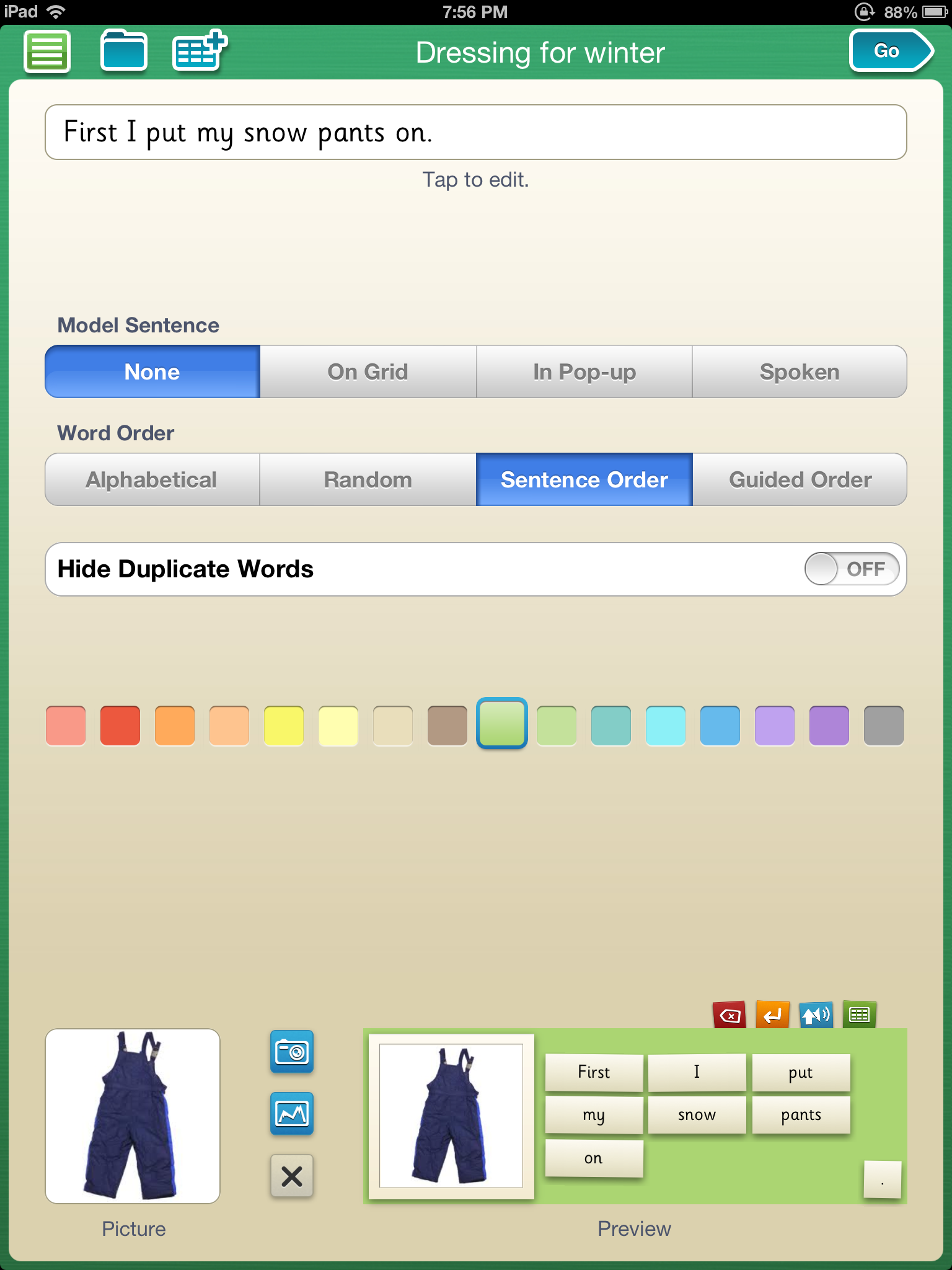
Familiar with Clicker software by Crick? They now have apps providing many of the tools and options available in their desktop software to mobile users. One of their apps, Clicker Sentences  for iPad (special launch price of 16.99, regularly 20.99) provides customizable word banks with multiple levels of supports for emergent writers. Customization within their app offers the following options (see picture below)

  • Modeling sentences on the writing grid, in a pop up or spoken
  • Word bank choices allow words placed alphabetical, random, sentence order or guided order
  • Variety of color of the bank background
  • Insertion of pictures from your camera or picture album
Clicker sentences pic1

Multiple pages within a grid can be created under a sentence set. After creation of the sentence sets the sets can be scrolled through when writing allowing text and images inserted into the writing area. The dots at the bottom of the page below indicate the pages of sentence sets available to the writer. Scrolling to the right at the bottom moves you to the next sentence while the writing document remains available to add more text.

Clicker sentences pic2

Here is a video of Clicker Sentences app and some of the features it provides:

Easy to use and create sentence grids, Clicker Sentences  allows a writing environment with the ability to scaffold writing supports. Text to speech options are available. Currently it is not switch accessible.

Other advantages of using Clicker Sentences is the availability to Crick’s online searchable library of Learning Grids along with the creation and customization of writing supports on a mobile device.

Is this in your OT mTool Kit?

Carol
Posted in App Reviews, Apps for OT's, Autism, Customizable app, Handwriting, iPad, Occupational Therapy, OCR, Traumatic Brain Injury, Uncategorized, Writing | Tagged , , , , , | Leave a comment

Great app deal: Little Bit Studio

See on Scoop.itOT mTool Kit

  *This weekend only* February 2nd and 3rd, all three ‘Bugs’ apps from Little Bit Studio are only 99 cents each! These apps are exceptional value at their full price of $2.99 so if…

Carol Leynse Harpold‘s insight:

Bugs and Buttons and Bugs and Bubbles apps are OT favorites! On sale this weekend.

Carol

See on smallbutkindamighty.com

Posted in Uncategorized | Leave a comment

Whether you have the Bookshare.org apps for iOS or Android or use Bookshare institutional or individual membership, there are some new tools available from Bookshare.org you will want to know about. Check out the above link to find out how you can get more information.

Bookshare Team's avatarBookshare Blog

The word is getting out; you may have heard. Bookshare is planning an announcement that is going to make it quicker and easier to use! Want to attend one of the webinars about how to use the new tools? Sign up and mark your calendars today!

Date: Wed, Feb 13, 2013
Time: 3:00 PM EDT, 2:00 PM CDT, 1:00 PM MDT, 12:00 PM PDT
Register Here.

Date: Thurs, Feb 21, 2013
Time: 4:30 PM EDT, 3:30 PM CDT, 2:30 PM MDT, 1:30 PM PDT
Register Here.

Space is limited.

View original post

Posted in Apps for Special Needs, Reading, Text to Speech | Tagged , , , , | 2 Comments

i See-Quence app for Valentines Day

i See quence valentines icon

Preparing your special needs child or student for Valentine’s Day?

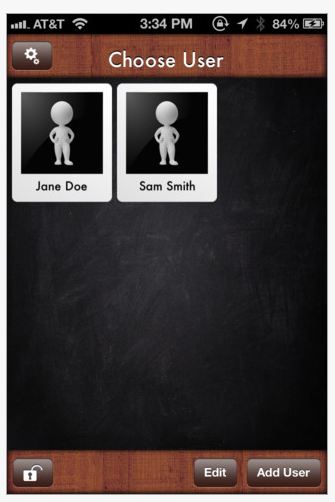
i See-quence Valentines Day Social Skills Stories helps users understand the process of Valentine’s Day. Developed by i Get it Apps LLC, it is one of thirteen the i See-quence series of apps that focus on special events.

i See-quence Valentines Day app (.99) for iPhone and iPad is customizable, allowing multiple users and customization of pictures, text and audio of the special event.

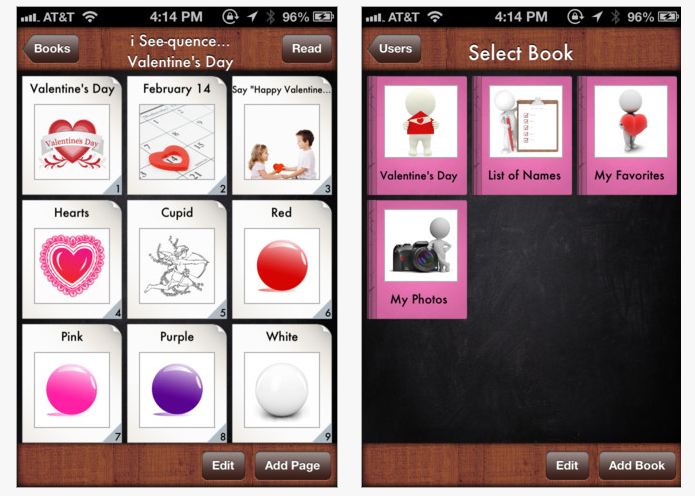
i See quence valentines pic3i See-quence Valentine’s Day allows for creation of individualized story or sequence of events in preparation of the special day.

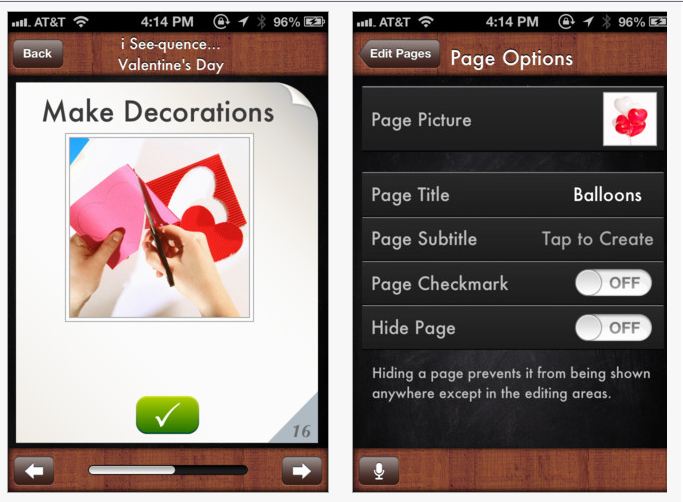
i See quence valentines pic1Images can be imported or inserted from the existing photo library with text and audio added. The ability to lock the story or book is also an added bonus reducing the possibility of your work being deleted by exploring fingers.

i See quence valentines pic2

i See-quence apps are easy to use and a simple format for users. Share with parent, teachers or fellow therapists who might want to use an app with an existing template to prepare for Valentines Day – which is just around the corner!

Carol

Posted in App Reviews, Apps for Special Needs, Autism, Customizable app, iPad, iPhone, iPod, Social Skills, Special education, Special Events | Tagged , , , , , , , , | Leave a comment

Letter Reflex App – On Sale!

LetterReflex3

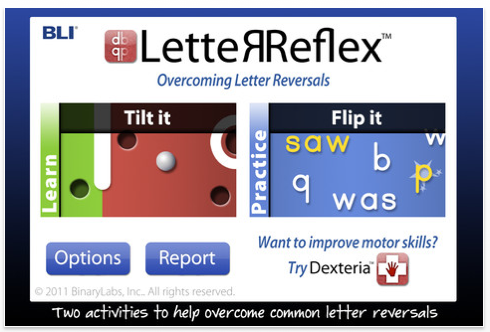
Letter Reflex icon LetterReflex by BinaryLabs (1.99 – currently on sale from 2.99) is an interactive app focusing on challenges of letter reversals for iPhone/iPad. Previously reviewed on OT’s with Apps, it’s unique features for intervention makes it worth reviewing again while on sale.

Binary Labs describes Letter Reflex app as a fun way to learn the correct orientation for common letters “b” or “d” and “p” or “q” and numbers 3, 6, and 9. The activities use kinesthetic learning to teach mapping of left/right sides and correct letter/number formation (retrieved on 2-2/2013 from: http://www.dexteria.net/). Geared to kids, it is a arcade game app with interactive games involving tilting and flipping activities to aid in visual discrimination of letters.

To get a better idea of just how this app works watch this video created by a4cwsn.com as shared on BinaryLabs website of LetterReflex:

Other attractive features of the app include tracking and progress reports with accuracy and speed that can be emailed for monitoring user achievements.

Advance for Occupational Therapy, in their App of the Week review by Angela Woods, OTR/L, “Helping Children with Letter Reversals” provides a review of LetterReflex app and an app rating of 4-5 stars (out of a possible 5 stars) in seven of the eight areas rated. She also provides her own child’s responses to app use, nothing better than reports from targeted users!

LetterReflex app is a unique, interactive app working on visual discrimination of letters. Is this app in your OT mTool Kit? Do you have suggestions or experience with this app? Please share!

Carol

Posted in App Reviews, Apps for OT's, Apps for Special Needs, Handwriting, iPad, iPhone, iPod, Letter Formation, Occupational Therapy | Tagged , , , , , , , , , , , | 2 Comments

Motion of a Finger App

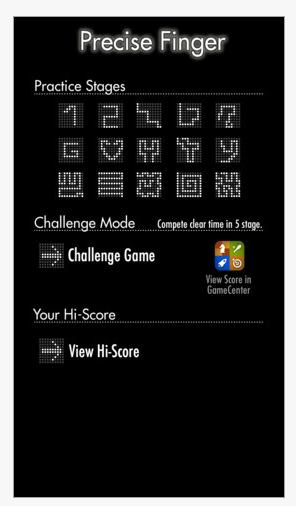
Motion of a finger icon   Motion of  a Finger app (free) for iPhone/iPad is a visual motor game requiring accuracy and speed while following a series of 15 different pathways that increase in difficulty. The app is a  Game Center app but did not require creating a user name or password to sign in. The app does have ads at the bottom of the screen but which are somewhat inconspicuous. Here are the 15 levels displayed on the main screen:

Motion of a Finger pic1There is a practice mode and challenge mode. Each mode uses the same pathway .

1) Practice Mode
You can play all 15 possible stages.
The best 5 records are always shown at each stage.
You can check it out from the menu.
After your enough practicing, you will be ready for Challenge Mode!

2) Challenge Mode
You need to succeed to finish 5 stages.
In Challenge mode, the timer won’t stop until you finish once you tap Start.
You time record will be registered to Game Center.

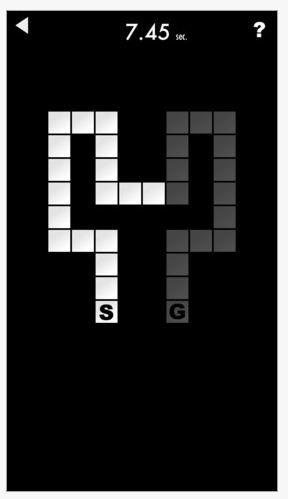
The challenges  begin at start (S) and end at the goal (G). Each game starts in a different location requiring you to scan the screen prior to starting. As simple as the game is I like the fact that you have to start all over if you deviate off of the pathway. The time keeps going if you go off the path making you compete for accuracy and speed until you completely finish accurately. I found it really requires paying attention while trying to beat your time.

Motion of a finger pic2In the challenge mode you compete in 5 pathways or stages to try to beat your time. Hi-Scores are recorded in the app to compare a score highest scores or your total score of 5 stage challenge.

Motion of a finger pic3

This is a very simple app which would be appropriate for students or adults who require visual motor control practice. Immediate feedback is given to the user is accuracy is not maintained. For users who like a time challenge, this app provides the motivation to beat your time and records individual challenge scores for you. Annotating scores of users to compare over time would be needed as data is only maintained for highest scores or when participating in a challenge game on your device. iPhone scores are recorded in the Game Center is you are interested.

There are no settings or options available for changing sounds, levels of accuracy or enrolling multiple users. It worked well using a stylus which helped viewing the pathway consistently. The app only presents itself in portrait view. Landscape view could provide additional challenges for individuals with neglect or difficulties with crossing the midline.

Motion of a Finger is available for iPhone/iPod/iPad (no iPad HD available) which allows the option of using it in 1x view (iPhone/iPod screen size) or 2x view (which expands the game to the full iPad screen). Playing the game in 1x view creates a smaller pathway versus playing it in 2x view which enlarges the pathway providing additional levels of challenge for the user.

Simple, easy to use and free can’t be beat if you are looking for a visual motor coordination app requiring speed and accuracy. Good option for your OT mTool Kit whether you are working with students or in adult rehab – or just have some fun yourself!

Carol

Posted in App Reviews, Apps for OT's, Fine Motor Development, Focused attention, Game Apps for Special Needs, iPad, iPhone, iPod, Occupational Therapy, Rehabilitation, Uncategorized, Visual Motor | Tagged , , , , , , , | 2 Comments

Panther Connect App

Panther connect pic5

Panther Technology provides a number of apps providing innovative direct access using the iPad for access to your standard computer, writing and generating math problems.

Their  access app, Panther Connect  features  methods of interacting with your computer using your iPad.  Here is a new video that provides a glimpse of some of the features of Panther Connect used:

What an innovative app for the iPad for access to the computer! Any experienced users of Panther Connect?

Carol

Posted in Accessibility, App Reviews, Apps for Special Needs, iPad, Mobility Impairment, Occupational Therapy, Physical Disability Tool | Tagged , , , , , | Leave a comment

Apps for Memory Loss

Dementia apps pic1

Apps for Memory Loss

Alzheimers Activities.com , provided by the Alzheimer Association of Greater Michigan provides a post of iPad apps appropriate for individuals with memory loss entitled “Play a Simple iPad Game (again – this is the second of two posts).  The apps listed tap familiar memories of days gone, a method of reminiscing which is beneficial to those with memory loss. Here are a few of the apps Alzheimers Activities.com provides with themes that encourage reminiscence:

Aircraft of WWII icons   WWII Aircraft (3.99)

Yesterday USA icon

Yesterday USA – Old Time Radio (free)

Babies app icon  Babies  (2.99; who doesn’t love to see pictures of babies and recall days those early years?)

… and more at Alzheimer’s Activities  !

What great themes! my memories of working in long term care involved discussing the olden days – World War II stories with Vets (my father was in WWII and while living in Germany I visited many historical sites with him that made reminising very meaningful when talking with Veterans!), big band music and dancing with the elderly. Providing images and music on the iPad so brings back memories for everyone!

A second post from Alzheimersactivities.com provides additional suggestions of apps suited to individuals with memory loss or dementia in the Play a Simple iPad Game (this is the first of two posts) which provides app suggestions for classic games such as Tic Tac Toe (free from Optime), Marble Mixer (1.99), Air Hockey (.99), Crazy Face (free), iAquarium Free  , painting along with a list of 13 other fun app games.

Many of these apps are similar in nature to the classic games I had found for students with cognitive disability at school that facilitated interaction, turn taking and success as posted on  Leisure Apps for Students with Special Needs . Other apps I am sure are available featuring pictures of hobbies and interests might include themes of flowers, birds, butterflies, hunting or fishing from zoos, DNR, horticultural or other specialty museums.

Alzheimersactivities.org  also provides educational links to Alzheimer’s Association Brain Tour which explains how the brain works and how Alzheimers affects it.

For Android tablets, here are a few apps to explore:

World War II Fighters (free – Android)

Old Time Radio Player (free- Android)

Tic Tac Toe free – Android – developed by Optime

3D Bowling – Android (free)

Ease of mobility and interaction with tablets provide a tool for occupations across the life span! I’ll look forward to trialing a few more apps with my mom!

For those working with geriatrics – what is in your OT mTool Kit?

Carol
Posted in Android, App Reviews, Apps for OT's, Geriatrics, iPad, iPhone, iPod, Memory, Mobile Device Use, Occupational Therapy, Uncategorized | Tagged , , , , , , , | 2 Comments

Siemens – Assistance Systems | The Assistive Technology Daily

See on Scoop.itOT mTool Kit

Carol Leynse Harpold‘s insight:

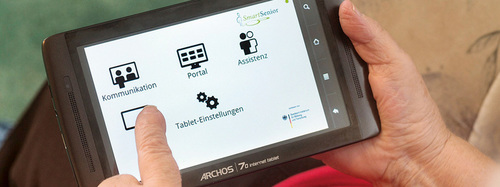
The Assistive Technology Daily provides an overview of Siemen’s portable device for providing medical assistance to elderly in Germany. Amazing systems being developed as telemedical systems to monitor and support individuals residing in their homes.


Thank you to AT Daily for my daily dose!

Carol

See on attraining.org

Posted in Uncategorized | Leave a comment

Top 9 Writing Apps | Reading Rockets

Reading rockets pic for literacy app

Image from Reading Rockets.org

Top 9 Writing Apps | Reading Rockets.

Reading Rockets reviews nine top writing apps. Some of the apps are for handwriting and others support the process of writing. I might have my own list of my top nine but this list familiarized me with a few new apps.

From an OT, teacher or parent standpoint what apps would be your top 9 writing apps?

Carol

Posted in AT for Handwriting, Handwriting, Writing | Tagged , , | Leave a comment