Android Apps for Learners with Dyslexia / Reading and Writing Difficulties

Call Scotland logo

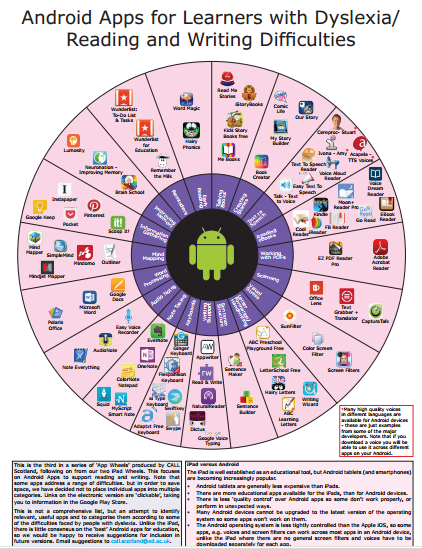
Call Scotland.org.uk , hosted by the University of Edinburgh, provides information on communication and assistive technology for individuals with special needs. Among their publications is a new active graphic entitled Android Apps for Learners with Dyslexia. This document provides numerous categories  of Android apps that support reading and writing (and more) for individuals with dyslexia.  It is great to find an updated list of Android apps for individuals with reading and writing challenges!

Here is an image of the app wheel offered by Call Scotland:

Android apps wheel from Call Scotland 10-2015

This PDF document is downloadable from the Call Scotland website. The document has active links to the apps listed.  Check it out and see what supports are available for your students with Android devices!

More for your OT mTool Kit!

Carol

https://annotatepdf.appspot.com/#/edit/1Ssrwktc95eQPrGdxLdyNFDczZYBPudLwr0cewQtfzW5wuFVt61AEOSWI-dUg_vRbDVhhI6ZWHpJJVkfr

Posted in Uncategorized | Leave a comment

iOS Word Prediction Apps Comparision : Co:Writer versus inku App

Cowriter vs inku apps pic
Comparing CoWriter and inku apps

A recent post on a new iPad app, inku  prompted a question from a reader on how inku app compares with CoWriter US app (19.99 for iPad – not CoWriter Universal).  A great question,  considering cost and needed features of an app when working with struggling writers.

Here are some of the similarities and differences:

Similarities:

  • Both apps allow saving documents
  • Both apps have some topic dictionaries available
  • Both apps provides choices of levels of the user vocabulary (from basic to advanced)
  • Neither apps provide folders to save documents by topic or subject
  • Both app provide option to change text to speech rate
  • Both apps provide ability to change size of text
  • Both apps provide predictive phrases
  • Both apps allow text to speech prior to insertion (slide finger over predicted word in Co:Writer app; press speak button in inku)

Differences:

CoWriter iconCoWriter US app:

  • Provides options to read by letter, word or sentence
  • Allows choice of font type
  • Provides topic dictionaries and ability to create a topic dictionary
  • If using basic iOS keyboard allows use of voice recognition tool within the app
  • Use of voice recognition tool does not always sync with word prediction list
  • Word prediction only offered above onscreen keyboard

Cowriter US pic1

inku app for iOSinku – tool for dyslexia:

  • Provides additional formatting options (spaces between lines, color of text, alignment of text, bullets or number list options)
  • Offers three levels of spelling help: Need a lot of help, Need some help, Pretty good
  • Provides general topic dictionaries that can be turned on/off: Biology, Chemistry, Engineering, History, Math, Physics and Sociology
  • Keyboard hot keys or abbreviation expansion is offered in the app settings
  • Writing environment (called the Message Window) can be customized : font type, font size,  font color,  background color, opacity
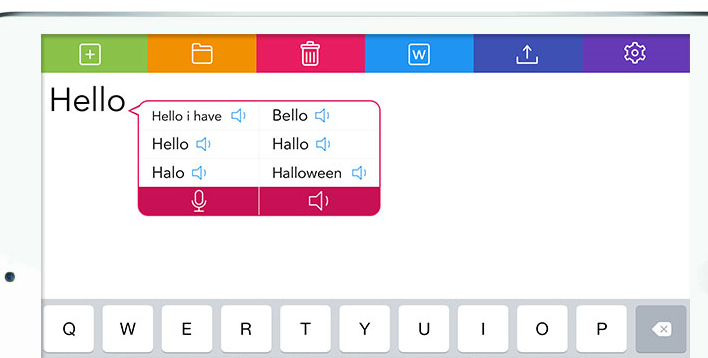
  • In line word prediction and above keyboard prediction offered
  • Voice recognition tool (iSpeech engine) provided in the inline word prediction tools
  • Inline word prediction offers text to speech of each offered predicted word

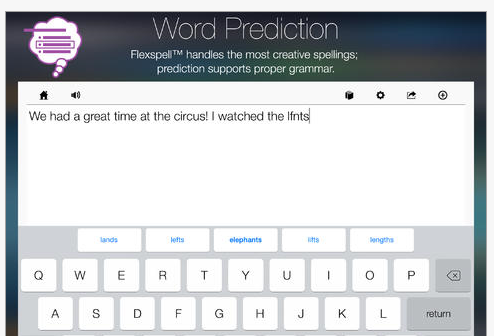
inku word prediction options image

What’s the bottom line?

Working with the two apps there are pros and cons of each.

  • First, inku is less expensive and worked very reliably on my iPad with iOS 9. CoWriter US also worked reliably but is twice the cost if you are considering purchasing one of the two apps. I like the word prediction topic dictionary options in CoWriter and the fact you can customize a topic list. Turning on inku app specific dictionaries also offered topic words I was attempting to spell.
  • When generally typing with word prediction, CoWriter appeared to offer contextual vocabulary  (better recency, offering words previously typed in the predictive list) more readily than inku.
  • The inku app provides  inline word prediction, which for some users I find important for visual scanning of the word prediction list. CoWriter only offers word prediction above the keyboard which can be harder to monitor and visually scan.
  • inku app provides text to speech  and voice recognition tool offered with the inline predictive list. The voice recognition tool in inku app synchronized wonderfully with the word prediction list. The voice recognition processing was slow however (this could be dependent on my Wi-Fi system however). Use of the standard iOS keyboard voice recognition tool can be used with CoWriter however, it did not sync as well with the  word prediction which could cause confusion and on occasion caused additional spelling problems.
  • inku’s inline text to speech offered with the word prediction more intuitive than Co:Writer’s text to speech. inku’s speaker image is easily recognized for producing TTS where as Co:Writer’s TTS is not readily apparent (thank you to Carolyn Rasta for making me aware of this feature!)  for listening and reviewing the word audibly prior to selection. I find using TTS prior to selection important for individuals with significant spelling and language challenges.

Final Thoughts

Cowriter is a great app and great for younger writers and if you have this app already you might not need a new one. inku app may be considered if you are looking for an app for writers who want to adjunct their written production with voice recognition. inku’s  integrated voice recognition tool, (although slow) provided another solid option to generate vocabulary writers can voice but not spell (no more dumbing down!).  I really prefer the feature of having predicted words spoken aloud  (TTS) within the word prediction list as offered by inku.

You may already have other word prediction apps that combine some of these features. Check out this updated OT’s with Apps Word Prediction Feature Match (10-2015) that provides a comparison of iOS word prediction app features.

What’s your favorite iOS,  Android or Google Chrome word prediction app? So many choices!

Thanks to Diane N – a great app curator for her question. Hope this helps Diane!

Edited on 12/12/2015 adding correction regarding text to speech as shared by Carolyn Rasta. Thank you Carolyn for catching and sharing!

Carol

Posted in Uncategorized | 6 Comments

Sesame Street and Autism App

Sesame Street and Autism

Sesame Street and Autism App

Sesame Street, with the support of American Greetings, has created the Sesame Street and Autism App,  providing awareness of autism to families and others with videos, stories and resources on autism within this app. Available for free for iPad, the contents of this app is also available on Sesame Street’s website resources:  Sesame Street and Autism.

Sesame Street debut’s a new character, Julia, a young child with autism to the Sesame Street gang. Elmo and other characters introduce Julia, a special needs child, in their storybook, daily routine cards and videos describing some of the characteristics  and strategies to that support interacting with children with autism.

Sesame Street Autism pic1

Geared to young children, this app provides awareness and basic strategies and tools to support individuals with autism. Videos of families and children with autism provide real life stories about their lives and special characteristics from a family perspective.

The app may be most helpful to extended family members or friends of an individual with autism to help them understand their unique characteristics and interventions. To review the contents, go to Sesame Street.org/ which provides the exact app contents online.

Check it out and share with others.

More for your OT mTool Kit!

Carol

Posted in Uncategorized | 2 Comments

Write About This App for Primary Writers

OT intervention with written production is a frequent goal when working in the school system. It is a primary method of expression for students with greater emphasis in the Common Core Standards  for students grades K-12. Supporting students with the ability to handwrite and produce written work required of their curriculum needs to be a part of our focus when supporting students with special needs. When working with primary aged students during free writing situations, using writing prompts or pictures is one method to motivate them to generate ideas and put their thoughts into words whether handwriting,  word processing or through oral expression.

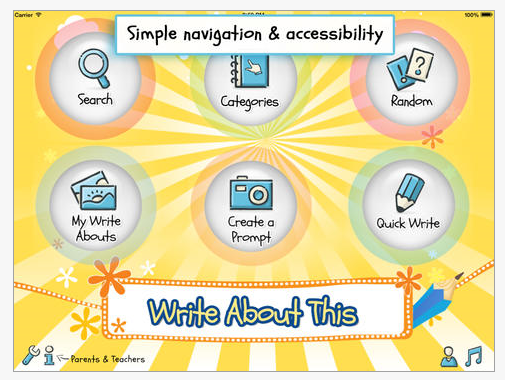
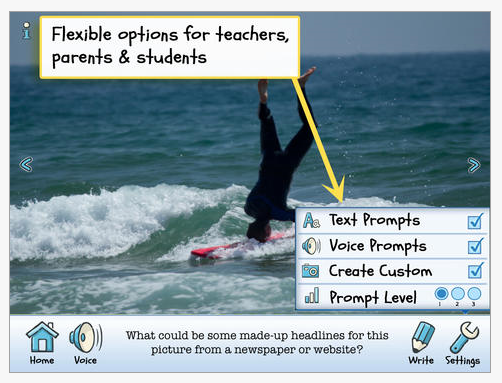
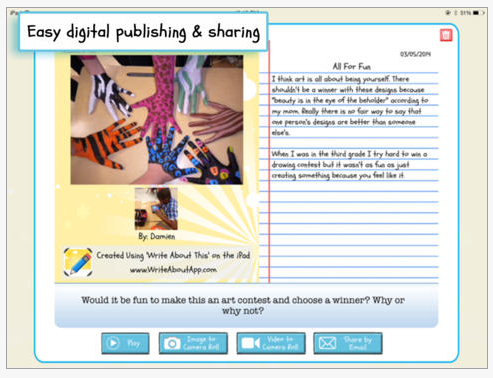
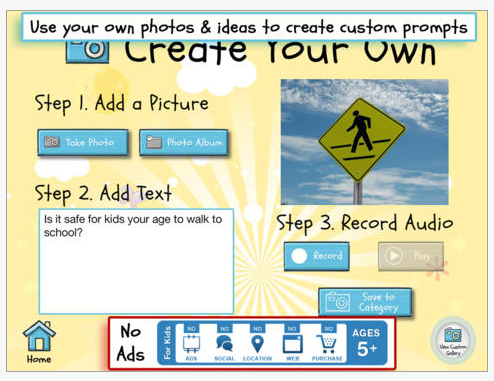
One of my favorite ways to  motivate students to generate ideas to write and or draw about is to use story starters. For students requiring additional support, visual prompts  aid  can provide them with something concrete to write about. One app I like to use is Write About This App (free / 3.99; iPhone/iPad) geared to primary writers. The app provides picture writing prompts in a variety of topics or categories with clear picture that are age appropriate for concrete thinkers in the primary grades. With an intuitive layout, this app provides a variety of  tools for customizing pictures, recording prompts, recording ideas, writing and publishing their ideas.  Here are a few screen shots of Write About This App:

Write about this app pic1 Write about this app pic2 Write about this app pic3 Write about this app pic5 Write about this app pic6

The category button provides a variety of topics, each with dozens of pictures to chose to generate ideas for writing.  In the paid version, the option to take and use your own pictures further customizes the options to motivate a writer and offer personal experience prompts. Voice recording prompts and recording features in the app provides options to differentiate to the needs of individual students. Using a 3rd party keyboard on the iPad,  such as the Keeble app, can provide additional support such as word prediction,  text to speech or customized keyboard layouts to a writer within the app.

Although a word processing and creation app, I often find myself using Write About This app a quick resource to primary aged pictures when working on handwriting on a one to one basis.

Write About This app icon iOS freeThe Write About This app free version provides picture prompts but no camera access to take pictures from within the app. Other customization features are not available but provides a trial of the app.

Check out Write About This app as another tool for your OT mTool Kit!

What is your favorite writing prompt app for primary aged writers?

Carol

Posted in Uncategorized | Leave a comment

inku app – New Writing App for Dyslexia from Therapy Box

inku app for iOS

inku app for Dyslexics

Therapy Box has created a number of wonderful apps for individuals with disabilities. One of their newest app developments is inku app (9.99; for iPhone/iPad), a writing tool for dyslexics. Features include word and phrase prediction and spell checking that will support individuals with dyslexia. Thematic dictionaries (history, physics, bio, engineering, etc.) are available along with the ability to choose the vocabulary size, language and type of prediction support (next word, predict phrases). As a basic word processor with writing supports the app is intuitive to use.

The list of key features of inku:

– self learning intelligent word prediction available in UK English, US English, German, Spanish and French
– speech-to-text that recognizes the word you would like to write
– thematic options for the US English dictionary: math, physics, chemistry, history, biology, engineering, sociology
– spell check – inku suggest words even if you have misspelled them
– speech recognition
– plenty of customization options
– listen to your word before you select it
– Bluetooth keyboard compatibility
– word processing options
– set up for dyslexia level
– custom pronunciation
– Dropbox syncing
– save your notes inside the app
– iOS voice integration
– phrase prediction
– export or share your documents via email, Facebook or Twitter

My first quick trial found inku app intuitive to use. Tools such as the word prediction and text to speech were readily available and easily integrated when writing within the app. Documents can be saved (although no folder system available). The app syncs with Dropbox but did not appear to have an option to sync with Google Drive from initial overview. Inku app appears to provide good writing support for individuals with dyslexia, however its cost is a bit steep given other apps that might deliver some similar features.

Check out the video and information on Therapy Box if you are looking for more information.

More for your OT mTool Kit.

Carol

Posted in Uncategorized | 2 Comments

Halloween Fun from Toca Boca!

Toca Boo icon

Toca Boo App

Trick or Treat?

No trick just a treat from Toca Boca offering Toca Boo app for free!
Toca Boo icon
Toca Boo app (free; iPhone/iPad) provides a holiday fun with surprises in the app.  Projected for 4 year olds and older, this interactive app supplies  hunt and scare play for all ages.

Toca Boo pic1

You can’t beat a free Toca Boca app!

More from OT’s with Apps!

Carol

Posted in Uncategorized | Leave a comment

Text to Speech Apps for OT’s with Mobile Devices

Text to Speech image

Text to Speech Apps for OT’s with Mobile Devices

OT’s work in many different settings and the tools we use continue to be more mobile in nature. When speaking of use of mobile device use of OT’s, a poll in 2014 by AOTA¹ found more than half of the OT practitioners surveyed use mobile devices in the clinic. A year later, I would believe that percentage has increased, with dedicated mobile devices being used for documentation in many work environments. That said,  availability of apps can be dependent on permission to download apps to work based mobile device,  permission to use a personal mobile device such as a phone or familiarity with apps that might be available to support an OT’s caseload.

A recent tech discussion  with a fellow OT / AT specialist, spurred this post. Her experience in a rehab situation with a patient who was deaf / hard of hearing, causing a barrier to understand and be understood found her sharing mobile device apps. It made me aware of the power of a simple word processing app with text to speech  on a mobile devices to aid communication with our clients/patients or even family members. Using a simple, free app with text to speech opened communication for this client. Although this client could spell (and yes he could handwrite given paper and pencil), there are many symbol based apps  for individuals with literacy or language challenges that can aid communication. In this case, all that was needed was the ability to write to communicate using a mobile device and app provided an instant communication tool.

Apps have come and gone and certainly costs have changed. Here are just a few  recently researched apps that are free with basic word processing and text to speech features  for clients or patients that can spell but can not hear to communicate for iOS and Android:

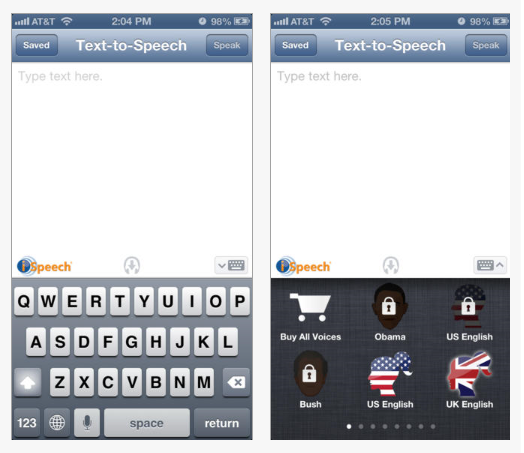
iSpeech icon iSpeech app for iOS  for iOS (free; iPhone/iPad) – Provides a simple word processing environment with “Speak” capabilities.  Very simple and straight forward app. A save function for typed text is available. In app purchase of additional voices are available. Uses Internet connection for text to speech.
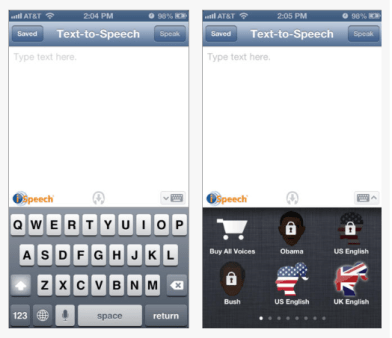
iSpeech pic1

iSpeech iconiSpeech for Android (free) – Same basic features as listed above.
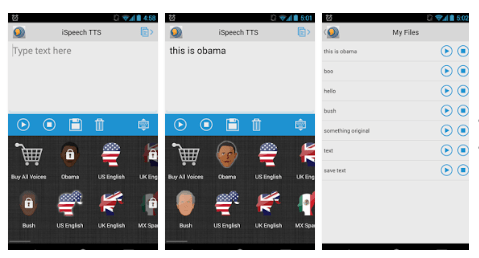
 

iSpeech pic1 for Android

Aloud! iOS icon TTSAloud! Text to Speech app  iOS (free; iPhone/iPad) – Provides word processing app with text to speech capabilities. Also allows copying text/articles and saving for future reference. In app purchases for additional voices. Simple to use.
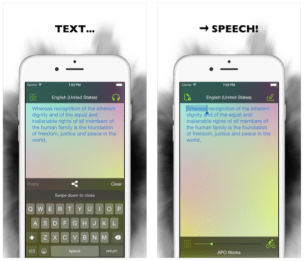
Aloud! Text to Speech iOS pic

Speak it icon Android   Speak it app for Android – (free) Provides basic word processing and text to speech with a simple user interface. A recent search for a basic TTS app for Android found this app, in my estimation, one of the most stable and easiest to use TTS app for Android.
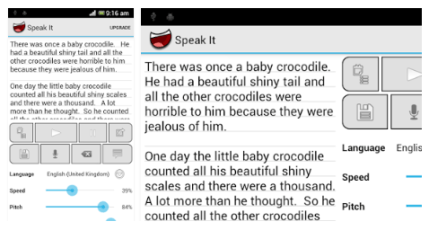
Speak it pic1 Android tts app

Certainly there are many more apps with TTS, free that are AAC communication apps. That list is long and worthy of another blog post or posts!

What TTS app do you use for communication with your clients or patients? If you have a favorite, please share!

More for your OT mTool Kit!

Carol Leynse Harpold, OT’s with Apps Blogger

¹ Yamkovenko, Stephanie,  retrieved Oct 11, 2015 from http://www.aota.org/practice/manage/apps.aspx .

Posted in Accessibility, Activities of Daily Living, Android, Apps for OT's, Apps for PT's, Apps for Special Needs, Assistive Technology, Augmentative Communication, Communicaton, iOS, iPad, iPhone, iPod, Occupational Therapy, Physical Disability Tool, Rehabilitation, Text to Speech, Writing | Tagged , , , , , , | Leave a comment

Dexteria Visual Motor Integration App – New!

Dexteria VMI icon

Dexteria Visual Motor Integration App

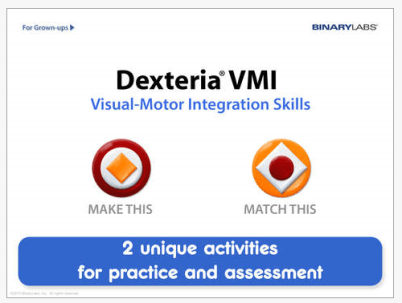
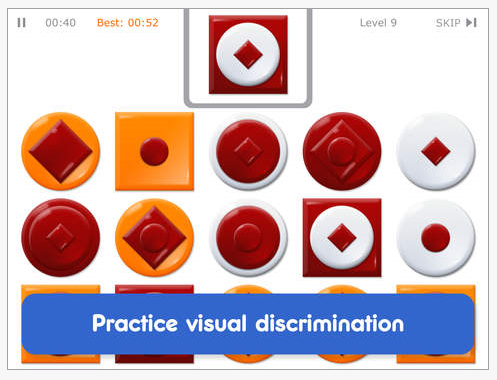
Binary Labs, creator of apps for Occupational Therapists has developed a new app, Dexteria Visual Motor Integration App (3.99; iPad/iPhone). Developed for 4-6 year olds, Dexteria VMI provides visual matching, figure ground, visual discrimination and visual memory tasks.

The app provides two modes, a “create this”, requiring reproduction and “match this” for visual memory.

Dexteria VMI pic1

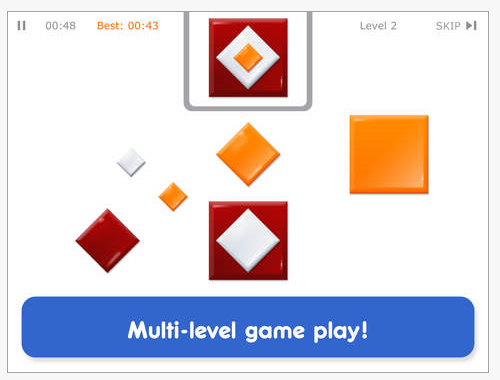
All tasks require visual discrimination of size, shape and color.

Dexteria VMI pic2

Dexteria VMI pic3

Each mode has 10 levels of increasing difficulty. Levels 5 and above provide an additional challenge of completing the task from visual memory.

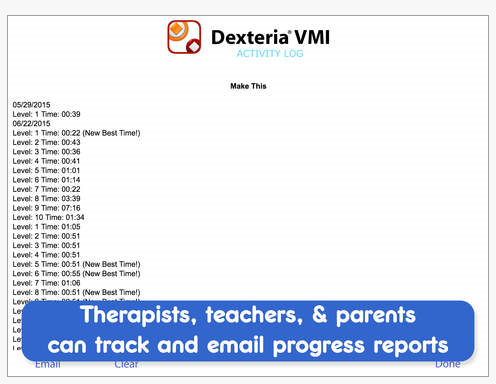
The match and create activities both track time and accuracy of responses.  Scores are tracked and compared .

Dexteria VMI pic4

Summary: Dexteria VMI app provides visual motor discrimination and visual memory activities on the iPad and iPhone. The app is intuitive and easy to use. A progressive level of difficulty is present in each mode of the app and reporting to monitor user skill development. I would like to see the levels of each of the modes expanded  with additional activities offered for each of the variables included (e.g. one, two, then three matching  shapes).

Dexteria VMI provides visual discrimination and visual memory activities and monitoring activities for primary aged students and assists therapists with collecting student performance data. I will look forward to trialing this app with students  when school starts this fall!

More for your OT mTool Kit.

Thank you to Binary Labs  for providing the  app for review!

Carol

Posted in Uncategorized | Tagged , , | Leave a comment

Keeble, Keedogo and Keedogo Plus – Back to School Sale from Assistiveware!

Back to School Sale!

Keedogo Keeble sale

What a great back to school deal – 50% off for Keeble, Keedogo and Keedogo Plus apps from AssistiveWare.

Keeble  and Keedogo apps are some of my favorite apps, providing word prediction, spelling and access support in your keyboard when used with other writing apps. Use these keyboard apps as a scaffold when composing with  standard classroom writing apps and you have spelling, word prediction, enlarged, colored , upper and lower case keyboard options  and more for struggling writers.  At half price, I believe this is a bargain!

Not familiar with Keeble and Keedogo apps? Check out previous reviews on these third party keyboard apps made possible in iOS 8:

Keeble App reviewed on OT’s with Apps

Keedogo Apps reviewed on OT’s with Apps

More for you OT mTool Kit!

Carol

Posted in Uncategorized | Leave a comment

Sixth Digit – Adaptive Stylus for Quadriplegics

Sixth Digit pic
Sixth Digit

Thanks to Josh Smith’s ingenuity,  there are additional options for access to touch screens, buttons and small target points for those with limited hand function. The mechanical engineer created the Sixth Digit Stylus out of necessity following a C 5 complete SCI  sustained last August from a diving accident.

Josh reported he trialing a variety of styluses that did not work for him, he developed the Sixth Digit stylus/pointer. More than just a stylus for mobile devices, this stylus has a universal design flavor, allowing access to an iPad, standard keyboards, microwaves and more for individuals with poor hand/finger control. What a great device that is portable, wearable and very functional!  Here’s more about his story and invention:

Currently a kick starter project, Josh shared inventory should be available in about 2 months. Check out more about the Sixth Digit Stylus on the Kick Starter website and help him fund his project .

Kudos to Josh Smith for his ingenuity!

More for your OT mTool Kit!

Carol

Posted in Accessibility, Accessories, Activities of Daily Living, Assistive Technology, Stylus | Tagged , , , , | Leave a comment