More Apps for Developing Fine Motor Skills

Previously I listed a few apps that specifically work on developing fine motor skills in general or apps that also help develop skills to work on the iPod or iPad for students. Here are a few motor to add to the list of apps that support development of fine motor skills:

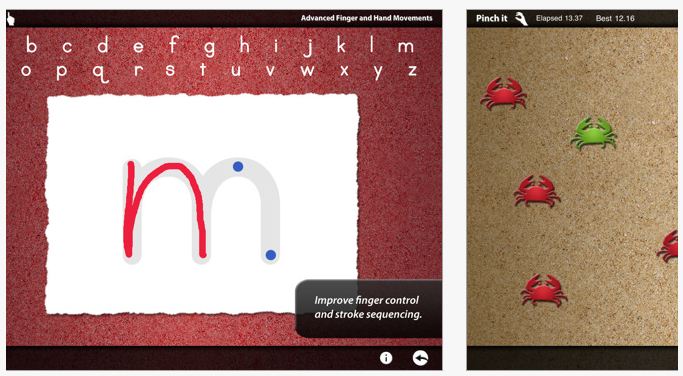
Dexteria – Provides explicit training in fine motor tasks of tapping, pinching and handwriting skills. Skills promoted to be developed with this app includes finger isolation, pinching and letter formation. Productions or challenges can be timed to encourage speed and dexterity. The handwriting skill development has levels and provides feedback to students when they draw out side of the lines when forming letters and shows the correct sequence visually with cues of where to start and where to end to assist with developing a motor plan for letter formation.

Although it does not provide that game element helpful for kids to engage and not know they are learning or practicing a skill, it does provide verbal rewards for successful completion.  Great for students with autism who benefit from visual information for learning. Compatible with iPad. On day of this review it sold for $2.99, regularly  $4.99. For more views and information check it out on iTunes or their website.

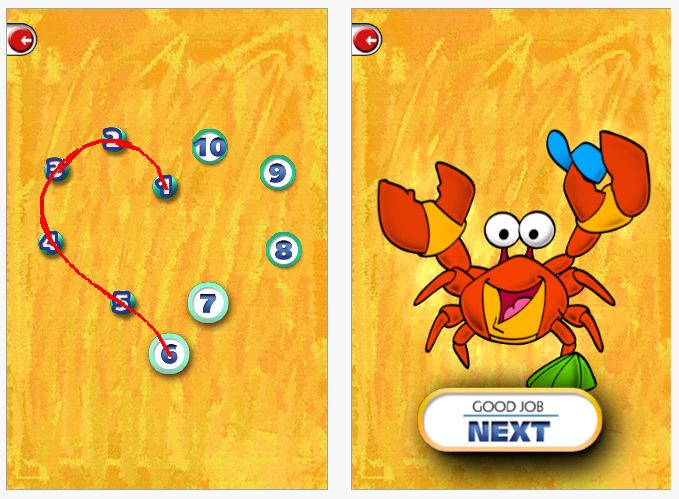
Dots for Tots – A simple app with nice visuals, animation to help users know what to do, music and also rewards after completing each dot to dot shape. It also nice provides auditory output of the name of the shape that was just drawn and starts out very simple with only 3-4 numbers for young learners. You can also purchase additional  addons for cost. Available in a free and paid version ($.99).

Although it has not gotten great reviews in iTunes, I have not had problems with it on an iPad and believe it is well worth trying out with kids. Available for iPod and iPad.

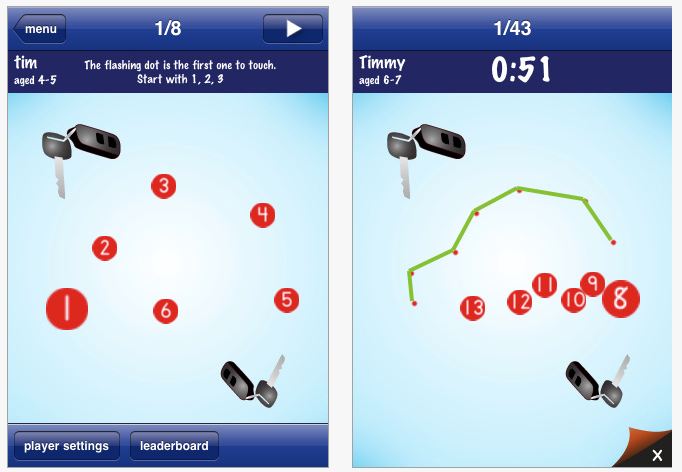
Dot to Dot Number Whiz –  Another dot to dot app (by the maker of Pocket Phonics – one of my favorities), allows you to customize by user, the age range of the photo library and pictures for the app. Provides visual for where to start drawing and gives you visual feedback for errors all which also can be customized for the user.

This app starts with more numbers as shown above for students who can count up to 5 or 10 (or more). Available in a free version and purchase version ($1.99) for both iPod and iPad.

Posted in App Reviews, Apps for OT's, Apps for Special Needs, AT for Handwriting, Fine Motor Development, Finger Isolation, Handwriting, iPad, iPod, Letter Formation, Occupational Therapy | Tagged , , , , , | Leave a comment

Finding Apps for Special Needs

Finding suitable apps can be a timely process much less really knowing what their capabilities are. How do you find them? Knowing trusted websites that regularly review apps is invaluable.  A few of my favorites are listed below. The sites review the apps and some provide a video review of the apps to really experience app features prior to buying. Finding “lite” versions of apps which are typically free is also helpful to evaluate an app.

Here are a few of my favorite websites I peruse to find recommended apps:

a4cwsn – Apps for Children with Special Needs does an awesome job of reviewing apps, categorizing them and providing a video overview of their features. Well worth the visit. I find great apps for my students and get an almost hands on review of the app.

momswithapps.com – I found Apps for Children with Special needs from this website Moms with apps. A great site for reviews of apps for general education, creativity, reading, families, special needs and more. It also provides links to other educational websites.  Well worth the visit.

Jeremy Brown’s App Recommendations for Students with Autism – Jeremy Brown’s recommendations are not only appropriate for students with Autism but for a wide variety of special needs students. Listed by category, you will find apps for many needs.

iPads in Special Education – This is an extensive categorized list of apps for special education. Worth checking out.

iNov8 – There’s a Special App for That series covers apps in categories such as providing autonomy, literacy instruction, communication, learning disabilities, fine motor, organization, mind mapping and social skills with screen shots, reviews and other helpful information. Well organized, checking out the new series being posted is informative and resourceful. Highly recommended.

Another resource that has been updated as of 4/11 is Pacer Center’s There’s an App for That: iPad/iPod 101 with resources for apps as well as peripheral equipment and set up for iDevices. Great updated resource if you are starting use of an iDevice.

Of course I frequently peruse the free apps posted daily on Freeappsalert!

Happy app hunting!

OTs with Apps

Posted in App Reviews, Apps for OT's, Apps for Special Needs, iPad, iPod, Occupational Therapy | Tagged , | Leave a comment

Splashtop App and Splashtop Remote

Thanks to Suzanne Feit and the QIAT listserv, I was introduced to Splashtop app that can remote into your computer desktop to operate Win based or Mac based software on your iDevice. Suzanne’s example of accessing software as Intellitools Classroom Suite sparked my interest in how this might work.

Splash App installs on your iPod Touch or iPad and makes connection to your computer when complimentary software is installed on your computer. Using WIFI you can connect from your iDevice to your computer to operate software installed on your desktop or laptop computer using the remote desktop software for access.

Although I have only used it on my iPod Touch (which due to size of the device is somewhat limiting to access), found it easy to install on my computer and iPod Touch after turning off firewall. It connected easily to my computer given great prompts and assistance with the IP addresses and port needed for connectivity.  I was able to navigate easily on my desktop (despite the size of the iPod screen), type into Word, open a Blio book to read and open up other software installed on my laptop computer easily and quickly. 

I am really excited about the possibilities of using our bread and butter Windows software available on our desktop or laptop extended to the highly portable, accessible and “cool” (kids love cool, we love our special needs kids to be cool like all other kids!) iDevices to extend access and learning opportunities for my special needs students. As an OT, the possibility of using an iPad at a students desk with it projecting/showing Intellitools Classroom Suite with modified curriculum materials (spelling, DOL, writing or reading, math), allows them to look and participate just like their peers! Can it get much better than that??!!

Check out a quick video on You Tube about Splashtop with Classroom Suite: http://www.youtube.com/watch?v=GxHDgjrd3xo

Splashtop is available for iDevices and Android and supports WIN and MAC OS. It is on sale Memorial Day weekend!

Amazing! Have you tried it? How can you resist not trying this??

Carol

Posted in App Reviews, Computer Utilities, iPad, iPod | Tagged , , | Leave a comment

Apps to Develop Fine Motor Skills

There are many iDevice apps out there to develop fine motor skills  for children. Drawing and music apps that can encourage fine motor development are readily available. Access to some apps on iDevices can require specific, new skills for some students. Although I find the iPad and iPod Touch to be very intuitive to most students, it requires a number of different skills to access and operate them. Touching/pointing, holding while touching and pointing, pinching, accuracy with touching/pointing and sliding in all directions are all different skills needed when interacting on the iDevices.

Listed below are few apps that provide specific practice of skills required to access the iDevice or apps as well others that support fine motor skill development. Certainly the type of instruction and the requirements of the app can facilitate what skills you might be targeting (finger isolation, waiting, timed, accurate touch), so knowledge of the app is important before you target its use with a student. This is a bonus I believe allowing you the opportunity to work (play) on the iDevices too! Here are some that I have found:

Touch Trainer (Lite is free) – Provides a structured method of training touching on the iPod/iPad for learners. The app provides different steps with options to change number of successful touches for mastery as well as the reinforcer length for a student.

While the lite version only has 1 level, the full version has 7 levels to assist with developing the touch skills for students who need more practice with developing those touch skills. Available for iPod and iPad this is worth trialing for beginning iDevice users with a very clean presentation.

Touch Tutorial  (4.99)- Developed by the makers of Touch Trainer, Touch Tutorial provides specific trials in touching, tapping, swiping and pinching or zoom and stretching objects on the iDevice screen. Made for iPod and iPad, it seems a bit pricey but if you need specific training in developing the skills needed to operate these devices this app provides visually clean and clear training.

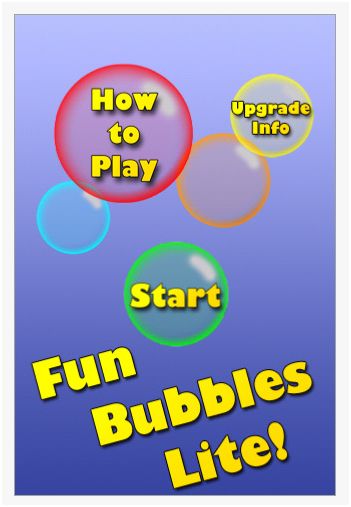
Fun Bubbles Lite (Free) – This is one of a gazillion available bubble apps. I like Fun Bubbles Lite as it provides a couple of different ways to make and bubbles which can develop skills of using an iDevice at the same time. Tap the screen and you make and bubble, tap the bubble accurately and you pop it! Touch and hold and you can make a bubble grow largers, but don’t hold too long or it will pop. Hold and drag or slide and you make a line of bubbles which you also can pop one by one accurately to get rid of them. It has a simple interface. The Lite version provides some ads on it. Upgrading to the full version costs $.99 .
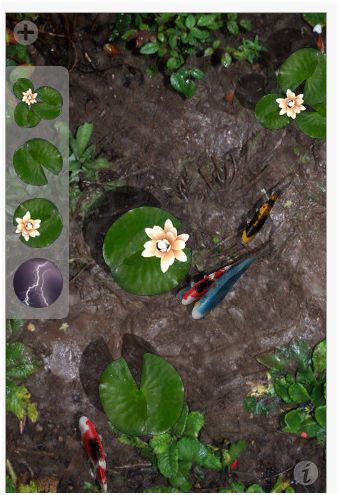
Pocket Pond (Free) – Previously mentioned in the previous review of sensory apps, is one of my all time favorites as well as our teacher and students favorite. Pocket Pond also provides an interactive method of tapping and sliding  to add fish or food, make the fish move. My coworker Gail also uses it for working on eye-hand coordination and timing skills with students (and they don’t even know it!). Pocket pond not only has calming effects but provides fine motor skill development as well. Available for iPod and iPad.
The Wheels on the Bus ($.99) – Is an interactive book that provides the music to the familiar kids song and interactive opportunities with wheels, wipers and other objects on this slightly different version of Wheels on the Bus. It is a very busy app visually but provides opportunities to poke (tap), slide in a variety of ways to interact with this book. Created by Duck, Duck Moose, there are a variety of other familiar titles of books (Old Mac Donald, The Itsy, Bitsy Spider, e.g.) to choose from. Available for iPod and iPad this is worth checking out.

Wipe and Learn ($.99) – Is a nice simple app that provides a picture you erase by swiping to reveal a flash cards of common objects.  Easy to use, this  works on swiping, attention to the screen, eye hand coordination and vocabulary. Available for iPod and iPad.
Peekaboo Barn Lite (Free) – Based on an Old Mac Donald theme this app provides a simple format of a barn you must tap to reveal different farm animals. A simple but inviting app for young learners, the lite version gives you an opportunity to check it out prior to purchase or follow the link above for a video preview of the full version for $1.99 app. Available for iPad and iPod.

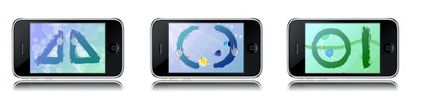
MeMoves ($2.99) – This is a very different app that focuses on the  development of fine motor, calming and focused attention. Developed from the Me Moves DVD, this app provides skilled training at different levels for vision, eye hand coordination and relaxation. Targeted for special needs aged 3 -103 years, this app provides finger puzzles you perform to music and rhythm on the screen. Check out the developers theory, experience and a video to review at the link above. Well worth exploring.
What are your favorite fine motor apps? Please share!

Carol, an OT with Apps

Posted in App Reviews, Apps for OT's, Apps for Special Needs, Fine Motor Development, Focused attention, iPad, iPod, Occupational Therapy, Special education | Tagged , , , | 2 Comments

Handwriting Apps for OT’s

Some of the first apps I explored with students included apps that support handwriting. It has been a high interest for a while to provided a visual, video model of letter formation for individuals with ASD. Allowing students with Autism among others a method of visually seeing and reviewing the sequence of letter formation would support their learning style in the acquistion of  mechanical writing.

Here are my favorite apps that support letter formation development and that are popular with therapists, teachers and students:

iWrite Words

iWrite Words

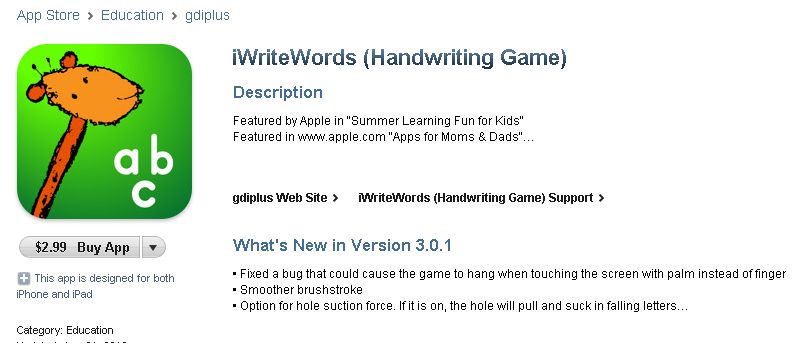
Focused on phonetic awareness, letter formation, letter  and word recognition, iWrite Words app has a beautiful interface, is interactive and provide explicit instruction on the sequence of letter formation. Numbers guide the student in the correct motor sequence to form the letter. When the  letter is completely written it generates a floating  letter that isto be flung away at the bottom of the screen before another letter to be worked on is generated. Very interactive!

iWrite Words is a favorite of staff for its instructional qualities, but more importantly a favorite of students.

Alphabet Tracing

Alphabet Tracing is a free app that also supports letter and number formation using a moving train moving in the direction of correct letter or number production.

Early childhood as well as kindergarten students were motivated to create letters using Alphabet Tracing app on an iPad. The visual sequence provided, along with its interactive – hands on practice helped students  recall the appropriate sequence to form a letter. Providing them auditory cues to the sequence further reinforced appropriate skill development.

ABC Pocket Phonics 

Another favorite, ABC Pocket Phonics provides phonics development, letter formation and word games. It is interactive and motivates  students who are learning early literacy skills.

Both ABC PocketPhonics and iWriteWords are available in lite versions  meaning they are free,  partial versions of the software allowing trial to determine if they provide the type of intervention needed.

Do you have any favorite handwriting apps? Please share!

Carol

Posted in App Reviews, Apps for OT's, Apps for Special Needs, AT for Handwriting, Fine Motor Development, Handwriting, iPad, iPod, Letter Formation, Occupational Therapy, Phonics, Special education | Tagged , , , , , , | 9 Comments

Sensory Apps

As an OT working in the school system, dealing with sensory processing challenges requires a constant search for options to help students regulate their sensory systems. Although it seems odd to include techology devices instead of hands on tasks, use of an iDevice for sensory and behavior management can definitely be another another tool in your bag of tricks. iPods used for learning and academic tasks are being used with specific students in our district, so adding a few sensory apps provides a few more tools for staff and students using mobile learning devices. Sensory apps used with students having attentional, behavioral or mental health challenges  help calm, refocus or motivate students.

Here are some favorites:

Pocket Pond– The free version provides a pond of rippling water with fish swimming. When you touch the screen the water splashes and the fish move away just like you were poking at them in a pond. On the free version you can add lily pads and a flying dragonfly to interact with. Highly interactive, it provides nature sounds and the sound of the water splashing.  A purchased grade allows you to fish in the pond. Kids and adults love this app available on iPod and iPad.

5 stars for Pocket Pond!

Relax Melodies– This free app provides dozens of sounds (river, ocean, instruments, wind, thunder, rain, white noise, the list goes on..) that can play individually or simultaneously. In the free version you can save favorite combinations of music, set an alarm and a timer when listening to your selections. This is a great apps for students who need non-lyric based music to help with calming. It is interesting just to play and listen to different sounds in the app. An advertisement is presented in the free version which may be distracting to students. Available on iPod and iPad.

4 Stars for Relax Melodies

Fluidity – Another favorite visual, interactive app that is free. Remember those lava lamps that are no longer allowed in school due to safety reasons. Fluidity looks like the lava lamp of yesteryear in a new venue. Options of changing colors, viscosity, sparkling or momentum are options on the free version. You can use your fingers to move the “fluid” around the screen. More options are available with the purchased version. Popular with adults and kids, this app is available on iPod and iPads.

4 Stars for Fluidity (I would like sound with it!)

Certainly there are many others with similar features and tools that are worth mentioning:

Have fun and share any other sensory apps that have been successful with your students!

Next: Apps for learning letter formation

Carol

Posted in App Reviews, Apps for OT's, Apps for Special Needs, iPad, iPod, Occupational Therapy, Sensory Apps, Sensory Apps for ASD, Special education | Tagged , , , , , | Leave a comment

Welcome to OT’s with Apps

As an Occupational Therapist we work with many tools to improve fine motor, perceptual motor, sensory processing/regulation and perceptual skills and self care skills. I also recognize the power of visual, novel and interactive activities to aid in motivating and engaging students in learning. Many of our students with behavioral, attentional and mental health challenges have significant difficulty with motivation, specific interests to engage them in learning.  Although as OT’s we have many wonderful tools and tricks in our bag, an iPod or iPad is another powerful, highly portable, on demand tool that can calm, engage and teach our students!

This  goal of this blog is to share some of the apps, equipment and experiences  using iPods and or iPads for special needs students.  Although it has been somewhat recent, it has been an eye-opening and exciting journey.  I hope you find helpful information and also share your experiences and resources about the use of iDevices as another OT tool in the school.

Carol

var _gaq = _gaq || [];
_gaq.push([‘_setAccount’, ‘UA-31061365-1’]);
_gaq.push([‘_trackPageview’]);

(function() {
var ga = document.createElement(‘script’); ga.type = ‘text/javascript’; ga.async = true;
ga.src = (‘https:’ == document.location.protocol ? ‘https://ssl’ : ‘http://www’) + ‘.google-analytics.com/ga.js’;
var s = document.getElementsByTagName(‘script’)[0]; s.parentNode.insertBefore(ga, s);
})();

Posted in Uncategorized | 3 Comments